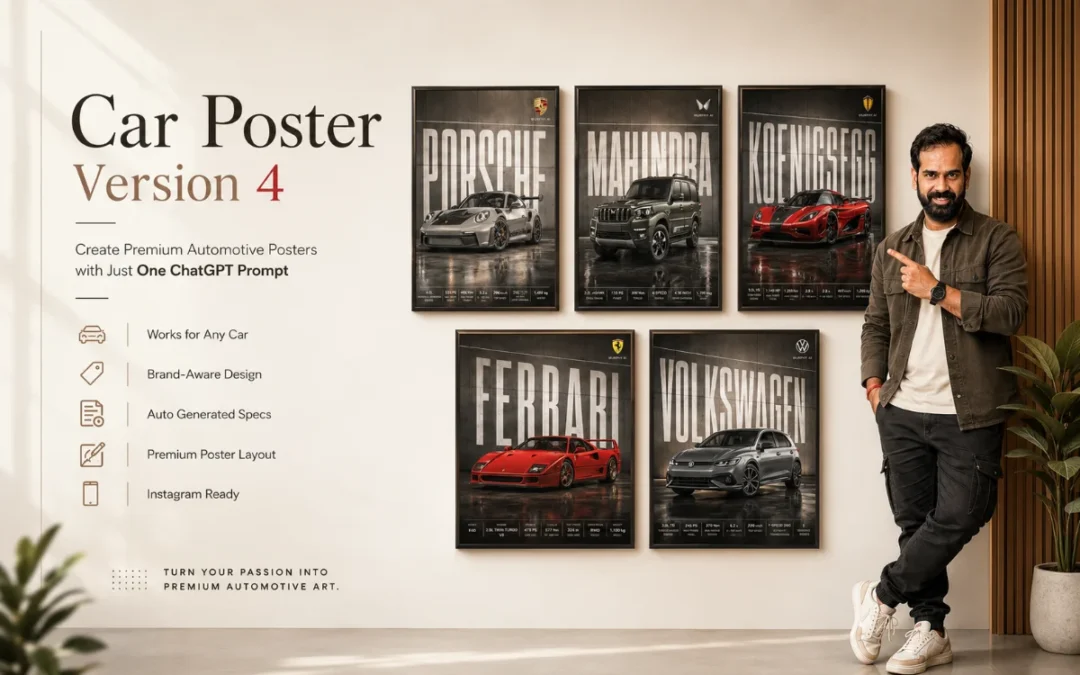
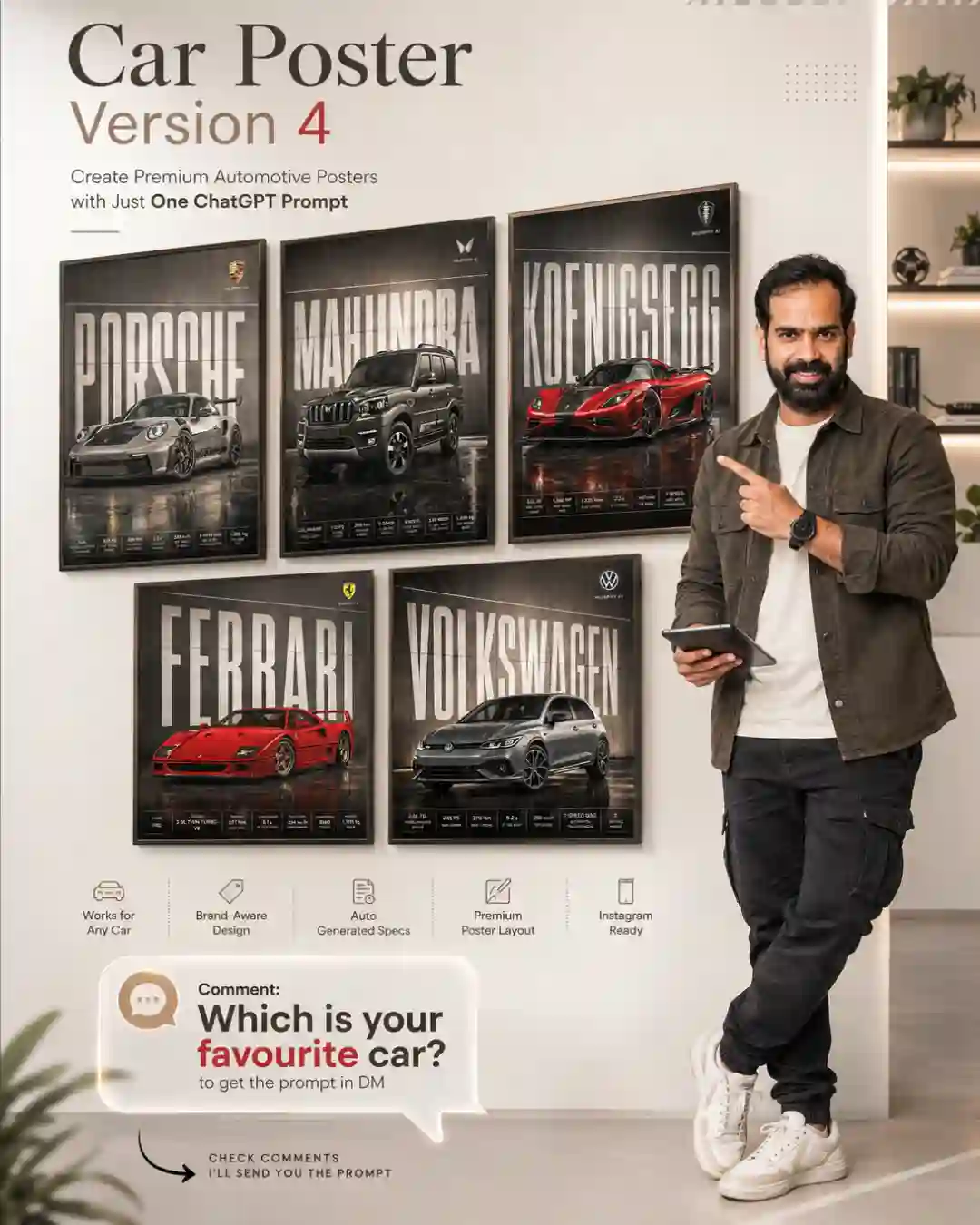
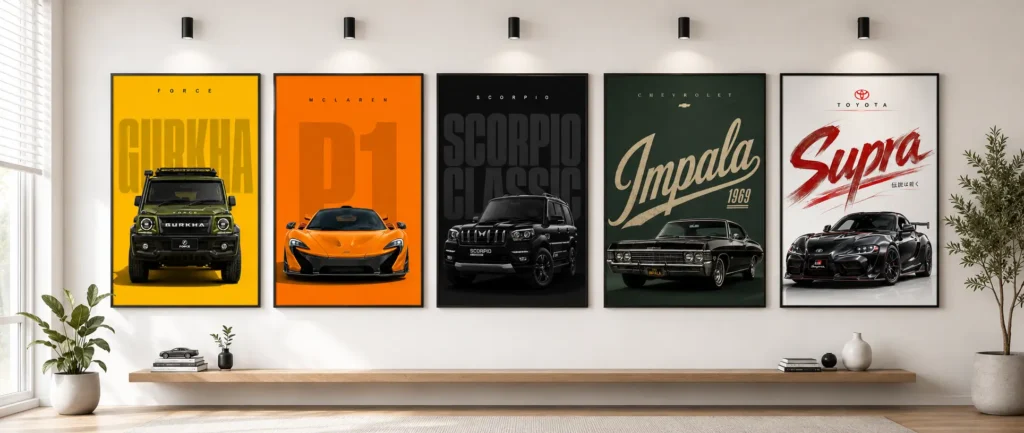
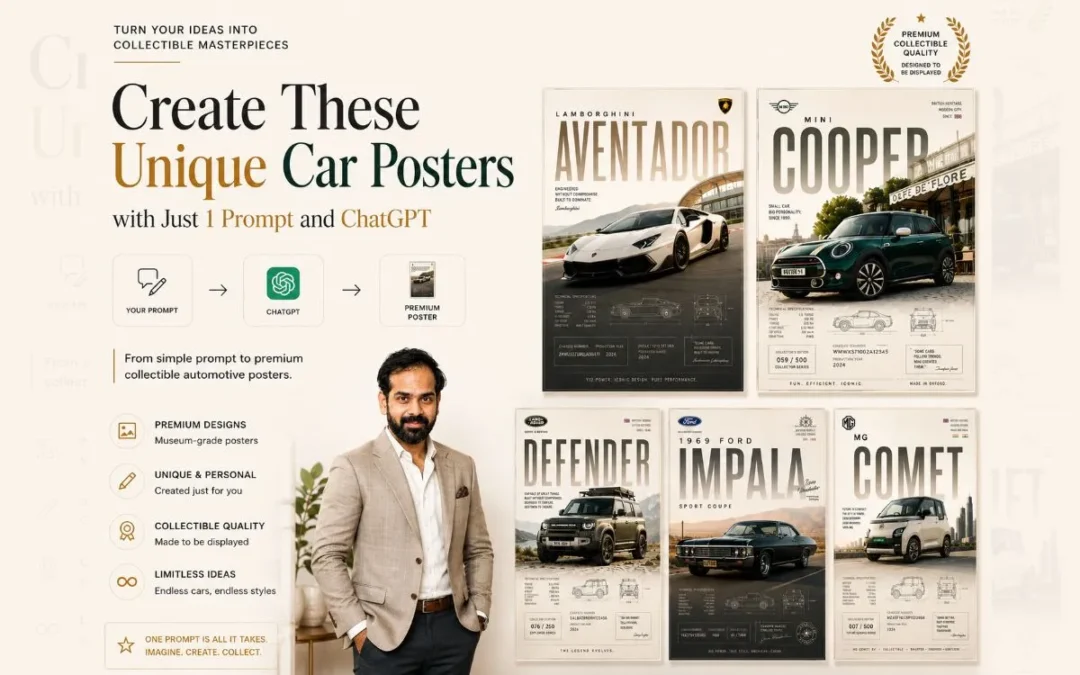
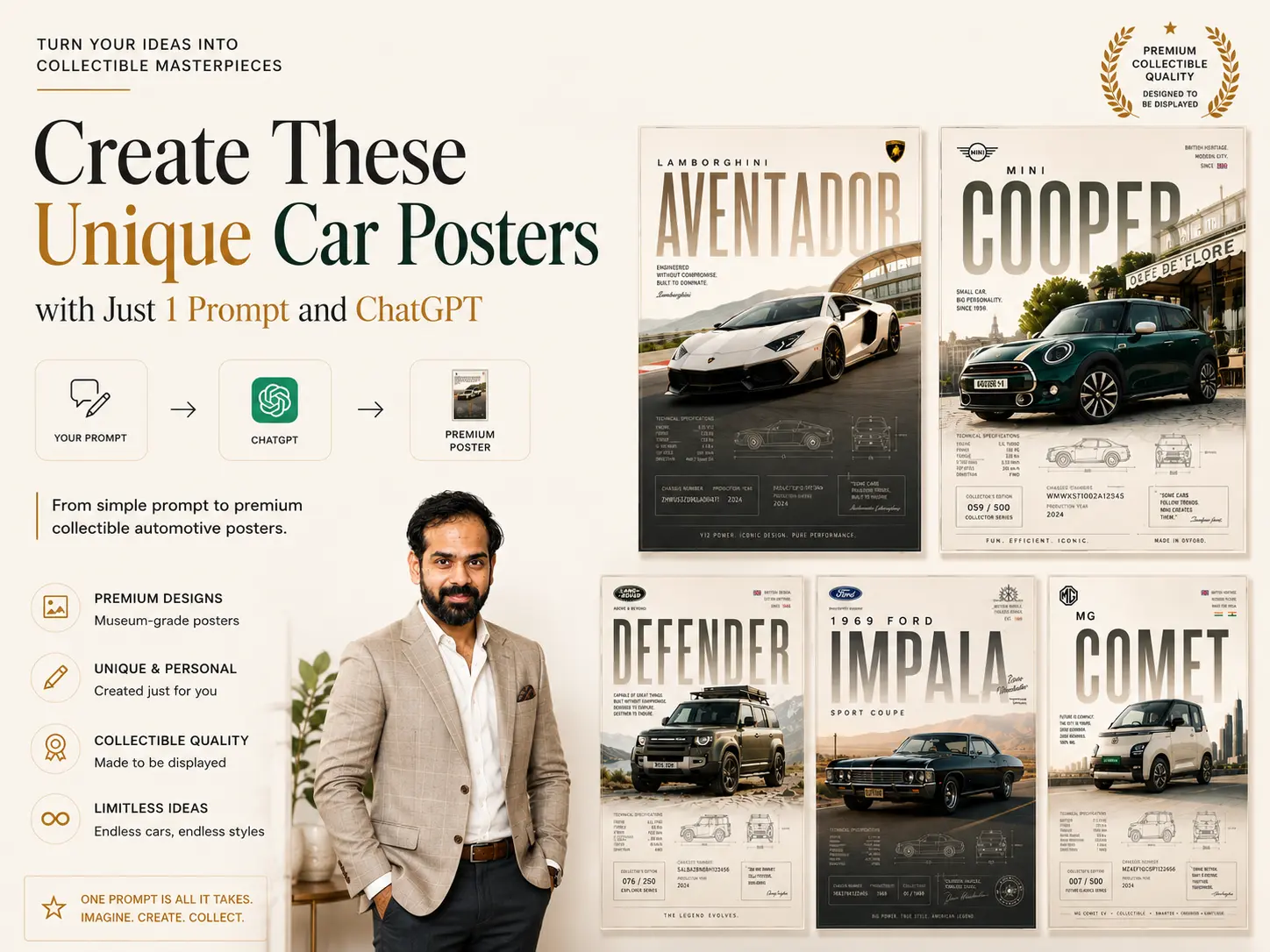
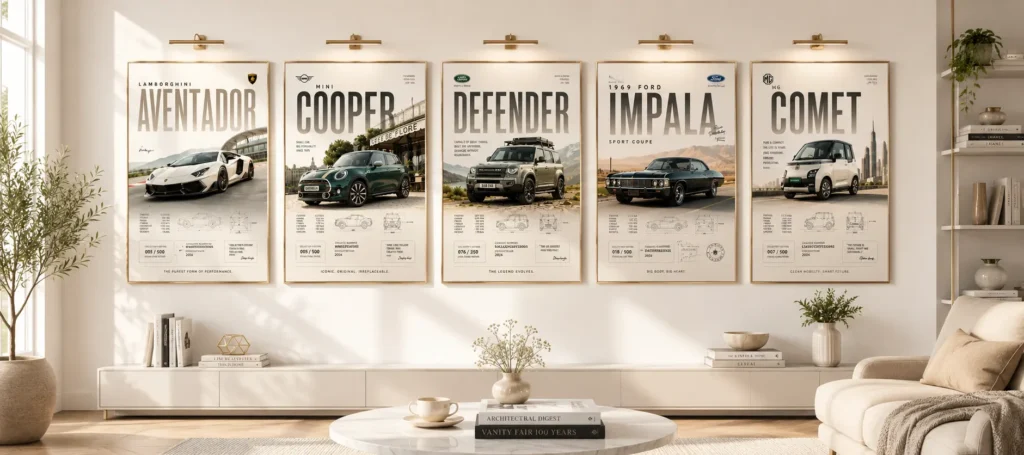
If you’ve seen Premium Car Posters on Instagram or Pinterest and wondered how they’re created, the process is now easier than ever with AI image generation tools.
In this guide, you’ll learn how to create stunning Premium Car Posters using ChatGPT, helping you design professional, collectible, editorial-style automotive artwork with a luxury-grade finish.
Generate image
Cinematic automotive billboard poster featuring [CAR MODEL NAME] as the hero vehicle.

Analyze the vehicle's design language, brand heritage, segment, performance character, luxury positioning, and visual identity. Automatically determine the most suitable paint color, finish, environment, camera angle, lighting, typography, materials, and color grading.

Position the vehicle center-frame with a dominant presence and premium advertising composition. Automatically select the camera angle that best showcases the vehicle's proportions and character.

Apply world-class automotive lighting with:

• soft cinematic key lights
• controlled rim lighting
• premium reflection shaping
• deep contrast
• realistic paint microtexture

Avoid excessive light streaks, lens flares, neon effects, or distracting visuals.

Create an environment that naturally reflects the vehicle's identity:

• Supercars → dramatic performance architecture
• Sports Cars → premium automotive-inspired industrial settings
• Luxury Sedans → elegant modern architecture
• SUVs → rugged landscapes and adventure scenery
• EVs → futuristic minimal environments
• Off-Road Vehicles → wild natural terrain

Massive billboard-style typography featuring the manufacturer's name in ultra-condensed white lettering integrated into the background architecture. Typography should span edge-to-edge behind the vehicle with subtle divider lines, premium execution, and no distortion.

Use premium architectural wall panels, geometric divisions, brushed metal, concrete, or showroom-inspired surfaces instead of aggressive light bars.

Add a sleek editorial specification strip along the bottom containing 5–8 premium vehicle details. Minimal typography, thin divider lines, luxury watch-catalog aesthetics.

Ground surface should be selected automatically and feature subtle controlled reflections.

Atmospheric effects such as haze, mist, smoke, or volumetric depth should be used only when they enhance the scene.

Place the manufacturer's logo subtly in the top-right corner with small uppercase text:

STRICT RULES

— no taglines
— no marketing copy
— no pricing
— no people
— no random props
— no license plate text
— no oversized specifications
— no excessive light streaks or neon effects

Render as hyper-realistic automotive photography with ultra-sharp details, physically accurate reflections, cinematic color grading, premium advertising quality, and award-winning automotive campaign aesthetics.

Composition must feel balanced, symmetrical, timeless, and worthy of a global automotive billboard campaign.

Format: 4:5 (1080X1350), ultra-high resolution, print-ready finish.
Use can use this simplified structure:
Generate image Cinematic automotive billboard poster featuring [CAR MODEL NAME] as the hero vehicle.
Analyze the vehicle’s design language, brand heritage, segment, performance character, luxury positioning, and visual identity. Automatically determine the most suitable paint color, finish, environment, camera angle, lighting, typography, materials, and color grading.
Position the vehicle center-frame with a dominant presence and premium advertising composition. Automatically select the camera angle that best showcases the vehicle’s proportions and character.
Massive billboard-style typography featuring the manufacturer’s name in ultra-condensed white lettering integrated into the background architecture. Typography should span edge-to-edge behind the vehicle with subtle divider lines, premium execution, and no distortion.
Use premium architectural wall panels, geometric divisions, brushed metal, concrete, or showroom-inspired surfaces instead of aggressive light bars.
Add a sleek editorial specification strip along the bottom containing 5–8 premium vehicle details. Minimal typography, thin divider lines, luxury watch-catalog aesthetics.
Ground surface should be selected automatically and feature subtle controlled reflections.
Atmospheric effects such as haze, mist, smoke, or volumetric depth should be used only when they enhance the scene.
Place the manufacturer’s logo subtly in the top-right corner with small uppercase text:
STRICT RULES
— no taglines — no marketing copy — no pricing — no people — no random props — no license plate text — no oversized specifications — no excessive light streaks or neon effects
Render as hyper-realistic automotive photography with ultra-sharp details, physically accurate reflections, cinematic color grading, premium advertising quality, and award-winning automotive campaign aesthetics.
Composition must feel balanced, symmetrical, timeless, and worthy of a global automotive billboard campaign.
Each tool produces slightly different styles, so experiment with multiple generations.
Final Thoughts
Creating Premium Car Posters no longer requires professional graphic design expertise. With the right AI prompt structure, cinematic lighting, premium typography, and automotive-focused composition, you can produce showroom-quality Premium Car Posters in just minutes.
Whether you’re passionate about vintage muscle cars, JDM legends, luxury sedans, or exotic supercars, the secret to exceptional Premium Car Posters lies in building a strong visual identity around the vehicle—transforming it into a collectible piece of art rather than simply generating another car image.
FAQ
What are premium car posters?
Premium Car Posters are high-quality automotive artworks designed for display and collection.
Can I create Premium Car Posters with AI?
Yes, AI tools can generate professional-looking car posters from detailed prompts.
Which cars work best for poster designs?
Supercars, sports cars, luxury vehicles, muscle cars, and classic cars all work well.
What makes a car poster look premium?
Cinematic lighting, clean typography, premium composition, and high-resolution visuals.
What size is best for printing car posters?
Popular choices include A3, A2, 18×24, and 24×36-inch prints.
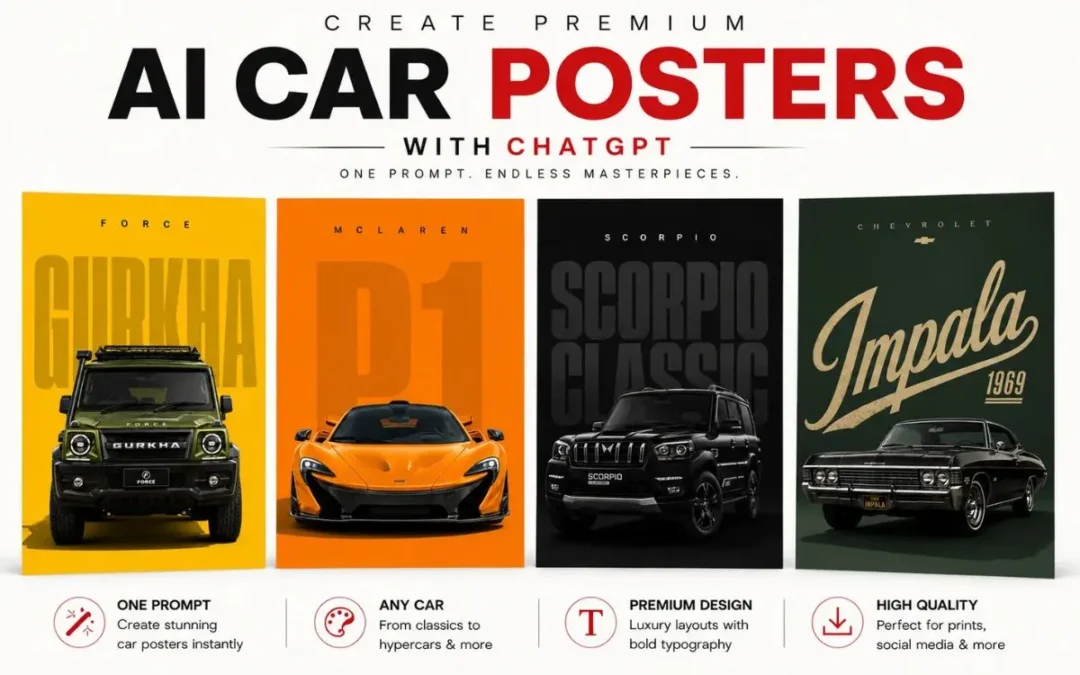
If you’ve seen cinematic luxury car posters on Instagram or Pinterest and wondered how they’re made, creating them is now much easier with AI image tools.
In this guide, you’ll learn how to create premium collectible Car Posters with ChatGPT, while keeping your designs professional, editorial, and luxury-grade.
Create a premium minimalist automotive poster for [CAR NAME / MODEL], inspired by luxury editorial car advertisements.

Use a clean vertical 9:16 Instagram Reels/Story composition with a bold solid color background in [BACKGROUND COLOR]. The background color should match the car’s personality, brand identity, era, and mood.

Place the car as the main subject in the lower-middle area. The car should look realistic, premium, sharp, glossy, and detailed, with accurate proportions, clean reflections, crisp edges, studio-quality lighting, and a natural shadow under the vehicle.

Behind the car, add huge oversized typography showing the car model name: “[BIG WORD]”.

Typography Direction:
Choose a typography style that matches the personality, era, and design language of the car. Do not use the same tall bold font every time.

Randomly select or intelligently choose one typography style:
- Tall condensed bold font for luxury sedans, SUVs, and classic premium cars
- Wide futuristic font for hypercars, EVs, and concept cars
- Aggressive sharp angular font for sports cars and performance cars
- Retro serif or vintage poster font for classic cars
- Elegant thin luxury serif font for premium luxury cars
- Creative cursive/script font for stylish lifestyle cars or heritage editions
- Glitch/distorted digital font for cyberpunk, electric, futuristic, or modified cars
- Rugged industrial stencil font for off-road SUVs and adventure vehicles
- Racing decal-style typography for track cars, rally cars, and supercars
- Minimal clean geometric sans-serif for modern EVs and clean luxury cars

The large background typography should feel unique to the car, not generic. It may be oversized, stretched, stacked, angled, partially cropped, transparent, outlined, embossed, shadowed, layered, or blended into the background depending on the car theme.

Add small spaced-out brand text at the top: “[BRAND NAME]”. Keep enough empty space at the top and sides for a clean premium layout.

Style: luxury automotive poster, minimalist editorial layout, high-end car magazine aesthetic, realistic car render, clean shadow, bold color contrast, premium typography, no extra objects, no people, no clutter.
Use can use this simplified structure:
Create a premium minimalist automotive poster for [CAR NAME / MODEL], inspired by luxury editorial car advertisements.
Use a clean vertical 9:16 Instagram Reels/Story composition with a bold solid color background in [BACKGROUND COLOR]. The background color should match the car’s personality, brand identity, era, and mood.
Place the car as the main subject in the lower-middle area. The car should look realistic, premium, sharp, glossy, and detailed, with accurate proportions, clean reflections, crisp edges, studio-quality lighting, and a natural shadow under the vehicle.
Behind the car, add huge oversized typography showing the car model name: “[BIG WORD]”.
Typography Direction: Choose a typography style that matches the personality, era, and design language of the car. Do not use the same tall bold font every time.
Randomly select or intelligently choose one typography style:
Tall condensed bold font for luxury sedans, SUVs, and classic premium cars
Wide futuristic font for hypercars, EVs, and concept cars
Aggressive sharp angular font for sports cars and performance cars
Retro serif or vintage poster font for classic cars
Elegant thin luxury serif font for premium luxury cars
Creative cursive/script font for stylish lifestyle cars or heritage editions
Glitch/distorted digital font for cyberpunk, electric, futuristic, or modified cars
Rugged industrial stencil font for off-road SUVs and adventure vehicles
Racing decal-style typography for track cars, rally cars, and supercars
Minimal clean geometric sans-serif for modern EVs and clean luxury cars
The large background typography should feel unique to the car, not generic. It may be oversized, stretched, stacked, angled, partially cropped, transparent, outlined, embossed, shadowed, layered, or blended into the background depending on the car theme.
Add small spaced-out brand text at the top: “[BRAND NAME]”. Keep enough empty space at the top and sides for a clean premium layout.
Style: luxury automotive poster, minimalist editorial layout, high-end car magazine aesthetic, realistic car render, clean shadow, bold color contrast, premium typography, no extra objects, no people, no clutter.
Why These Automotive Posters Look So Premium
Modern AI poster designs combine:
Editorial magazine layouts
Cinematic car photography
Luxury typography
Motorsport-inspired graphics
Minimalist compositions
Museum-grade print aesthetics
Instead of making a basic wallpaper, the goal is to create a collectible poster that feels like it belongs in a luxury automotive gallery.
Each tool produces slightly different styles, so experiment with multiple generations.
Final Thoughts
AI has made it possible to create stunning automotive posters without advanced 3D or graphic design skills. With the right prompt structure, lighting direction, and typography treatment, you can create gallery-worthy car artwork in minutes.
Whether you love vintage muscle cars, JDM culture, luxury sedans, or supercars, the key is building a strong visual identity around the vehicle rather than simply generating a car image.
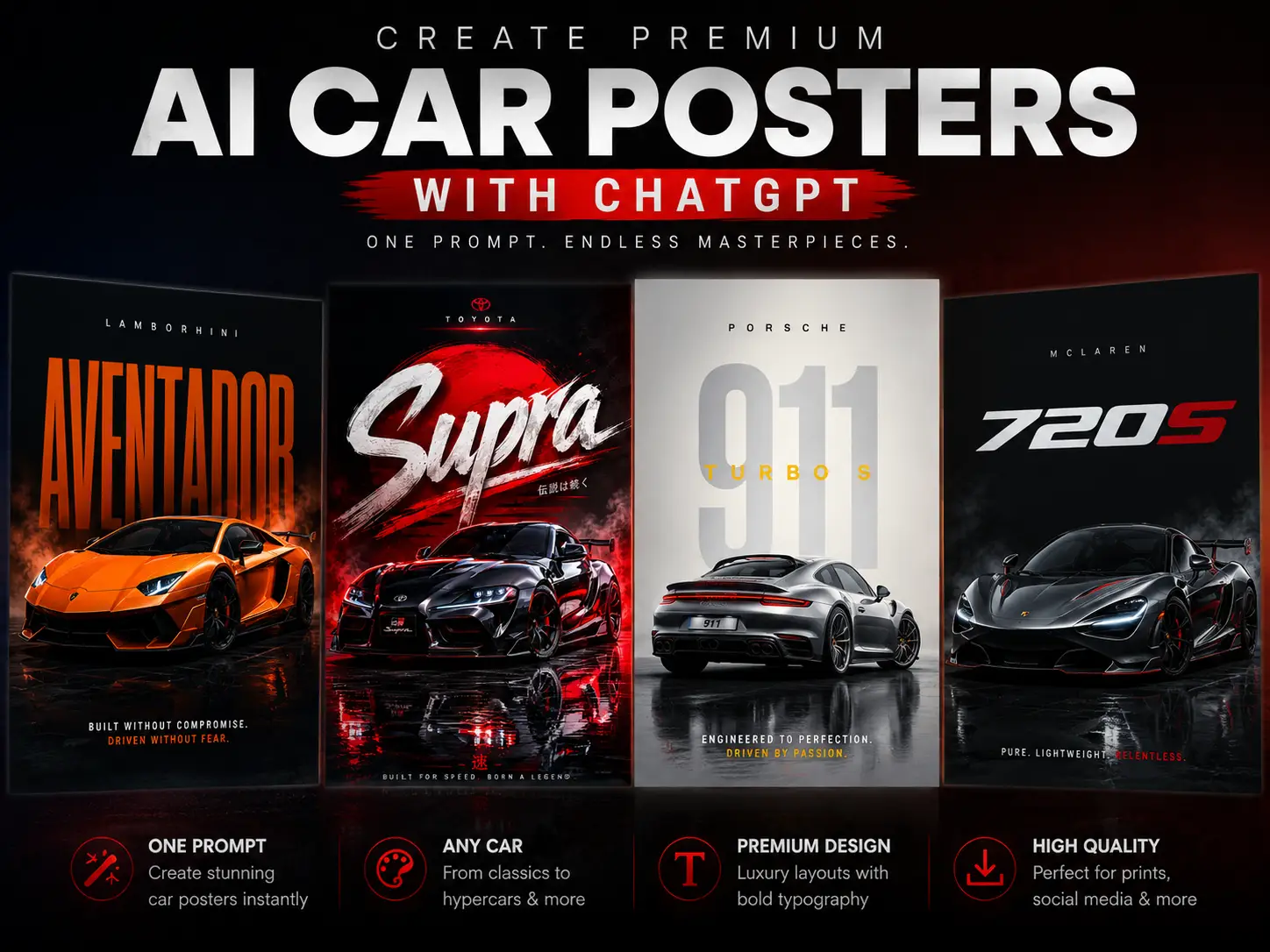
If you’ve seen those cinematic luxury car posters on Instagram or Pinterest and wondered how people create them — the process is actually much easier now with AI image tools.
In this guide, you’ll learn how to create premium collectible AI Car Posters with ChatGPT, while keeping the design looking professional, editorial, and luxury-grade.
Create a premium bright 4:5 collectible automotive poster for the [CAR NAME].

The design should look like a luxury museum-grade automotive print, combining realistic high-end car photography, editorial magazine layout, collectible motorsport details, and refined minimalist poster design.

The car must be the main hero subject, large in the frame, placed slightly off-center with a dynamic diagonal angle.
Keep the composition spacious, clean, premium, and bright.
Use intentional negative space in the upper area for large typography.

Add massive elegant masthead typography reading “[CAR MODEL]” across the upper background.
The typography should be integrated behind or around the car using subtle transparency, masking, overlap, and depth layering.
It should feel like a luxury automotive magazine cover, not a simple text overlay.

Environment should automatically match the personality of the car:
hypercar in a premium racetrack or futuristic city,
supercar on a sunlit coastal road or luxury mountain pass,
JDM car in a refined neon urban street,
luxury sedan near modern architecture,
vintage classic on a golden cinematic highway,
off-road SUV in bright dusty terrain,
Mini Cooper on retro European café streets,
muscle car on a refined American desert highway,
compact sedan near modern residential architecture or clean city roads.

Add subtle collectible elements:
technical specs, blueprint sketches, chassis number, serial ID, production year, signature mark, collector’s edition number, telemetry micro labels, premium border lines, heritage badges, and small editorial labels.

Lighting must be bright and premium:
soft daylight, golden-hour highlights, realistic glossy reflections, clean shadows, refined contrast, atmospheric depth, matte paper texture, subtle grain, and embossed print feel.

Use an elegant restrained color palette based on the car identity:
cream, beige, muted gold, soft black, graphite, silver, deep red, navy, or heritage green.
Avoid dark-heavy tones and oversaturation.

Final image should feel like a luxury gallery poster, collectible, polished, bright, editorial, and timeless.

Negative:
dark mood, black background, generic wallpaper, dealership ad, centered car, floating car, pasted look, oversaturated colors, excessive effects, cluttered layout, cheap racing graphics, fake HDR, low detail, cartoon look, distorted car, messy text, unreadable typography, wrong logo, harsh shadows, chaotic background.
Use can use this simplified structure:
Premium bright 4:5 collectible automotive poster for [CAR NAME], luxury museum-grade car print, realistic high-end automotive photography, car dominating lower frame in dynamic asymmetric angle, massive elegant “[CAR MODEL]” masthead typography integrated into upper background with masking and depth, bright cinematic environment matching car personality, soft daylight/golden-hour lighting, glossy realistic reflections, technical specs, blueprint sketches, chassis number, serial ID, collector’s edition details, premium thin borders, matte paper texture, embossed print feel, refined cream/gold/brand-inspired palette, spacious editorial magazine layout, ultra-rare luxury gallery poster aesthetic. Negative: dark poster, generic wallpaper, dealership ad, centered car, floating car, oversaturated, cluttered, cheap racing graphics, fake HDR, low detail, distorted car, messy typography.
Why These Automotive Posters Look So Premium
Modern AI poster designs combine:
Editorial magazine layouts
Cinematic car photography
Luxury typography
Motorsport-inspired graphics
Minimalist compositions
Museum-grade print aesthetics
Instead of making a basic wallpaper, the goal is to create a collectible poster that feels like it belongs in a luxury automotive gallery.
Each tool produces slightly different styles, so experiment with multiple generations.
Final Thoughts
AI has made it possible to create stunning automotive posters without advanced 3D or graphic design skills. With the right prompt structure, lighting direction, and typography treatment, you can create gallery-worthy car artwork in minutes.
Whether you love vintage muscle cars, JDM culture, luxury sedans, or supercars, the key is building a strong visual identity around the vehicle rather than simply generating a car image.
“Can I create these automatically using just ONE prompt?”
After testing a lot of prompts inside ChatGPT image generation, I finally created a ChatGPT AI poster prompt that generates random premium poster styles every single time.
You can use GPT image generation directly inside ChatGPT.
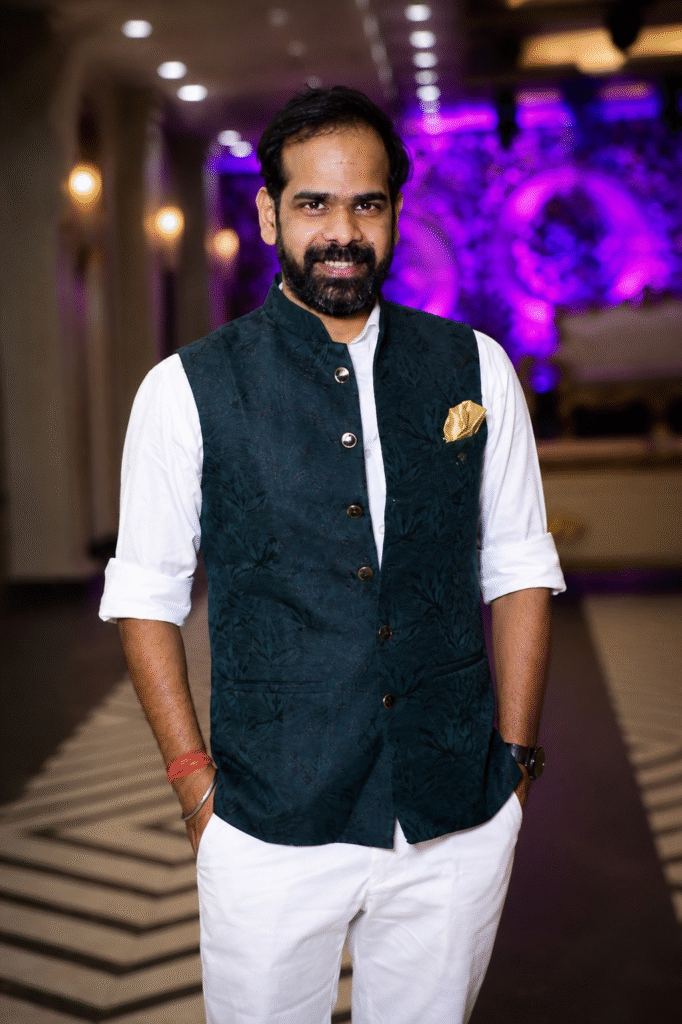
Step 2 — Upload Your Photo
Choose a good portrait photo.
Better photos = better posters.
I personally noticed these work best:
full-body shots
confident poses
side profiles
clean backgrounds
natural lighting
Avoid:
blurry selfies
group photos
low-light images
heavily filtered pictures
Step 3 — Paste This ChatGPT AI Poster Prompt
Here is the prompt
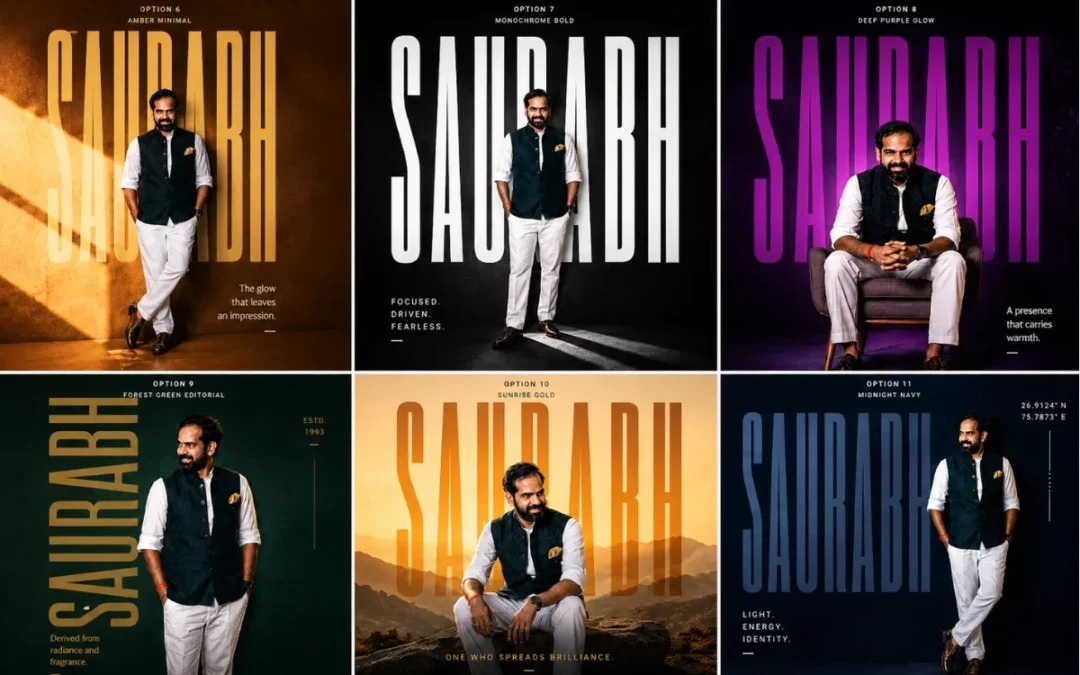
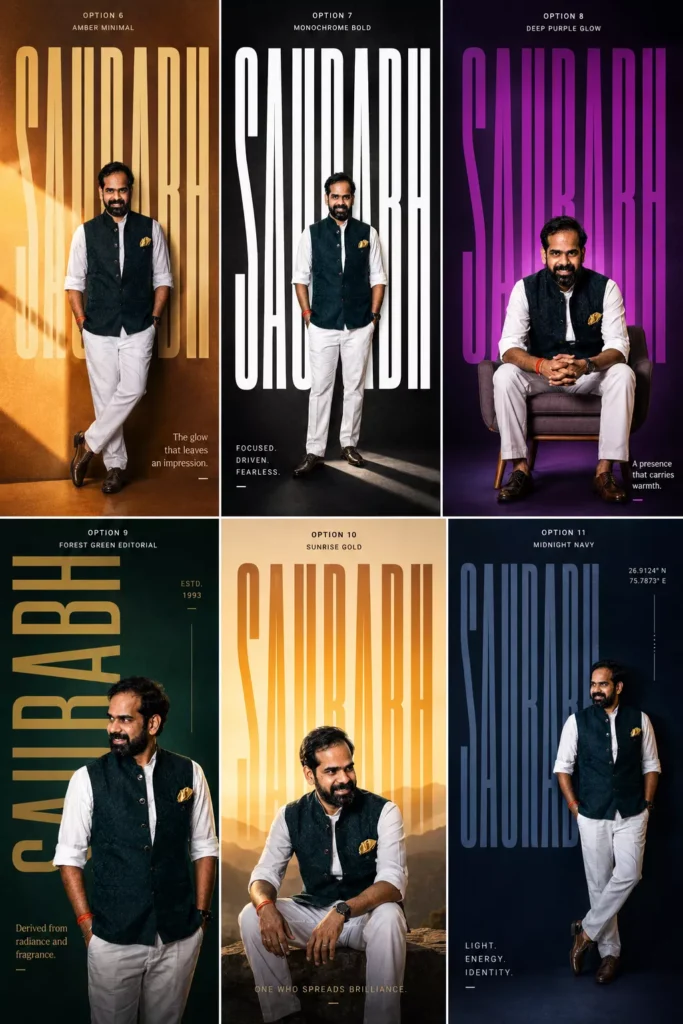
Create an ultra-premium 4:5 editorial typography poster using the uploaded portrait photo.

Keep the exact same face, identity, skin tone, hairstyle, and realism from the original image.

Name: “[NAME]”

Design Style:

* giant ultra-tall bold typography of the name
* typography integrated into composition
* modern luxury poster aesthetic
* cinematic lighting
* vibrant solid or gradient background
* premium grain texture
* Swiss/editorial layout
* asymmetrical composition
* realistic shadows and depth

Randomly vary:

* pose (standing, sitting, leaning, walking, side profile, candid)
* camera angle
* typography style
* color palette
* layout
* lighting mood
* graphic elements

Use styles inspired by:
fashion editorials, Spotify artist posters, A24 movie posters, luxury perfume ads, sports campaigns, brutalist typography, modern magazine covers.

Add:

* subtle geometric elements
* minimal symbols/coordinates
* sleek micro typography
* short poetic meaning line related to the name

Make it photorealistic, premium, cinematic, bold, modern, and visually striking.
Replace [NAME] with your own name.
Then hit generate.
That’s it.
Why This Prompt Works So Well
Most AI prompts fail because they’re too basic.
This one works because it gives:
strong visual direction
cinematic guidance
layout structure
typography hierarchy
random variation instructions
So every result feels unique.
One generation might look like:
a Netflix movie poster
The next one might look like:
a luxury fashion campaign
And another could look like:
a premium Spotify artist cover
That randomness is honestly the best part.
My Favorite AI Poster Styles
Cinematic Dark Posters
These look absolutely insane.
Moody shadows. Huge typography. Dark dramatic lighting.
Feels like a Christopher Nolan poster sometimes.
Minimal Swiss Typography Posters
Very clean. Very premium.
Mostly:
huge fonts
lots of negative space
subtle colors
modern layouts
These work REALLY well for Instagram profile aesthetics.
Sports Campaign Style Posters
These usually create:
energetic poses
bold lighting
aggressive typography
athlete-style compositions
Perfect for gym creators or sports pages.
Fashion Editorial Posters
Probably the most premium-looking style.
Feels like:
Vogue
GQ
luxury perfume campaigns
designer brand ads
Very cinematic.
Best Tips for Better AI Posters
Use Full-Body Photos
The AI creates much stronger compositions when it can see your posture and body angle.
Regenerate Multiple Times
This is VERY important.
Sometimes the first image is average.
Then suddenly the 4th generation looks absolutely crazy.
The AI randomization changes:
pose
layout
lighting
typography
composition
So keep experimenting.
Try Different Background Colors
Some color combinations look insanely premium.
My favorites:
orange + cream
deep blue + beige
crimson + gold
neon green + black
matte black + silver
Use Confident Photos
The AI performs better when your pose already has personality.
Even small things help:
side profile
looking away from camera
crossed arms
walking pose
candid posture
Can You Create Instagram Posters with This Prompt?
Absolutely.
Honestly this prompt feels MADE for Instagram.
You can use these posters for:
profile posts
reels covers
story uploads
Spotify-style edits
YouTube thumbnails
personal branding
gaming pages
fashion pages
The possibilities are endless.
I genuinely didn’t expect this prompt to work this well.
At first I was just experimenting for fun.
But after testing different typography styles, cinematic aesthetics, and editorial layouts… the results started looking insanely professional.
And now I honestly can’t stop generating these posters.
The craziest part?
You only need:
one photo
one prompt
one click
That’s it.
If you try this, definitely experiment with:
different poses
dramatic lighting
side profiles
sitting shots
fashion outfits
monochrome aesthetics
Because every generation gives a completely different vibe.
And honestly… that’s what makes this trend so addictive.
FAQs
What is the best ChatGPT AI poster prompt?
The best ChatGPT AI poster prompt includes cinematic lighting, typography direction, editorial composition, and random style variations for unique outputs.
Can ChatGPT create cinematic posters?
Yes. ChatGPT image generation can create premium cinematic posters using uploaded photos and detailed prompts.
Which photos work best for AI posters?
High-quality portrait or full-body photos with natural lighting usually generate the best AI posters.
Can I use these AI posters on Instagram?
Absolutely. These posters are perfect for Instagram posts, reels covers, profile branding, and aesthetic content.
Why do AI posters look different every time?
Because the prompt includes randomized layout, typography, pose, lighting, and composition instructions.
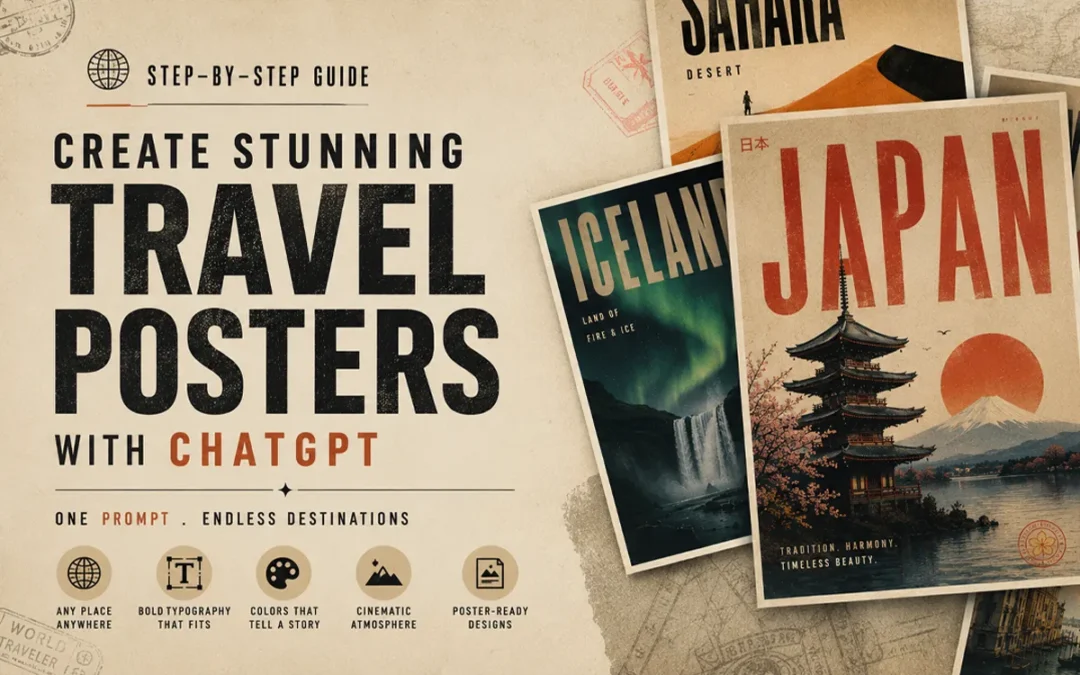
A few months ago I was spending hours — sometimes an entire weekend — trying to design a single travel poster in Photoshop. Adjusting layers, hunting for the right font, second-guessing every color choice. Then I discovered how to create AI travel posters with ChatGPT. Everything changed.
Then I tried something different.
One prompt. ChatGPT. Thirty seconds.
The result looked like it came out of a premium design studio.
I’ve been obsessed with this workflow ever since, and today I’m walking you through exactly how I do it — step by step, no fluff.
The Master Prompt (Copy This Exactly)
Here’s the prompt I use. Just copy it, replace the location name, and paste it into ChatGPT.
Here is the prompt
Create a cinematic minimalist travel poster of [LOCATION NAME].
Automatically detect and adapt the design language based on the
location's geography, culture, climate, architecture, and emotional
atmosphere.

Design system should auto-generate:

- Appropriate visual style (brutalist / retro-futurism / swiss
  modernism / neo-noir / organic minimalism / luxury editorial etc.)
- Matching color palette inspired by the location
- Typography style based on the place's identity
- Natural textures and materials from the environment
- Atmospheric lighting and mood
- Composition with strong negative space
- Iconic landscape or architectural silhouette
- High-end poster layout with cinematic balance

Poster style requirements:
ultra aesthetic, premium graphic design, bold typography integration,
layered textures, subtle grain, editorial composition, realistic
lighting, sophisticated minimalism, visual storytelling, museum-grade
poster design, highly detailed, 8k
Then just swap [LOCATION NAME] with wherever you want.
Note:If copy above button not work, then copy this pormpt manually
Create a cinematic minimalist travel poster of [LOCATION NAME].
Automatically detect and adapt the design language based on the
location's geography, culture, climate, architecture, and emotional
atmosphere.

Design system should auto-generate:

- Appropriate visual style (brutalist / retro-futurism / swiss
  modernism / neo-noir / organic minimalism / luxury editorial etc.)
- Matching color palette inspired by the location
- Typography style based on the place's identity
- Natural textures and materials from the environment
- Atmospheric lighting and mood
- Composition with strong negative space
- Iconic landscape or architectural silhouette
- High-end poster layout with cinematic balance

Poster style requirements:
ultra aesthetic, premium graphic design, bold typography integration,
layered textures, subtle grain, editorial composition, realistic
lighting, sophisticated minimalism, visual storytelling, museum-grade
poster design, highly detailed, 8k
I’ve tested this with: Iceland, Kyoto, Dubai, Venice, Rajasthan, Cape Town, New York, Amazon Forest, Jakarta — and honestly every single one came out differently. That’s the part that keeps surprising me.
What You Can Actually Make With This
Before I get into the how, let me show you what the end result looks like. Because I think that’s what made me stop and pay attention when I first discovered this.
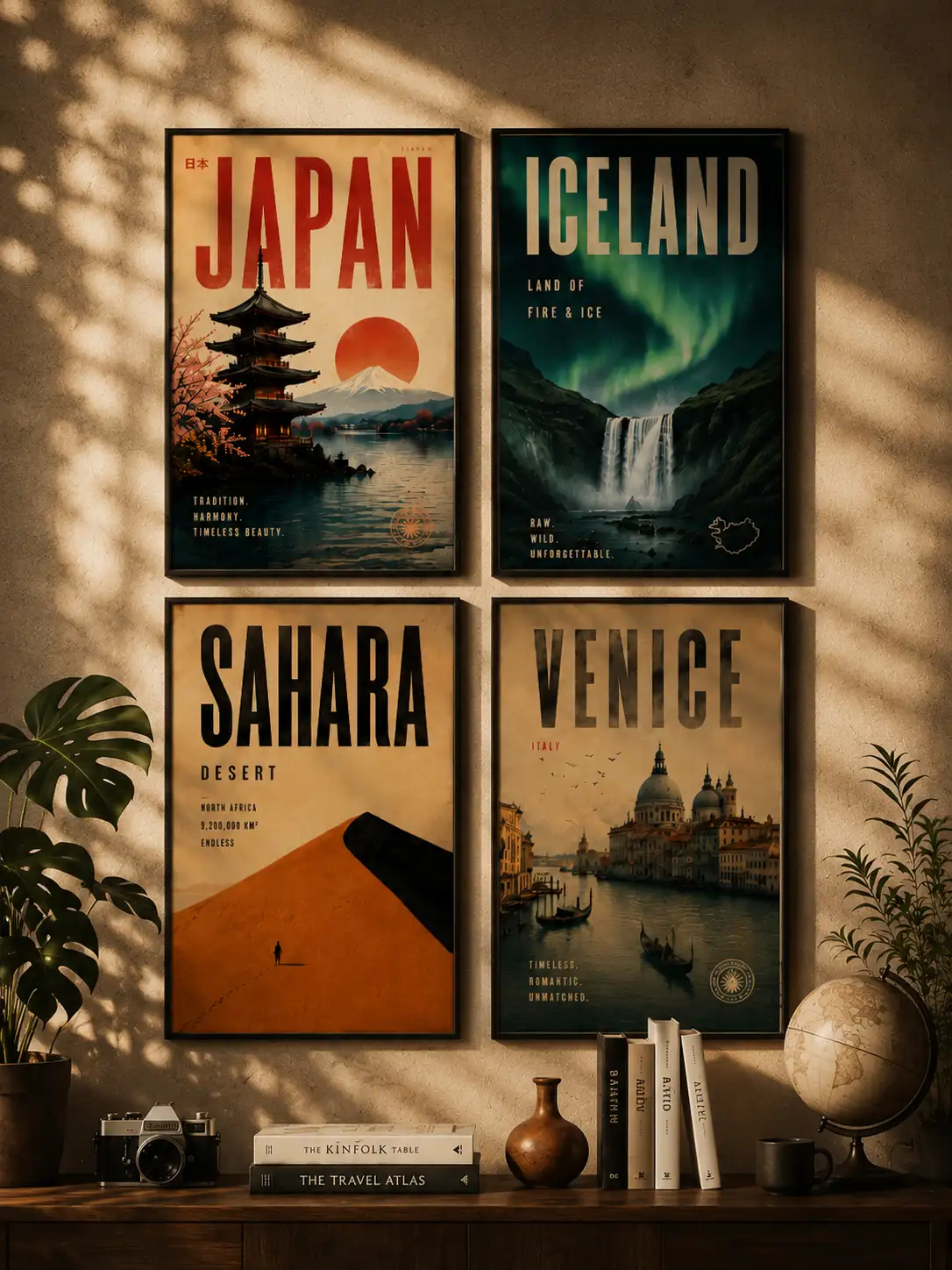
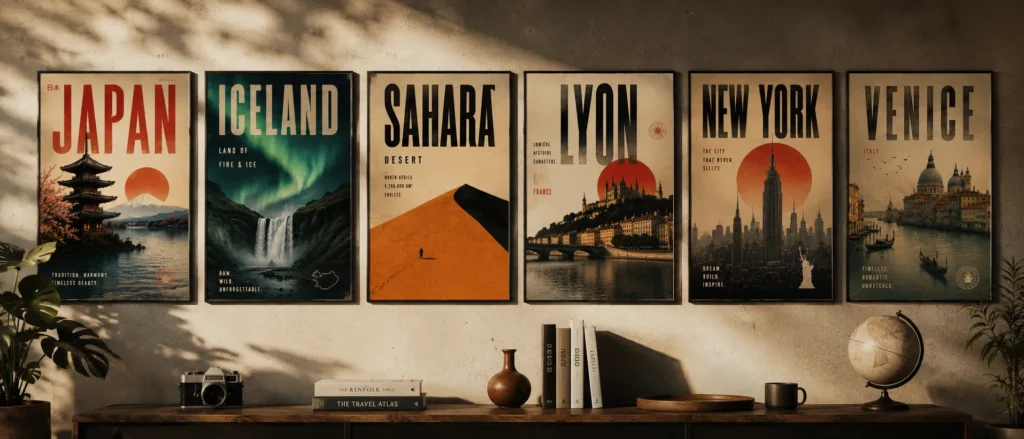
Using a single smart prompt, I’ve generated posters like:
Sahara Desert — Brutalist minimalism, all sand tones and heavy geometry
Tokyo — Neo-futurist Japanese editorial, neon bleeding into negative space
Rajasthan — Royal heritage cinematic design, deep ochres and ornate silhouettes
Amazon Forest — Eco-brutalist jungle aesthetic, raw and textured
Venice — Romantic vintage European style, faded and nostalgic
New York — Urban neo-noir skyline, gritty and cinematic
What blew my mind is that I didn’t manually design any of that. The AI reads the location and automatically figures out:
The right typography
The color palette that actually fits the place
The composition and layout
The visual style and atmosphere
The lighting, textures, and mood
Every single poster feels like it belongs to that destination. That’s the part that still gets me.
Most people try to prompt AI images by describing everything manually. “Make a poster of Paris with the Eiffel Tower and blue sky and serif font and…”
That approach is exhausting and the results are usually generic.
What I figured out is that the smarter move is to give the AI a structure — and then let it fill in the creative decisions based on the location itself.
The prompt I use tells the AI to think about:
The location’s identity and cultural DNA
The emotional atmosphere of that place
What design language actually fits (brutalism? retro-futurism? Swiss modernism?)
Typography that matches the place’s personality
Natural textures and materials from that environment
Lighting and mood
Composition with strong negative space
Cinematic, editorial quality
Instead of me describing Tokyo, I let the AI know Tokyo and make the design decisions itself.
That’s the whole secret. And it works every single time.
Generate and See What Comes Back
Paste the prompt. Hit enter. Wait about 10–20 seconds.
What ChatGPT does in that time is actually kind of fascinating. It’s essentially:
Reading the cultural and geographic identity of the location
Deciding which design language fits that place
Building a typography hierarchy that matches
Composing the image cinematically
Adding atmospheric lighting and environmental textures
Putting it all together in a poster layout
Most of the time, the first output is already really good. Sometimes it’s exceptional. Occasionally it needs a small push — which brings me to the next step.
How I Refine When the First Output Isn’t Quite Right
I don’t always get perfection on the first try. But I’ve learned exactly what to add to push the output further.
If the style feels too generic, add one of these:
brutalist minimalism
neo-noir
retro-futurism
editorial luxury
vintage travel poster
Swiss modernism
If the typography feels weak:
oversized condensed typography
bold editorial typography
high contrast typography integration
If the atmosphere feels flat:
cinematic fog
ambient lighting
moody atmosphere
sunset haze
soft volumetric lighting
If the texture feels too clean or digital:
paper grain texture
aged poster texture
subtle film grain
weathered print effect
I usually only need to add one or two of these. The difference is immediately noticeable.
Generate Multiple Styles for the Same Location
This is honestly my favourite part of the whole workflow.
Once you have one poster you like, try generating the same location in completely different visual styles. The results are wildly different — and this is how I build entire carousel series.
Tokyo, for example:
Cyberpunk Tokyo
Brutalist Tokyo
Minimalist Tokyo
Luxury Editorial Tokyo
Neo-noir Tokyo
Sahara:
Brutalist Sahara
Retro travel Sahara
Luxury desert editorial
Minimal monochrome dunes
Each one feels like a completely different creative direction. Same location, totally different emotional story.
For Instagram carousels or Pinterest boards, this approach is gold. You’re not just posting one poster — you’re building a visual world around a destination.
Where I Actually Use These Posters
Most people generate these, post them online, and stop there.
But honestly? Some of my favourite uses have nothing to do with social media.
Home & Living Spaces
Print and frame them as wall art in your bedroom, living room, or hallway
Create a gallery wall around a travel theme — all desert posters, or all Asian cities
Use them as mood board prints above your desk
Print a large format version for an empty accent wall
PC & Desk Setup
Set them as desktop wallpapers — the 4:5 ratio works perfectly on vertical monitor setups
Use them as wallpaper on your phone or tablet lock screen
Print a small framed version and place it next to your monitor for that clean aesthetic setup look
Creative & Work Spaces
Pin them to your studio or office mood board
Use them as visual inspiration references for design projects
Frame a few and hang them in a creative studio or co-working space
Gifts
Print a custom poster of someone’s favourite travel destination as a birthday or anniversary gift
Create a personalised poster of a place that means something to them — where they got married, where they grew up, where they want to go
Digital Products & Side Income
Sell them as downloadable wall art on Etsy
List them on print-on-demand platforms like Redbubble or Society6
Bundle them into destination packs and sell as digital downloads
The quality the prompt generates is high enough to print at large sizes without it looking pixelated. I’ve printed mine at A2 and it held up perfectly.
A Few Things I’ve Learned the Hard Way
Keep the location name short. “Venice” works better than “Venice, Italy, near the Grand Canal.” Let the AI do the interpretation. That’s the whole point.
Don’t over-specify the style upfront. The best outputs I’ve gotten were when I let the AI decide the visual language. When I try to control too much, it gets generic. Trust the prompt structure.
Always use 4:5 aspect ratio. This is the sweet spot for Instagram posts, Pinterest pins, and portfolio showcases. It just looks like a poster.
Go big on typography. If there’s one thing that separates a premium-looking poster from a mediocre one, it’s large, confident typography. Don’t be afraid of it.
Embrace negative space. Empty space isn’t wasted space. It’s what makes a poster feel cinematic and expensive. The AI understands this — let it breathe.
Why AI Travel Posters with ChatGPT Actually Work
I’ve thought about this a lot, because the results consistently surprise me.
What makes these posters feel premium is that they’re pulling from real design principles — not just generating “a pretty picture.” The prompt structure forces the AI to think about:
Graphic design fundamentals
Cinematic composition
Editorial typography systems
Travel nostalgia and emotional resonance
Environmental storytelling
Minimalist layout logic
That combination is why people save these, share these, and ask where they came from. It doesn’t look AI-generated in the way most people expect. It looks designed.
What You Can Actually Do With These
I want to be practical here, because this isn’t just a fun experiment — there are real use cases:
Instagram content — carousels perform incredibly well
Pinterest pins — travel + design is a massive niche there
Print posters — the 8K quality holds up at large sizes
Wall art — I’ve printed a few of mine and they look incredible
Behance / design portfolio — great for showing AI-assisted design work
Travel blogs — custom visuals that actually match your content
YouTube thumbnails — cinematic and eye-catching
Etsy digital products — people sell these as downloadable prints
The workflow is the same for all of them. One prompt, multiple applications.
Final Thoughts
I’ll be real — when I first started experimenting with AI image generation, most of what I made looked like AI. You could tell. It had that uncanny, slightly-off quality that makes people scroll past.
This workflow is different.
The reason it works is because the prompt isn’t asking the AI to “make something pretty.” It’s asking the AI to think like a designer — to read a location, understand its identity, and make intentional creative decisions.
That’s what produces results that feel cinematic, premium, and art-directed.
And the best part? Every location generates something completely unique. I’ve never gotten two posters that feel the same.
Pick a destination you love. Paste the prompt. See what comes back.
Then try the same location in three different styles.
That’s where it gets genuinely addictive.
If you try this, drop your results in the comments — I’d love to see what destinations you’re working with.
ChatGPT-4o image generation is opening up a new world of creative possibilities. Whether you’re into anime art, real estate marketing, or comic creation, this new capability from OpenAI is making it easier than ever to generate stunning visuals with just a few words.
In This Post
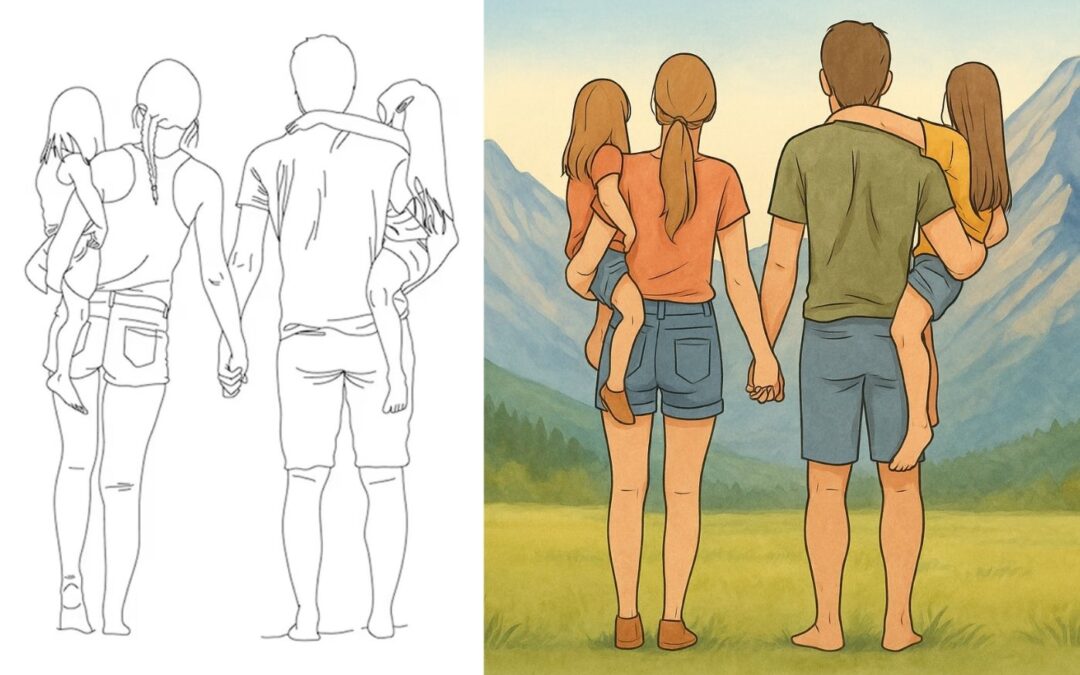
Ghibli-Style Characters Come to Life
You know those soft, expressive characters you see in Studio Ghibli films? This tool can recreate that kind of feel. It’s not flawless, but the portraits it generates do have that hand-drawn, storybook vibe. Honestly, it’s pretty impressive what a few words and good lighting prompts can do.
Prompt : Create imageColorize the blank anime Line art artwork, rendered at 1200 x 627 resolution.
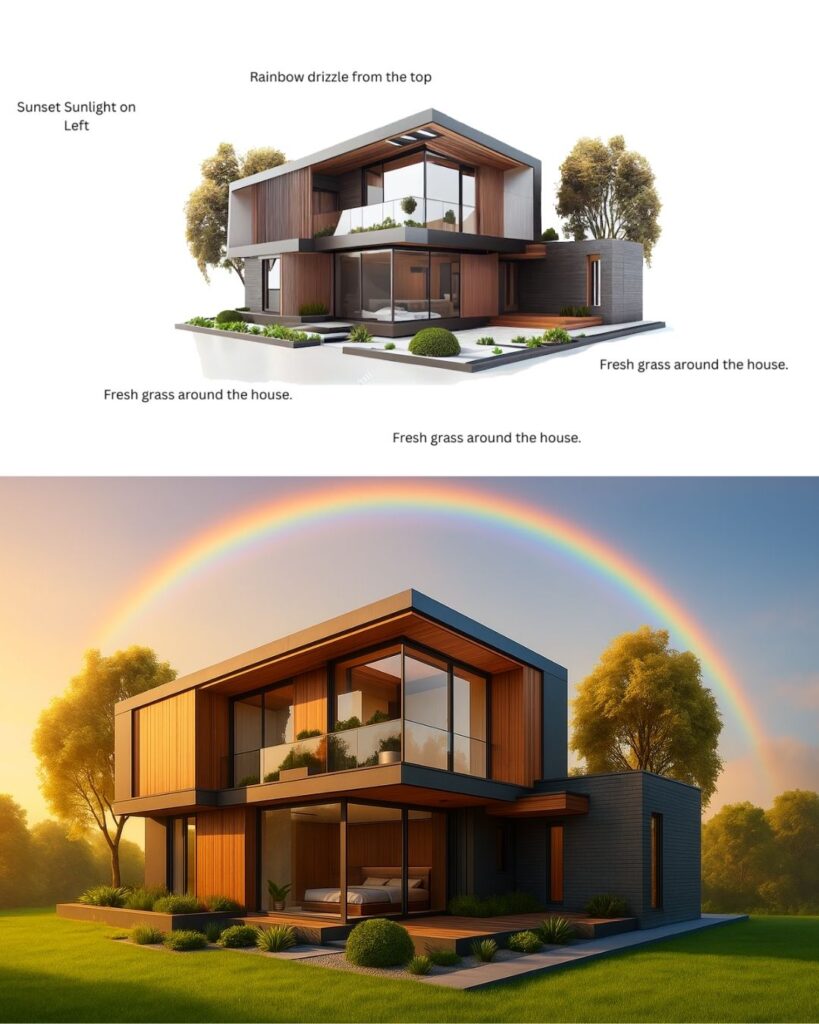
Hyper-Realistic Real Estate Renders
This one’s a game-changer for folks in real estate. With just a few inputs, you can get polished images of houses that look like they were snapped for a premium listing. Think cozy lighting, great angles, and even signage—all without needing an actual camera.
Prompt: Create image Edit the image according to the instructions in the image. 50% of new creativity is allowed. Generated in 1200 X 627 Size.
Product Visuals That Pop
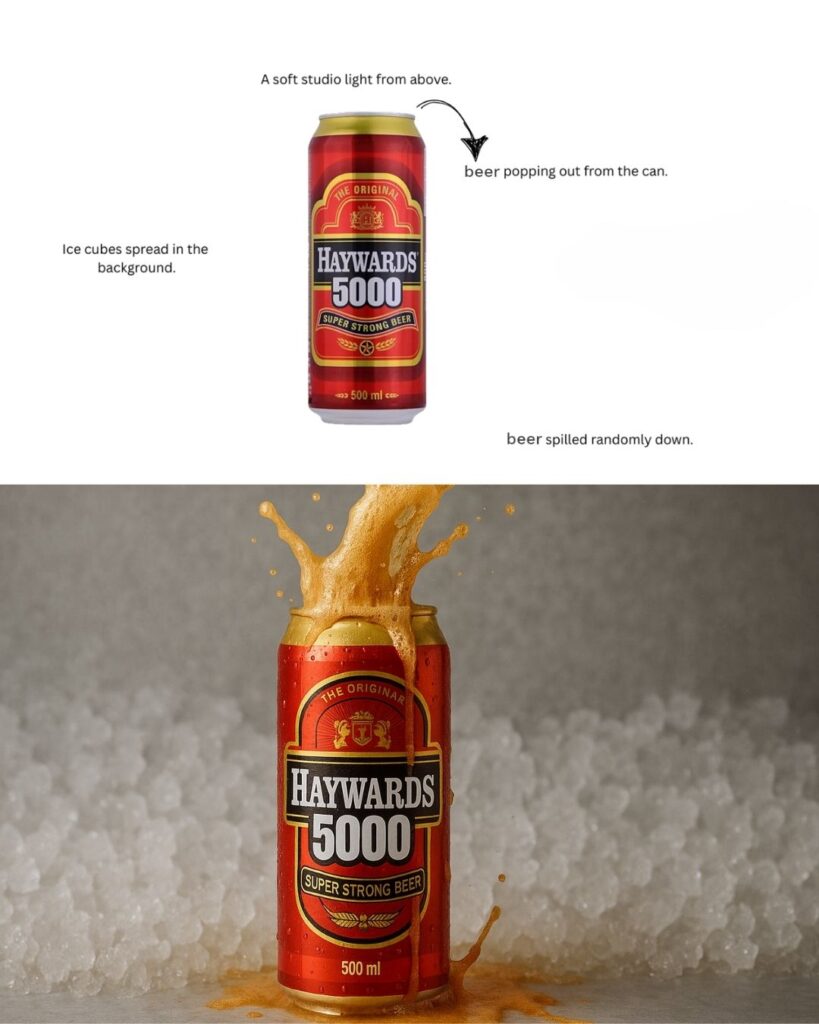
Need a product shot but don’t have the budget or setup? This AI might be your shortcut. From the shine on a bottle to the lighting setup, the results look surprisingly ad-ready. It’s like having a mini design studio in your laptop.
Nature Scenes with Heart
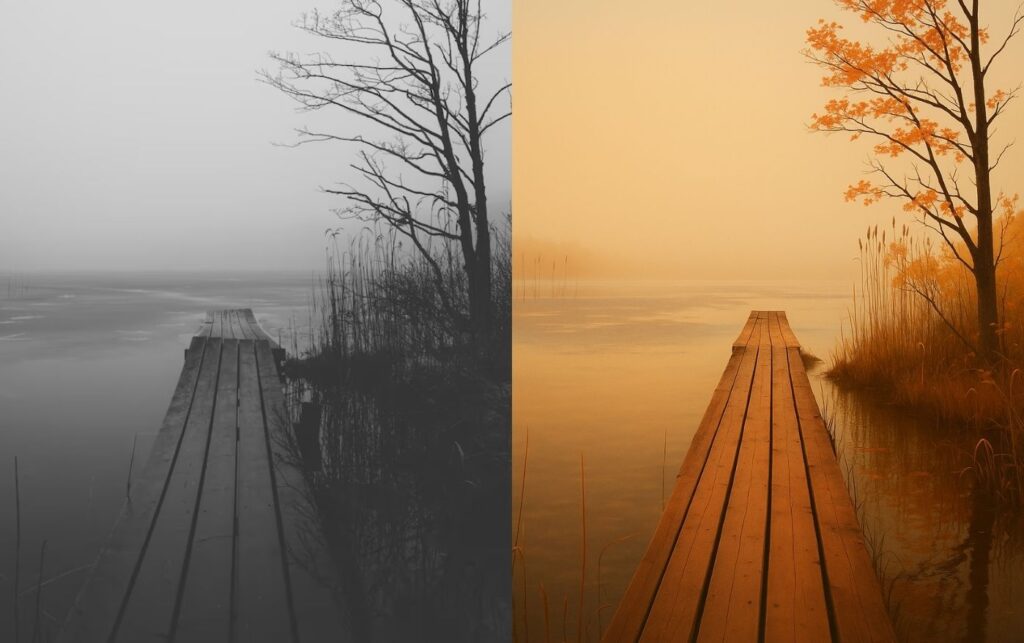
Whether it’s a foggy forest or a sunlit trail, the nature visuals coming out of this tool are impressive. The details feel painterly, almost like a digital postcard. Great for wellness campaigns, children’s books, or anywhere you want to set a calm, natural tone.
Prompt: Create image Colorize the image and rendered at 1200 x 627 resolution.
Infographics and Diagrams
Got an idea you need to explain fast? This tool can whip up simple visuals like pyramid charts or step-by-step graphics. You don’t need to mess with PowerPoint—just describe what you want, and it builds something clean and easy to follow. Super useful for teachers, marketers, or anyone trying to get a point across quickly.
Create image an infographic explaining newton’s prism experiment in great detail
Infographic of newtons prism theoryInfographic of newtons prism theory ON NOTEBOOKnewtons teach prism theory
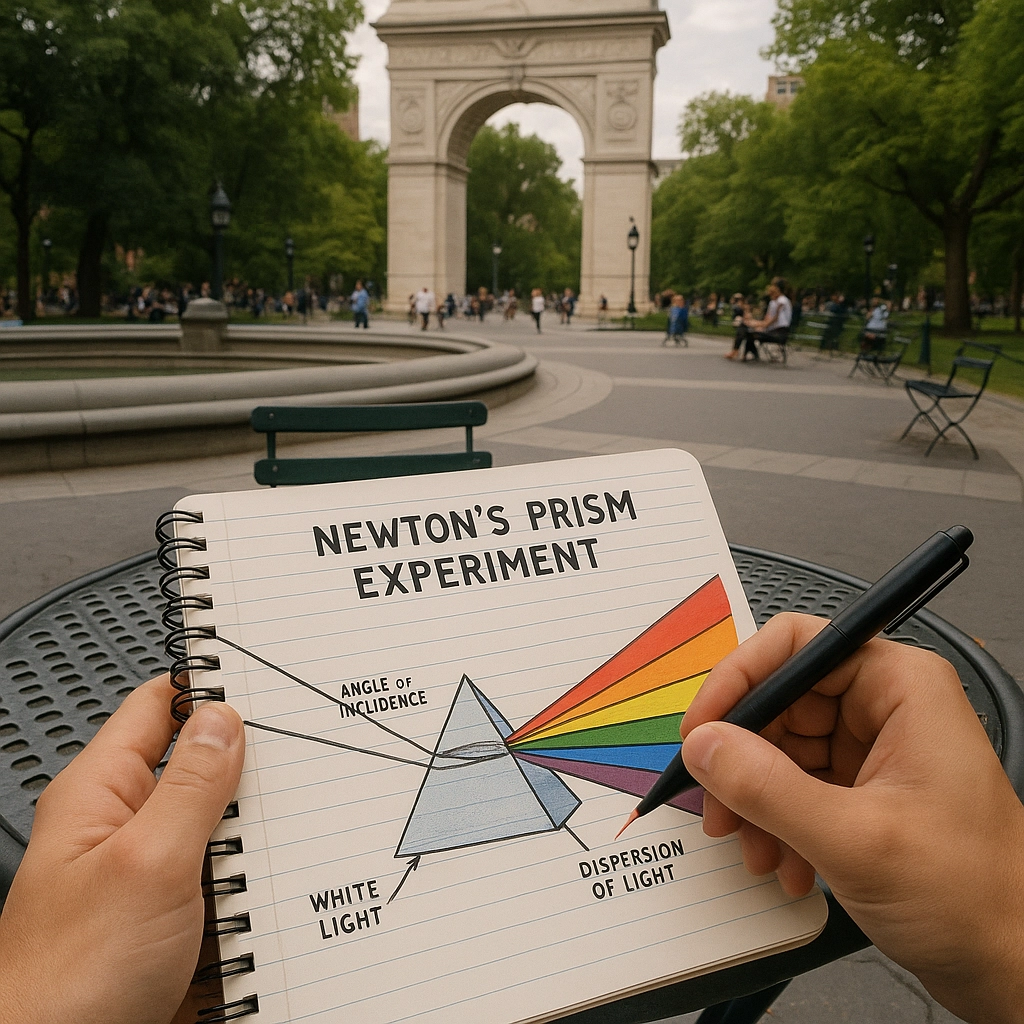
Create image now generate a POV of a person drawing this diagram in their notebook, at a round cafe table in washington square park
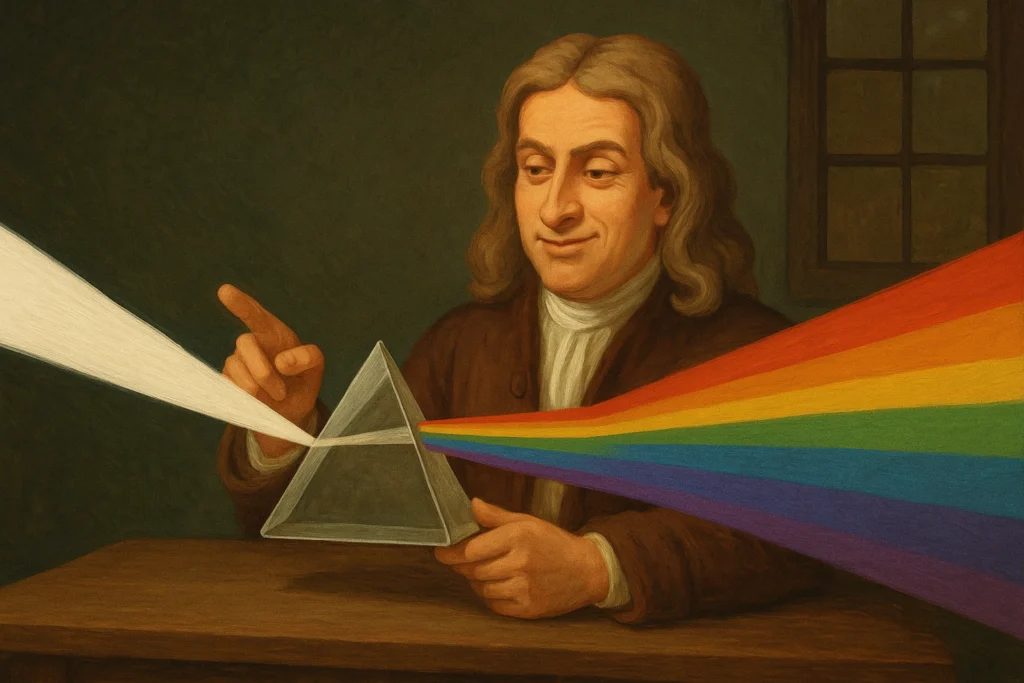
Create image now show the same scene with a smug young Isaac Newton sitting at the table, with a prism, demonstrating the experiment, without the notebook in view
Real-World Interfaces and AR-Like Scenes
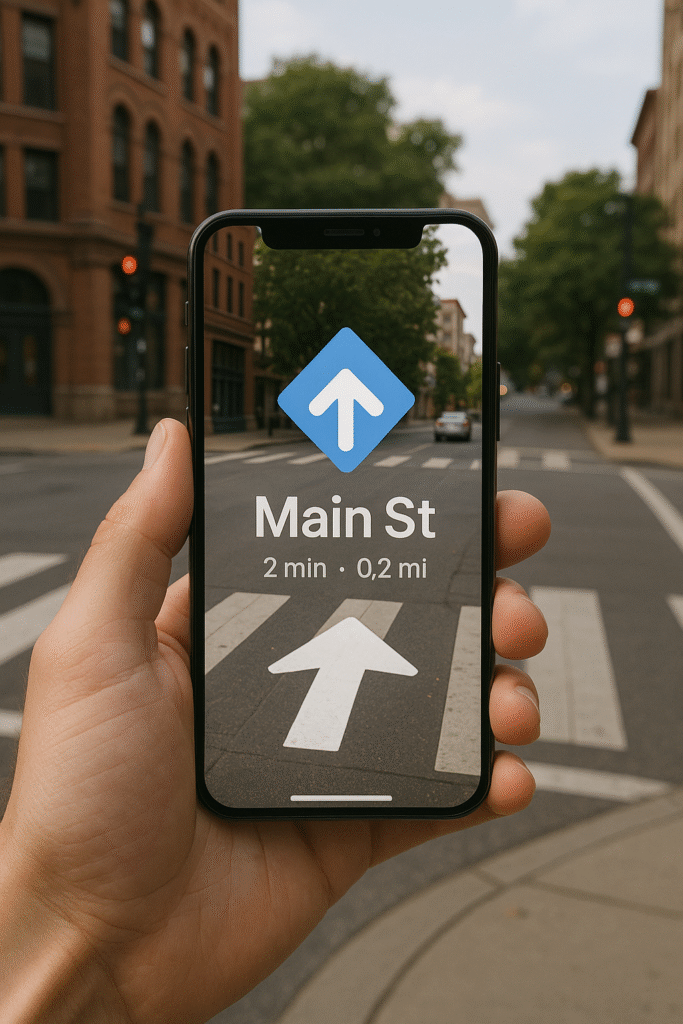
One of the coolest things I saw was a mockup of someone holding a phone over a real-world scene—like something out of an augmented reality demo. If you’re building an app or just want to show off how a UI works in the real world, this is a major shortcut.
Prompt: Create image A person holding a phone showing AR navigation over a real street scene, with a big white arrow and “Main St” on the screen, matching the crosswalk ahead.
Conclusion
Honestly, the stuff ChatGPT-4o image generation pulls off is wild. One moment it’s sketching anime-style portraits, and the next it’s pumping out real estate listings that look straight out of a brochure.
If you’re working on something creative—maybe you’re planning a comic, a product launch, or even teaching a class—this tool gives you a serious shortcut. No design background? Doesn’t matter. A good prompt is all you really need.
And hey, in a world that’s always rushing, having a tool that helps you keep up without sacrificing creativity? That’s a win.