
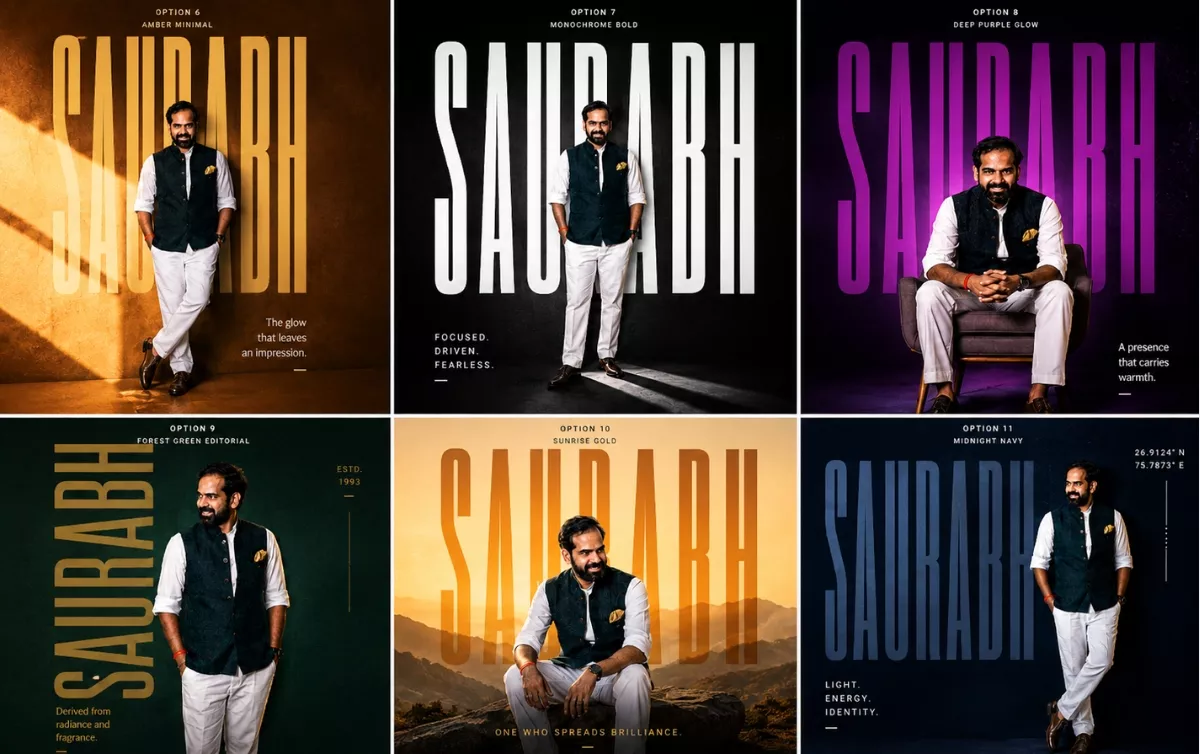

Okay… so lately my Instagram feed has been FULL of these crazy cinematic AI posters.
Huge typography.
Luxury lighting.
Minimal editorial layouts.
Bold colors.
Spotify-style aesthetics.
And honestly?
Most of them look insanely good.
So naturally… I wanted to figure out:
“Can I create these automatically using just ONE prompt?”
After testing a lot of prompts inside ChatGPT image generation, I finally created a ChatGPT AI poster prompt that generates random premium poster styles every single time.
And the results are honestly insane.
How to Create AI Posters Using ChatGPT
The process is honestly super simple.
Step 1 — Open ChatGPT
Open ChatGPT with image generation enabled.
You can use GPT image generation directly inside ChatGPT.
Step 2 — Upload Your Photo
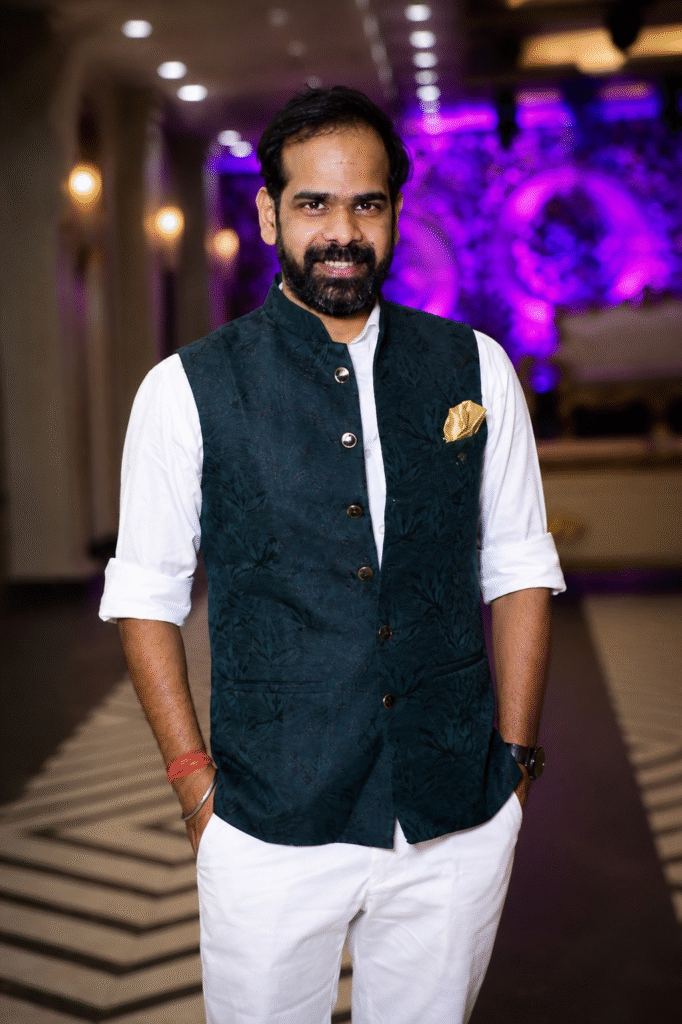
Choose a good portrait photo.
Better photos = better posters.
I personally noticed these work best:
- full-body shots
- confident poses
- side profiles
- clean backgrounds
- natural lighting
Avoid:
- blurry selfies
- group photos
- low-light images
- heavily filtered pictures
Step 3 — Paste This ChatGPT AI Poster Prompt
Here is the prompt
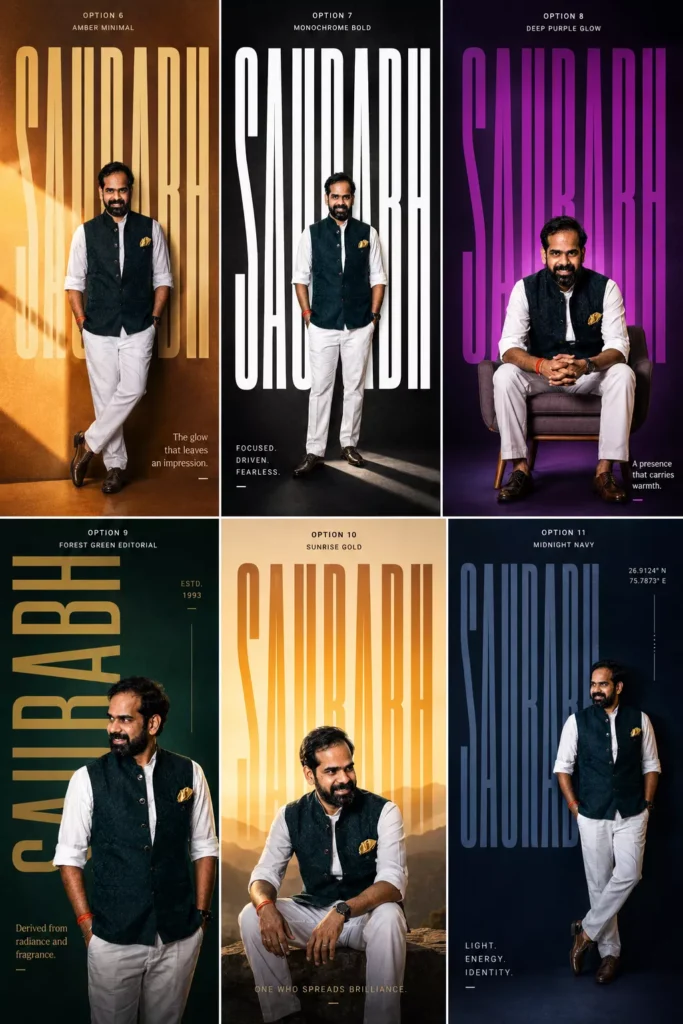
Create an ultra-premium 4:5 editorial typography poster using the uploaded portrait photo.

Keep the exact same face, identity, skin tone, hairstyle, and realism from the original image.

Name: “[NAME]”

Design Style:

* giant ultra-tall bold typography of the name
* typography integrated into composition
* modern luxury poster aesthetic
* cinematic lighting
* vibrant solid or gradient background
* premium grain texture
* Swiss/editorial layout
* asymmetrical composition
* realistic shadows and depth

Randomly vary:

* pose (standing, sitting, leaning, walking, side profile, candid)
* camera angle
* typography style
* color palette
* layout
* lighting mood
* graphic elements

Use styles inspired by:
fashion editorials, Spotify artist posters, A24 movie posters, luxury perfume ads, sports campaigns, brutalist typography, modern magazine covers.

Add:

* subtle geometric elements
* minimal symbols/coordinates
* sleek micro typography
* short poetic meaning line related to the name

Make it photorealistic, premium, cinematic, bold, modern, and visually striking.
Replace [NAME] with your own name.
Then hit generate.
That’s it.
Why This Prompt Works So Well
Most AI prompts fail because they’re too basic.
This one works because it gives:
- strong visual direction
- cinematic guidance
- layout structure
- typography hierarchy
- random variation instructions
So every result feels unique.
One generation might look like:
- a Netflix movie poster
The next one might look like:
- a luxury fashion campaign
And another could look like:
- a premium Spotify artist cover
That randomness is honestly the best part.
My Favorite AI Poster Styles
Cinematic Dark Posters
These look absolutely insane.
Moody shadows.
Huge typography.
Dark dramatic lighting.
Feels like a Christopher Nolan poster sometimes.
Minimal Swiss Typography Posters
Very clean.
Very premium.
Mostly:
- huge fonts
- lots of negative space
- subtle colors
- modern layouts
These work REALLY well for Instagram profile aesthetics.
Sports Campaign Style Posters
These usually create:
- energetic poses
- bold lighting
- aggressive typography
- athlete-style compositions
Perfect for gym creators or sports pages.
Fashion Editorial Posters
Probably the most premium-looking style.
Feels like:
- Vogue
- GQ
- luxury perfume campaigns
- designer brand ads
Very cinematic.
Best Tips for Better AI Posters
Use Full-Body Photos
The AI creates much stronger compositions when it can see your posture and body angle.
Regenerate Multiple Times
This is VERY important.
Sometimes the first image is average.
Then suddenly the 4th generation looks absolutely crazy.
The AI randomization changes:
- pose
- layout
- lighting
- typography
- composition
So keep experimenting.
Try Different Background Colors
Some color combinations look insanely premium.
My favorites:
- orange + cream
- deep blue + beige
- crimson + gold
- neon green + black
- matte black + silver
Use Confident Photos
The AI performs better when your pose already has personality.
Even small things help:
- side profile
- looking away from camera
- crossed arms
- walking pose
- candid posture
Can You Create Instagram Posters with This Prompt?
Absolutely.
Honestly this prompt feels MADE for Instagram.
You can use these posters for:
- profile posts
- reels covers
- story uploads
- Spotify-style edits
- YouTube thumbnails
- personal branding
- gaming pages
- fashion pages
The possibilities are endless.
I genuinely didn’t expect this prompt to work this well.
At first I was just experimenting for fun.
But after testing different typography styles, cinematic aesthetics, and editorial layouts… the results started looking insanely professional.
And now I honestly can’t stop generating these posters.
The craziest part?
You only need:
- one photo
- one prompt
- one click
That’s it.
If you try this, definitely experiment with:
- different poses
- dramatic lighting
- side profiles
- sitting shots
- fashion outfits
- monochrome aesthetics
Because every generation gives a completely different vibe.
And honestly… that’s what makes this trend so addictive.
FAQs
What is the best ChatGPT AI poster prompt?
The best ChatGPT AI poster prompt includes cinematic lighting, typography direction, editorial composition, and random style variations for unique outputs.
Can ChatGPT create cinematic posters?
Yes. ChatGPT image generation can create premium cinematic posters using uploaded photos and detailed prompts.
Which photos work best for AI posters?
High-quality portrait or full-body photos with natural lighting usually generate the best AI posters.
Can I use these AI posters on Instagram?
Absolutely. These posters are perfect for Instagram posts, reels covers, profile branding, and aesthetic content.
Why do AI posters look different every time?
Because the prompt includes randomized layout, typography, pose, lighting, and composition instructions.

0 Comments