
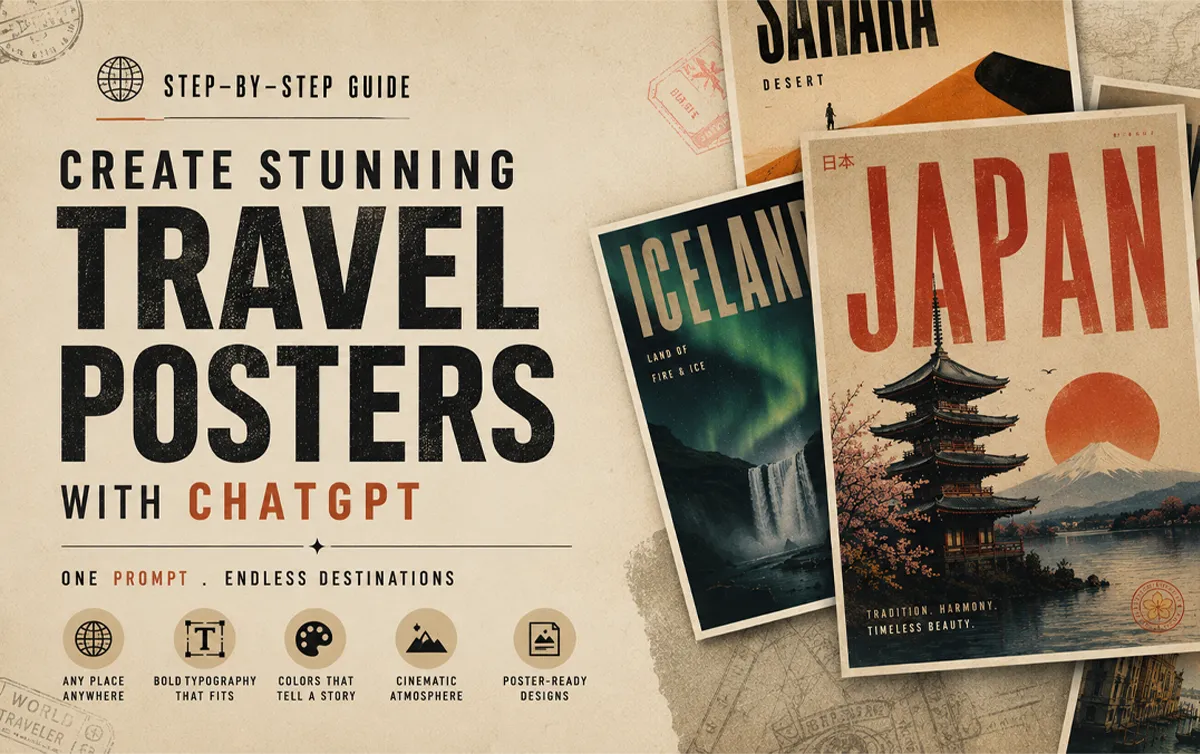

Okay, I have to be honest with you.
A few months ago I was spending hours — sometimes an entire weekend — trying to design a single travel poster in Photoshop. Adjusting layers, hunting for the right font, second-guessing every color choice. Then I discovered how to create AI travel posters with ChatGPT. Everything changed.
Then I tried something different.
One prompt. ChatGPT. Thirty seconds.
The result looked like it came out of a premium design studio.
I’ve been obsessed with this workflow ever since, and today I’m walking you through exactly how I do it — step by step, no fluff.
The Master Prompt (Copy This Exactly)
Here’s the prompt I use. Just copy it, replace the location name, and paste it into ChatGPT.
Here is the prompt
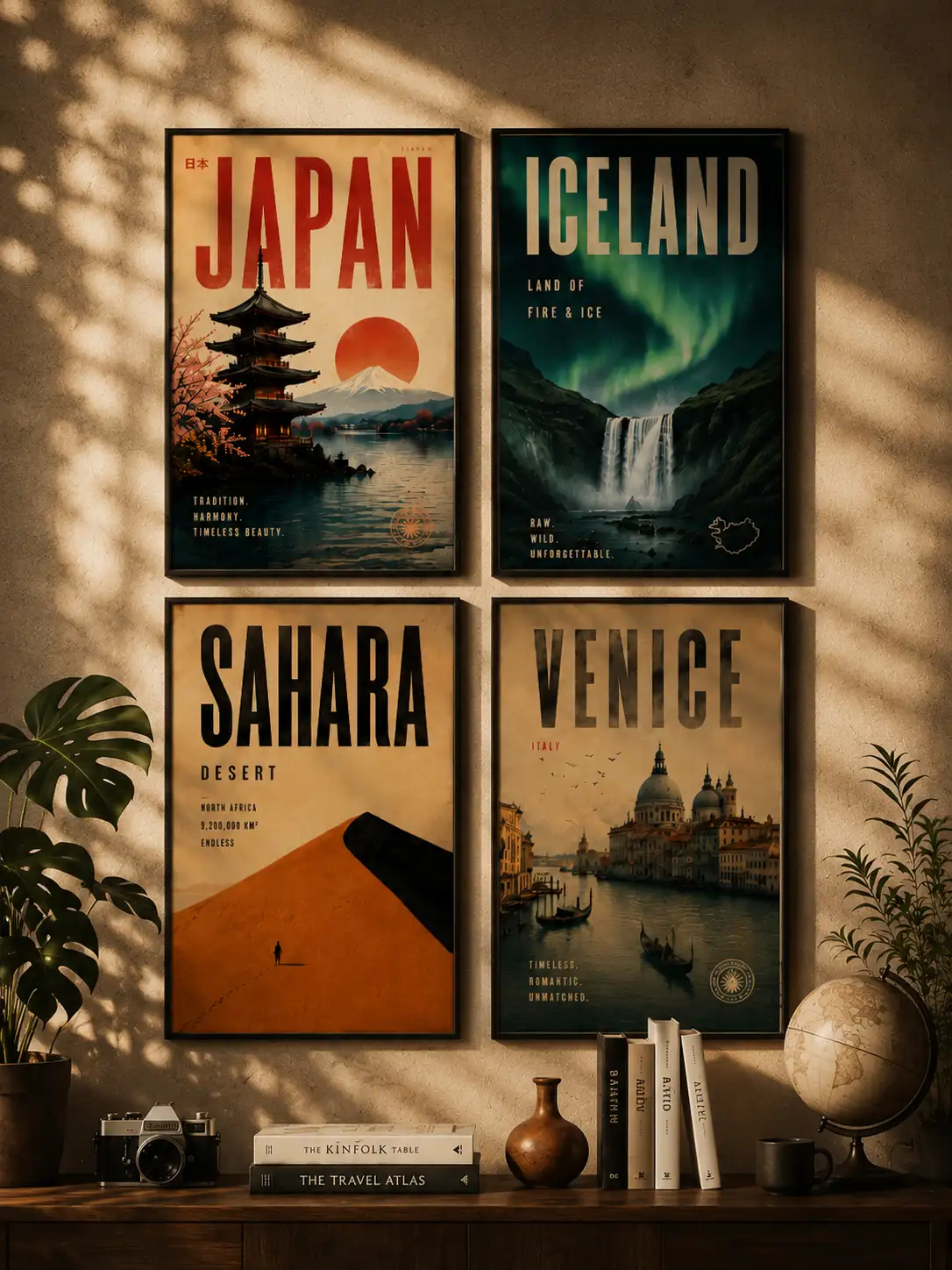
Create a cinematic minimalist travel poster of [LOCATION NAME].
Automatically detect and adapt the design language based on the
location's geography, culture, climate, architecture, and emotional
atmosphere.

Design system should auto-generate:

- Appropriate visual style (brutalist / retro-futurism / swiss
  modernism / neo-noir / organic minimalism / luxury editorial etc.)
- Matching color palette inspired by the location
- Typography style based on the place's identity
- Natural textures and materials from the environment
- Atmospheric lighting and mood
- Composition with strong negative space
- Iconic landscape or architectural silhouette
- High-end poster layout with cinematic balance

Poster style requirements:
ultra aesthetic, premium graphic design, bold typography integration,
layered textures, subtle grain, editorial composition, realistic
lighting, sophisticated minimalism, visual storytelling, museum-grade
poster design, highly detailed, 8k
Then just swap
[LOCATION NAME]with wherever you want.
Note: If copy above button not work, then copy this pormpt manually
Create a cinematic minimalist travel poster of [LOCATION NAME].
Automatically detect and adapt the design language based on the
location's geography, culture, climate, architecture, and emotional
atmosphere.

Design system should auto-generate:

- Appropriate visual style (brutalist / retro-futurism / swiss
  modernism / neo-noir / organic minimalism / luxury editorial etc.)
- Matching color palette inspired by the location
- Typography style based on the place's identity
- Natural textures and materials from the environment
- Atmospheric lighting and mood
- Composition with strong negative space
- Iconic landscape or architectural silhouette
- High-end poster layout with cinematic balance

Poster style requirements:
ultra aesthetic, premium graphic design, bold typography integration,
layered textures, subtle grain, editorial composition, realistic
lighting, sophisticated minimalism, visual storytelling, museum-grade
poster design, highly detailed, 8k
I’ve tested this with: Iceland, Kyoto, Dubai, Venice, Rajasthan, Cape Town, New York, Amazon Forest, Jakarta — and honestly every single one came out differently. That’s the part that keeps surprising me.
What You Can Actually Make With This
Before I get into the how, let me show you what the end result looks like. Because I think that’s what made me stop and pay attention when I first discovered this.
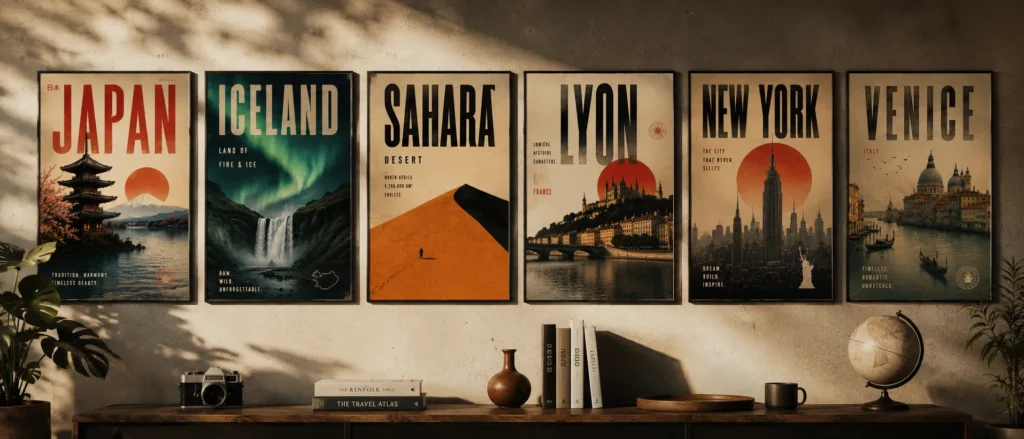
Using a single smart prompt, I’ve generated posters like:
- Sahara Desert — Brutalist minimalism, all sand tones and heavy geometry
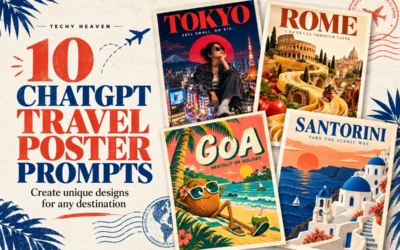
- Tokyo — Neo-futurist Japanese editorial, neon bleeding into negative space
- Rajasthan — Royal heritage cinematic design, deep ochres and ornate silhouettes
- Amazon Forest — Eco-brutalist jungle aesthetic, raw and textured
- Venice — Romantic vintage European style, faded and nostalgic
- New York — Urban neo-noir skyline, gritty and cinematic
What blew my mind is that I didn’t manually design any of that. The AI reads the location and automatically figures out:
- The right typography
- The color palette that actually fits the place
- The composition and layout
- The visual style and atmosphere
- The lighting, textures, and mood
Every single poster feels like it belongs to that destination. That’s the part that still gets me.
What You’ll Need
Nothing complicated. Seriously.
The only tool you actually need:
- ChatGPT
Optional, if you want to refine or export:
That’s it. No design degree required.
Understand Why This Works
Most people try to prompt AI images by describing everything manually. “Make a poster of Paris with the Eiffel Tower and blue sky and serif font and…”
That approach is exhausting and the results are usually generic.
What I figured out is that the smarter move is to give the AI a structure — and then let it fill in the creative decisions based on the location itself.
The prompt I use tells the AI to think about:
- The location’s identity and cultural DNA
- The emotional atmosphere of that place
- What design language actually fits (brutalism? retro-futurism? Swiss modernism?)
- Typography that matches the place’s personality
- Natural textures and materials from that environment
- Lighting and mood
- Composition with strong negative space
- Cinematic, editorial quality
Instead of me describing Tokyo, I let the AI know Tokyo and make the design decisions itself.
That’s the whole secret. And it works every single time.
Generate and See What Comes Back
Paste the prompt. Hit enter. Wait about 10–20 seconds.
What ChatGPT does in that time is actually kind of fascinating. It’s essentially:
- Reading the cultural and geographic identity of the location
- Deciding which design language fits that place
- Building a typography hierarchy that matches
- Composing the image cinematically
- Adding atmospheric lighting and environmental textures
- Putting it all together in a poster layout
Most of the time, the first output is already really good. Sometimes it’s exceptional. Occasionally it needs a small push — which brings me to the next step.
How I Refine When the First Output Isn’t Quite Right
I don’t always get perfection on the first try. But I’ve learned exactly what to add to push the output further.
If the style feels too generic, add one of these:
brutalist minimalismneo-noirretro-futurismeditorial luxuryvintage travel posterSwiss modernism
If the typography feels weak:
oversized condensed typographybold editorial typographyhigh contrast typography integration
If the atmosphere feels flat:
cinematic fogambient lightingmoody atmospheresunset hazesoft volumetric lighting
If the texture feels too clean or digital:
paper grain textureaged poster texturesubtle film grainweathered print effect
I usually only need to add one or two of these. The difference is immediately noticeable.
Generate Multiple Styles for the Same Location
This is honestly my favourite part of the whole workflow.
Once you have one poster you like, try generating the same location in completely different visual styles. The results are wildly different — and this is how I build entire carousel series.
Tokyo, for example:
- Cyberpunk Tokyo
- Brutalist Tokyo
- Minimalist Tokyo
- Luxury Editorial Tokyo
- Neo-noir Tokyo
Sahara:
- Brutalist Sahara
- Retro travel Sahara
- Luxury desert editorial
- Minimal monochrome dunes
Each one feels like a completely different creative direction. Same location, totally different emotional story.
For Instagram carousels or Pinterest boards, this approach is gold. You’re not just posting one poster — you’re building a visual world around a destination.
Where I Actually Use These Posters
Most people generate these, post them online, and stop there.
But honestly? Some of my favourite uses have nothing to do with social media.
Home & Living Spaces
- Print and frame them as wall art in your bedroom, living room, or hallway
- Create a gallery wall around a travel theme — all desert posters, or all Asian cities
- Use them as mood board prints above your desk
- Print a large format version for an empty accent wall
PC & Desk Setup
- Set them as desktop wallpapers — the 4:5 ratio works perfectly on vertical monitor setups
- Use them as wallpaper on your phone or tablet lock screen
- Print a small framed version and place it next to your monitor for that clean aesthetic setup look
Creative & Work Spaces
- Pin them to your studio or office mood board
- Use them as visual inspiration references for design projects
- Frame a few and hang them in a creative studio or co-working space
Gifts
- Print a custom poster of someone’s favourite travel destination as a birthday or anniversary gift
- Create a personalised poster of a place that means something to them — where they got married, where they grew up, where they want to go
Digital Products & Side Income
- Sell them as downloadable wall art on Etsy
- List them on print-on-demand platforms like Redbubble or Society6
- Bundle them into destination packs and sell as digital downloads
The quality the prompt generates is high enough to print at large sizes without it looking pixelated. I’ve printed mine at A2 and it held up perfectly.
A Few Things I’ve Learned the Hard Way
Keep the location name short. “Venice” works better than “Venice, Italy, near the Grand Canal.” Let the AI do the interpretation. That’s the whole point.
Don’t over-specify the style upfront. The best outputs I’ve gotten were when I let the AI decide the visual language. When I try to control too much, it gets generic. Trust the prompt structure.
Always use 4:5 aspect ratio. This is the sweet spot for Instagram posts, Pinterest pins, and portfolio showcases. It just looks like a poster.
Go big on typography. If there’s one thing that separates a premium-looking poster from a mediocre one, it’s large, confident typography. Don’t be afraid of it.
Embrace negative space. Empty space isn’t wasted space. It’s what makes a poster feel cinematic and expensive. The AI understands this — let it breathe.
Why AI Travel Posters with ChatGPT Actually Work
I’ve thought about this a lot, because the results consistently surprise me.
What makes these posters feel premium is that they’re pulling from real design principles — not just generating “a pretty picture.” The prompt structure forces the AI to think about:
- Graphic design fundamentals
- Cinematic composition
- Editorial typography systems
- Travel nostalgia and emotional resonance
- Environmental storytelling
- Minimalist layout logic
That combination is why people save these, share these, and ask where they came from. It doesn’t look AI-generated in the way most people expect. It looks designed.
What You Can Actually Do With These
I want to be practical here, because this isn’t just a fun experiment — there are real use cases:
- Instagram content — carousels perform incredibly well
- Pinterest pins — travel + design is a massive niche there
- Print posters — the 8K quality holds up at large sizes
- Wall art — I’ve printed a few of mine and they look incredible
- Behance / design portfolio — great for showing AI-assisted design work
- Travel blogs — custom visuals that actually match your content
- YouTube thumbnails — cinematic and eye-catching
- Etsy digital products — people sell these as downloadable prints
- Print-on-demand stores — Redbubble, Society6, Printful
The workflow is the same for all of them. One prompt, multiple applications.
Final Thoughts
I’ll be real — when I first started experimenting with AI image generation, most of what I made looked like AI. You could tell. It had that uncanny, slightly-off quality that makes people scroll past.
This workflow is different.
The reason it works is because the prompt isn’t asking the AI to “make something pretty.” It’s asking the AI to think like a designer — to read a location, understand its identity, and make intentional creative decisions.
That’s what produces results that feel cinematic, premium, and art-directed.
And the best part? Every location generates something completely unique. I’ve never gotten two posters that feel the same.
Pick a destination you love. Paste the prompt. See what comes back.
Then try the same location in three different styles.
That’s where it gets genuinely addictive.
If you try this, drop your results in the comments — I’d love to see what destinations you’re working with.


0 Comments