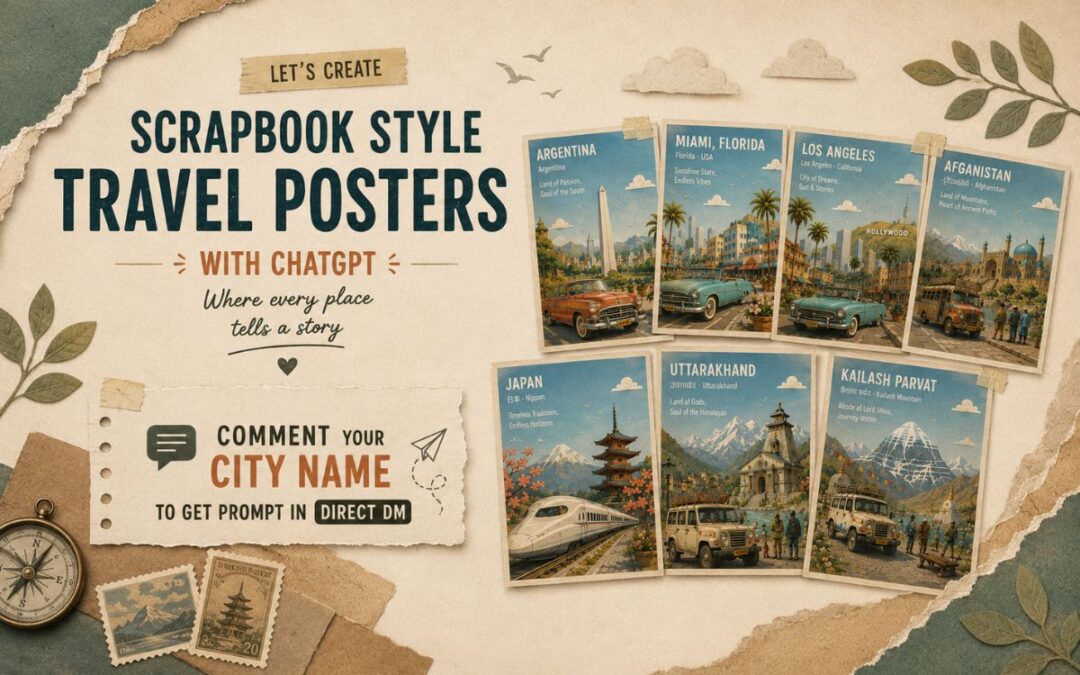
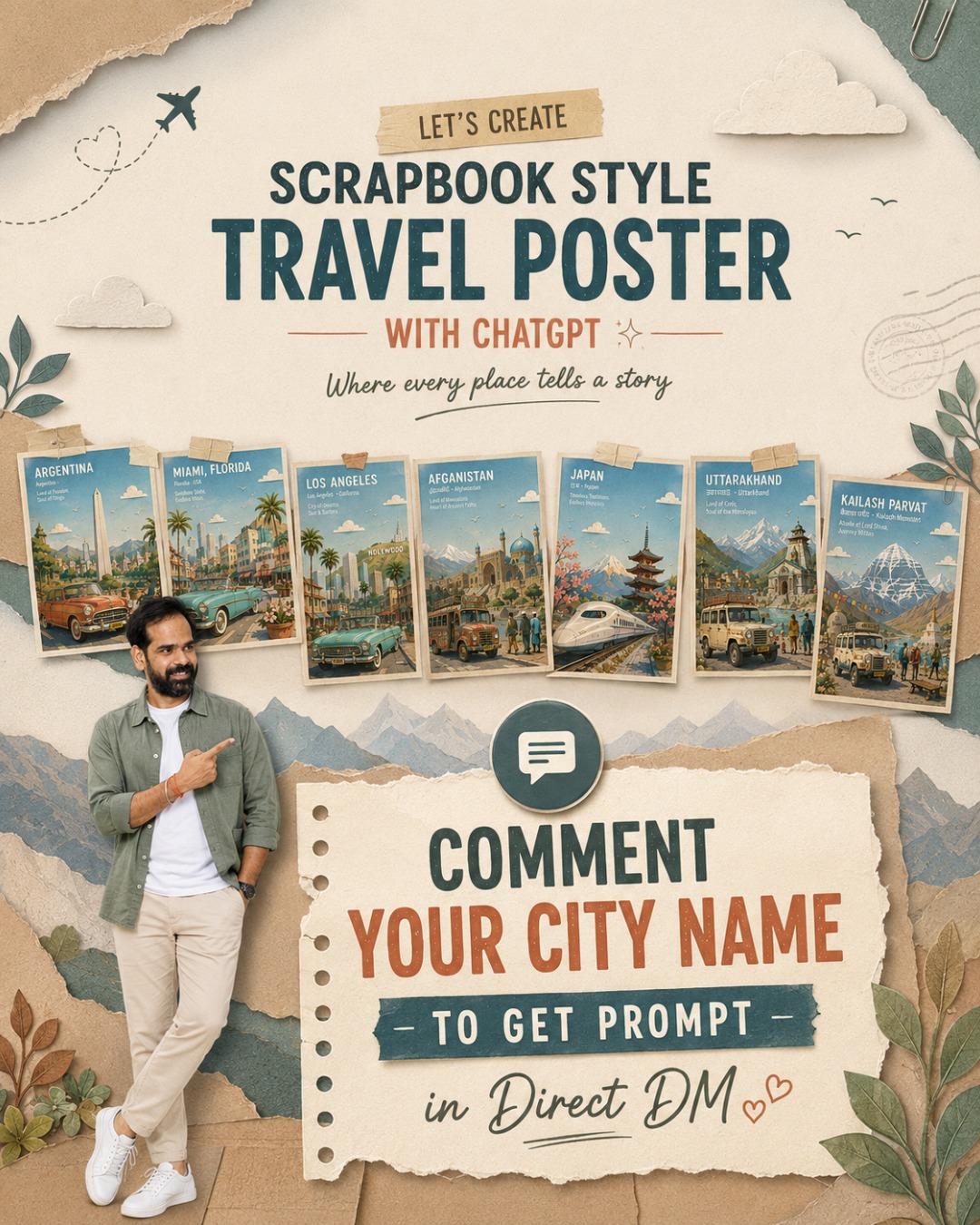
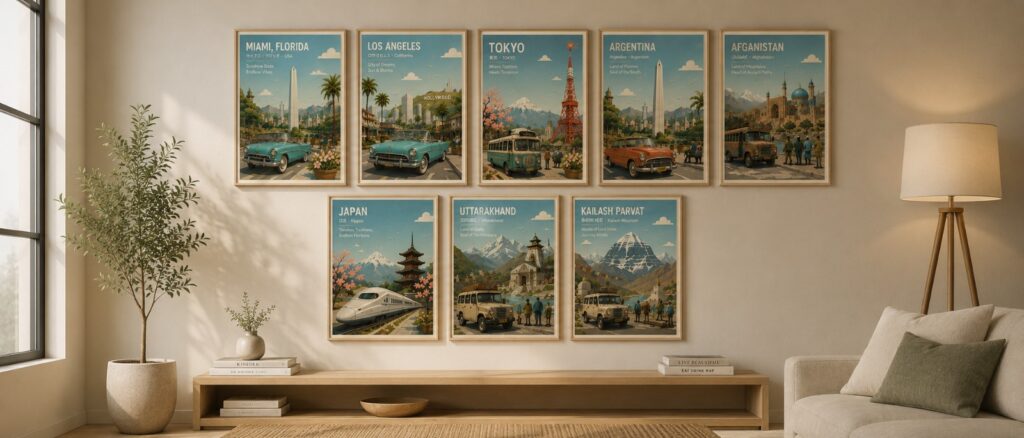
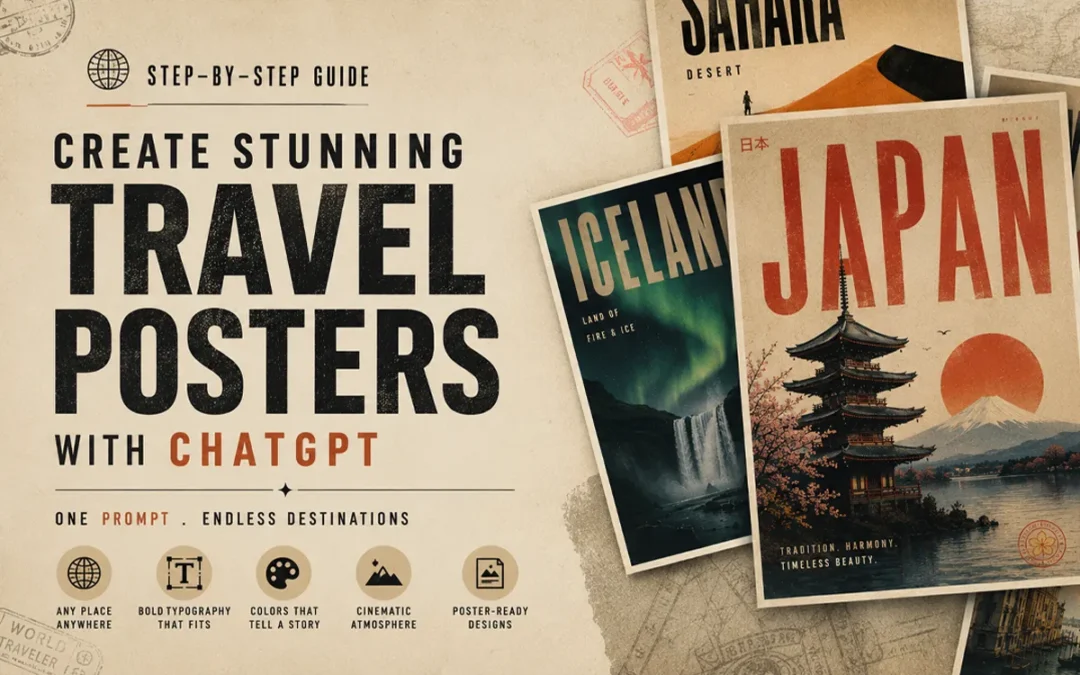
Turn any city, country, or landmark into a premium storybook-style travel poster in less than a minute.
In This Post
Master Prompt
Copy the complete prompt below into ChatGPT (GPT Image). Replace only the text inside [LOCATION NAME] and generate your image in 4:5 aspect ratio.
Travel Poster Ver – 4.0
Create a premium 4:5 travel-poster illustration of [LOCTAION NAME] in a whimsical storybook paper-collage style. The artwork should feel like a handcrafted layered paper diorama, blending the charm of a classic children's picture book with the sophistication of a Scandinavian editorial travel poster. It should be a collectible destination print suitable for museum gift shops, boutique hotels, luxury travel publications, and modern interiors.

Depict the location using one iconic transportation vehicle and one primary landmark as the two unmistakable visual anchors. The vehicle should occupy approximately 35–40% of the foreground, simplified into elegant paper-cut forms while remaining instantly recognizable. Surround it sparingly with a few flower planters, one bench, two or three tiny pedestrians, a cyclist, a street lamp, and subtle local urban details. Keep the foreground clean and uncluttered.

The midground should feature simplified local architecture, streetscape, greenery, parks or waterfronts, and subtle cultural elements, all reduced to clean geometric shapes with minimal architectural detail. In the background, feature only one hero landmark, supported by one or two secondary landmarks that are softened into atmospheric paper layers. If appropriate, distant mountains or natural scenery should fade gently into the horizon. Every architectural element should read as a simplified silhouette rather than a detailed building.

Compose the illustration with an expansive open sky occupying approximately 50–55% of the image, creating generous breathing room and strong negative space. Include two to five rounded paper clouds, a few tiny birds, and a soft pastel gradient with visible handmade paper grain. Establish clear foreground, midground, atmospheric haze, and background layers using crisp stacked paper sheets with visible cut edges, subtle elevation, delicate cast shadows, and tactile cardstock textures.

Adopt a soft, harmonious color palette featuring sky blue, warm cream, light beige, pale stone gray, muted sage green, powder mint, dusty coral, soft peach, off-white, plus one distinctive accent color inspired by the location. Maintain restrained saturation throughout the composition, allowing only the iconic vehicle and primary landmark to carry slightly richer color emphasis while the remaining scene stays gently muted.

Use bright morning daylight with soft ambient illumination, subtle shadows, clean air, and a warm optimistic atmosphere. Shapes should be rounded, friendly, and organic with softly curved trees, fluffy clouds, stylized foliage, rolling hills where appropriate, and charming handcrafted imperfections that reinforce the storybook aesthetic.

In the upper-left corner, integrate elegant white rounded geometric sans-serif typography into the open sky using a clean editorial grid with generous margins. Display:

- [LOCATION NAME]
- [LOCAL LANGUAGE NAME] · [ENGLISH NAME]
- A unique location-specific tagline that reflects the city's identity while keeping the same elegant typographic style across the entire poster series (examples: "Where Tradition Meets Tomorrow", "The City of Timeless Canals", "Gateway to the Himalayas", "Where History Breathes", "Island of Endless Horizons").

Finish with a thin warm-cream border around the artwork, subtle museum-print paper texture, and a refined collectible poster aesthetic inspired by Scandinavian design, Kinfolk editorial layouts, Monocle travel illustrations, and mid-century European tourism posters.

Mood: peaceful, nostalgic, whimsical, timeless, joyful, slow-travel, refined, cultured, optimistic, quietly magical.

Avoid photorealism, CGI, glossy materials, excessive architectural detail, heavy outlines, cluttered compositions, crowded streets, readable advertisements, brand logos, watermarks, neon colors, cyberpunk aesthetics, dark lighting, dramatic contrast, busy signage, or tourist-brochure styling.

The final result should feel like a handcrafted premium destination poster with a consistent visual identity across every city, where the iconic vehicle, hero landmark, expansive sky, tactile paper layers, editorial typography, and location-specific tagline create an instantly recognizable collectible travel series.
“Can I create these automatically using just ONE prompt?”
After testing a lot of prompts inside ChatGPT image generation, I finally created a ChatGPT AI poster prompt that generates random premium poster styles every single time.
You can use GPT image generation directly inside ChatGPT.
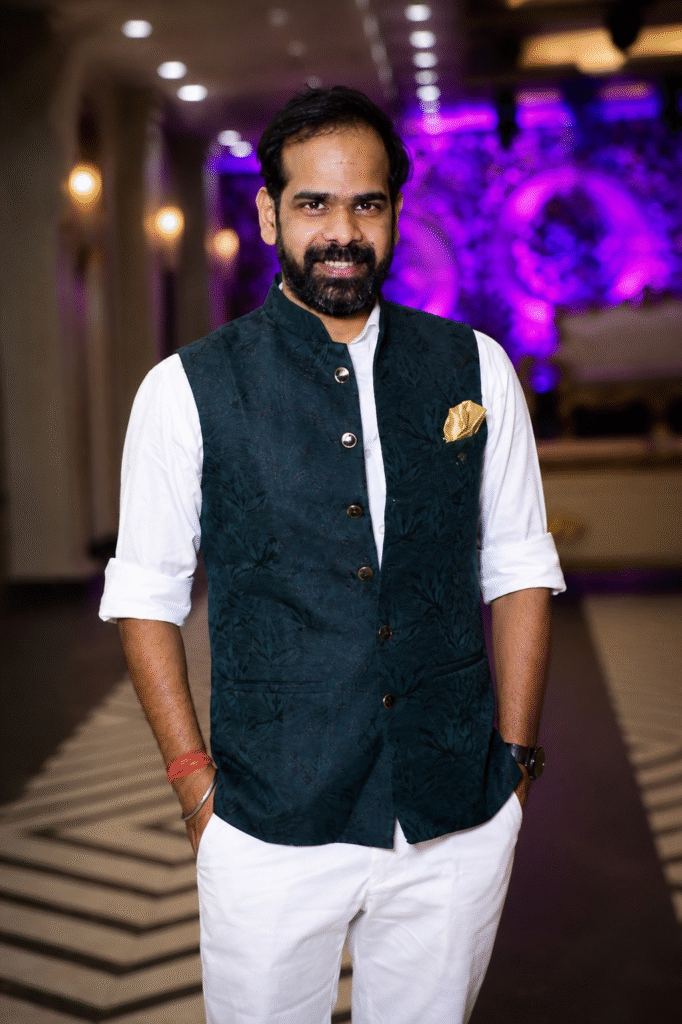
Step 2 — Upload Your Photo
Choose a good portrait photo.
Better photos = better posters.
I personally noticed these work best:
full-body shots
confident poses
side profiles
clean backgrounds
natural lighting
Avoid:
blurry selfies
group photos
low-light images
heavily filtered pictures
Step 3 — Paste This ChatGPT AI Poster Prompt
Here is the prompt
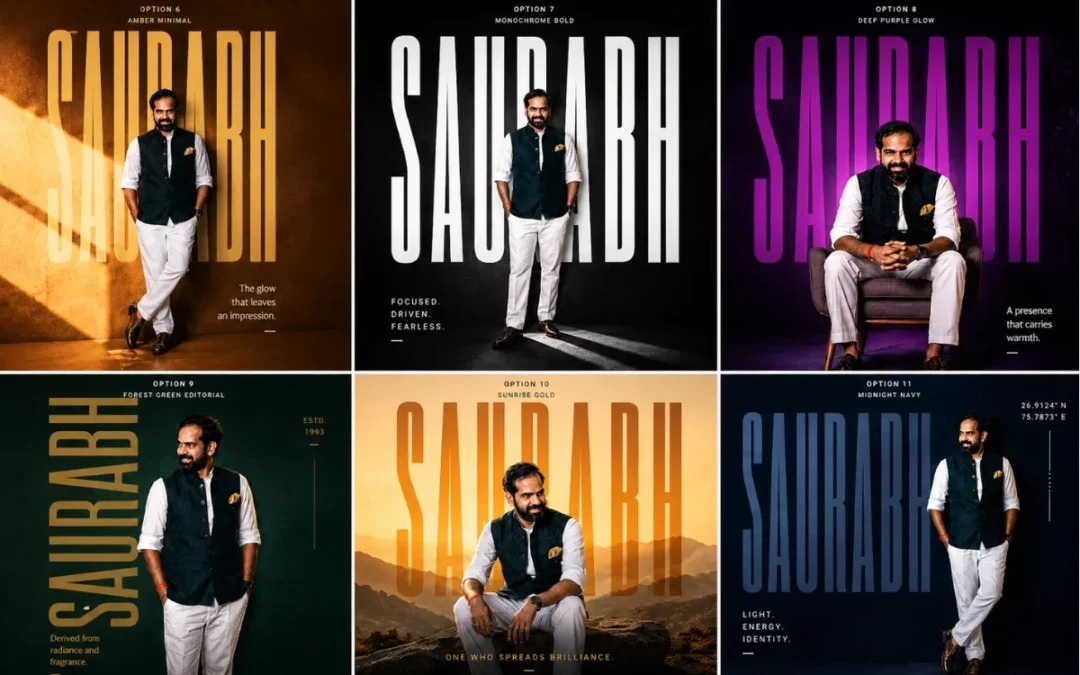
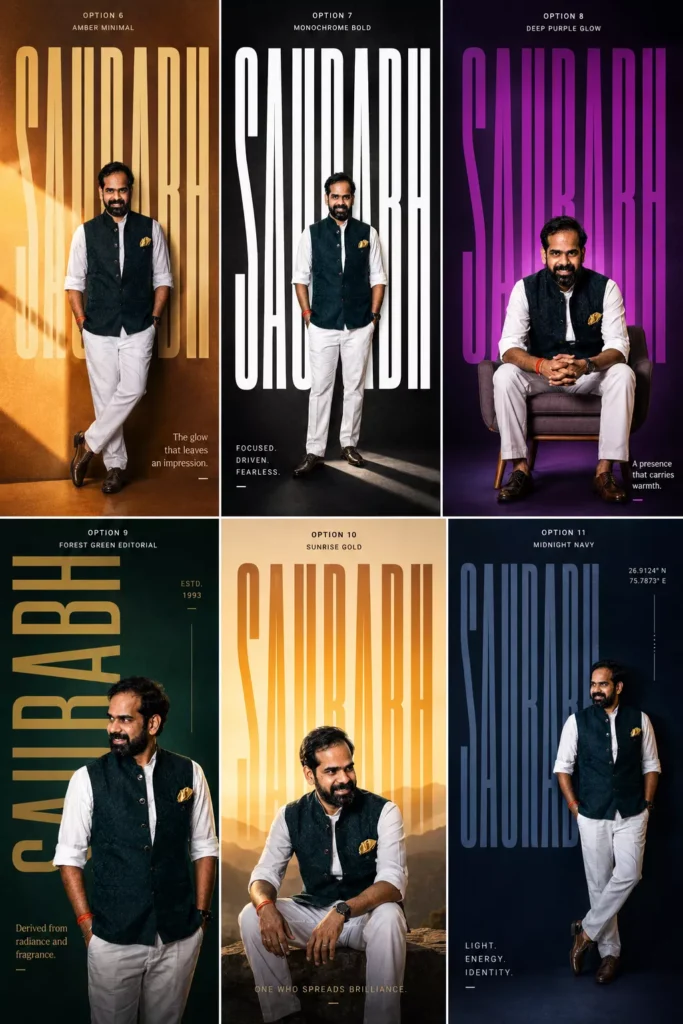
Create an ultra-premium 4:5 editorial typography poster using the uploaded portrait photo.

Keep the exact same face, identity, skin tone, hairstyle, and realism from the original image.

Name: “[NAME]”

Design Style:

* giant ultra-tall bold typography of the name
* typography integrated into composition
* modern luxury poster aesthetic
* cinematic lighting
* vibrant solid or gradient background
* premium grain texture
* Swiss/editorial layout
* asymmetrical composition
* realistic shadows and depth

Randomly vary:

* pose (standing, sitting, leaning, walking, side profile, candid)
* camera angle
* typography style
* color palette
* layout
* lighting mood
* graphic elements

Use styles inspired by:
fashion editorials, Spotify artist posters, A24 movie posters, luxury perfume ads, sports campaigns, brutalist typography, modern magazine covers.

Add:

* subtle geometric elements
* minimal symbols/coordinates
* sleek micro typography
* short poetic meaning line related to the name

Make it photorealistic, premium, cinematic, bold, modern, and visually striking.
Replace [NAME] with your own name.
Then hit generate.
That’s it.
Why This Prompt Works So Well
Most AI prompts fail because they’re too basic.
This one works because it gives:
strong visual direction
cinematic guidance
layout structure
typography hierarchy
random variation instructions
So every result feels unique.
One generation might look like:
a Netflix movie poster
The next one might look like:
a luxury fashion campaign
And another could look like:
a premium Spotify artist cover
That randomness is honestly the best part.
My Favorite AI Poster Styles
Cinematic Dark Posters
These look absolutely insane.
Moody shadows. Huge typography. Dark dramatic lighting.
Feels like a Christopher Nolan poster sometimes.
Minimal Swiss Typography Posters
Very clean. Very premium.
Mostly:
huge fonts
lots of negative space
subtle colors
modern layouts
These work REALLY well for Instagram profile aesthetics.
Sports Campaign Style Posters
These usually create:
energetic poses
bold lighting
aggressive typography
athlete-style compositions
Perfect for gym creators or sports pages.
Fashion Editorial Posters
Probably the most premium-looking style.
Feels like:
Vogue
GQ
luxury perfume campaigns
designer brand ads
Very cinematic.
Best Tips for Better AI Posters
Use Full-Body Photos
The AI creates much stronger compositions when it can see your posture and body angle.
Regenerate Multiple Times
This is VERY important.
Sometimes the first image is average.
Then suddenly the 4th generation looks absolutely crazy.
The AI randomization changes:
pose
layout
lighting
typography
composition
So keep experimenting.
Try Different Background Colors
Some color combinations look insanely premium.
My favorites:
orange + cream
deep blue + beige
crimson + gold
neon green + black
matte black + silver
Use Confident Photos
The AI performs better when your pose already has personality.
Even small things help:
side profile
looking away from camera
crossed arms
walking pose
candid posture
Can You Create Instagram Posters with This Prompt?
Absolutely.
Honestly this prompt feels MADE for Instagram.
You can use these posters for:
profile posts
reels covers
story uploads
Spotify-style edits
YouTube thumbnails
personal branding
gaming pages
fashion pages
The possibilities are endless.
I genuinely didn’t expect this prompt to work this well.
At first I was just experimenting for fun.
But after testing different typography styles, cinematic aesthetics, and editorial layouts… the results started looking insanely professional.
And now I honestly can’t stop generating these posters.
The craziest part?
You only need:
one photo
one prompt
one click
That’s it.
If you try this, definitely experiment with:
different poses
dramatic lighting
side profiles
sitting shots
fashion outfits
monochrome aesthetics
Because every generation gives a completely different vibe.
And honestly… that’s what makes this trend so addictive.
FAQs
What is the best ChatGPT AI poster prompt?
The best ChatGPT AI poster prompt includes cinematic lighting, typography direction, editorial composition, and random style variations for unique outputs.
Can ChatGPT create cinematic posters?
Yes. ChatGPT image generation can create premium cinematic posters using uploaded photos and detailed prompts.
Which photos work best for AI posters?
High-quality portrait or full-body photos with natural lighting usually generate the best AI posters.
Can I use these AI posters on Instagram?
Absolutely. These posters are perfect for Instagram posts, reels covers, profile branding, and aesthetic content.
Why do AI posters look different every time?
Because the prompt includes randomized layout, typography, pose, lighting, and composition instructions.
A few months ago I was spending hours — sometimes an entire weekend — trying to design a single travel poster in Photoshop. Adjusting layers, hunting for the right font, second-guessing every color choice. Then I discovered how to create AI travel posters with ChatGPT. Everything changed.
Then I tried something different.
One prompt. ChatGPT. Thirty seconds.
The result looked like it came out of a premium design studio.
I’ve been obsessed with this workflow ever since, and today I’m walking you through exactly how I do it — step by step, no fluff.
The Master Prompt (Copy This Exactly)
Here’s the prompt I use. Just copy it, replace the location name, and paste it into ChatGPT.
Here is the prompt
Create a cinematic minimalist travel poster of [LOCATION NAME].
Automatically detect and adapt the design language based on the
location's geography, culture, climate, architecture, and emotional
atmosphere.

Design system should auto-generate:

- Appropriate visual style (brutalist / retro-futurism / swiss
  modernism / neo-noir / organic minimalism / luxury editorial etc.)
- Matching color palette inspired by the location
- Typography style based on the place's identity
- Natural textures and materials from the environment
- Atmospheric lighting and mood
- Composition with strong negative space
- Iconic landscape or architectural silhouette
- High-end poster layout with cinematic balance

Poster style requirements:
ultra aesthetic, premium graphic design, bold typography integration,
layered textures, subtle grain, editorial composition, realistic
lighting, sophisticated minimalism, visual storytelling, museum-grade
poster design, highly detailed, 8k
Then just swap [LOCATION NAME] with wherever you want.
Note:If copy above button not work, then copy this pormpt manually
Create a cinematic minimalist travel poster of [LOCATION NAME].
Automatically detect and adapt the design language based on the
location's geography, culture, climate, architecture, and emotional
atmosphere.

Design system should auto-generate:

- Appropriate visual style (brutalist / retro-futurism / swiss
  modernism / neo-noir / organic minimalism / luxury editorial etc.)
- Matching color palette inspired by the location
- Typography style based on the place's identity
- Natural textures and materials from the environment
- Atmospheric lighting and mood
- Composition with strong negative space
- Iconic landscape or architectural silhouette
- High-end poster layout with cinematic balance

Poster style requirements:
ultra aesthetic, premium graphic design, bold typography integration,
layered textures, subtle grain, editorial composition, realistic
lighting, sophisticated minimalism, visual storytelling, museum-grade
poster design, highly detailed, 8k
I’ve tested this with: Iceland, Kyoto, Dubai, Venice, Rajasthan, Cape Town, New York, Amazon Forest, Jakarta — and honestly every single one came out differently. That’s the part that keeps surprising me.
What You Can Actually Make With This
Before I get into the how, let me show you what the end result looks like. Because I think that’s what made me stop and pay attention when I first discovered this.
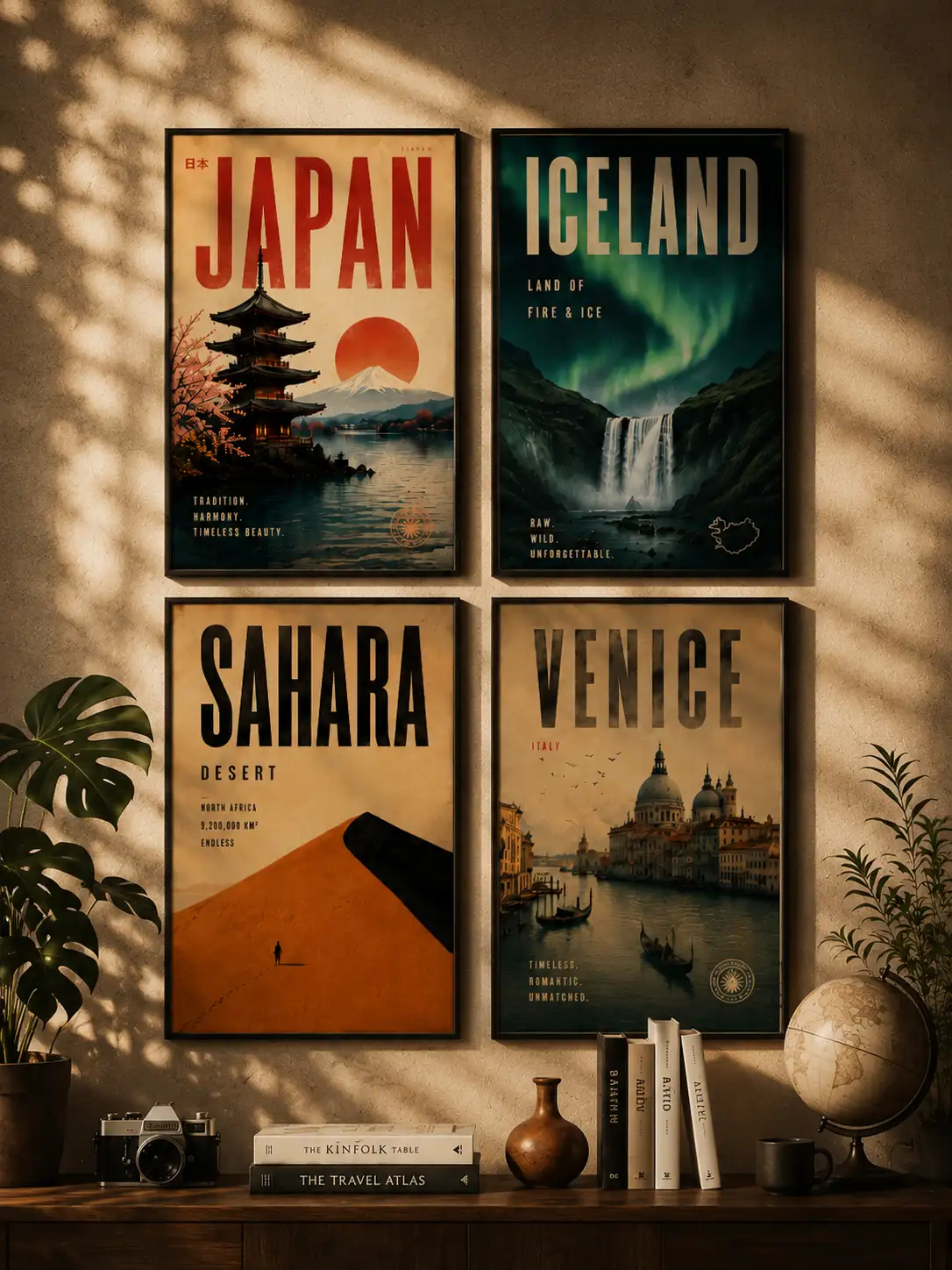
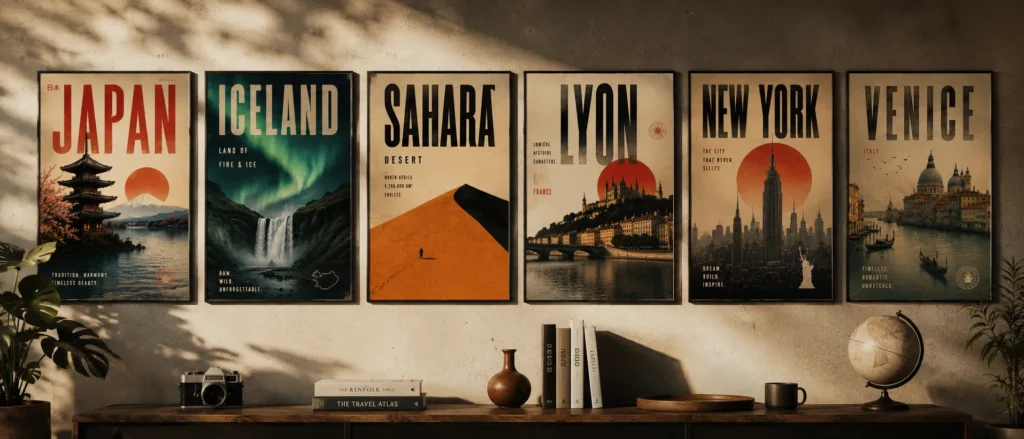
Using a single smart prompt, I’ve generated posters like:
Sahara Desert — Brutalist minimalism, all sand tones and heavy geometry
Tokyo — Neo-futurist Japanese editorial, neon bleeding into negative space
Rajasthan — Royal heritage cinematic design, deep ochres and ornate silhouettes
Amazon Forest — Eco-brutalist jungle aesthetic, raw and textured
Venice — Romantic vintage European style, faded and nostalgic
New York — Urban neo-noir skyline, gritty and cinematic
What blew my mind is that I didn’t manually design any of that. The AI reads the location and automatically figures out:
The right typography
The color palette that actually fits the place
The composition and layout
The visual style and atmosphere
The lighting, textures, and mood
Every single poster feels like it belongs to that destination. That’s the part that still gets me.
Most people try to prompt AI images by describing everything manually. “Make a poster of Paris with the Eiffel Tower and blue sky and serif font and…”
That approach is exhausting and the results are usually generic.
What I figured out is that the smarter move is to give the AI a structure — and then let it fill in the creative decisions based on the location itself.
The prompt I use tells the AI to think about:
The location’s identity and cultural DNA
The emotional atmosphere of that place
What design language actually fits (brutalism? retro-futurism? Swiss modernism?)
Typography that matches the place’s personality
Natural textures and materials from that environment
Lighting and mood
Composition with strong negative space
Cinematic, editorial quality
Instead of me describing Tokyo, I let the AI know Tokyo and make the design decisions itself.
That’s the whole secret. And it works every single time.
Generate and See What Comes Back
Paste the prompt. Hit enter. Wait about 10–20 seconds.
What ChatGPT does in that time is actually kind of fascinating. It’s essentially:
Reading the cultural and geographic identity of the location
Deciding which design language fits that place
Building a typography hierarchy that matches
Composing the image cinematically
Adding atmospheric lighting and environmental textures
Putting it all together in a poster layout
Most of the time, the first output is already really good. Sometimes it’s exceptional. Occasionally it needs a small push — which brings me to the next step.
How I Refine When the First Output Isn’t Quite Right
I don’t always get perfection on the first try. But I’ve learned exactly what to add to push the output further.
If the style feels too generic, add one of these:
brutalist minimalism
neo-noir
retro-futurism
editorial luxury
vintage travel poster
Swiss modernism
If the typography feels weak:
oversized condensed typography
bold editorial typography
high contrast typography integration
If the atmosphere feels flat:
cinematic fog
ambient lighting
moody atmosphere
sunset haze
soft volumetric lighting
If the texture feels too clean or digital:
paper grain texture
aged poster texture
subtle film grain
weathered print effect
I usually only need to add one or two of these. The difference is immediately noticeable.
Generate Multiple Styles for the Same Location
This is honestly my favourite part of the whole workflow.
Once you have one poster you like, try generating the same location in completely different visual styles. The results are wildly different — and this is how I build entire carousel series.
Tokyo, for example:
Cyberpunk Tokyo
Brutalist Tokyo
Minimalist Tokyo
Luxury Editorial Tokyo
Neo-noir Tokyo
Sahara:
Brutalist Sahara
Retro travel Sahara
Luxury desert editorial
Minimal monochrome dunes
Each one feels like a completely different creative direction. Same location, totally different emotional story.
For Instagram carousels or Pinterest boards, this approach is gold. You’re not just posting one poster — you’re building a visual world around a destination.
Where I Actually Use These Posters
Most people generate these, post them online, and stop there.
But honestly? Some of my favourite uses have nothing to do with social media.
Home & Living Spaces
Print and frame them as wall art in your bedroom, living room, or hallway
Create a gallery wall around a travel theme — all desert posters, or all Asian cities
Use them as mood board prints above your desk
Print a large format version for an empty accent wall
PC & Desk Setup
Set them as desktop wallpapers — the 4:5 ratio works perfectly on vertical monitor setups
Use them as wallpaper on your phone or tablet lock screen
Print a small framed version and place it next to your monitor for that clean aesthetic setup look
Creative & Work Spaces
Pin them to your studio or office mood board
Use them as visual inspiration references for design projects
Frame a few and hang them in a creative studio or co-working space
Gifts
Print a custom poster of someone’s favourite travel destination as a birthday or anniversary gift
Create a personalised poster of a place that means something to them — where they got married, where they grew up, where they want to go
Digital Products & Side Income
Sell them as downloadable wall art on Etsy
List them on print-on-demand platforms like Redbubble or Society6
Bundle them into destination packs and sell as digital downloads
The quality the prompt generates is high enough to print at large sizes without it looking pixelated. I’ve printed mine at A2 and it held up perfectly.
A Few Things I’ve Learned the Hard Way
Keep the location name short. “Venice” works better than “Venice, Italy, near the Grand Canal.” Let the AI do the interpretation. That’s the whole point.
Don’t over-specify the style upfront. The best outputs I’ve gotten were when I let the AI decide the visual language. When I try to control too much, it gets generic. Trust the prompt structure.
Always use 4:5 aspect ratio. This is the sweet spot for Instagram posts, Pinterest pins, and portfolio showcases. It just looks like a poster.
Go big on typography. If there’s one thing that separates a premium-looking poster from a mediocre one, it’s large, confident typography. Don’t be afraid of it.
Embrace negative space. Empty space isn’t wasted space. It’s what makes a poster feel cinematic and expensive. The AI understands this — let it breathe.
Why AI Travel Posters with ChatGPT Actually Work
I’ve thought about this a lot, because the results consistently surprise me.
What makes these posters feel premium is that they’re pulling from real design principles — not just generating “a pretty picture.” The prompt structure forces the AI to think about:
Graphic design fundamentals
Cinematic composition
Editorial typography systems
Travel nostalgia and emotional resonance
Environmental storytelling
Minimalist layout logic
That combination is why people save these, share these, and ask where they came from. It doesn’t look AI-generated in the way most people expect. It looks designed.
What You Can Actually Do With These
I want to be practical here, because this isn’t just a fun experiment — there are real use cases:
Instagram content — carousels perform incredibly well
Pinterest pins — travel + design is a massive niche there
Print posters — the 8K quality holds up at large sizes
Wall art — I’ve printed a few of mine and they look incredible
Behance / design portfolio — great for showing AI-assisted design work
Travel blogs — custom visuals that actually match your content
YouTube thumbnails — cinematic and eye-catching
Etsy digital products — people sell these as downloadable prints
The workflow is the same for all of them. One prompt, multiple applications.
Final Thoughts
I’ll be real — when I first started experimenting with AI image generation, most of what I made looked like AI. You could tell. It had that uncanny, slightly-off quality that makes people scroll past.
This workflow is different.
The reason it works is because the prompt isn’t asking the AI to “make something pretty.” It’s asking the AI to think like a designer — to read a location, understand its identity, and make intentional creative decisions.
That’s what produces results that feel cinematic, premium, and art-directed.
And the best part? Every location generates something completely unique. I’ve never gotten two posters that feel the same.
Pick a destination you love. Paste the prompt. See what comes back.
Then try the same location in three different styles.
That’s where it gets genuinely addictive.
If you try this, drop your results in the comments — I’d love to see what destinations you’re working with.
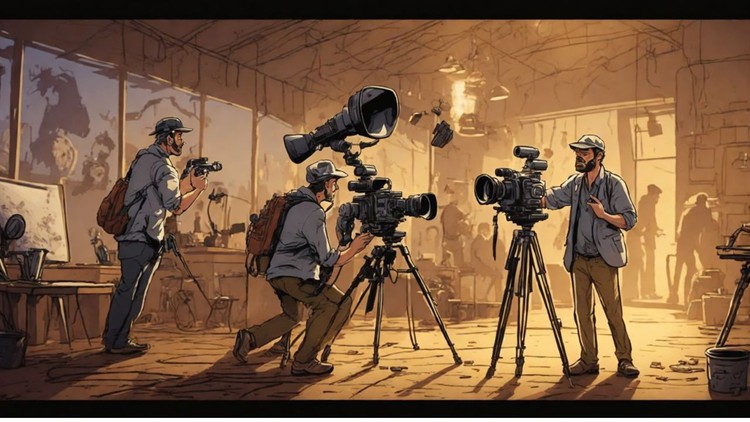
Kling AI 3.0 is rolling out right now, and it’s not a small update. This is a serious upgrade that finally makes AI video feel usable for real storytelling.
In this guide, I’m breaking down Kling 3.0 examples and use cases based on hands-on testing. You’ll see exactly what works, where it still struggles, and how creators are actually using it in real workflows.
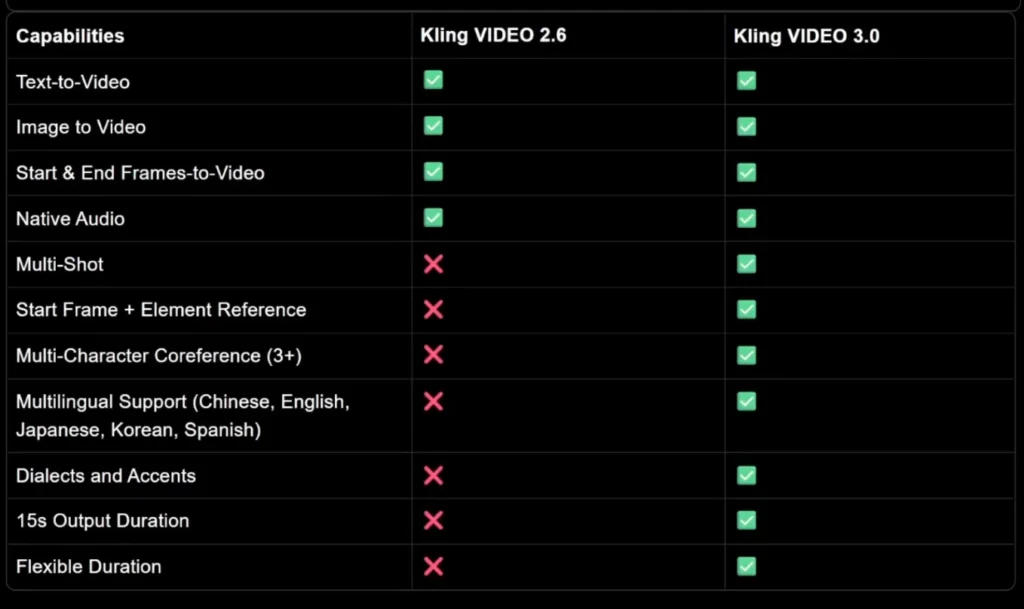
Kling 3.0 is the latest version of Kling’s AI video generation model. It supports text to video, image to video, native audio, lip sync, and up to 15 seconds of output.
The standout feature is multi-shot video generation, which lets you define what happens in each shot instead of generating one random clip.
That one feature changes everything.
Kling 3.0 Examples and Use Cases
Let’s start with real examples.
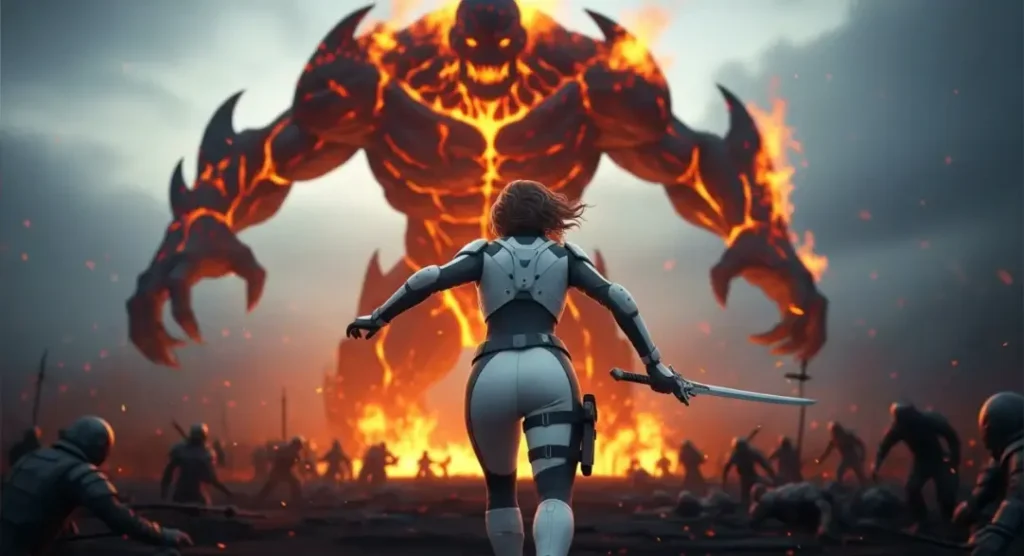
Image to Video Example
Upload an image as the first frame and write a simple prompt like:
A warrior sprints toward a monster and engages in an epic fight.
With multi-shot on.
The same scene is split into multiple cinematic shots with hard cuts. The pacing improves. The scene feels intentional.
character consistency stays intact across shots, which is something most AI video models still struggle with.
Multi-Shot Storytelling Example
You can go further by manually defining each shot.
Upload an image as the first frame and write a simple prompt like:
Example setup:
Create a cinematic game teaser with 5 shots.
Shot 1: Wide shot of a massive fantasy city at night, glowing torches, rain falling, cinematic scale. Shot 2: Tracking shot behind a hooded character walking through a crowded street. Shot 3: Close-up of a sword being drawn, sparks and reflections, dramatic lighting. Shot 4: Fast cut action shot – character dodges an attack in slow motion. Shot 5: Final wide shot of the city skyline with thunder and lightning.
Epic fantasy, cinematic camera, realistic motion, dark tone.
The result follows the prompt almost perfectly. Camera movement, pacing, and cuts all make sense.
This is where Kling 3.0 clearly separates itself.
Kling 3.0 Use Cases for Content Creators
This is where Kling 3.0 actually becomes useful.
YouTube Creators
Creators can generate:
Cinematic B-roll
Short narrative sequences
High-action intros
Visual explainers
Multi-shot control makes it possible to create scenes instead of random clips.
Short-Form Content (TikTok, Reels, Shorts)
Use case Brands running Meta ads, product reels, or hero visuals.
Why Kling 3.0 fits
Short duration optimized for reels
Clean transitions
Controlled product focus
Example prompt
Create a premium product reel in 3 shots.
Shot 1: Close-up of a sleek wireless charger on a dark desk, soft blue accent lighting, slow camera pan. Shot 2: Phone placed on charger, subtle glow appears, minimalistic background, smooth motion. Shot 3: Final hero shot with clean composition, product centered, cinematic lighting, modern tech aesthetic.
Professional commercial style, realistic textures, smooth motion, no text.
Game Cinematic / Trailer Concept
Use case Game studios or YouTube creators creating teaser visuals or concept trailers.
Kling 3.0 advantage
Action + camera movement
Fantasy / realism blend
Trailer-style pacing
Example prompt
Create a cinematic game teaser with 5 shots.
Shot 1: Wide shot of a massive fantasy city at night, glowing torches, rain falling, cinematic scale. Shot 2: Tracking shot behind a hooded character walking through a crowded street. Shot 3: Close-up of a sword being drawn, sparks and reflections, dramatic lighting. Shot 4: Fast cut action shot – character dodges an attack in slow motion. Shot 5: Final wide shot of the city skyline with thunder and lightning.
Epic fantasy, cinematic camera, realistic motion, dark tone.
AI Influencer / Character Video
Use case Virtual influencers, AI characters, or brand mascots.
Why Kling 3.0 works
Character consistency
Facial expressions + motion
Camera control
Example prompt
Create a realistic AI character video.
Shot 1: Medium shot of a young female digital influencer standing on a city rooftop at sunset. Shot 2: Close-up as she smiles and looks into the camera, soft cinematic lighting. Shot 3: Side profile shot as wind moves her hair, shallow depth of field.
Photorealistic human character, natural motion, cinematic realism.
Educational / Explainer Visual
Use case Ed-tech, Instagram explainers, YouTube shorts.
Strength here
Visual clarity
Calm motion
Easy storytelling
Example prompt
Create a clean educational explainer video in 3 shots.
Shot 1: Minimal desk setup with laptop and notebook, soft daylight, calm camera movement. Shot 2: Abstract visualization of data lines and charts floating subtly. Shot 3: Wide shot of a modern workspace with natural light, professional tone.
Clean, modern, minimal, smooth motion.
Fashion / Lifestyle Reel
Use case Clothing brands, Instagram drops, lookbooks.
Why Kling 3.0 shines
Fabric realism
Motion + pose control
Editorial feel
Example prompt
Create a fashion editorial reel.
Shot 1: Wide shot of a model walking slowly in an urban street, cinematic framing. Shot 2: Medium shot focusing on outfit details, fabric movement in slow motion. Shot 3: Close-up portrait with soft natural light, shallow depth of field.
High-fashion editorial style, cinematic realism.
Pre-Visualization for Ads or Films (Storyboard Replacement)
Use case Directors, agencies, production houses.
Why this matters
Saves time before shooting
Replaces rough storyboards
Visual clarity for clients
Example prompt
Create a pre-visualization cinematic sequence for a commercial.
Shot 1: Establishing shot of a modern city at sunrise. Shot 2: Interior office shot, professional working on laptop, natural light. Shot 3: Close-up of hands typing, shallow depth of field. Shot 4: Final wide shot with confident tone and clean composition.
Neutral color grading, realistic motion, cinematic framing.
Kling 3.0 Advanced Examples and Workflows
Now let’s talk about advanced workflows.
Custom Multi-Shot Workflows
Instead of letting Kling decide everything, you can:
Define each shot
Control duration per shot
Specify camera movement
Stitch everything into one coherent video
This works especially well for:
Short films
Narrative ads
Action sequences
Dialogue-heavy scenes
Omni 3 Video Editing Workflow
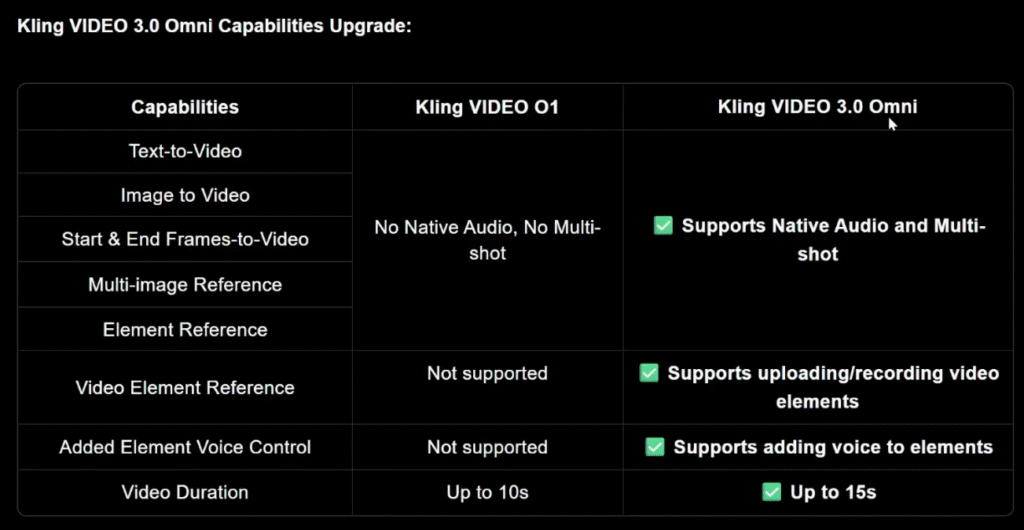
Kling 3.0 also includes Video 3 Omni, its omni-modal editing model.
With Omni 3, you can:
Upload images and videos
Edit scenes using natural language
Change outfits, colors, and backgrounds
Add or remove characters
Example prompt:
Make the woman wear a kimono and change the car to red.
It just works.
Consistency is strong, even with complex clothing. Faces can lose detail at a distance, but overall, this is one of the most powerful AI video editing workflows available right now.
Kling 3.0 Strengths and Weaknesses Explained
Let’s be honest.
Strengths
Excellent multi-shot storytelling
Strong character consistency
Good camera movement understanding
Native audio and lip sync
Multilingual support
Up to 15 seconds of video
1080p output
This is one of the few AI video models that feels usable for real projects.
Weaknesses
Fast motion still causes blur
Fingers and faces can break in action scenes
Physics-heavy scenes aren’t perfect
Distant shots lose fine detail
It’s a big improvement, but it’s not flawless.
World Understanding and Style Tests
Kling 3.0 shows solid world understanding.
It understands game concepts like Squid Game without copying characters
It handles 3D animation styles like Disney-Pixar convincingly
Educational prompts work better than expected
Motion graphics are hit or miss
Compared to older versions, it’s noticeably smarter.
Conclusion
Kling 3.0 is a massive upgrade.
The multi-shot feature alone changes how AI video is made. Instead of generating random 5-second clips, you can now create structured scenes with real pacing and intent.
It still struggles with extreme motion and fine details, but overall, this is one of the strongest AI video generators available right now.
If you care about cinematic control, storytelling, and consistency, Kling 3.0 is absolutely worth testing.
FAQs
What are the best Kling 3.0 examples and use cases?
Multi-shot storytelling, cinematic B-roll, anime dialogue, and short narrative videos.
What are the main Kling 3.0 use cases for content creators?
YouTube videos, Shorts, ads, cinematic intros, and visual storytelling.
Does Kling 3.0 support advanced workflows?
Yes. Custom multi-shot control and Omni 3 editing allow complex workflows.
What are Kling 3.0’s strengths and weaknesses?
Strong consistency and storytelling, weaker fine detail in fast motion.
Is Kling 3.0 worth using right now?
Yes, especially if you want cinematic control and structured scenes.
Let’s be honest— AI can generate beautiful visuals, but when it comes to telling a proper story, most creators hit the same wall:
“Why does my character look different in every scene?”
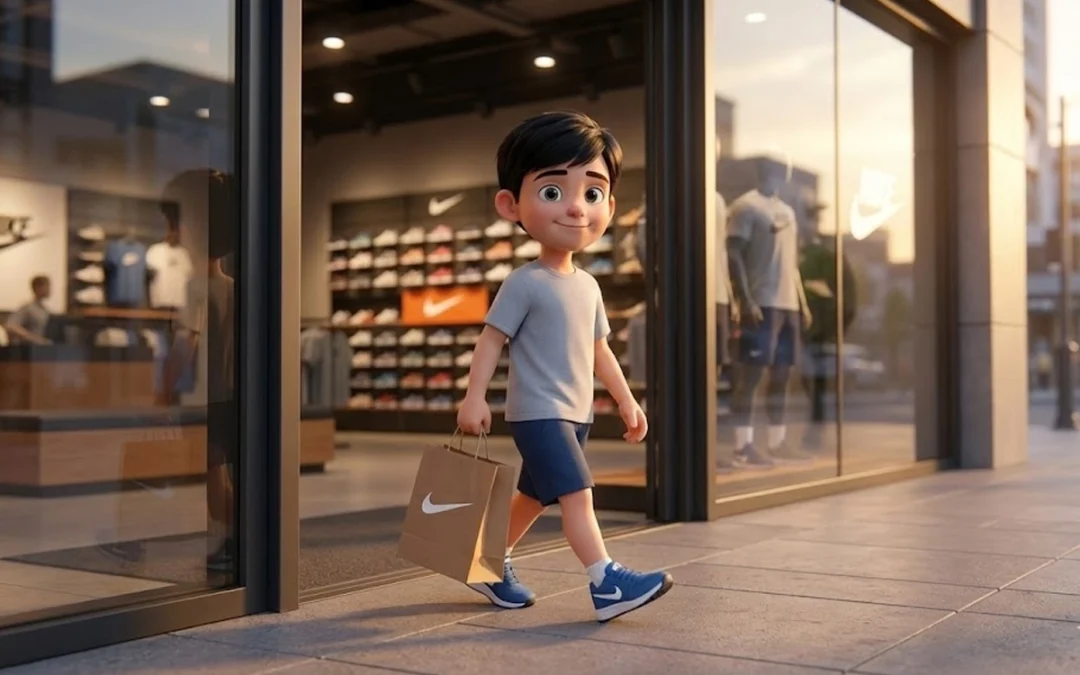
That exact problem is what led me to experiment with a cinematic retail storytelling workflow, using Nano Banana for images and Veo 3.1 for video motion.
In This Post
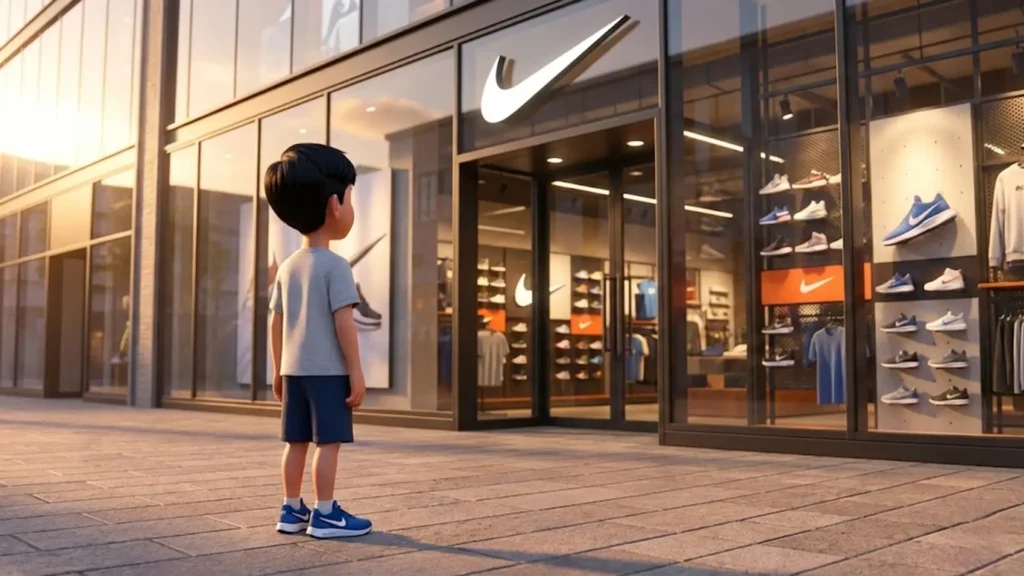
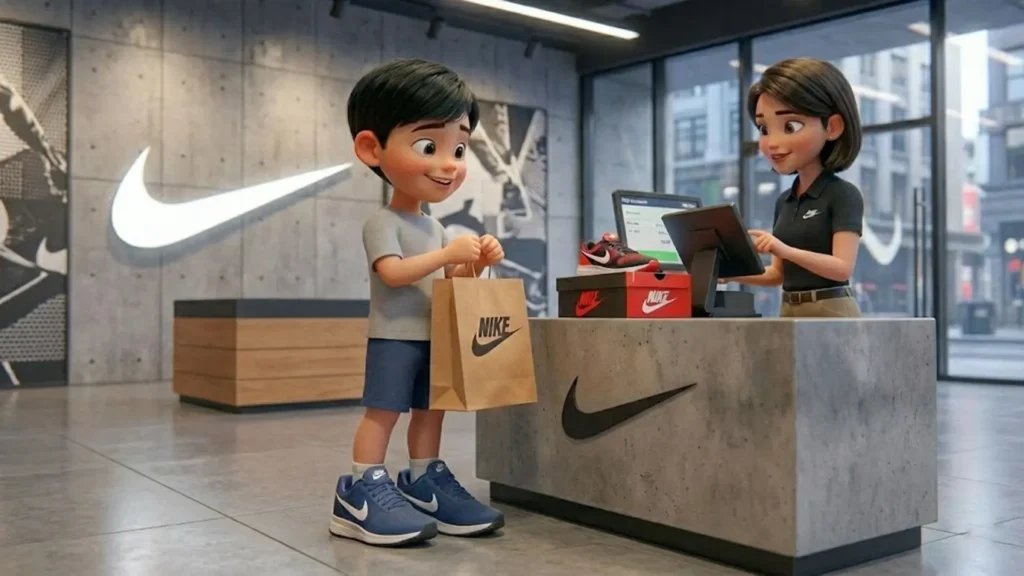
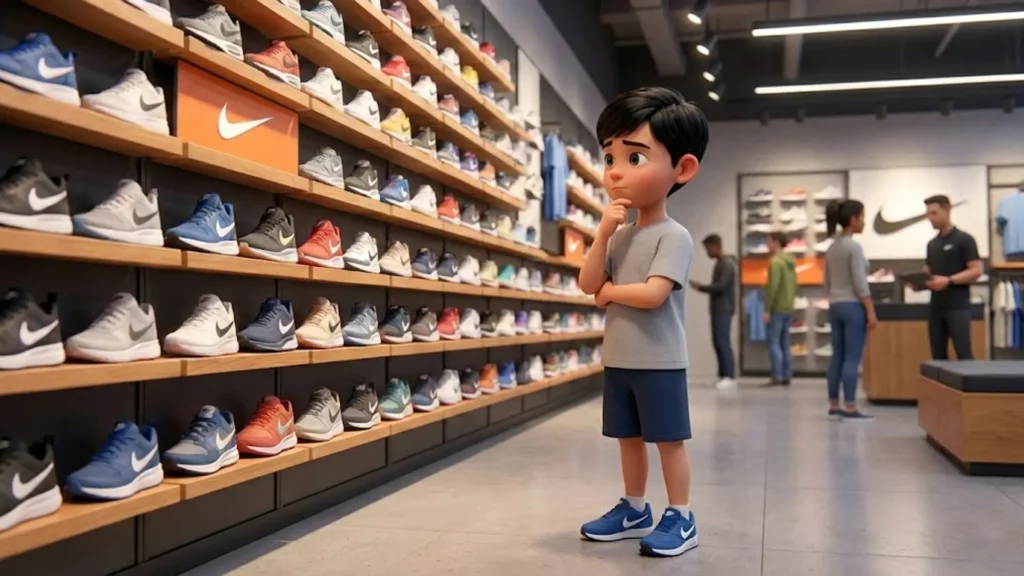
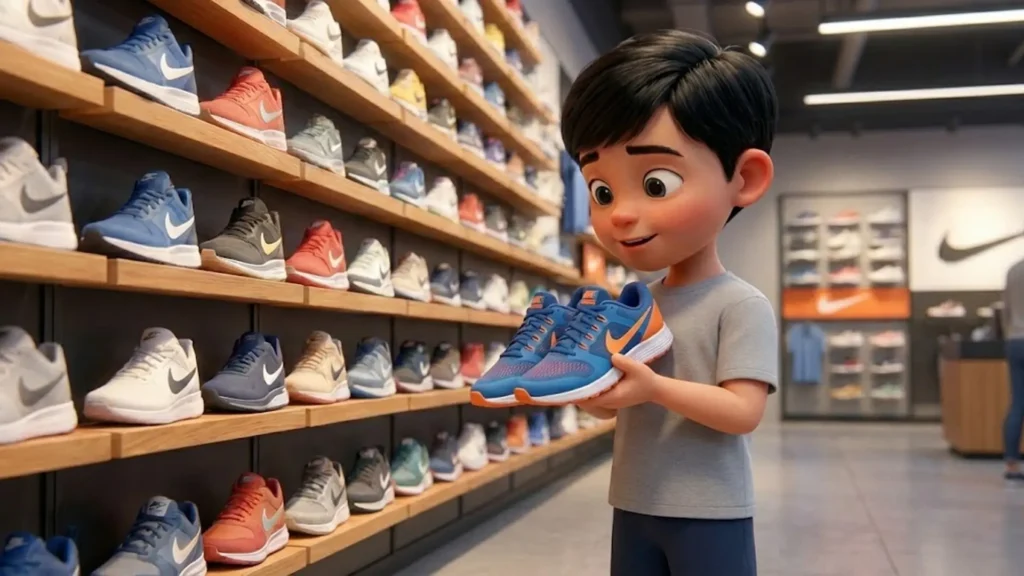
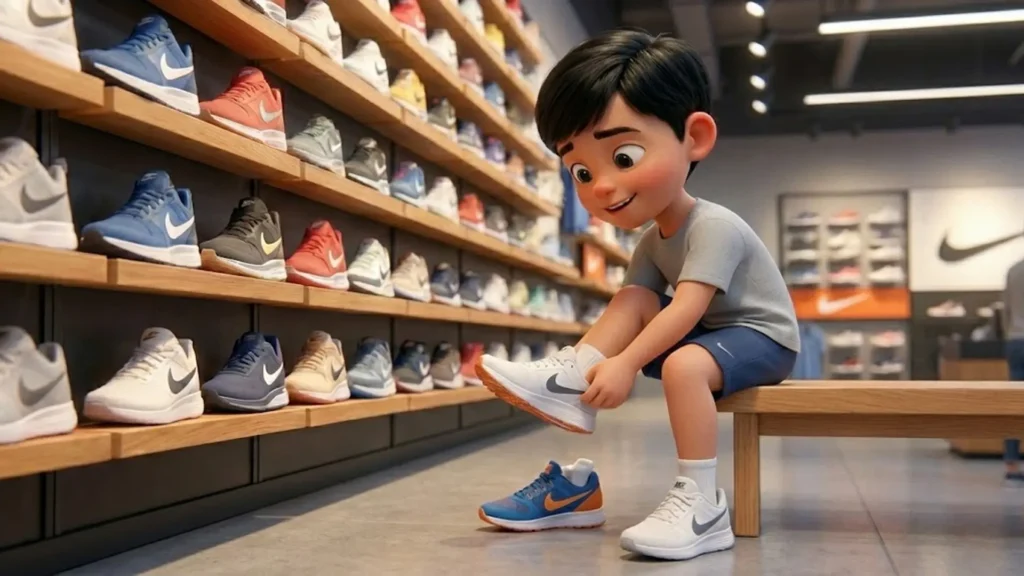
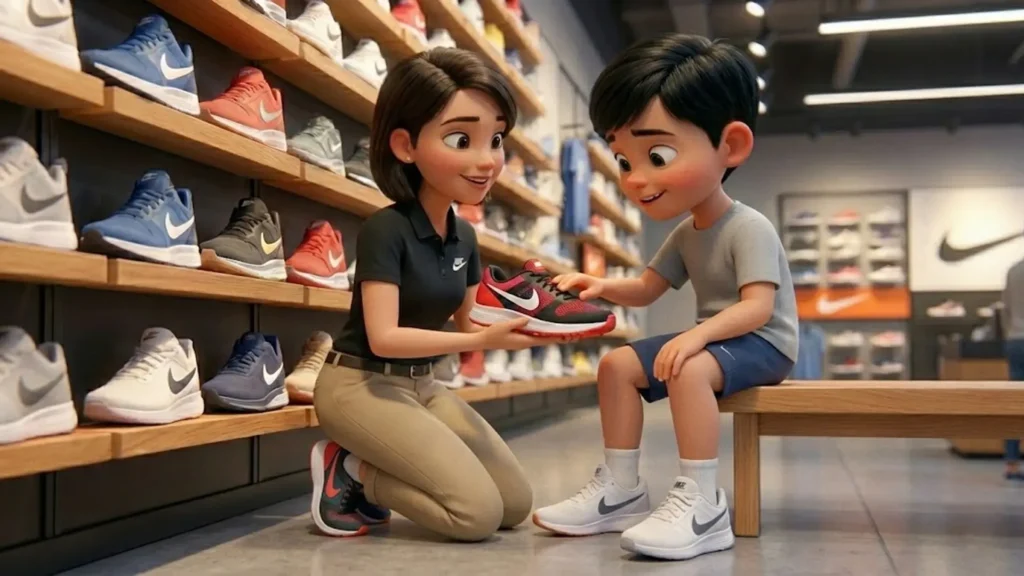
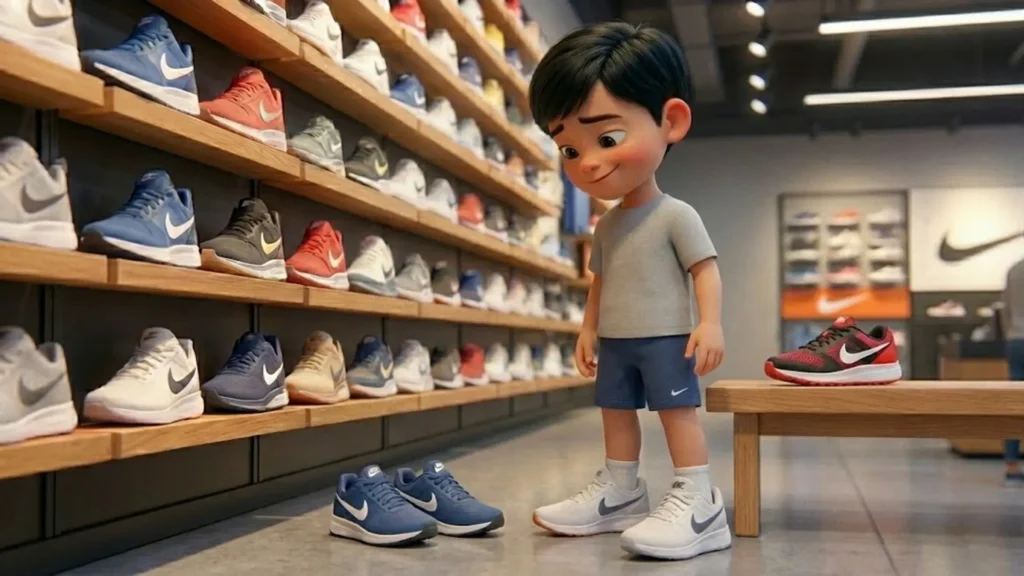
In this blog, I’ll walk you through exactly how I created a Nike store reel that feels:
Natural
Emotional
Cinematic
And most importantly… consistent
No film crew. No expensive gear. Just the right structure and AI discipline.
Why This Kind of Storytelling Works So Well
People don’t connect with products. They connect with moments.
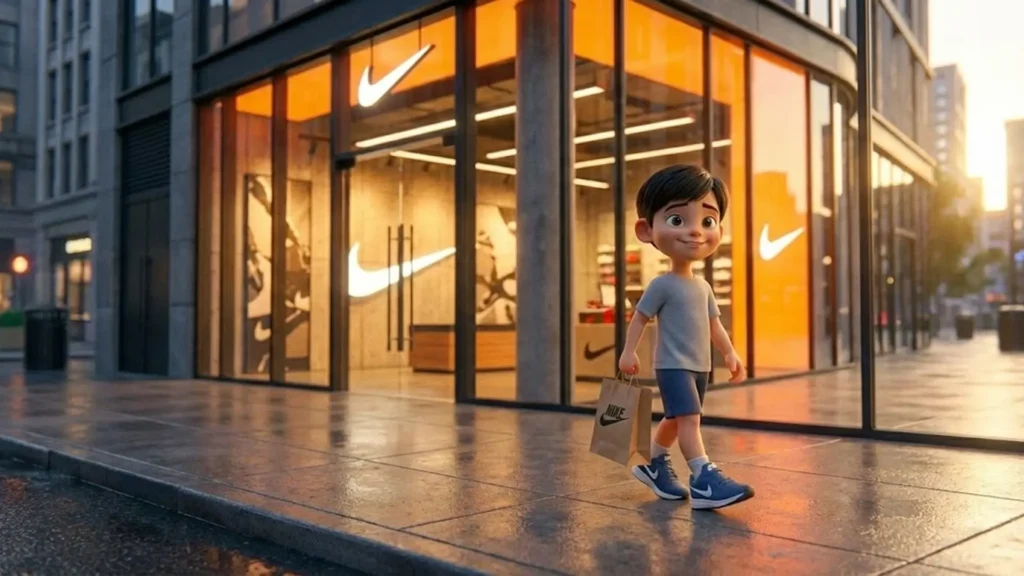
A child walking into a Nike store, thinking, choosing, trying shoes, and walking out happy—that’s a story we’ve all lived in some form.
When you show that journey:
Viewers watch longer
Saves increase
Shares go up
The brand feels human, not salesy
That’s exactly what short-form platforms like Instagram reward.
A cinematic Nike store reel is a short-form video that tells a story using natural moments like entering a store, trying shoes, and walking out—styled like a mini film rather than an ad.
Which AI tools are used to create this reel?
This workflow uses Nano Banana for cinematic image generation and Veo 3.1 for turning those images into realistic videos with smooth motion.
How is character consistency maintained?
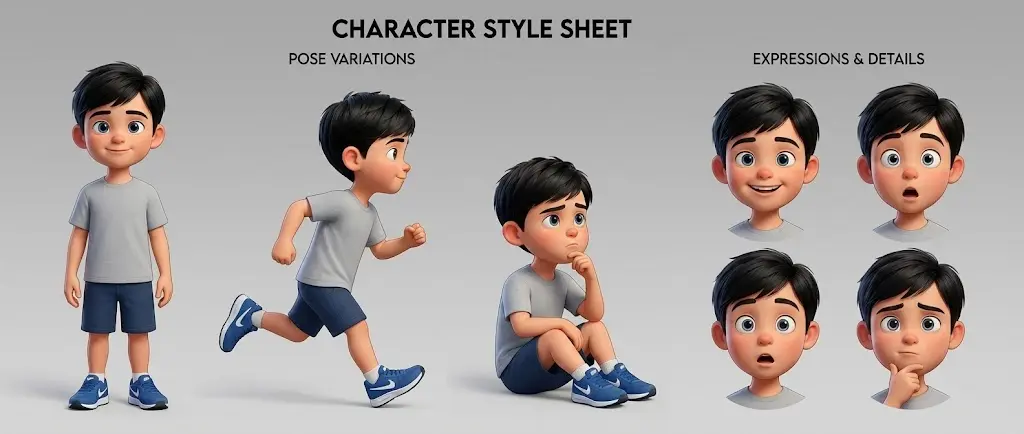
Character consistency is achieved using a Master Character Anchor, which is copied exactly into every image prompt to keep the same face, body, and clothing across scenes.
Why is character consistency important in AI reels?
Without consistency, AI reels feel disconnected and artificial. A consistent character helps maintain realism, emotion, and viewer trust.
Can beginners create this type of reel?
Yes. Beginners can create this reel by following a structured prompt workflow. No advanced editing skills are required.
If your AI characters keep changing faces, outfits, or vibes every time you generate a new image, you’re not doing anything “wrong.” You’re just missing the core workflow that Nano Banana Pro expects you to use.
This beginner-friendly guide explains exactly how to maintain character consistency in Nano Banana Pro, why most people fail, and how to fix it permanently using foundation images, reference logic, and simple prompts.
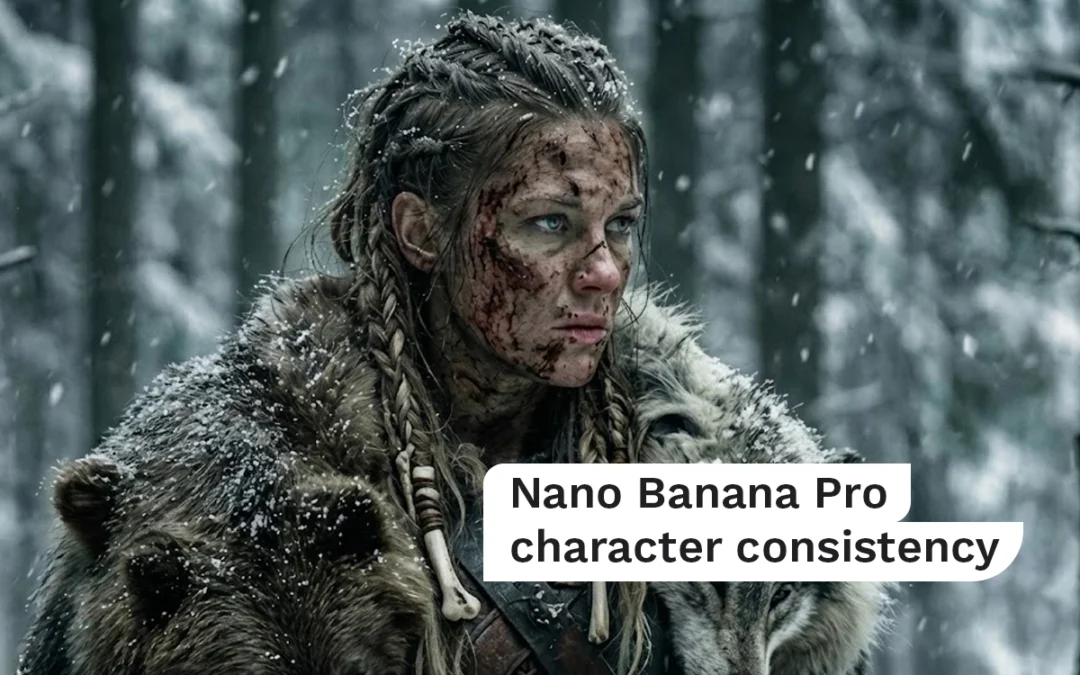
No jargon. No guessing. Full control. Nano Banana Pro character consistency
In This Post
What Is Character Consistency in Nano Banana Pro?
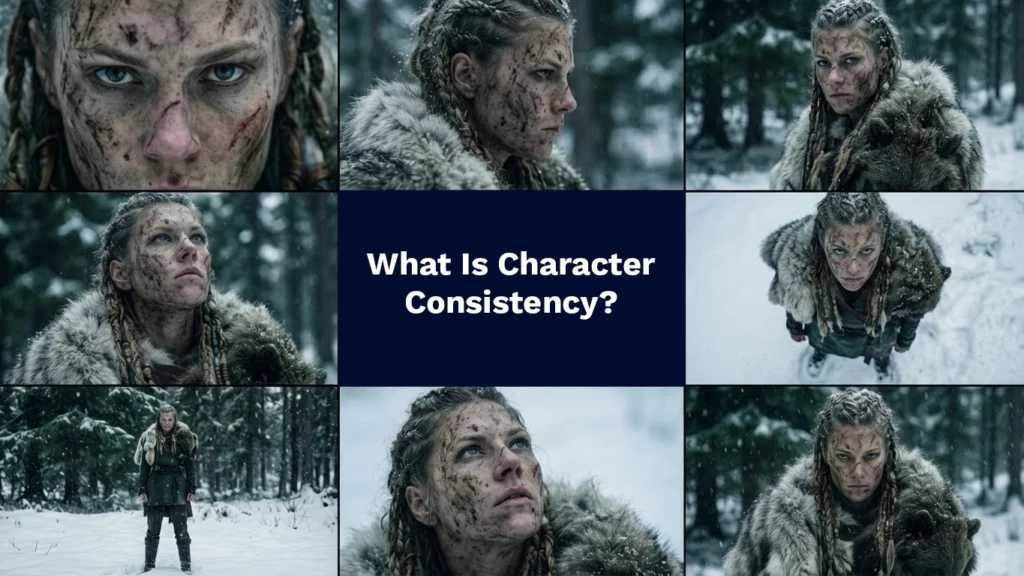
Character consistency means that the same character remains visually identical across:
Different camera angles
Different scenes
Different emotions
Different image generations
Images → video workflows
In Nano Banana Pro, consistency is not achieved by longer prompts. It’s achieved by how you use reference images.
If your character keeps changing, it’s because Nano Banana Pro is being forced to re-invent the character every time.
Why Most AI Characters Break (The Real Reason)
Here’s the hard truth:
Nano Banana Pro does not want you to “describe” your character repeatedly.
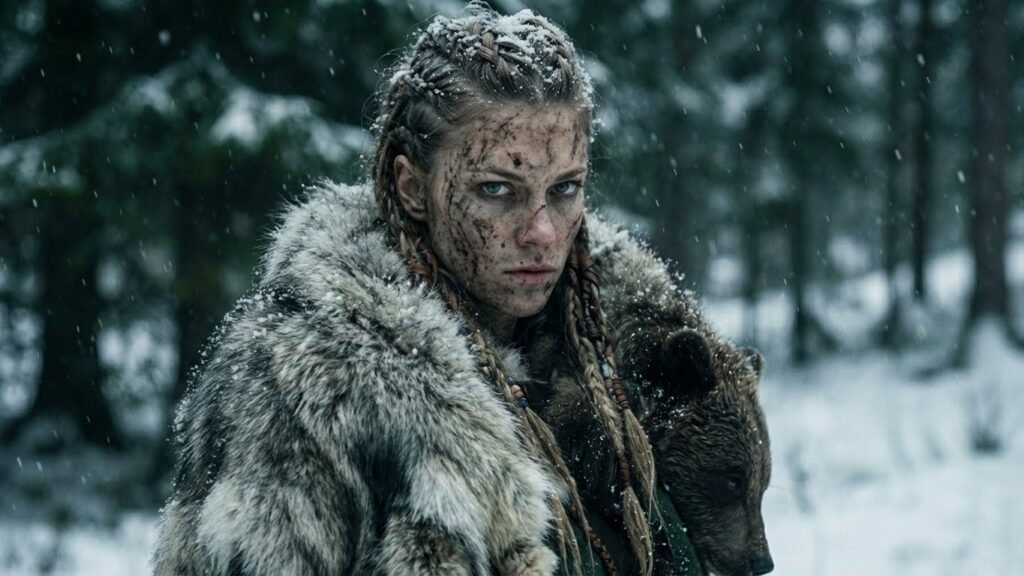
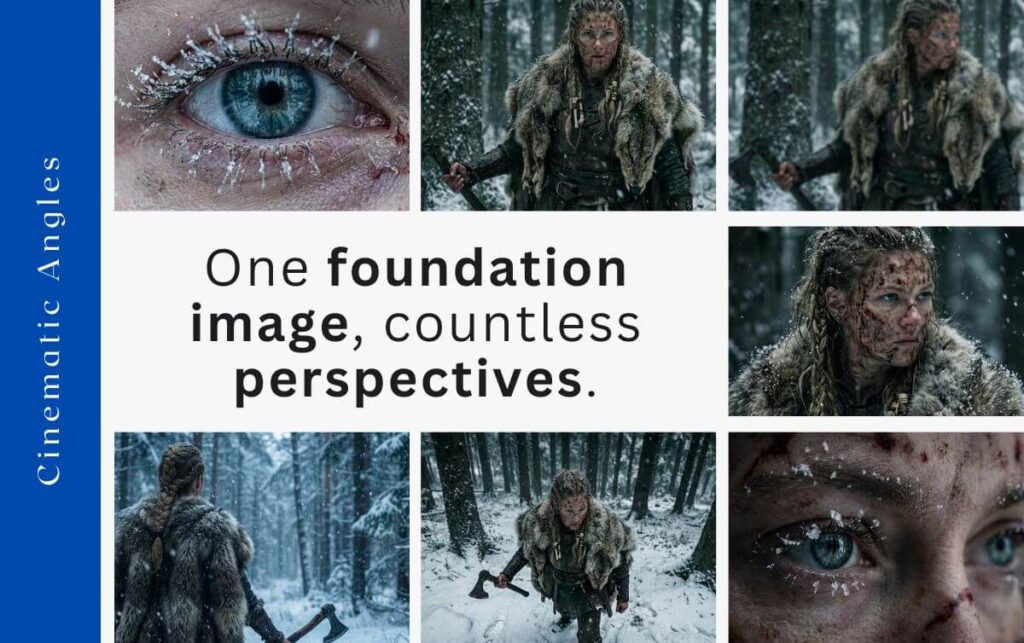
Three-quarter angle cinematic shot of image 1. Same outfit, same lighting, same environment. Camera slightly rotated to show perspective change without altering character identity.
Most beginners do this:
Add more adjectives
Add more physical details
Add more style words
Rewrite the prompt every time
That works in text-to-image tools. It fails in image-to-image systems like Nano Banana Pro.
Why?
Because Nano Banana Pro trusts images more than words.
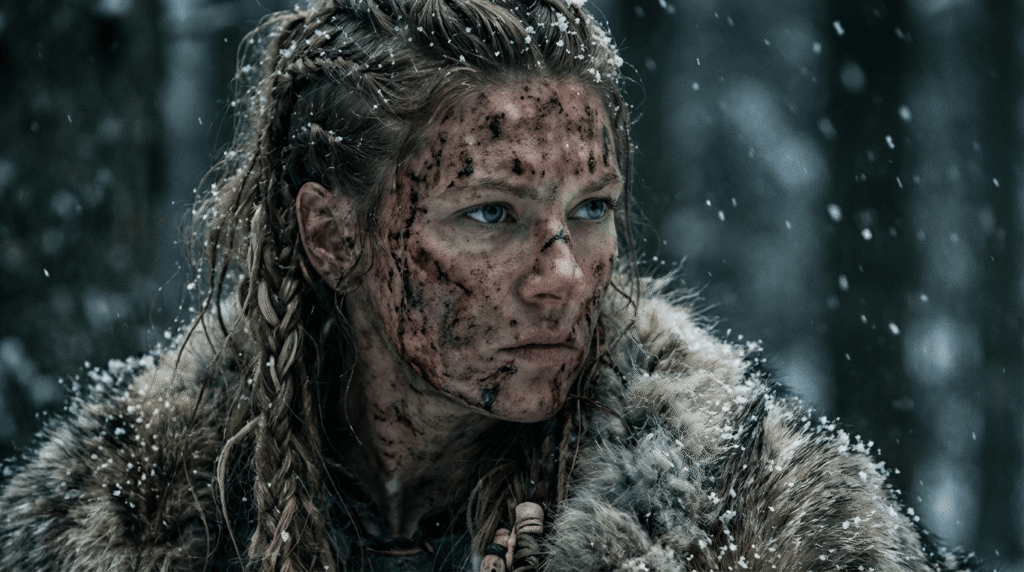
The Foundation Image: The Single Most Important Concept
A foundation image is the original image that defines:
Face structure
Hair
Clothing
Body type
Lighting
Color palette
Environment
Style
This image becomes Image 1 in Nano Banana Pro.
Everything else you create must reference this image.
If you skip this step, character drift is guaranteed.
How Nano Banana Pro Actually Thinks
Nano Banana Pro works like this:
It reads Image 1
It extracts visual identity
It treats that identity as ground truth
It applies your new instructions on top of that identity
If you don’t give it Image 1, it fills the gaps itself.
That’s why characters randomly change.
The Correct Workflow for Character Consistency
Step 1: Create One Strong Foundation Image
Your foundation image must be:
Clear
High-quality
Well-lit
Visually distinct
Emotionally neutral
Avoid extreme expressions or motion. You want a stable reference, not a dramatic moment.
Step 2: Lock the Foundation Image as Image 1
Every new generation should:
Include the foundation image
Reference it explicitly
Avoid redefining the character
Your prompts should assume the character already exists.