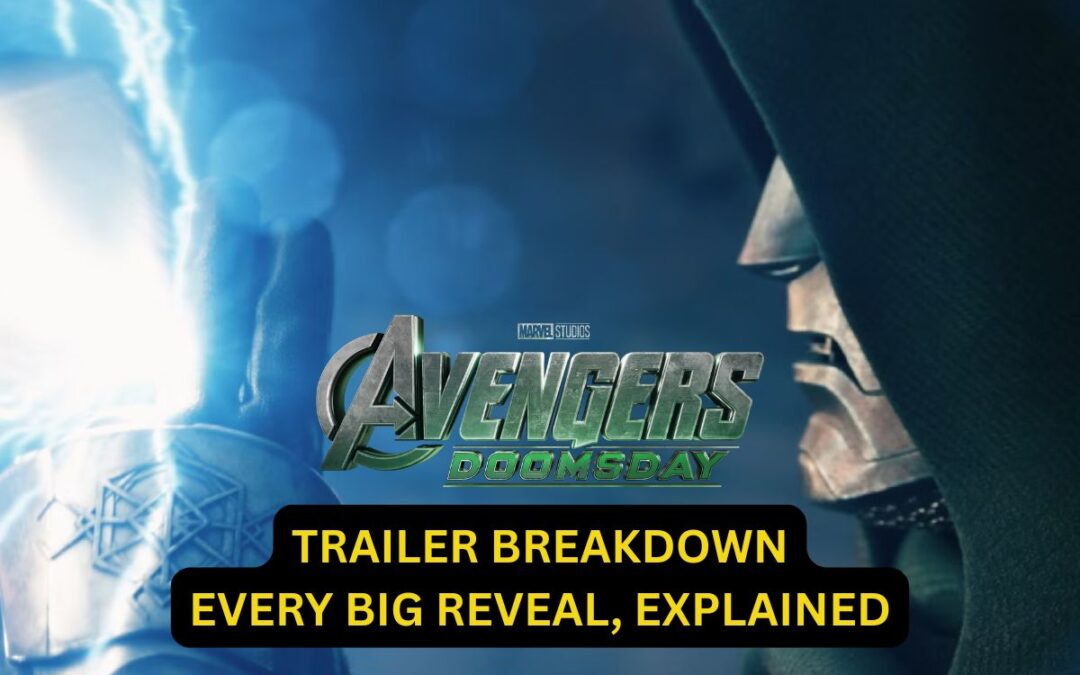
The first Avengers: Doomsday trailer just dropped, and honestly? It’s a lot.
Robert Downey Jr. is back — but not as Tony Stark. The Avengers are split into two teams. The X-Men showed up out of nowhere and they’re not exactly friendly.
Here’s the Avengers Doomsday trailer breakdown: this trailer packs in seven years of MCU set-up into two and a half minutes. If you blinked, you missed something.
Let’s break it down, piece by piece — no confusion, just the stuff that actually matters.
In This Post
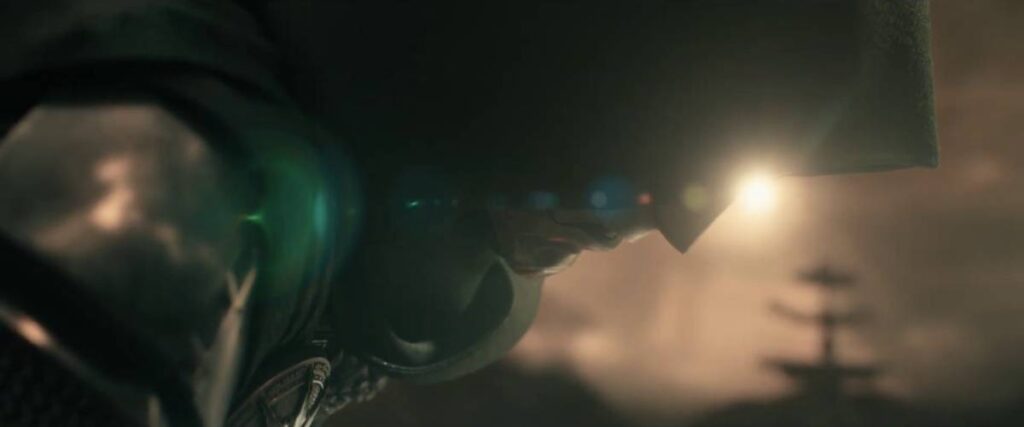
Doctor Doom’s Voice Is Finally Here — And It Changes Everything
Let’s start with the big one. We finally hear Robert Downey Jr. talk as Victor Von Doom, and he’s using a Latverian accent — the fictional Eastern European country Doom rules over in the comics.
Common mistake: assuming Doom is just “evil Tony Stark.” He’s not. This is a completely different character, and the accent is Marvel’s way of hammering that home from second one.
In his opening lines, Doom warns the heroes about something coming — something big enough to force an “unthinkable decision.” But later in the trailer, Thor is straight-up attacking him.
My recommendation: don’t read too much into the fight scene. In the comics, Doom’s playbook is always the same — team up first, betray later. He probably rallies the heroes against a bigger multiversal threat before making his own power play.
The Avengers Are Broken — And That’s the Whole Point
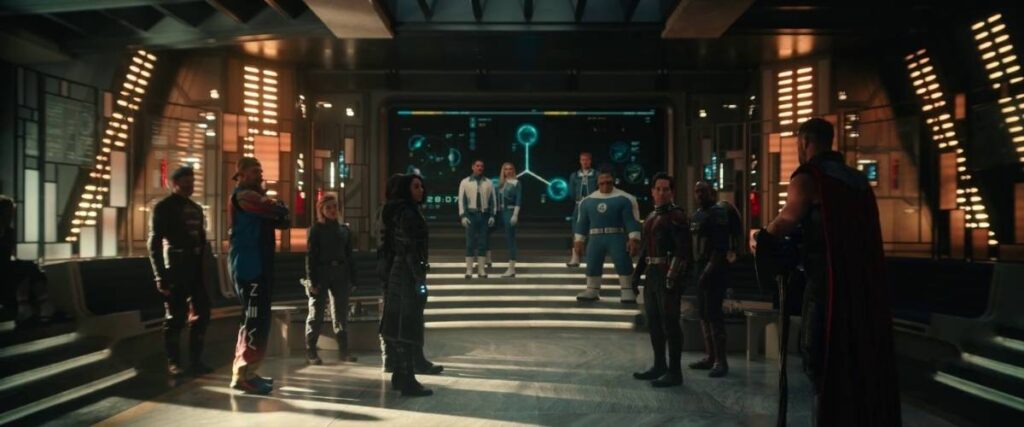
Here’s where casual fans might get lost. The Avengers aren’t one team right now.
Simple rule: remember these two groups going into the movie —
• New Avengers — led by Bucky, with Red Guardian and White Widow from the Thunderbolts crew
• Sam Wilson’s Captain America team — basically Sam and Ant-Man
Add in the fact that Iron Man, Cap, and Black Widow are all gone, and Thor and Hulk are the only real heavy hitters left standing. Ant-Man kicked Kang out of the MCU, sure, but that’s not enough firepower against Doom.
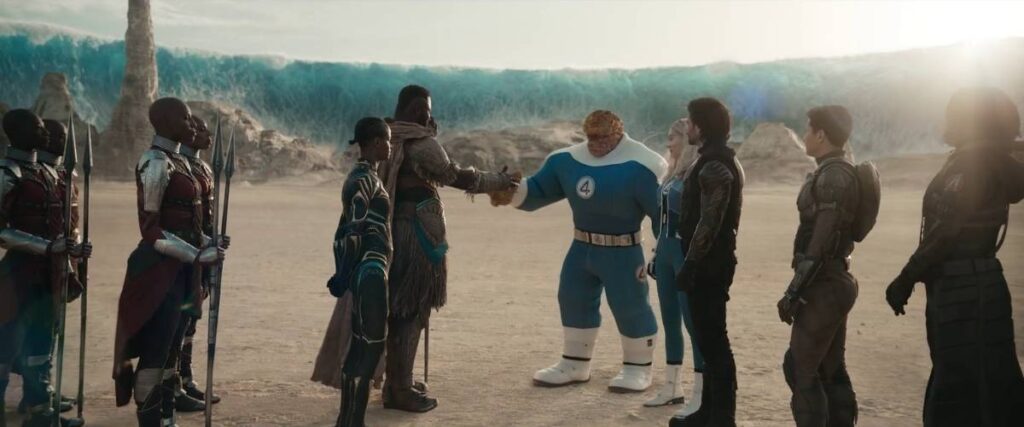
That’s exactly why Shuri’s Black Panther, Namor, and M’Baku show up in the trailer too — the mainline Avengers straight up need the backup.
If you don’t want to think too much: this movie isn’t “the Avengers vs. Doom.” It’s everyone the MCU has left vs. Doom.
Wait — Are the Avengers Fighting the X-Men Now?
This is the part that’ll make longtime Marvel fans sit up.
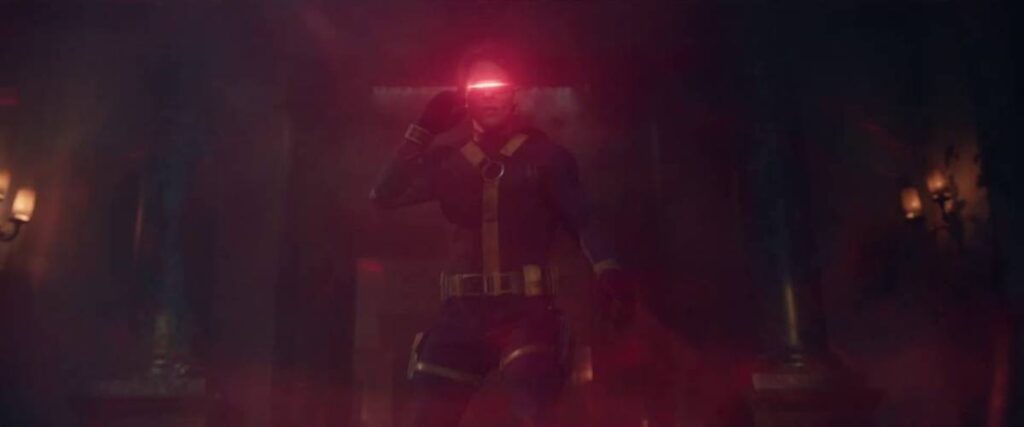
A big chunk of the trailer takes place inside Xavier’s School, with an aged Professor X and Magneto — played again by Patrick Stewart and Ian McKellen. James Marsden’s Cyclops, Rebecca Romijn’s Mystique, and Channing Tatum’s Gambit are all back too.
Here’s the truth: they’re not wearing the old black-leather movie suits anymore. They’re in the classic yellow-and-blue comic costumes — the same look from
• Gambit going head-to-head with Shang-Chi
• Mystique shapeshifting into White Widow to throw off the Avengers
So yes — for at least part of this movie, it looks like Avengers vs. X-Men. Whether that’s a real conflict or just the usual “heroes fight before they team up” trope, we’ll only know once the movie drops.
The Fantastic Four Are Here… But Barely Doing Anything
Marvel’s First Family made it to the main MCU timeline as promised, and the trailer confirms Ben Grimm (the Thing) has been hanging around with the Wakandans.
Common mistake: assuming this means the Fantastic Four are central to the story. Right now, they’re mostly just standing in the background — Johnny gets a hug with Sue and that’s about it.
That’s a little concerning, because in the comics, Doctor Doom’s entire motivation is his hatred for Reed Richards. If Reed’s just standing around while Doom fights Thor, the movie might be skipping the one relationship that actually explains why Doom does what he does.
Captain America Is Back — And Not the Way You Think
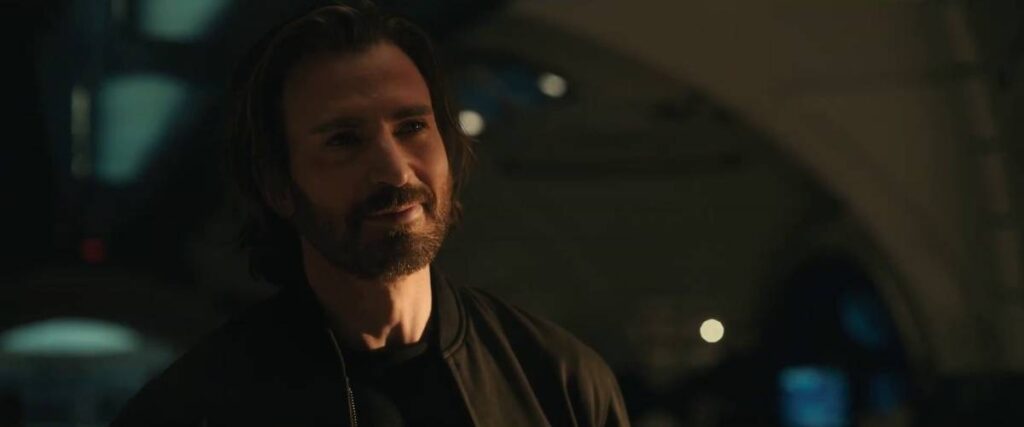
Steve Rogers returns in this trailer, bearded and all, and Thor hands him Mjolnir the second he shows up.
My recommendation: don’t overthink this one. Earlier teasers hinted “Steve Rogers” would return, not necessarily “Captain America” — which had some fans theorizing an evil version fighting alongside Doom. But Mjolnir only responds to the worthy, and Thor clearly trusts him. That theory’s basically dead now.
The Real Story Is Who’s Missing From the Trailer
This is the part most breakdowns skip, and it’s honestly the most interesting bit.
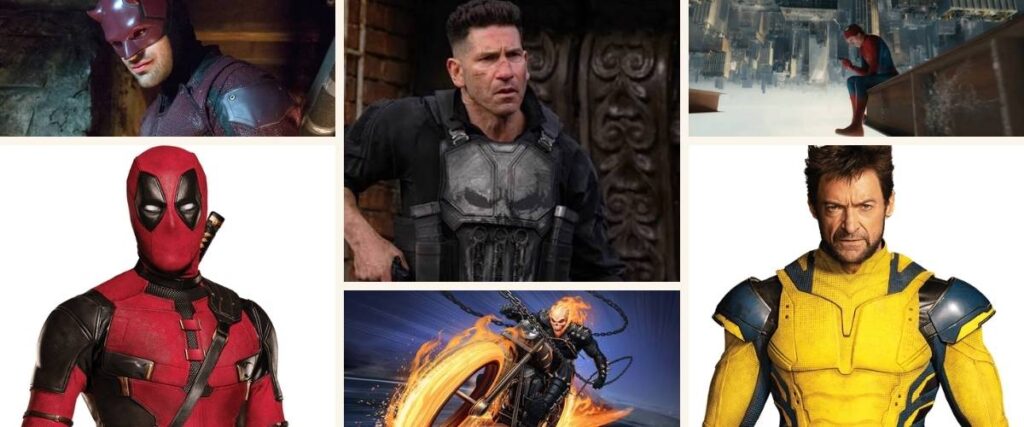
No Spider-Man — not Tom Holland, not Tobey Maguire, not Andrew Garfield. No Daredevil or the Netflix heroes. No Ghost Rider, no Punisher, and most notably — no Deadpool, no Wolverine.
Here’s where it gets interesting: we do see Loki holding his TVA card. Given how central the TVA was to pulling in outside universes during Deadpool & Wolverine, Loki might be the connective thread bringing in a few last-minute surprises — or he could just be busy being the God of Stories.
Simple rule: trailers rarely show every cameo on purpose. If a character isn’t confirmed dead or absent by name, assume Marvel is just saving the surprise for the actual movie.
So — Release Date, and Should You Be Hyped?
Avengers: Doomsday hits theaters on December 18, 2026.
If I had to recommend one thing — go in expecting chaos, not closure. This trailer is doing seven years of setup at once: broken Avengers, warring X-Men, an underused Fantastic Four, and a villain whose whole comic-book identity hasn’t even been touched yet.
That’s a lot to land in one movie. But if Marvel pulls it off, this could be the biggest crossover event since Endgame.
FAQs — Avengers Doomsday trailer breakdown
Is Robert Downey Jr. playing Doctor Doom instead of Iron Man?
Yes. Downey returns to the MCU as Victor Von Doom, a completely separate character from Tony Stark, complete with a new accent and backstory.
Are the X-Men part of the main MCU now?
It looks that way. The trailer shows the classic Fox-era X-Men actors — Patrick Stewart, Ian McKellen, James Marsden, Rebecca Romijn, and Channing Tatum — inside Xavier’s School, now in comic-accurate costumes.
Does Spider-Man appear in the Avengers: Doomsday trailer?
No version of Spider-Man appears in this first trailer, despite heavy speculation.
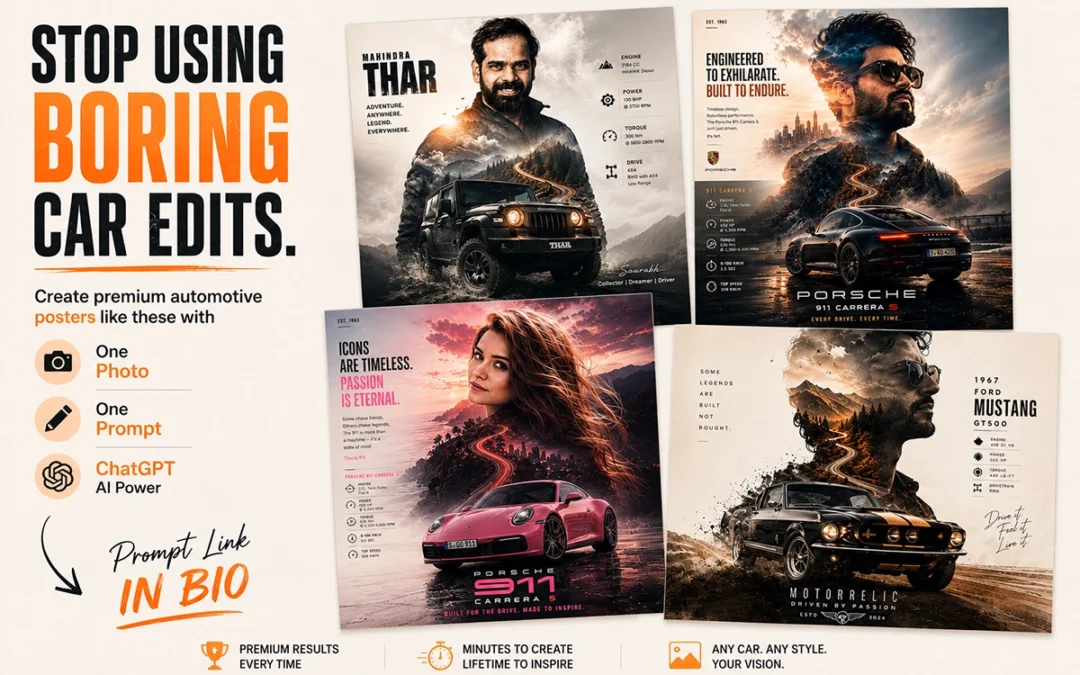
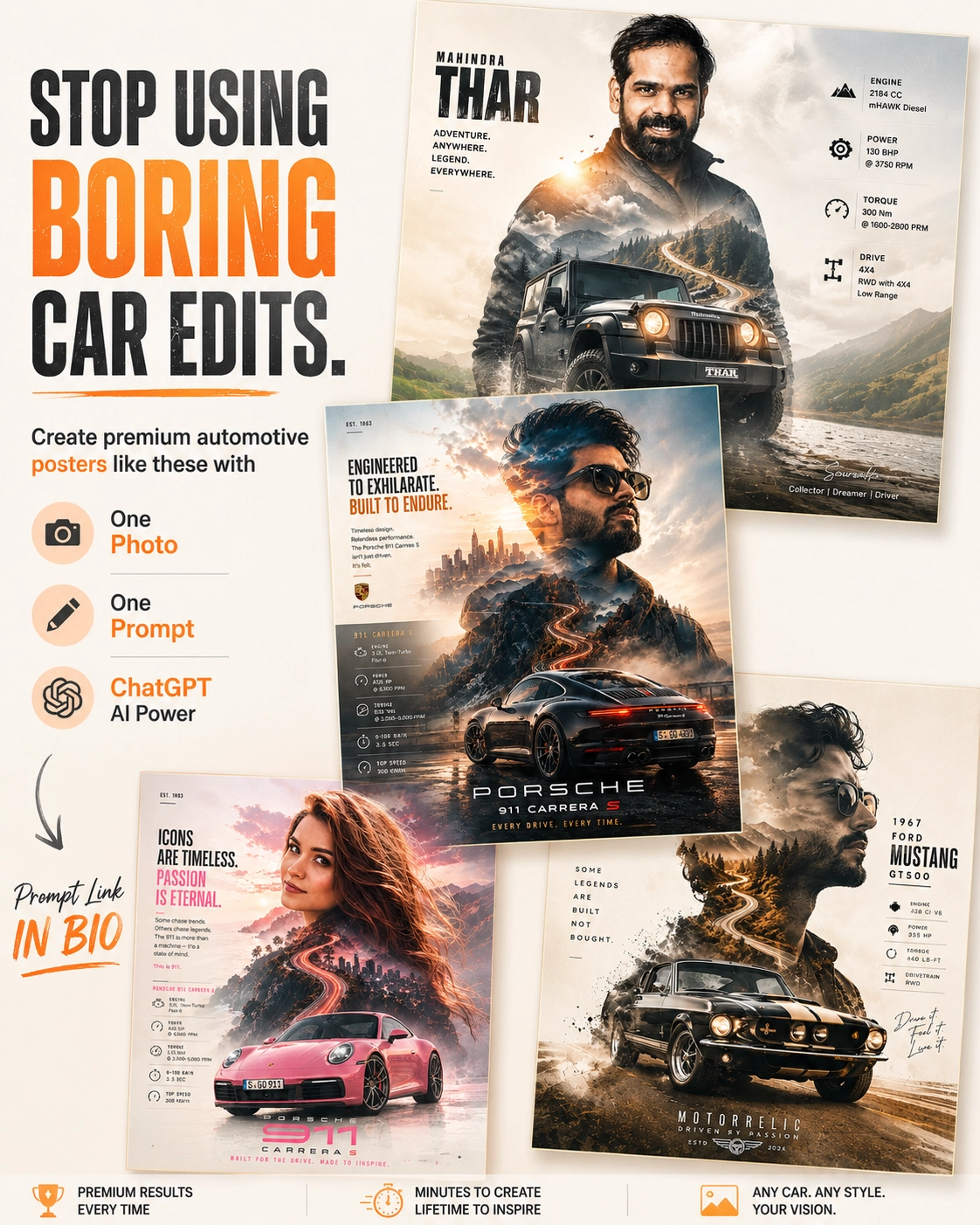
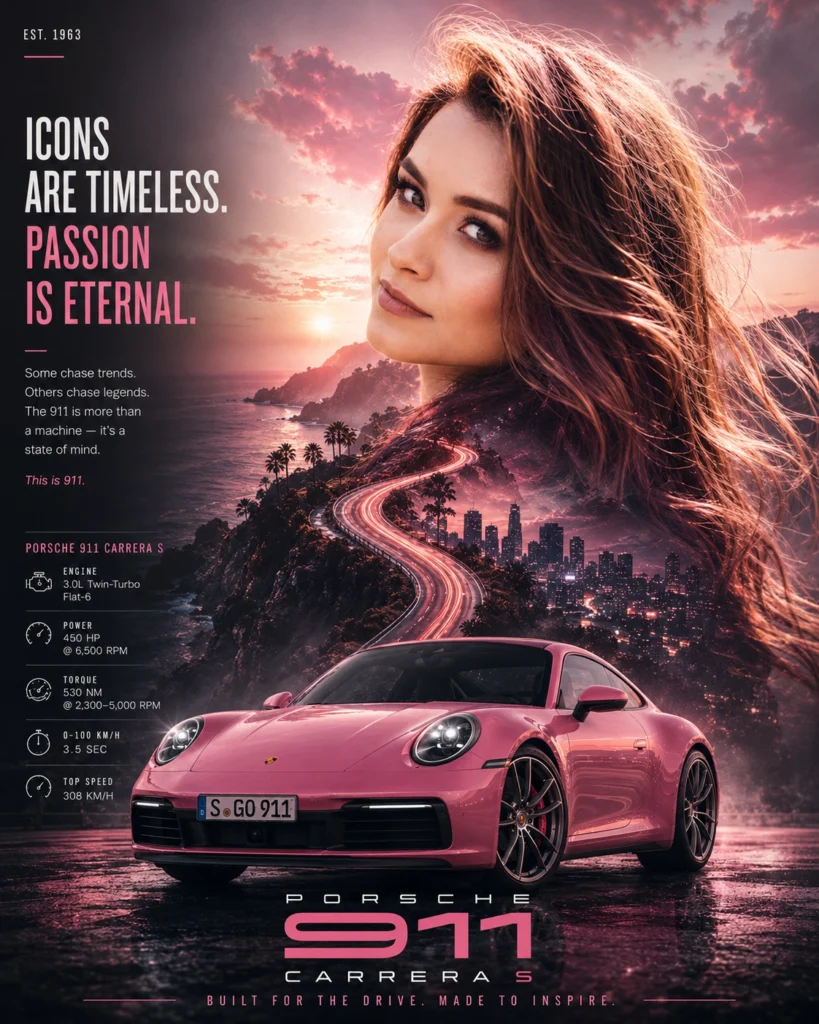
Want to transform a simple portrait into a premium automotive collector poster?
With this master prompt, you only need one photo, one prompt, and ChatGPT to generate stunning double-exposure automotive artwork inspired by your favorite car.
Follow these simple steps.
In This Post
Automotive Poster Ver-7.0
[CAR NAME]

Use the uploaded portrait only as a facial reference, not as an exact photo recreation. Create a stylized, editorial portrait inspired by the person's facial features, hairstyle, beard, and overall appearance while maintaining a recognizable resemblance. The face should look like a premium automotive campaign model rather than a copied photograph.

Design a cinematic double-exposure automotive collector poster featuring a [CAR NAME]. Automatically choose the environment, color palette, lighting, textures, and atmosphere based on the personality and heritage of the selected car (muscle, JDM, supercar, luxury, off-road, hypercar, etc.).

Blend scenic roads, landscapes, clouds, mountains, city lights, motion trails, smoke, and cinematic textures naturally within the portrait silhouette. Place the [CAR NAME] in a photorealistic 3/4 hero angle at the bottom with authentic details, premium reflections, and dramatic automotive lighting.

Use a clean luxury editorial layout with elegant typography, a minimal specification panel, subtle film grain, and balanced negative space. The final artwork should resemble a high-end automotive magazine cover or collector poster, where the portrait is artistically reinterpreted, not an exact reproduction of the uploaded image.

Style: Double exposure, editorial, luxury automotive advertising, cinematic, ultra-photorealistic, HDR, premium color grading, realistic reflections, 8K quality.
Step 1: Upload Your Portrait
Choose a clear front-facing or slightly angled portrait with good lighting.
The AI uses your photo only as a facial reference to create a stylized editorial portrait—not an exact photo recreation.
Step 2: Pick Your Dream Car
Replace [CAR NAME] in the prompt with any vehicle you like.
Examples:
Porsche 911 GT3 RS
Nissan Skyline GT-R R34
Mahindra Thar
Ford Mustang GT500
BMW M4 Competition
Toyota Supra MK4
Lamborghini Huracán
Ferrari 488 Pista
The AI automatically adapts the environment, colors, lighting, and atmosphere based on the selected vehicle.
Step 3: Copy the Master Prompt
Copy the complete Automotive Poster Prompt from this page.
[CAR NAME]

Use the uploaded portrait only as a facial reference, not as an exact photo recreation. Create a stylized, editorial portrait inspired by the person's facial features, hairstyle, beard, and overall appearance while maintaining a recognizable resemblance. The face should look like a premium automotive campaign model rather than a copied photograph.

Design a cinematic double-exposure automotive collector poster featuring a [CAR NAME]. Automatically choose the environment, color palette, lighting, textures, and atmosphere based on the personality and heritage of the selected car (muscle, JDM, supercar, luxury, off-road, hypercar, etc.).

Blend scenic roads, landscapes, clouds, mountains, city lights, motion trails, smoke, and cinematic textures naturally within the portrait silhouette. Place the [CAR NAME] in a photorealistic 3/4 hero angle at the bottom with authentic details, premium reflections, and dramatic automotive lighting.

Use a clean luxury editorial layout with elegant typography, a minimal specification panel, subtle film grain, and balanced negative space. The final artwork should resemble a high-end automotive magazine cover or collector poster, where the portrait is artistically reinterpreted, not an exact reproduction of the uploaded image.

Style: Double exposure, editorial, luxury automotive advertising, cinematic, ultra-photorealistic, HDR, premium color grading, realistic reflections, 8K quality.
No editing is required—simply replace [CAR NAME] with your preferred vehicle.
Step 4: Paste into ChatGPT
Upload your portrait and paste the prompt into ChatGPT.
Within seconds, ChatGPT generates a premium double-exposure automotive collector poster with a magazine-quality layout.
Step 5: Download & Share
Your final artwork is ready for:
Instagram Posts
Wallpapers
Portfolio Showcase
Print Posters
Gifts
Automotive Collectibles
Tips for Better Results
Use a high-resolution portrait.
Avoid cluttered backgrounds.
Choose cars that match your personality.
Use bright, well-lit photos.
Experiment with different car models for unique themes.
Final Result
With just one photo, one prompt, and ChatGPT, you can create cinematic automotive posters that look like premium magazine covers—without any Photoshop or advanced design skills.
Whether you’re a car enthusiast, content creator, or designer, this prompt makes it easy to turn your dream car into a personalized collector poster.
Your product may be great, but if the creative looks ordinary, people can scroll past it in seconds.
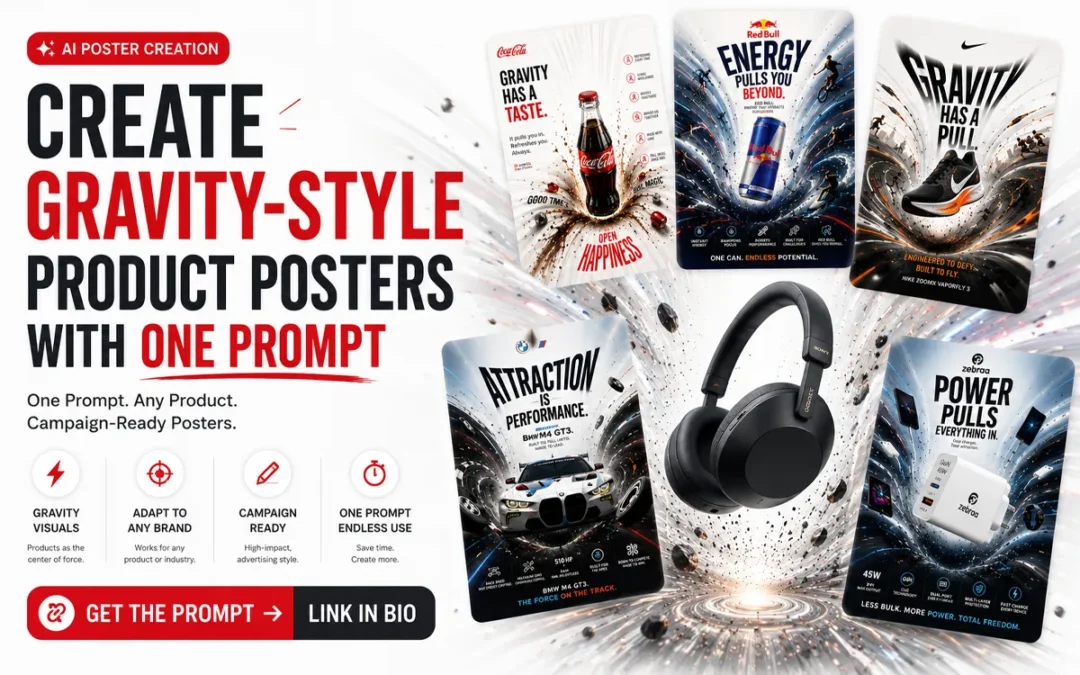
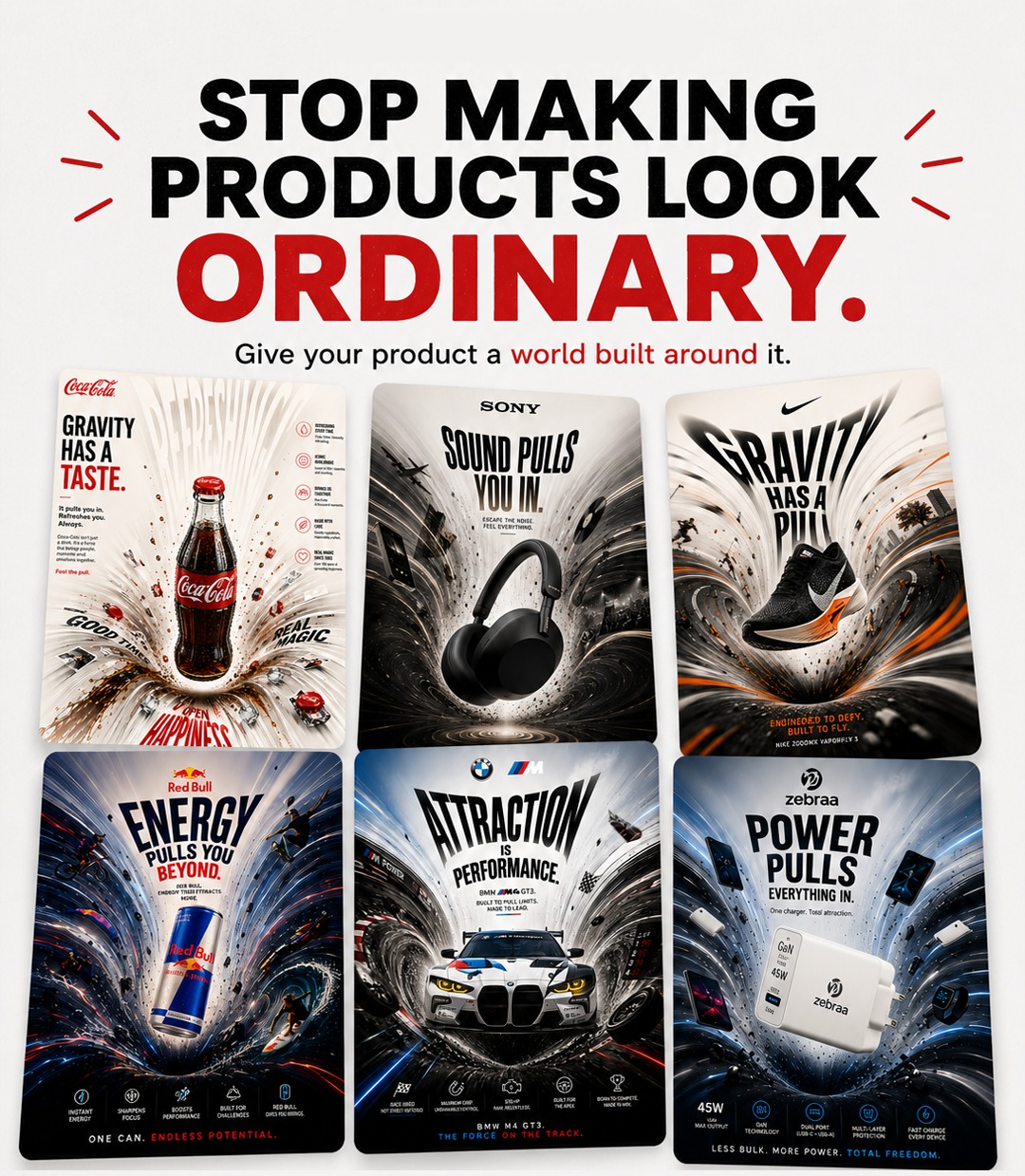
What if you could turn a simple product image into a dramatic advertising poster where light, objects, typography, energy, and the entire environment appear to be pulled toward the product?
That is the idea behind the Product Has Gravity poster concept.
In This Post
Gravity-Style Product
Create a premium 4:5 **PRODUCT HAS GRAVITY advertising poster** for [PRODUCT/BRAND] on a clean editorial background. Place the authentic photorealistic product floating at the visual center as a powerful gravitational force, pulling product-relevant objects, particles, light, energy and typography into dramatic curved trajectories around it. Build a realistic spatial vortex with warped perspective, radial motion trails and bent environmental elements, while keeping the hero product perfectly sharp, undistorted and dominant. Create a **short, bold campaign headline specifically based on the product's main benefit, expressed through a gravity, orbit, pull, force, mass or attraction metaphor; never use a fixed generic gravity headline**. Surrounding objects must directly relate to the product's real use case and visually reinforce its benefit. Use controlled brand-color accents, cinematic commercial lighting, realistic physics, strong depth, generous negative space and premium global advertising art direction; surreal yet believable, sophisticated, minimal, high-impact, no irrelevant objects, no clutter.
What You Need
You only need:
ChatGPT with image generation
A clear product or brand name
An optional product reference image
The master prompt provided below
For the best results, use a clean product reference image where the product shape, branding, and key physical details are clearly visible.
Step 1: Choose Your Product
Start by selecting the product you want to advertise.
This prompt works especially well for:
Tech products
Headphones
Smartphones
Chargers
Sneakers
Sports products
Cars
Energy drinks
Beverages
Cameras
Watches
Before generating the poster, identify the product’s main benefit.
For example, a charger may represent power, while headphones may represent sound immersion.
The AI uses this benefit to create the gravity metaphor.
Step 2: Upload Your Product Image to ChatGPT
Open ChatGPT and upload a clear image of your product.
A front or three-quarter product angle generally gives the AI more visual information than a heavily cropped image.
If you’re working with your own brand, use the actual product photograph whenever possible.
This helps preserve:
Product shape
Material
Color
Port placement
Packaging details
Overall product identity
After uploading the image, paste the master prompt.
Step 3: Copy the Product Has Gravity Prompt
Master Prompt
Create a premium 4:5 PRODUCT HAS GRAVITY advertising poster for [PRODUCT/BRAND] on a clean editorial background. Place the authentic photorealistic product floating at the visual center as a powerful gravitational force, pulling product-relevant objects, particles, light, energy and typography into dramatic curved trajectories around it. Build a realistic spatial vortex with warped perspective, radial motion trails and bent environmental elements, while keeping the hero product perfectly sharp, undistorted and dominant. Create a short, bold campaign headline specifically based on the product’s main benefit, expressed through a gravity, orbit, pull, force, mass or attraction metaphor; never use a fixed generic gravity headline. Surrounding objects must directly relate to the product’s real use case and visually reinforce its benefit. Use controlled brand-color accents, cinematic commercial lighting, realistic physics, strong depth, generous negative space and premium global advertising art direction; surreal yet believable, sophisticated, minimal, high-impact, no irrelevant objects, no clutter.
Replace [PRODUCT/BRAND] with your product.
Example:
Sony Headphones
or
45W GaN Charger
or
BMW M4 GT3
You do not need to manually write the campaign headline. The prompt instructs ChatGPT to create a gravity-based headline according to the product’s core benefit.
Step 4: Generate Your First Poster
Submit the prompt and allow ChatGPT to generate the image.
The output should have three important visual layers.
Hero Product: The product remains sharp, photorealistic, and visually dominant.
Gravity Environment: Relevant objects, particles, light, and energy move toward or around the product.
Adaptive Campaign Message: The headline connects the product benefit with gravity, force, orbit, attraction, or pull.
For headphones, the concept may focus on being pulled into sound.
For a charger, it may communicate the product as the centre of power.
The visual metaphor should change automatically with the product.
Tips for Better AI Product Posters
For stronger results, use a product image with clear branding and avoid extremely low-resolution references.
Ask the AI to use product-relevant objects only. A charger poster should feature devices, cables, charging energy, or connected technology—not random flying objects.
Keep the hero product sharp. The gravity distortion should affect the environment around the product, not destroy the product itself.
Use a 4:5 aspect ratio for Instagram feed posts.
If the design becomes cluttered, ask ChatGPT to increase negative space and reduce surrounding elements by 30–40%.
For brand campaigns, manually verify logos, product specifications, technical claims, and small typography before publishing the final creative.
Final Thoughts
You don’t always need a different prompt for every product.
A stronger approach is to build a visual concept system that understands the product and adapts the art direction around its benefit.
The Product Has Gravity prompt does exactly that.
Upload your product.
Replace the product name.
Paste the prompt.
And turn an ordinary product image into a high-impact advertising concept.
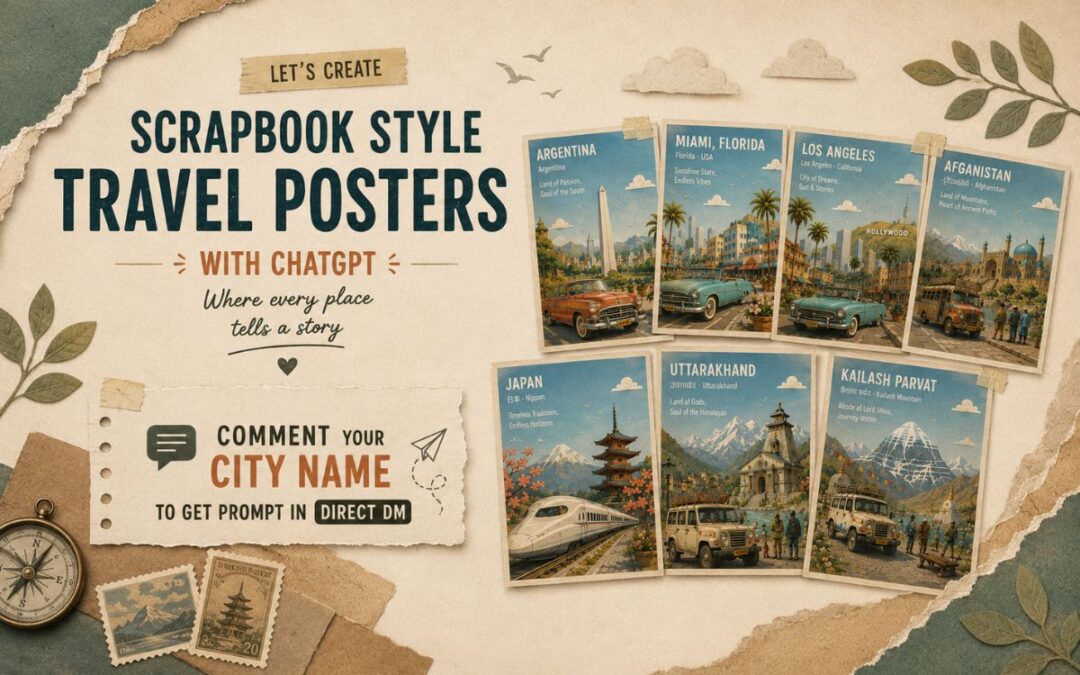
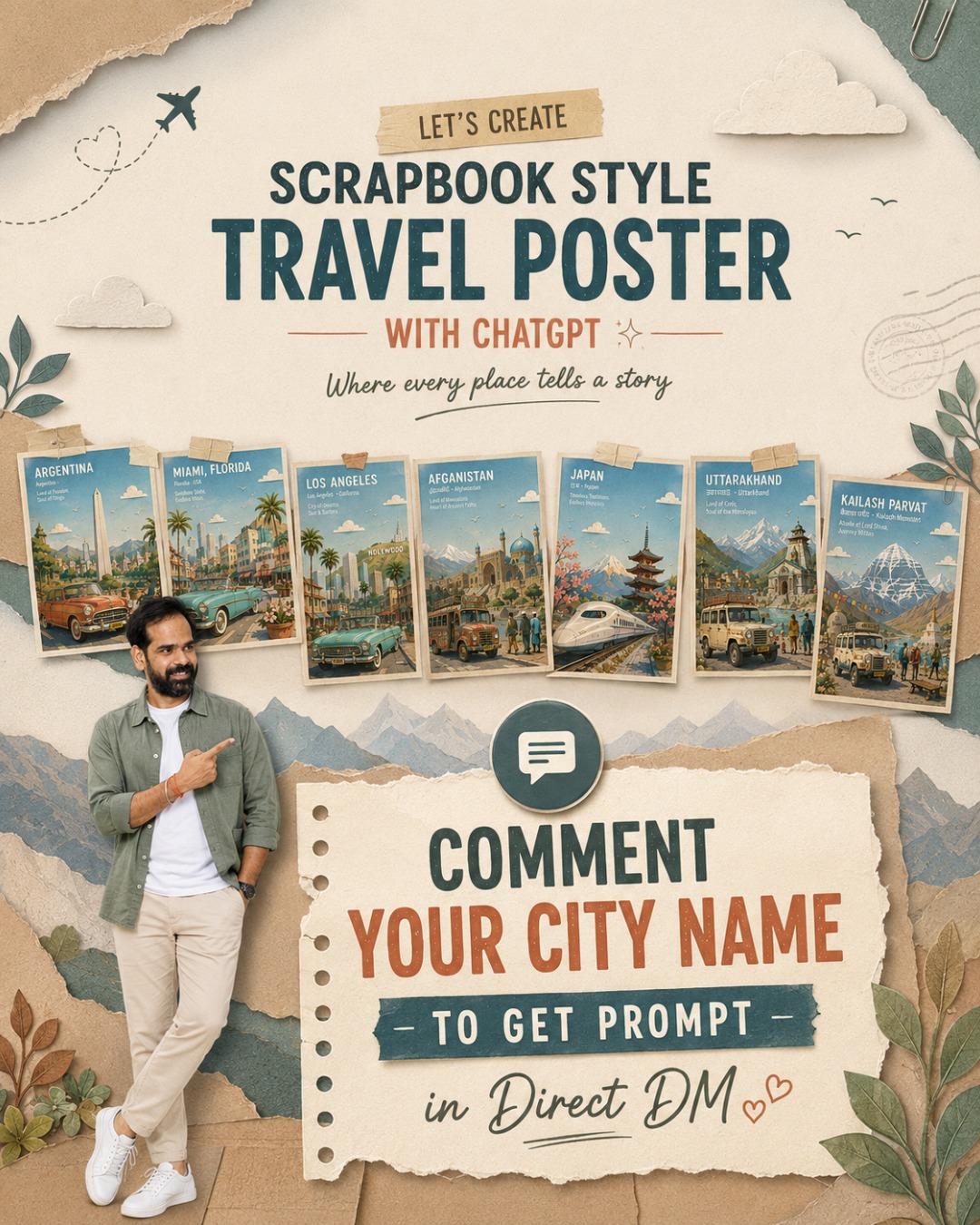
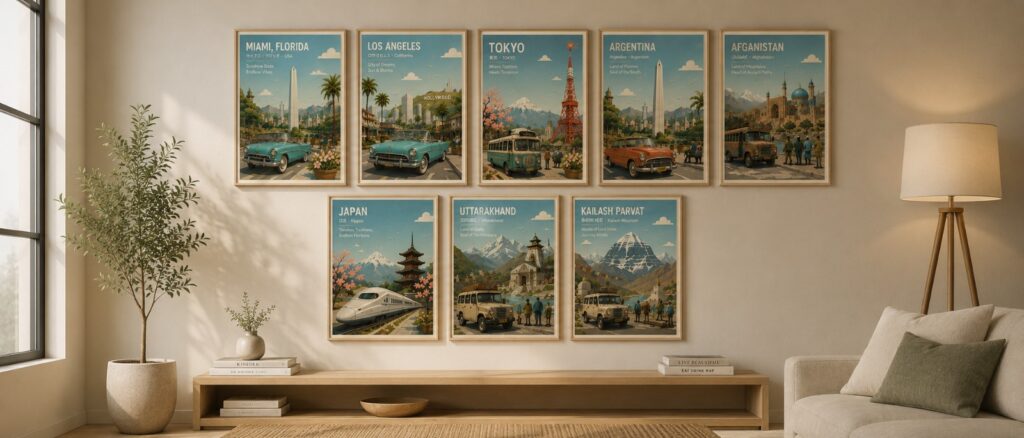
Turn any city, country, or landmark into a premium storybook-style travel poster in less than a minute.
In This Post
Master Prompt
Copy the complete prompt below into ChatGPT (GPT Image). Replace only the text inside [LOCATION NAME] and generate your image in 4:5 aspect ratio.
Travel Poster Ver – 4.0
Create a premium 4:5 travel-poster illustration of [LOCTAION NAME] in a whimsical storybook paper-collage style. The artwork should feel like a handcrafted layered paper diorama, blending the charm of a classic children's picture book with the sophistication of a Scandinavian editorial travel poster. It should be a collectible destination print suitable for museum gift shops, boutique hotels, luxury travel publications, and modern interiors.

Depict the location using one iconic transportation vehicle and one primary landmark as the two unmistakable visual anchors. The vehicle should occupy approximately 35–40% of the foreground, simplified into elegant paper-cut forms while remaining instantly recognizable. Surround it sparingly with a few flower planters, one bench, two or three tiny pedestrians, a cyclist, a street lamp, and subtle local urban details. Keep the foreground clean and uncluttered.

The midground should feature simplified local architecture, streetscape, greenery, parks or waterfronts, and subtle cultural elements, all reduced to clean geometric shapes with minimal architectural detail. In the background, feature only one hero landmark, supported by one or two secondary landmarks that are softened into atmospheric paper layers. If appropriate, distant mountains or natural scenery should fade gently into the horizon. Every architectural element should read as a simplified silhouette rather than a detailed building.

Compose the illustration with an expansive open sky occupying approximately 50–55% of the image, creating generous breathing room and strong negative space. Include two to five rounded paper clouds, a few tiny birds, and a soft pastel gradient with visible handmade paper grain. Establish clear foreground, midground, atmospheric haze, and background layers using crisp stacked paper sheets with visible cut edges, subtle elevation, delicate cast shadows, and tactile cardstock textures.

Adopt a soft, harmonious color palette featuring sky blue, warm cream, light beige, pale stone gray, muted sage green, powder mint, dusty coral, soft peach, off-white, plus one distinctive accent color inspired by the location. Maintain restrained saturation throughout the composition, allowing only the iconic vehicle and primary landmark to carry slightly richer color emphasis while the remaining scene stays gently muted.

Use bright morning daylight with soft ambient illumination, subtle shadows, clean air, and a warm optimistic atmosphere. Shapes should be rounded, friendly, and organic with softly curved trees, fluffy clouds, stylized foliage, rolling hills where appropriate, and charming handcrafted imperfections that reinforce the storybook aesthetic.

In the upper-left corner, integrate elegant white rounded geometric sans-serif typography into the open sky using a clean editorial grid with generous margins. Display:

- [LOCATION NAME]
- [LOCAL LANGUAGE NAME] · [ENGLISH NAME]
- A unique location-specific tagline that reflects the city's identity while keeping the same elegant typographic style across the entire poster series (examples: "Where Tradition Meets Tomorrow", "The City of Timeless Canals", "Gateway to the Himalayas", "Where History Breathes", "Island of Endless Horizons").

Finish with a thin warm-cream border around the artwork, subtle museum-print paper texture, and a refined collectible poster aesthetic inspired by Scandinavian design, Kinfolk editorial layouts, Monocle travel illustrations, and mid-century European tourism posters.

Mood: peaceful, nostalgic, whimsical, timeless, joyful, slow-travel, refined, cultured, optimistic, quietly magical.

Avoid photorealism, CGI, glossy materials, excessive architectural detail, heavy outlines, cluttered compositions, crowded streets, readable advertisements, brand logos, watermarks, neon colors, cyberpunk aesthetics, dark lighting, dramatic contrast, busy signage, or tourist-brochure styling.

The final result should feel like a handcrafted premium destination poster with a consistent visual identity across every city, where the iconic vehicle, hero landmark, expansive sky, tactile paper layers, editorial typography, and location-specific tagline create an instantly recognizable collectible travel series.
GTA VI — the most hyped game ever made — just got its official pre-order date. And it’s not far.
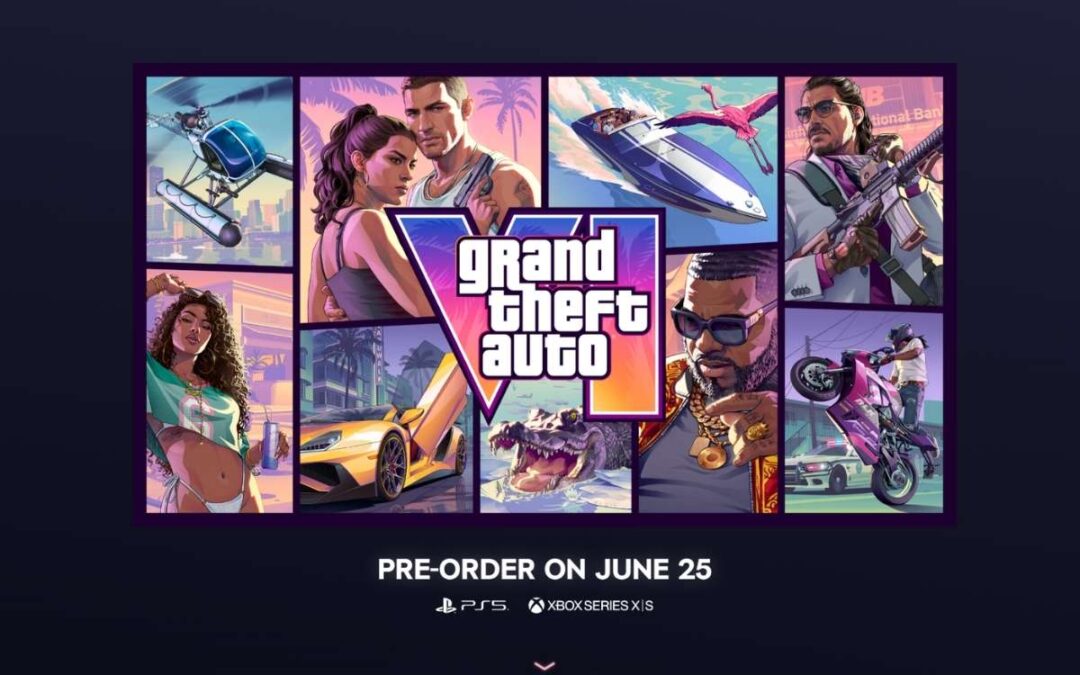
Here’s the truth: GTA 6 pre-order date go live on June 25, 2026. That’s in less than a week. And Rockstar also dropped the official cover art alongside it. Things are getting real.
Whether you’re a die-hard GTA fan or just someone who wants to understand what all the noise is about — I’ve got you covered.
Let’s break it down.
In This Post
GTA 6 pre-order date: Mark June 25 on Your Calendar
Rockstar made it official — GTA VI pre-orders begin on June 25, 2026.
This isn’t a rumour or a leak. It came straight from Rockstar’s Newswire and their official social media. You’ll be able to pre-order on:
PlayStation Store (PS5)
Microsoft Store (Xbox Series X|S)
Other select retailers (physical copies)
Common mistake: Don’t pre-order from random third-party sites before June 25. Stick to the official storefronts. Scammy listings are already appearing — avoid them.
If you want to get a heads-up the second it goes live, add it to your wishlist on the PlayStation Store or Microsoft Store right now. You’ll get a notification automatically.
Release Date: November 19, 2026
Here’s the big one — GTA VI launches on November 19, 2026.
Yes, this date has been confirmed multiple times now. Take-Two’s CEO reiterated it during their latest earnings call. The game isn’t getting delayed again.
Simple rule: Pre-order June 25, play November 19. That’s your timeline.
The game is launching exclusively on PS5 and Xbox Series X|S. No PC at launch — that’ll likely come 12–18 months later, if history is anything to go by.
The Cover Art Is Finally Here — And It Looks Incredible
Alongside the pre-order announcement, Rockstar dropped the official GTA VI cover art. And it’s very on-brand.
The artwork shows Jason and Lucia — the game’s two protagonists — front and centre, with the classic Vice City skyline, palm trees, and that warm retro-neon vibe in the background. Very Miami. Very GTA.
Rockstar has also released multiple wallpapers and artwork variants on the official GTA VI media page — you can download them for free. Great stuff for desktop wallpapers if nothing else.
Here’s where it gets interesting: The cover art reveal is part of a bigger marketing push. With pre-orders starting June 25, there’s also strong speculation that GTA VI Trailer 3 could drop the same day — right after pre-orders go live. Rockstar’s CEO hinted at this during an earnings call. Fingers crossed.
What’s the Price? (We Don’t Know Yet — But Here’s the Estimate)
Rockstar hasn’t officially announced the price. But we have a pretty good idea.
Pricing will almost certainly be revealed on June 25 when pre-orders go live. Current estimates from analysts and industry insiders point to:
Edition
Expected Price
Standard Edition
$79.99
Premium / Special Edition
$99.99 (speculation)
My recommendation: Don’t wait for a discount. GTA VI isn’t going on sale for months after launch. If you’re planning to play it, pre-order on June 25 and lock it in.
Head to your nearest gaming retailer (Games the Shop, Croma, etc.)
Confirm availability — physical listings should go live June 25
If you don’t want to think too much: Digital is the easiest option. It’ll pre-load on your console automatically before launch day. Just make sure you have enough storage space — this game will be massive.
Wait — What About PC?
Short answer: not at launch.
GTA VI is coming to PS5 and Xbox Series X|S only on November 19. There’s no PC version confirmed for 2026.
Historically, Rockstar releases their PC ports 12–18 months after the console version. So realistically, if you’re a PC-only gamer, you’re looking at late 2027 or 2028.
Here’s the truth: If you’ve been holding off on buying a PS5 or Xbox — this might finally be the game that changes that. GTA VI is expected to move serious console hardware.
Bottom Line
This is it. After years of waiting, GTA VI is almost here.
Pre-orders start June 25. The game drops November 19. The cover art is fire. And if the Trailer 3 speculation is right — June 25 is going to be one hell of a day for gaming.
My recommendation: Wishlist it today on PS5 or Xbox so you get notified the moment pre-orders go live. Then pre-order on June 25. Don’t overthink it.
Stay tuned — we’ll update this post the moment pricing, editions, and any pre-order bonuses are confirmed.
Bonus: Already Playing GTA Online? Big News for You Too
While everyone’s counting down to GTA VI, Rockstar just dropped something massive for GTA Online.
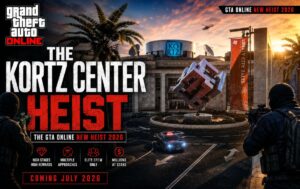
Meet The Kortz Center Heist — the summer 2026 DLC that’s dropping before GTA VI even launches.
Here’s where it gets interesting: the Kortz Center has been sitting in Pacific Bluffs since 2013. Perched on the hills overlooking Los Santos, it’s always been one of the most recognizable landmarks in the game. And for the first time ever — you can rob it.
Simple rule: This is basically GTA Online’s final big send-off before GTA VI takes over. Don’t sleep on it.
What’s the heist actually about?
The target is an art gallery. Players go after the Kortz Center’s high-value artwork collection in a multi-stage operation — plan the job, infiltrate, steal priceless pieces, and escape clean. It’s not a smash-and-grab. It’s a proper heist.
To get started, you need to purchase a Mansion property and install the new Art Studio extension. The studio doubles as a base for art counterfeiting operations — giving you a criminal side hustle while you plan the main job. From there, crews can scope out the Kortz Center, pick from multiple approach options, and execute the heist in up to four-player co-op or solo.
My recommendation: Start the Fine Art Collector Program right now if you’re playing GTA Online. Log in at least once before July 13 and you’ll get GTA$500,000 for free. Plus a free Benefactor Turreted Limo, a free Annihilator Stealth helicopter, and exclusive artwork to decorate your Mansion. All just for logging in.
When does it drop?
The Kortz Center Heist is scheduled to release on July 14, 2026 — across PS5, PS4, Xbox Series X|S, Xbox One, and PC.
June 25, 2026. Add it to your PS5 or Xbox wishlist now so you get notified the moment it goes live.
What is the GTA 6 release date?
November 19, 2026. This has been confirmed multiple times — by Rockstar and Take-Two’s CEO. It’s not getting delayed again.
What platforms is GTA 6 coming to at launch?
PS5 and Xbox Series X|S only. No PC at launch. PC will likely come 12–18 months later.
What is the expected GTA 6 price?
Rockstar hasn’t announced it yet — but pricing will be revealed when pre-orders go live on June 25. Analysts expect $79.99 for the standard edition.
Who are the GTA 6 protagonists?
Jason and Lucia — the two main characters featured in the cover art and trailers. GTA VI is the first mainline game to feature a female lead.
What is the Kortz Center Heist?
It’s the summer 2026 GTA Online DLC dropping on July 14 — a major multi-stage art gallery heist where you rob the iconic Kortz Center in Los Santos. Think proper heist planning, not just a quick mission.
Do I need anything specific to play the Kortz Center Heist?
Yes — you need a Mansion property with the Art Studio extension installed. You can start the Fine Art Collector Program now (before July 13) to earn free in-game cash and rewards before the heist drops.
Will GTA Online continue after GTA 6 launches?
Rockstar hasn’t said anything official, but the Kortz Center Heist is widely expected to be one of the last major updates for GTA Online before GTA VI takes over. Make the most of it while it lasts.