ChatGPT-4o image generation is opening up a new world of creative possibilities. Whether you’re into anime art, real estate marketing, or comic creation, this new capability from OpenAI is making it easier than ever to generate stunning visuals with just a few words.
In This Post
Ghibli-Style Characters Come to Life
You know those soft, expressive characters you see in Studio Ghibli films? This tool can recreate that kind of feel. It’s not flawless, but the portraits it generates do have that hand-drawn, storybook vibe. Honestly, it’s pretty impressive what a few words and good lighting prompts can do.
Prompt : Create imageColorize the blank anime Line art artwork, rendered at 1200 x 627 resolution.
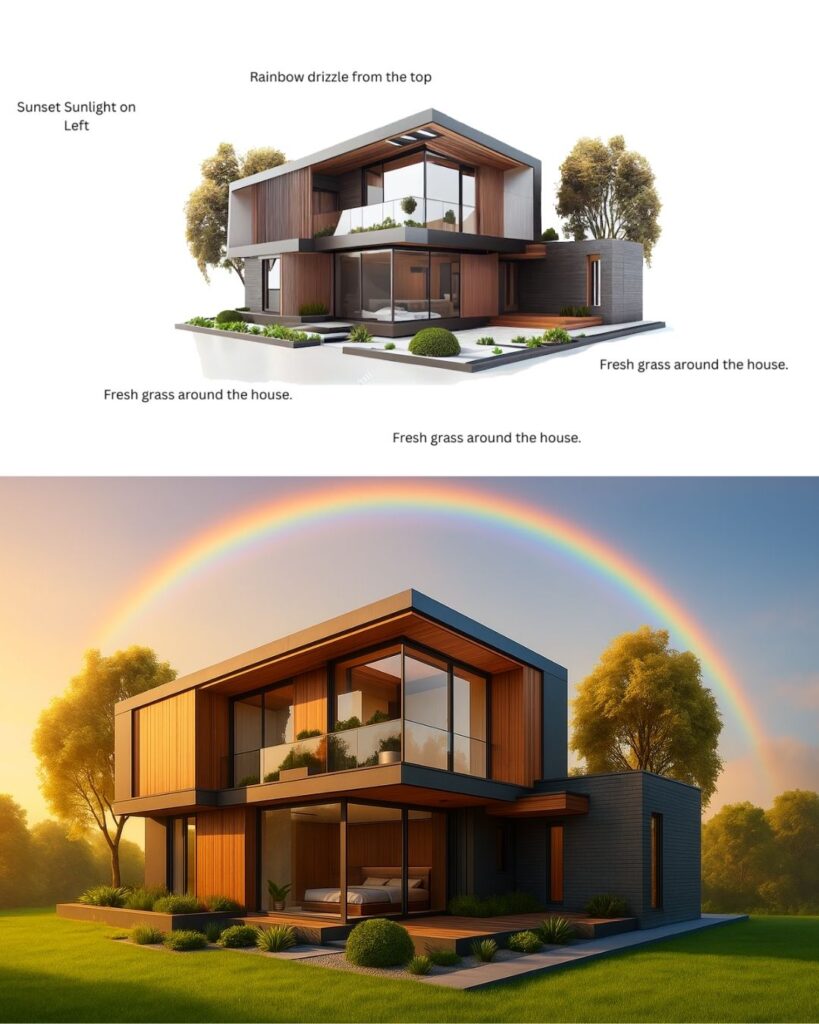
Hyper-Realistic Real Estate Renders
This one’s a game-changer for folks in real estate. With just a few inputs, you can get polished images of houses that look like they were snapped for a premium listing. Think cozy lighting, great angles, and even signage—all without needing an actual camera.
Prompt: Create image Edit the image according to the instructions in the image. 50% of new creativity is allowed. Generated in 1200 X 627 Size.
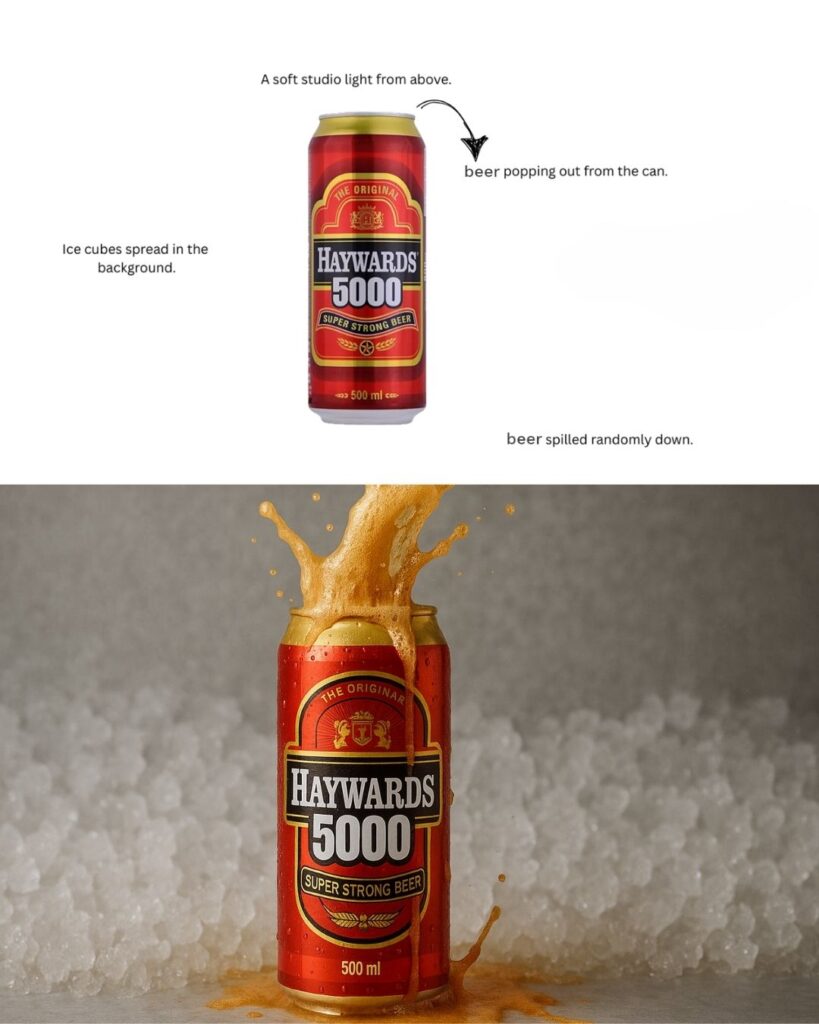
Product Visuals That Pop
Need a product shot but don’t have the budget or setup? This AI might be your shortcut. From the shine on a bottle to the lighting setup, the results look surprisingly ad-ready. It’s like having a mini design studio in your laptop.
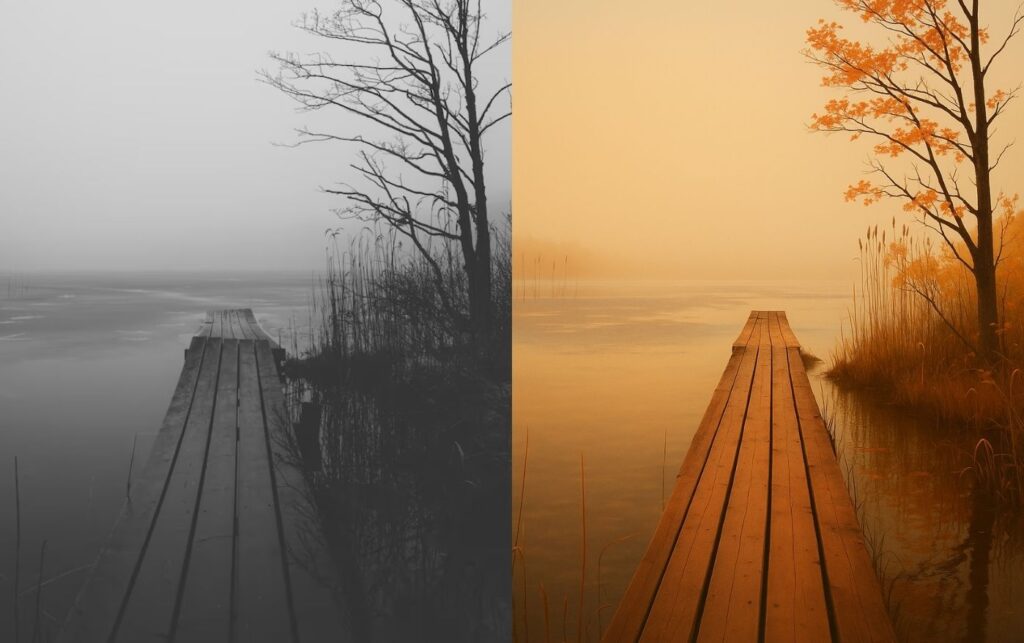
Nature Scenes with Heart
Whether it’s a foggy forest or a sunlit trail, the nature visuals coming out of this tool are impressive. The details feel painterly, almost like a digital postcard. Great for wellness campaigns, children’s books, or anywhere you want to set a calm, natural tone.
Prompt: Create image Colorize the image and rendered at 1200 x 627 resolution.
Infographics and Diagrams
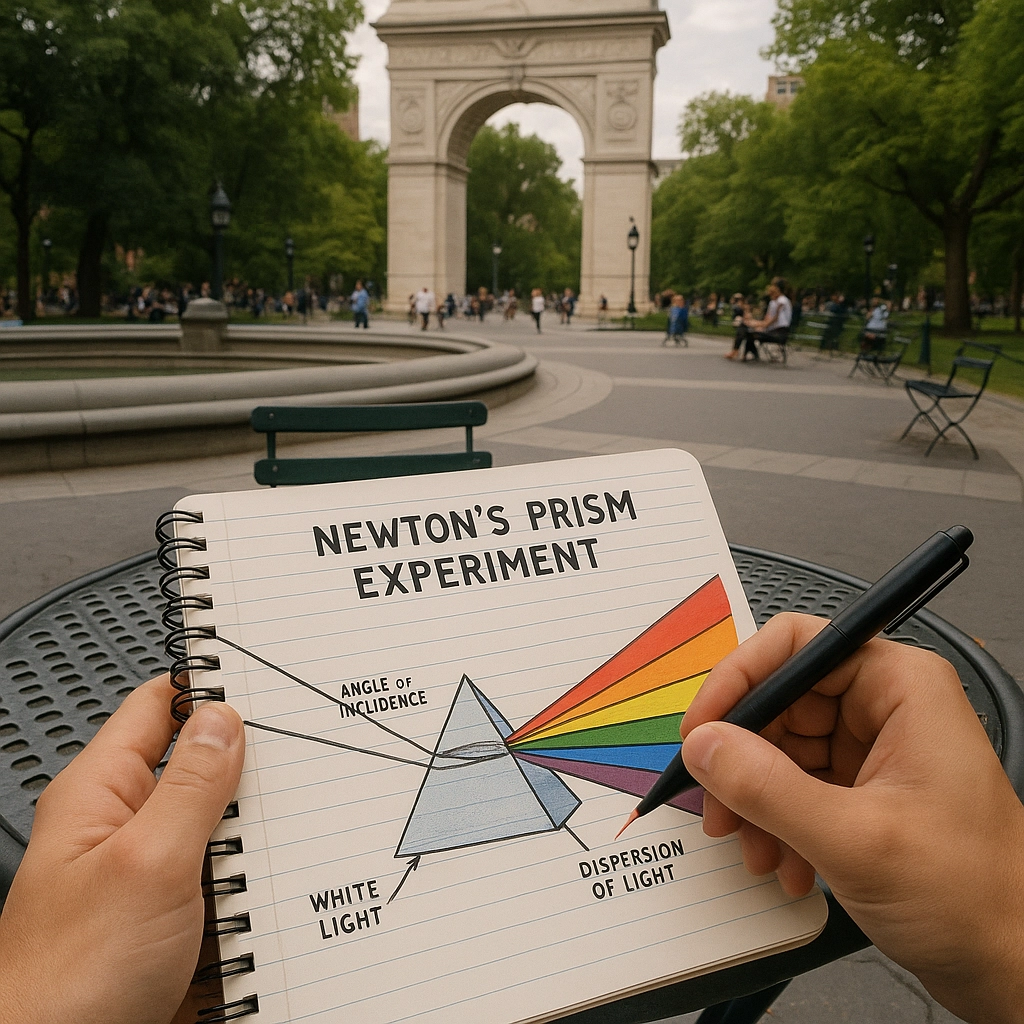
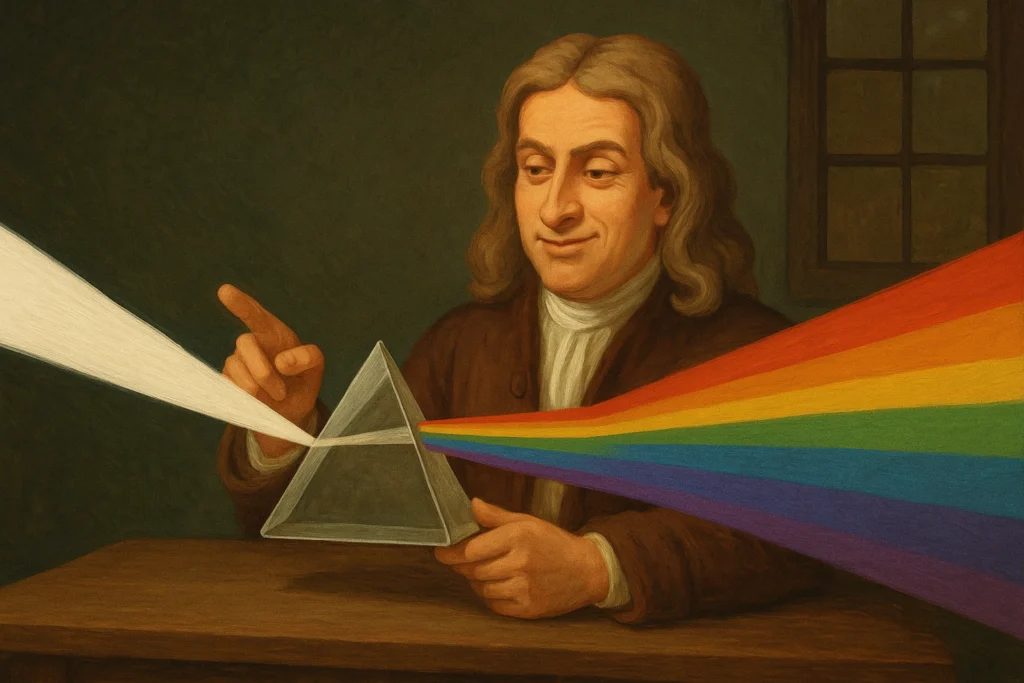
Got an idea you need to explain fast? This tool can whip up simple visuals like pyramid charts or step-by-step graphics. You don’t need to mess with PowerPoint—just describe what you want, and it builds something clean and easy to follow. Super useful for teachers, marketers, or anyone trying to get a point across quickly.
Create image an infographic explaining newton’s prism experiment in great detail
Infographic of newtons prism theoryInfographic of newtons prism theory ON NOTEBOOKnewtons teach prism theory
Create image now generate a POV of a person drawing this diagram in their notebook, at a round cafe table in washington square park
Create image now show the same scene with a smug young Isaac Newton sitting at the table, with a prism, demonstrating the experiment, without the notebook in view
Real-World Interfaces and AR-Like Scenes
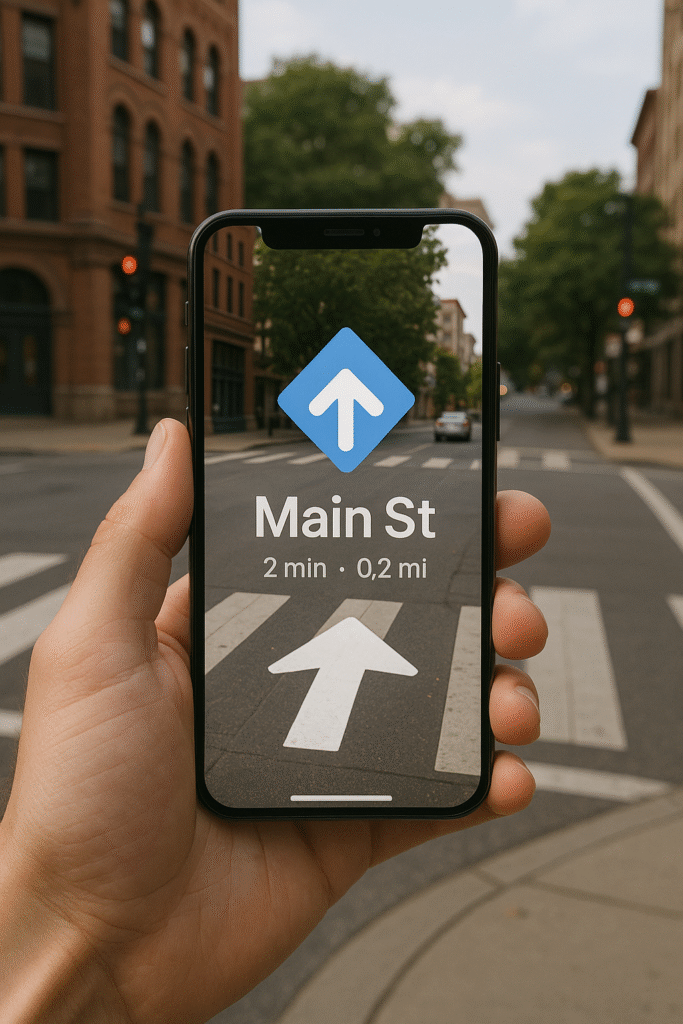
One of the coolest things I saw was a mockup of someone holding a phone over a real-world scene—like something out of an augmented reality demo. If you’re building an app or just want to show off how a UI works in the real world, this is a major shortcut.
Prompt: Create image A person holding a phone showing AR navigation over a real street scene, with a big white arrow and “Main St” on the screen, matching the crosswalk ahead.
Conclusion
Honestly, the stuff ChatGPT-4o image generation pulls off is wild. One moment it’s sketching anime-style portraits, and the next it’s pumping out real estate listings that look straight out of a brochure.
If you’re working on something creative—maybe you’re planning a comic, a product launch, or even teaching a class—this tool gives you a serious shortcut. No design background? Doesn’t matter. A good prompt is all you really need.
And hey, in a world that’s always rushing, having a tool that helps you keep up without sacrificing creativity? That’s a win.
Android 16 x Material 3 Expressive marks a significant milestone in Google’s mobile operating system, introducing a comprehensive redesign known as Material 3 Expressive. This new design language represents a bold step forward, aiming to create a more personalized, dynamic, and visually engaging user experience.
Material 3 Expressive builds upon the foundations laid by Material You, emphasizing adaptability and user-centric customization. The redesign focuses on vibrant color schemes, fluid animations, and intuitive interactions, reflecting Google’s commitment to evolving the Android ecosystem to meet modern user expectations.
The Evolution from Material You to Material 3 Expressive
Material You introduced the concept of dynamic theming, allowing users to personalize their devices based on wallpaper colors and preferences. Material 3 Expressive takes this concept further by incorporating more expressive elements, such as:
Enhanced Color Palettes: Offering a broader range of hues and tones for a more vibrant interface.
Advanced Animations: Introducing smoother transitions and motion effects that respond to user interactions.
Adaptive Components: Enabling UI elements to adjust seamlessly across different devices and screen sizes.
This evolution signifies Google’s dedication to creating a cohesive and emotionally resonant user interface that adapts to individual preferences and contexts.
Key Features of Material 3 Expressive
Vibrant Color Schemes and Dynamic Themes
Material 3 Expressive introduces an expanded set of color options, allowing for more expressive and personalized themes. Users can expect:
Dynamic Color Extraction: Automatically generating color palettes from wallpapers to theme the system UI and supported apps.
Customizable Accent Colors: Providing users with the ability to select specific accent colors for a more tailored experience.
Improved Contrast and Readability: Ensuring that text and icons remain legible across various backgrounds and themes.
These enhancements aim to create a more immersive and visually appealing interface that resonates with users’ personal styles.
Enhanced Animations and Motion Effects
The new design language emphasizes fluidity and responsiveness through:
Physics-Based Animations: Incorporating natural motion effects that mimic real-world physics for a more intuitive experience.
Interactive Transitions: Offering smoother transitions between apps and screens, enhancing the overall user flow.
Responsive Feedback: Providing immediate visual and haptic feedback to user interactions, improving engagement and satisfaction.
These animation improvements contribute to a more dynamic and engaging user experience, making interactions feel more natural and responsive.
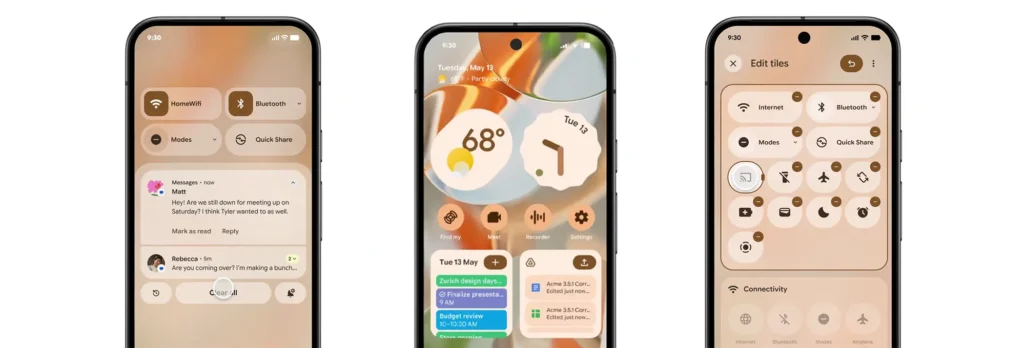
Redesigned Quick Settings and Notification Shade
Material 3 Expressive revamps the Quick Settings panel and notification shade to enhance usability and aesthetics:
Modular Quick Settings: Allowing users to customize the layout and order of quick settings tiles for easier access to frequently used functions.
Blurred Backgrounds: Introducing translucent backgrounds that provide context while maintaining focus on foreground elements.
Grouped Notifications: Organizing notifications into categories for a cleaner and more manageable notification center.
These changes aim to streamline user interactions and provide a more organized and visually coherent interface.
Live Updates: Real-Time Information at a Glance
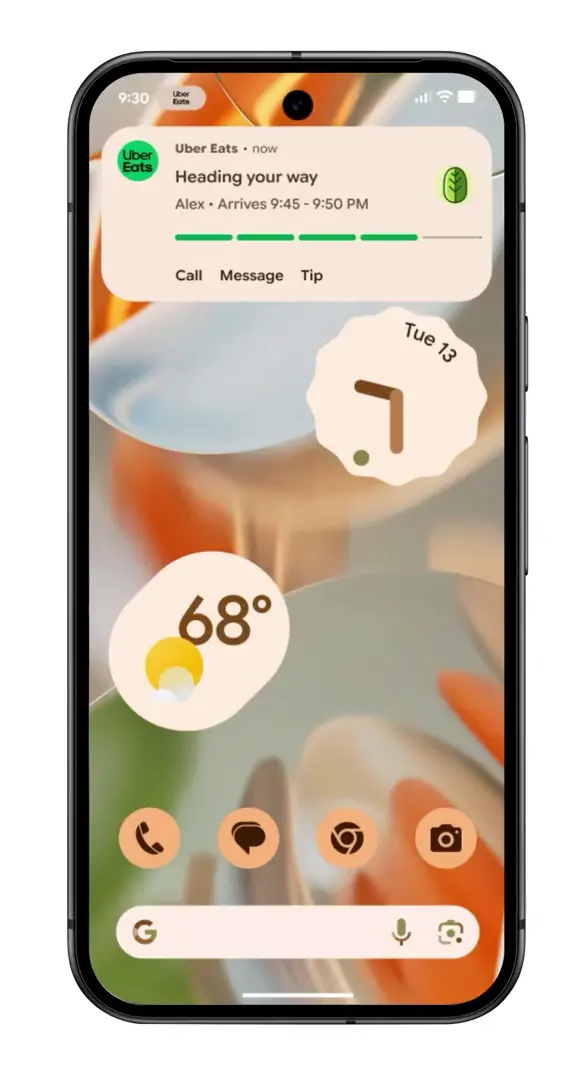
One of the standout features of Android 16 is the introduction of Live Updates, designed to keep users informed about ongoing activities directly from the lock screen and always-on display. Key aspects include:
Persistent Notifications: Displaying real-time updates for activities such as navigation, music playback, and ride-sharing services.
Interactive Elements: Allowing users to interact with live updates, such as pausing music or ending navigation, without unlocking the device.
Seamless Transitions: Ensuring that live updates transition smoothly between the lock screen, always-on display, and home screen.
This feature enhances convenience by providing timely information at a glance, reducing the need to unlock the device for routine tasks.
Comparison with Apple’s Dynamic Island
Live Updates draw comparisons to Apple’s Dynamic Island feature, which integrates real-time information into the iPhone’s notch area. However, Google’s implementation offers distinct advantages:
Wider Integration: Extending beyond a specific hardware area to utilize the entire lock screen and always-on display.
Greater Customization: Allowing users to tailor which activities and apps can display live updates.
Cross-Device Consistency: Ensuring a uniform experience across various Android devices, regardless of hardware differences.
By focusing on flexibility and user control, Live Updates aim to provide a more versatile and accessible real-time information system.
Personalization and Customization
Adaptive Icons and Widgets
Material 3 Expressive enhances personalization through adaptive icons and widgets:
Shape Shifting Icons: Allowing icons to adapt their shape based on user preferences and system themes.
Responsive Widgets: Enabling widgets to adjust their size and content dynamically to fit different screen sizes and orientations.
Consistent Aesthetics: Ensuring that icons and widgets maintain a cohesive look and feel across the system.
These features empower users to create a home screen layout that reflects their individual style and usage patterns.
User-Centric Design Philosophy
The overarching philosophy of Material 3 Expressive centers on user empowerment:
Inclusive Design: Prioritizing accessibility and usability for users of all abilities.
Contextual Adaptation: Adjusting UI elements based on user behavior and environmental factors.
Feedback-Driven Iteration: Incorporating user feedback to continuously refine and improve the design language.
By placing users at the heart of the design process, Google aims to create a more intuitive and satisfying user experience.
Developer Tools and Support
Jetpack Compose Enhancements
Developers can leverage Jetpack Compose to create applications that align with Material 3 Expressive:
Simplified UI Development: Utilizing declarative programming to build responsive and dynamic interfaces.
Theming Support: Easily implementing dynamic color theming and adaptive components.
Performance Optimization: Benefiting from improved performance and reduced boilerplate code.
Jetpack Compose streamlines the development process, enabling faster and more efficient creation of modern Android applications.
Flutter Integration and Support
Flutter, Google’s cross-platform UI toolkit, also supports Material 3 Expressive:
Unified Design Across Platforms: Allowing developers to create consistent experiences on Android, iOS, web, and desktop.
Customizable Widgets: Providing a rich set of widgets that adhere to Material 3 Expressive guidelines.
Community Resources: Accessing a wealth of documentation, tutorials, and community support for implementing the new design language.
Flutter’s integration ensures that developers can deliver cohesive and expressive applications across multiple platforms.
Impact on User Experience
Improved Accessibility and Usability
Material 3 Expressive introduces several enhancements to accessibility and usability:
Scalable Text and Icons: Supporting dynamic scaling to accommodate users with visual impairments.
High Contrast Modes: Offering themes with increased contrast for better readability.
Voice Interaction Improvements: Enhancing voice command capabilities for hands-free navigation.
These features aim to make Android more inclusive and user-friendly for a diverse range of users.
Feedback from Beta Testers
Early feedback from beta testers highlights positive reception:
Enhanced Visual Appeal: Users appreciate the vibrant colors and fluid animations.
Intuitive Navigation: The redesigned UI elements contribute to a more straightforward and enjoyable navigation experience.
Customization Options: Users value the increased ability to personalize their devices to match their preferences.
This feedback underscores the success of Material 3 Expressive in enhancing the overall user experience.
Rollout and Availability
Beta Release Timeline
Google plans to roll out Material 3 Expressive in phases:
Developer Previews: Initial releases for developers to test and adapt their applications.
Some Pixel phones will be the first to get the stable Android 16 update.
Android 16 is arriving in June
Material 3 Expressive on Wear OS 6
Unified Design Across Devices
Google’s Material 3 Expressive isn’t just limited to smartphones—its influence extends to Wear OS 6 as well, creating a unified design language that ties together Android phones, smartwatches, tablets, and even Android TV. This unified approach ensures a consistent user experience no matter the screen size or platform.
Wear OS 6 adopts the expressive color palettes, fluid animations, and modular UI components of Material 3, all optimized for smaller screens. For instance:
Circular Widgets: Tailored for round displays, with color-aware themes that reflect the user’s phone settings.
Responsive Transitions: Navigating between watch faces, apps, and notifications now feels smoother and more dynamic.
Improved Layouts: Key features such as health tracking, notifications, and Google Assistant commands are now easier to access with better spacing and contrast.
This cross-device cohesion not only boosts aesthetic harmony but also strengthens brand identity across Google’s ecosystem. It’s now easier for users to jump between devices without facing jarring differences in UI or functionality.
Battery Life Improvements
Another key benefit of Material 3 Expressive on Wear OS 6 is power efficiency. Google has refined the design elements to be lighter on system resources. These improvements come in several forms:
Optimized Animations: Transitions and effects are GPU-accelerated but optimized for short bursts to minimize battery drain.
Adaptive Brightness and Theming: Themes that respond to ambient light and activity reduce unnecessary screen brightness.
Background Activity Management: Improved handling of background processes reduces power consumption during inactivity.
These improvements are crucial for wearable tech, where battery life is often a deal-breaker. Beta testers have already reported modest but meaningful gains in day-long usage thanks to these refinements.
Security and Privacy Enhancements
Scam Protection and Anti-Theft Features
Android 16 places a renewed focus on privacy and security, embedding smarter protections into the core of the OS. Material 3 Expressive supports these updates with design elements that make security features more visible and easier to manage.
Key highlights include:
Scam Detection for Calls and Messages: Leveraging AI to identify potential scam messages or suspicious calls and provide real-time alerts to users.
Theft Detection Lock: A smart lock system that detects motion or location anomalies (e.g., snatching behavior) and automatically locks the device.
Remote Lock via Wear OS or Voice Command: Users can lock their Android 16 device from their smartwatch or by issuing a voice command through Gemini AI.
These features aim to offer users peace of mind without overwhelming them with technical jargon. The Material 3 layout makes privacy dashboards more intuitive with real-time activity logs, permission summaries, and color-coded alerts.
Privacy Sandbox Implementation
Google’s broader effort to replace third-party cookies with Privacy Sandbox is making its way into Android 16. This initiative aims to limit tracking across apps and provide more privacy-respecting ad targeting. Material 3 Expressive makes this user-centric with:
Transparent Ad Settings: Users can now view how their data is used and which apps access certain types of information.
Notification of Data Usage Changes: When an app alters its data-sharing behavior, Android now notifies the user in plain language.
Granular Permissions: Apps now request permissions in context, making it clearer when and why data is needed.
Combined with Google’s federated learning advancements, Android 16 positions itself as one of the most privacy-conscious operating systems yet.
Integration with Gemini AI
Replacing Google Assistant
One of the most notable shifts in Android 16 is the deeper integration of Gemini AI, which is slowly taking over roles traditionally held by Google Assistant. This new AI assistant is powered by Google’s most advanced language models and is designed to understand and anticipate user needs better.
Here’s how Gemini AI changes the landscape:
Context-Aware Assistance: Instead of responding to static commands, Gemini understands what you’re doing and suggests actions accordingly (e.g., reminding you of a meeting while you’re drafting an email).
Multimodal Capabilities: It can interpret text, voice, and images simultaneously, offering richer interactions.
On-Device Processing: For privacy and speed, many Gemini functions now work offline without needing to send data to the cloud.
Material 3 Expressive gives this AI a sleek visual identity through interactive bubbles, color-coded feedback, and real-time visual cues that make AI interactions feel more natural.
Cross-Platform Functionality
Gemini AI is not limited to Android phones. It works across Google’s ecosystem—on tablets, smartwatches, Android TV, and even web platforms. This means users can:
Start a task on their phone and continue on their tablet without losing context.
Ask Gemini to control smart home devices from their watch.
Get intelligent recommendations while watching content on Android TV.
Thanks to Material 3’s consistency, Gemini AI feels familiar and intuitive across devices. Whether it’s through adaptive cards, visual cues, or quick suggestions, the assistant blends seamlessly into the Android 16 experience.
Developer and Designer Perspectives
Opportunities for App Customization
Material 3 Expressive opens new doors for app developers and UI/UX designers looking to create more engaging and personal apps. Developers now have access to:
Dynamic Theming APIs: These allow apps to match system colors, enhancing the sense of cohesion.
Motion Design Tools: Built-in support for smooth transitions and microinteractions without heavy lifting.
Pre-Built Components: From cards and buttons to sliders and dialog boxes, all now support expressive styles and animations.
This update encourages developers to embrace a design-first mindset, placing user experience at the core of app development.
Challenges and Considerations
However, the transition also comes with challenges:
Backward Compatibility: Developers must ensure their apps still look and function well on older Android versions.
Learning Curve: New APIs and tools require time to master, especially for teams used to Material You.
Performance Testing: The increased use of animations and visuals means extra performance optimization is necessary for budget devices.
Google provides documentation, migration guides, and community forums to ease this transition, but a period of adaptation is inevitable for app creators.
User Reactions and Community Feedback
Social Media Buzz
As expected, the reveal of Android 16 and Material 3 Expressive generated a lot of buzz on platforms like Twitter, Reddit, and YouTube. Some of the trending reactions included:
“Material 3 Expressive looks like Android’s iOS moment!” (Reddit)
“The new live updates are 🔥—I don’t even need to unlock my phone anymore.” (Twitter)
“It finally feels like Google’s vision for Android is coming together.” (YouTube comment)
Meme culture has also embraced the aesthetic, with users comparing the vibrant themes to everything from neon-lit arcades to pastel aesthetic mood boards.
Early Reviews and Impressions
Tech reviewers and Android enthusiasts who got early access to the Android 16 beta generally praised the update. Key themes include:
Design Maturity: Many agree that Android has finally found its unique design identity.
Performance Consistency: Animations are smooth across devices, including mid-range phones.
Useful AI Features: Gemini AI is getting applause for being helpful without being intrusive.
That said, some users expressed concerns about potential battery drain with dynamic themes and animations—though Google has assured improvements are on the way in the final release.
Comparison with Previous Android Versions
Visual and Functional Differences
When you line up Android 16 next to its predecessors—especially Android 13 and 14—the leap in visual design and fluid functionality is glaringly obvious. Material 3 Expressive ditches the slightly muted, often rigid interfaces of the past in favor of a bold, colorful, and more intuitive layout.
Here’s a side-by-side snapshot:
Feature
Android 13/14
Android 16 with Material 3 Expressive
Color Theming
Wallpaper-based (limited)
Full-spectrum dynamic theming
Animations
Basic transitions
Fluid, physics-based motion
Widgets
Static, some responsive
Fully adaptive and dynamic
Assistant Integration
Google Assistant
Gemini AI
Notification Shade
Basic grouping
Modular, blurred, and organized
Lock Screen
Minimal info
Live updates with rich interaction
In short, Android 16 with Material 3 Expressive doesn’t just feel like an update—it feels like an overhaul. It’s more alive, more intuitive, and more user-first than ever before.
Performance Benchmarks
Functionality isn’t just skin deep. Benchmarks from early adopters and developers show that Android 16 performs admirably, even on mid-tier devices:
App Launch Speeds: Up to 18% faster than Android 14.
Battery Efficiency: Around 12% more efficient under heavy multitasking.
Animation Frame Stability: 60Hz to 120Hz frame rendering remains consistent across most devices.
Thanks to background process optimization and on-device machine learning support, Android 16 doesn’t just look better—it runs better too.
Future Outlook
Potential Updates and Iterations
While Android 16 is just hitting the beta and early adopter circuits, Google has already hinted at what’s next:
Material 3 Expressive+: A likely refinement layer focused on enterprise devices and foldables.
Expanded Gemini AI Capabilities: Including more personalized assistant routines and expanded offline functionality.
Multi-Device Experiences: Deeper integration between phones, tablets, and cars using Android Auto and Chromecast.
These updates may roll out via QPR (Quarterly Platform Releases) as part of Google’s continuous improvement strategy.
Google’s Vision for Android’s UI
It’s clear that Google envisions Android not as just an OS, but as a personal canvas. Material 3 Expressive is a statement—Android is fun, powerful, and uniquely yours.
Expect a future where Android adapts not just to your apps or widgets, but your mood, location, and even your schedule. Think AI-curated homescreens, emotion-aware themes, and app suggestions driven by personal habits.
The UI isn’t just expressive—it’s evolving.
Conclusion
Android 16 and Material 3 Expressive are more than just another OS upgrade—they’re a bold redefinition of how Android feels, behaves, and connects with its users. Google has delivered an interface that’s not just smart but soulful. From vibrant themes and adaptive widgets to Gemini AI’s seamless integration, this is the Android experience many have long hoped for.
As we look ahead, the focus is clear: individuality, intelligence, and immersion. Android is no longer trying to keep up with the competition—it’s setting its own pace.
If you haven’t yet explored Android 16’s beta, now is the time. Dive into the expressive revolution.
FAQ
What is Material 3 Expressive?
Material 3 Expressive is Google’s latest design language for Android, featuring bold colors, adaptive layouts, dynamic theming, and more fluid animations. It builds on the principles of Material You but adds more user customization and visual depth.
How can I access the Android 16 beta?
If you own a Pixel device (Pixel 6 and up), you can enroll in the beta program via the official Android Beta page. Other OEMs like OnePlus and Xiaomi will support it soon.
Will my device support Material 3 Expressive?
Devices launching with or updating to Android 16 will support Material 3 Expressive. For older models, some features may be limited based on hardware compatibility.
How does Material 3 Expressive affect app developers?
Developers are encouraged to update their apps using new Material 3 components. Google provides tools like Jetpack Compose and Flutter integration to ensure seamless adaptation.
What are the main benefits of the new design?
Key benefits include improved personalization, richer animations, a more intuitive interface, better battery performance, and enhanced AI assistance via Gemini.
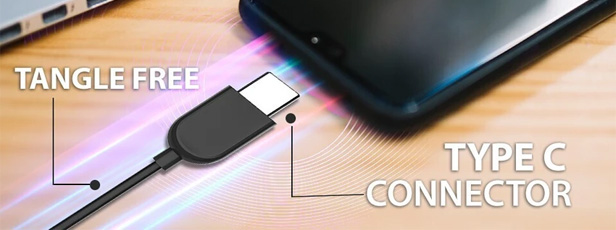
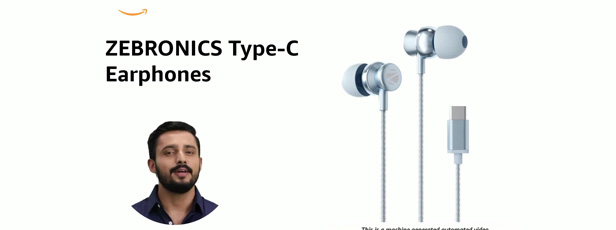
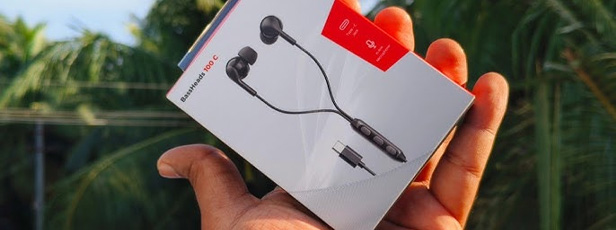
As smartphones evolve, most brands are phasing out the traditional 3.5mm headphone jack. In its place, the USB Type-C port has become the new standard. If you’re someone who prefers wired sound but has a device without the headphone jack, earphones with Type-C port under ₹1000 offer an affordable and convenient solution.
Whether it’s better sound delivery, faster pairing, or simply saving the trouble of carrying an adapter, these earphones are practical and future-ready.
✅ How We Selected These Type-C Earphones
Verified price under ₹1000
User reviews (3.5★ or above)
Sound & mic quality
Comfort and design
Durability and features like noise isolation or in-line controls
🔥 Top 10 Earphones with Type-C Port Under ₹1000
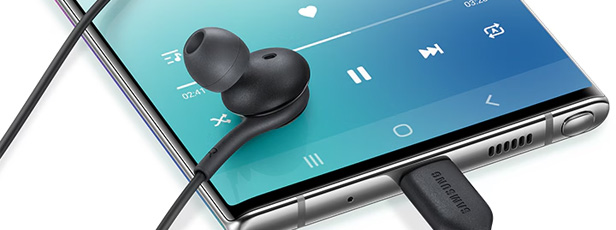
1. Samsung USB Type-C Earphones
Pros: Balanced sound signature, deep bass, tangle-free cable, great call quality. Cons: Slightly higher-end in this budget range; lacks volume control.
🧠 Things to Consider Before Buying Type-C Earphones Under ₹1000
✔ Compatibility: Ensure your phone supports Type-C audio (some only use it for charging).
✔ Audio Profile: Do you like bass-heavy sound or a balanced tone?
✔ Durability: Look for Kevlar or braided cables for long-term use.
✔ Mic & Button Functions: In-line control helps if you take calls frequently.
❓ Frequently Asked Questions
Q. Can I use Type-C earphones on all phones? A. Not always. Some phones (especially older ones) may not support audio via Type-C. Always check your device’s spec sheet.
Q. Do these earphones support fast charging or data transfer? A. No, these are strictly for audio use — not for charging or file transfer.
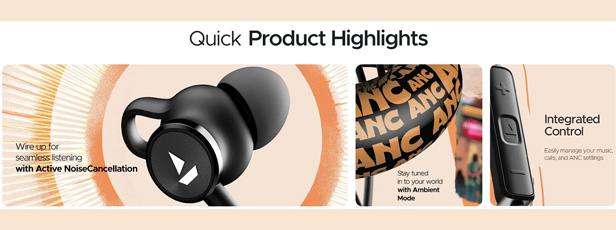
Q. Are they suitable for online classes or video calls? A. Yes. Models like Samsung and boAt 122 ANC offer good mic clarity for Zoom, Google Meet, etc.
🔍 Final Verdict – Best Type-C Earphones Under ₹1000
Use Case
Best Pick
Best Overall Value
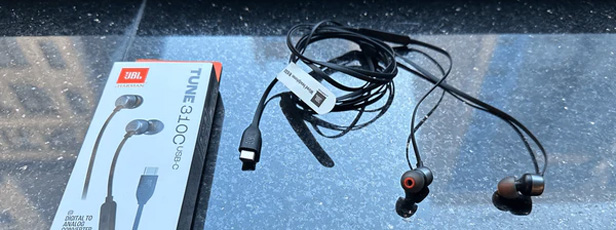
JBL Tune 310C
Best for Bass Lovers
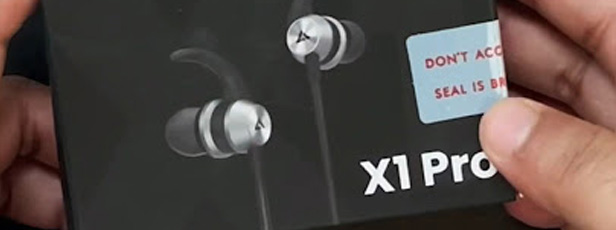
Boult Audio X1 Pro
Best for Calls
Samsung USB Type-C Earphones
Best ANC Budget Pick
boAt BassHeads 122 ANC
Did this help you pick your next favorite earphones? Let us know in the comments or tag us with your purchase on Instagram!
AI Capsule Image Trend: How to Create Stunning Miniature Visuals (Guide for 2025)
In This Post
What is the AI Capsule Image Trend?
The AI capsule image trend is one of the most engaging and creative visual formats in 2025. Whether you’re a gamer, entrepreneur, product owner, or content creator — this trend lets you transform any idea into a mini 3D cinematic moment inside a transparent capsule. Inspired by Japanese gashapon toys, these images blend storytelling and aesthetic appeal in a uniquely shareable way.
Why the AI Capsule Visuals Are Trending
Nostalgic and unique: Feels like opening a collectible toy capsule.
Perfect for personal and brand storytelling: Use it to showcase yourself, a product, or a team.
Incredibly shareable: Designed for viral engagement on Instagram, Threads, and TikTok.
What You Need to Create an AI Capsule Image
ChatGPT with image generation (GPT-4o)
A creative idea or theme (business, gaming, product, personal)
Optional: brand logo, photo reference, or product label
Prompt template (see below)
Step-by-Step Guide to Creating a Capsule Visual
Step 1: Pick Your Theme
🎮 Gaming: e.g., GTA VI, Valorant, Tekken 8
🏢 Business/Office: A miniature office setup or team brainstorm scene
📸 Personal Branding: A chibi version of yourself or your audience avatar
Step 2: Use This Prompt Template
Create a hyper-realistic scene of a transparent pill capsule lying on a [surface/location] at [time of day], lit with [style of lighting].
Inside the capsule, place miniature, 3D-detailed versions of [subject/character/product] posed in [activity].
The capsule should display the [brand name or logo] and reflect the aesthetic of [industry or theme].
Surround the background with elements like [props or scenery] to amplify the story.
Step 3: Generate with ChatGPT
Paste your prompt into ChatGPT’s image generator and include any visuals. It’s easy — and highly customizable.
Step 4: Publish & Share
Post to Instagram, Threads, or Pinterest
Create reels or TikToks showing “prompt to image” transitions
Use it in blog headers, product promos, and personal portfolio sites
Create a hyper-realistic scene of a transparent capsule on a neon-lit street.
Inside: Jason and Lucia from GTA VI in their signature poses.
Palm trees, cars, and Vice City skyline behind. Branded with GTA VI logo in pink-purple.
Business Capsule
Transparent capsule on a wooden desk with sunlight glow.
Inside: 3D design team brainstorming on laptops, whiteboards, coffee mugs.
Include “BrandOrbit Studio” on the capsule side.
Product Showcase Capsule
Capsule on a marble surface under spot lighting.
Inside: a lavender-scented candle with floating flowers and herbs.
Branding: “Glow & Co.” in gold-foil type.
Personal Branding Capsule
Capsule on a photography backdrop setup.
Inside: chibi photographer with DSLR and studio lights.
Add handwritten logo: “ClicksByRhea.”
Rich Media Tip
Final Thoughts
The AI capsule image trend isn’t just for fun — it’s a powerful way to blend branding, design, and storytelling. Whether you’re launching a product, promoting a service, or building your digital presence, this format is simple to create and impossible to ignore.
Try your own capsule today — and tag us when you share it online so we can feature your creation!