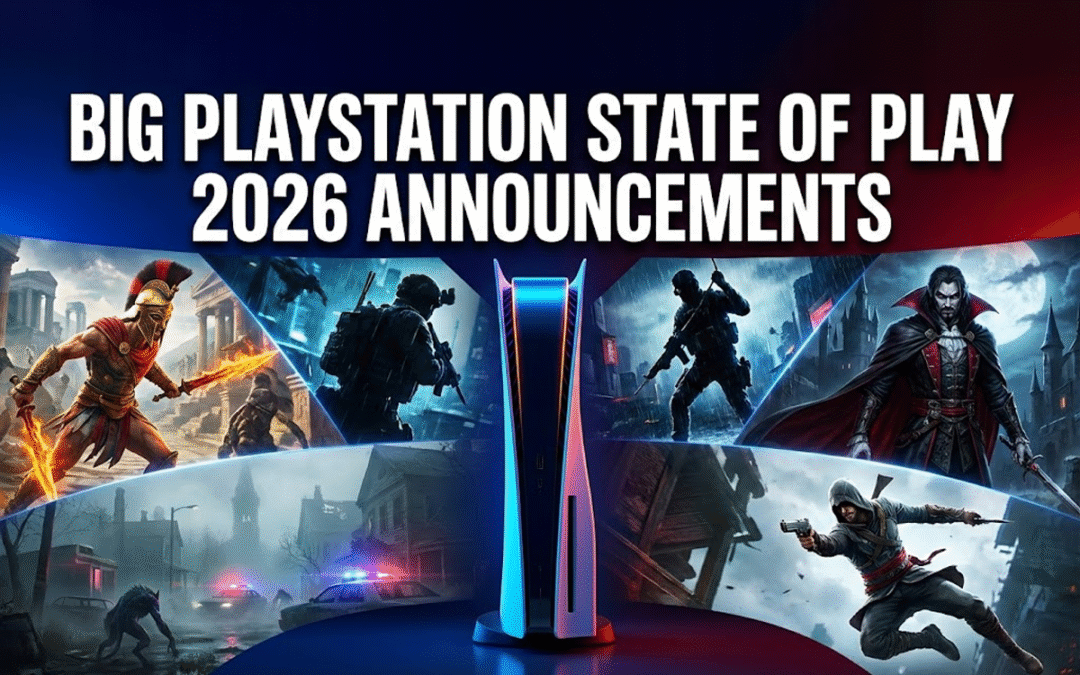
Sony’s February 2026 State of Play delivered one of the most stacked PlayStation showcases in recent memory. From legacy franchise revivals to bold new IP, remasters, surprise shadow drops, and major third-party reveals, this event had something for every type of gamer.
Here is a complete breakdown of every major PlayStation State of Play announcement, including release dates, remasters, new games, and industry-shaking updates.
In This Post
Legacy of Kain Returns With Multiple Projects
Legacy of Kain: Defiance Remastered
The biggest surprise of the night was the return of the cult-classic franchise Legacy of Kain: Defiance.
Sony officially announced Defiance Remastered, following the successful remake treatment of Soul Reaver 1 and 2. This marks the first time the final mainline entry in the franchise will be playable on modern PlayStation hardware.
Fans have waited years for this.
The remaster aims to preserve the gothic tone, dual-protagonist gameplay, and iconic voice performances while improving visuals and performance for PS5.
Legacy of Kain: Ascendants
Alongside the remaster, Sony confirmed a brand-new 2D project titled Legacy of Kain: Ascendants.
This animated-style side project explores canon events featuring Kain and Raziel. It looks experimental, possibly testing the waters for a full franchise revival.
If executed well, this could mark the rebirth of one of PlayStation’s darkest franchises.
Metal Gear Solid Master Collection Volume 2 Finally Frees MGS4
After years of fan requests, Metal Gear Solid 4: Guns of the Patriots is officially leaving PS3 exclusivity.
Metal Gear Solid: Master Collection Vol. 2 includes:
Metal Gear Solid 4
Metal Gear Solid: Peace Walker
Metal Gear Solid: Ghost Babel
This is massive.
MGS4 has been locked to PS3 hardware for nearly two decades. Bringing it to PS5 ensures preservation and introduces the “weird but brilliant” entry to a new generation.
Volume 1 will also receive higher-resolution updates for MGS1 and MGS3.
Konami appears serious about restoring its legacy franchises.
God of War Remake Trilogy Confirmed
Sony confirmed early development of a remake for the original God of War Greek trilogy.
Even better, TC Carson returns.
The big question:
Will Sony modernize combat to match God of War (2018)? Or preserve the fast, combo-heavy hack-and-slash roots?
Alongside that announcement, Sony shadow-dropped:
God of War: Sons of Sparta
God of War: Sons of Sparta
A smaller-scale prequel featuring Kratos and Deimos. It leans into Greek mythology and offers a fresh art style. It is available now.
This is a clear push to expand the franchise’s Greek era.
Silent Hill Townfall Fully Revealed
4
Konami unveiled a full gameplay reveal of Silent Hill: Townfall.
The game:
Features a new protagonist
Takes place in a new haunted town
Uses a first-person perspective
Emphasizes psychological horror
The atmosphere looks promising. Sound design and lighting appear strong.
The biggest unknown remains creature design. Silent Hill lives or dies by its monsters.
New Castlevania: Belmont’s Curse
Konami also announced Castlevania: Belmont’s Curse.
Developed by Evil Empire, the team behind Dead Cells post-launch support, this is a full 2D action revival.
Classic Belmont. Modern polish.
If any studio understands responsive 2D combat, it is Evil Empire.
A Full Third-Person John Wick Game Is Coming
A full third-person action game based on John Wick is officially in development.
Developed by Saber Interactive, known for Space Marine 2, the game will feature:
Keanu Reeves’ likeness and voice
Gun-fu combat
Close collaboration with franchise creators
This has real potential.
If Saber nails the fluid combat rhythm of the films, this could be one of the best movie-to-game adaptations ever made.
Control Resonant Shows Bold New Direction
Control Resonant expands Remedy’s universe with:
Pull-back camera perspective
Heavier melee focus
Gravity manipulation mechanics
Surreal horror imagery
It feels different from the original Control, but still distinctly Remedy.
Risky shift. High upside.
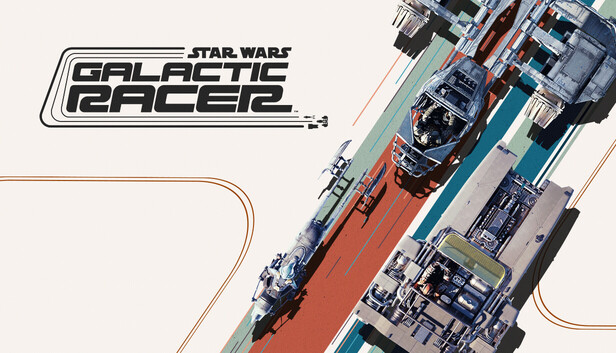
Star Wars Galactic Racer Revives Pod Racing Energy
Star Wars Galactic Racer brings arcade-style racing back to the galaxy.
Fans spotted pod racing callbacks including Sebulba and Ben Quadinaros. Nostalgia is strong here.
If this blends arcade speed with modern visuals, it could fill a long-missing niche.
Marathon Server Slam Announced
Marathon gets a limited-time server slam from February 26 to March 2.
Bungie is clearly stress-testing infrastructure ahead of launch.
Diablo II: Resurrected Gets New Warlock Class
Blizzard surprised fans by adding a new Warlock class to Diablo II: Resurrected.
That is rare.
Major new classes in legacy ARPG remasters show Blizzard investing in long-term support again.
Highguard Developer Layoffs Raise Concerns
Live-service shooter Highguard faces uncertainty after significant layoffs at its developer.
Despite earlier statements about long-term runway, this signals turbulence.
The live-service market remains brutally competitive.
Final Thoughts on PlayStation State of Play February 2026
This was a heavyweight showcase.
Konami re-entered the arena aggressively. Sony leaned into nostalgia and remakes. Third-party support looked strong. Multiple shadow drops boosted immediate engagement.
The clear themes:
Franchise revival
Legacy preservation
Calculated nostalgia
High-risk new IP experimentation
If even half of these projects land, 2026 could be one of PlayStation’s strongest years in a decade.
FAQs
1. What was the biggest announcement at State of Play February 2026?
The God of War trilogy remake and Metal Gear Solid 4 leaving PS3 exclusivity were the biggest fan reactions.
2. Is Metal Gear Solid 4 finally playable on PS5?
Yes. It is included in Master Collection Volume 2.
3. When is Silent Hill Townfall releasing?
It is expected in 2026, though an exact date was not confirmed.
4. Is the John Wick game first or third person?
It is officially a third-person action game.
5. Is the God of War remake changing combat style?
Sony has not confirmed whether it will adopt the 2018 over-the-shoulder style or preserve the original hack-and-slash gameplay.
Real-world tested. No hype. Straight buying advice.
Gaming controllers don’t launch every month. That’s why when a proper update drops, it matters. This guide covers 10 gaming controllers from Rs. 800 to Rs. 5000, tested across PC, PlayStation, Android, iOS, and more. If you’re tired of fake reviews and brand bias, this is for you.
In This Post
Things You Must Know Before Buying a Controller
Let’s clear the basics first.
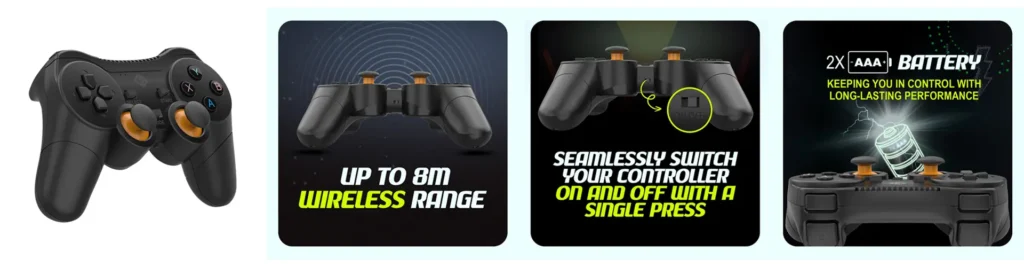
Battery backup: Most wireless controllers give 5–10 hours. Some do more, some less. Brands rarely mention it honestly.
Wireless range: 8–15 meters. No normal gamer will face issues.
Pressure-sensitive triggers: Every controller in this list has them unless stated.
Xbox compatibility: Only licensed controllers officially work on Xbox.
PS4 on PS5: PS4-compatible controllers run PS4 games on PS5, not PS5 titles.
Apple devices: Best experience comes from tri-mode controllers (Bluetooth + dongle + wired).
Now let’s get into the real stuff.
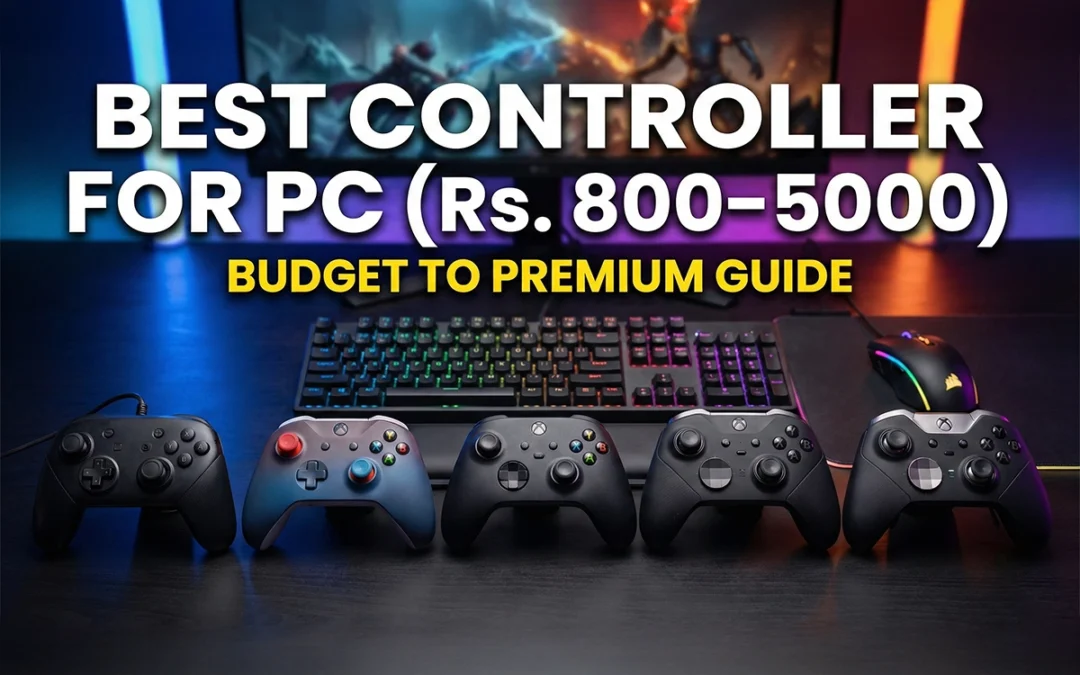
Best Controller for PC – Budget to Premium Buying Guide
Ant Esports GP365 Pro (Rs. 1,429) – Amazon Link – Click here
This is where value starts.
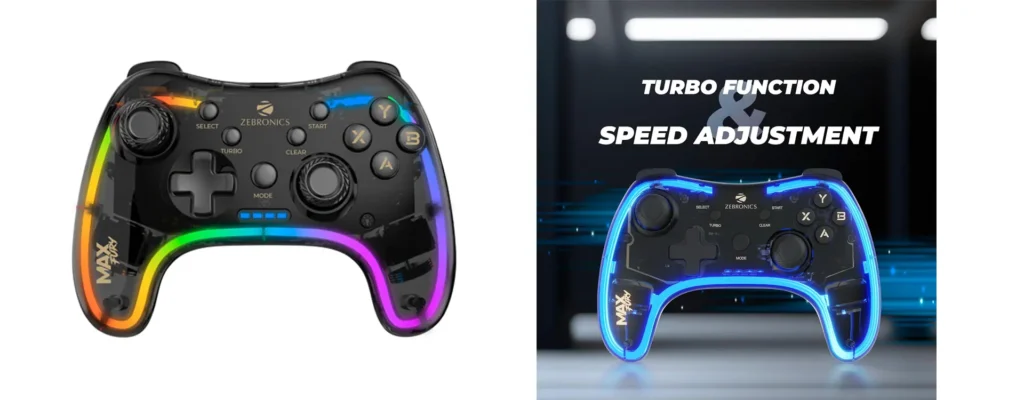
Dongle + wired support
Good grip with textured sides
Turbo button for shooters
Smooth vibration
Works on Windows, PS3, Android, iOS, Mac
If you’re choosing between Rs. 1000–1500, this makes sense.
EvoFox EvoFox One S (Rs. 1,599) – Amazon Link – Click here
This was the most demanded controller, and it delivered.
Dongle + wired
Hall Effect joysticks (no stick drift)
Macro buttons at the back
Excellent grip and in-hand feel
Works on PS3, PS4, PS5 (PS4 games), PC, Android, iOS
Even works on Nintendo Switch
No trackpad. No gyro. That’s why it’s cheaper. But the performance is solid.
Verdict: Best all-rounder under Rs. 2000.
Controllers Around Rs. 2200–2800
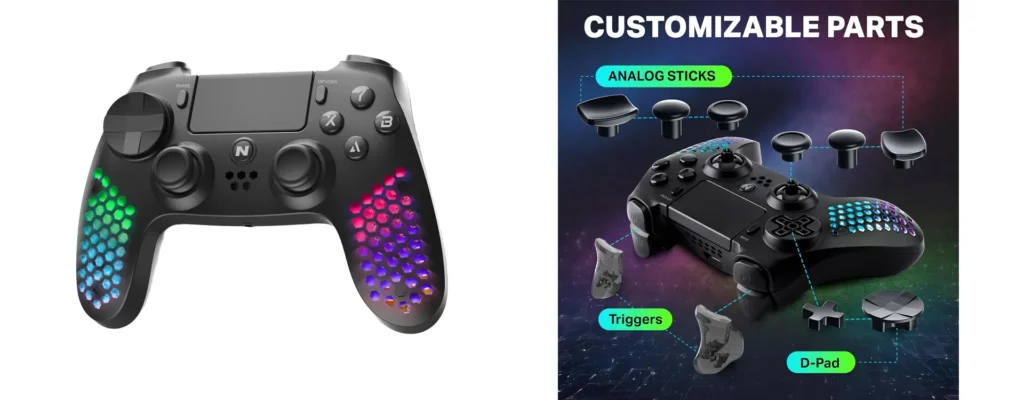
Nitho Hexagon (Rs. 2,099) – Amazon Link – Click here
Very lightweight. Long gaming sessions feel easier.
Bluetooth only (no dongle)
PS4-style layout
Trackpad + speaker + headphone jack
RGB lighting
Tons of attachments for sticks and triggers
Downside? Vibration feels cheap. If vibration matters to you, skip it.
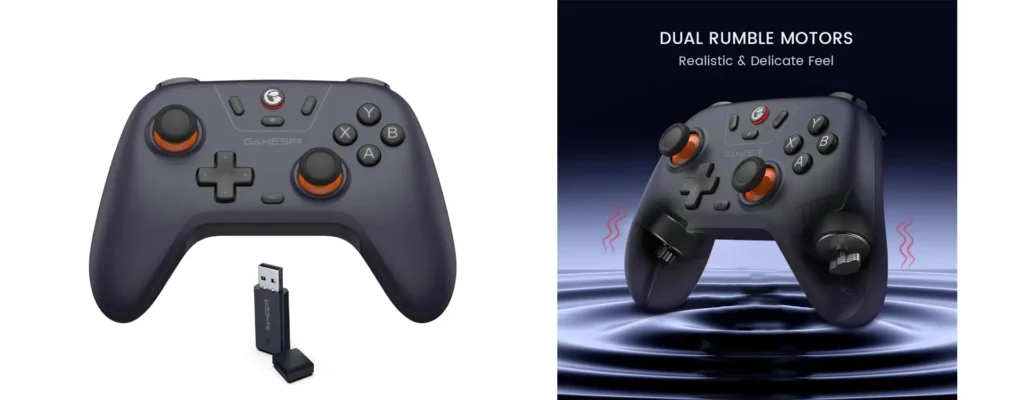
GameSir Nova Lite (Rs. 2,804) – Amazon Link – Click here
Premium feel starts here.
Comes with a hard carrying case
Hall Effect joysticks
Excellent grip and plastic quality
Works best with Windows, Android, iOS, Nintendo Switch
Not for PS3 or PS4 users
If you’re a PC gamer and want durability, this is solid.
Rs. 3000+ Controllers (Premium Zone)
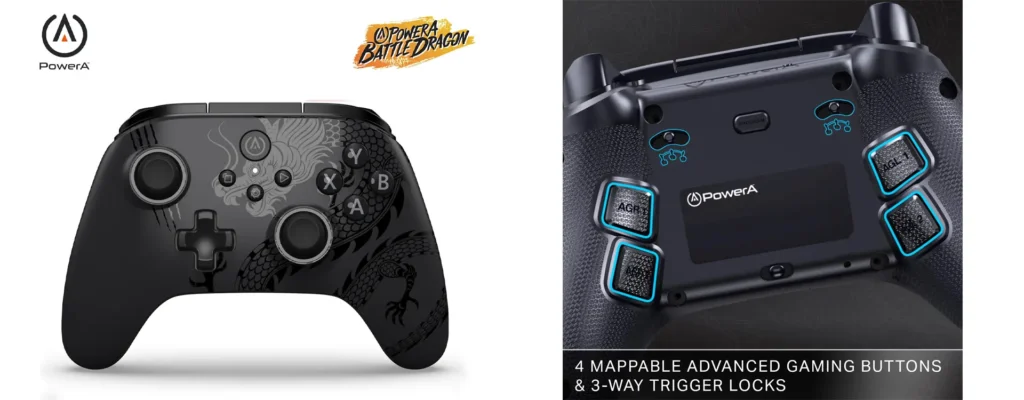
PowerA Battle Dragon / Ops V1 (Rs. 2900–3200) – Amazon Link – Click here
Same controller. Different skins.
Hall Effect triggers + joysticks
Trigger locks (FPS lovers will like this)
Macro buttons
Turbo support
Xbox-style layout
Important: Works properly only on Windows and Android. No PS or Apple reliability here.
Official Xbox Controller (Wired but Licensed)
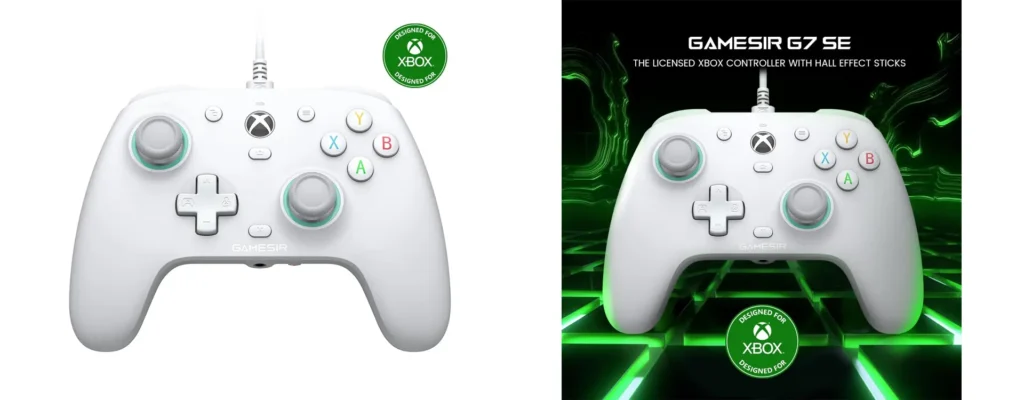
GameSir G7 SE (Rs. 5,099) – Amazon Link – Click here
Expensive. Wired. But licensed.
Official Xbox certification
Hall Effect sticks
Excellent vibration and haptics
Swappable magnetic faceplates
Dedicated mic mute button
Only buy this if:
You are an Xbox user
You care about faceplates and official support
For PC users, better options exist below.
Absolute Premium Controller for PC Gamers
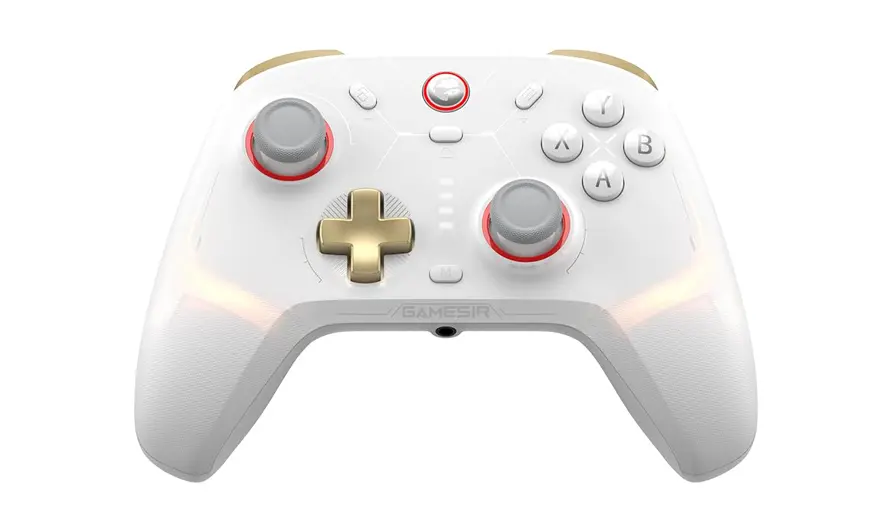
GameSir Cyclone 2 (Rs. 5,099) – Amazon Link – Click here
This is not for casual players.
Hall Effect triggers + joysticks
Mechanical face buttons and D-pad
1000Hz polling rate
Macro buttons + turbo modes
Gyro support
Massive 860mAh battery
Full RGB with software control
Targets PC esports players only. No PS support. No Xbox license.
Verdict: If you want the most advanced controller under Rs. 5000, this is it.
Final Buying Recommendations (No Confusion)
Under Rs. 1000 → Cosmic Byte Nexus
Rs. 1500–2000 → EvoFox One S (best value)
Rs. 2500–3000 → GameSir Nova Lite
Xbox users → GameSir G7 SE
Premium PC gamers → GameSir Cyclone 2
Conclusion
Controllers don’t need flashy marketing. They need comfort, compatibility, and durability. Most people overspend or buy the wrong platform controller. Now you won’t.
Choose based on your device, not brand hype. And yes, Hall Effect joysticks are worth it.
FAQs
1. Which is the best controller under Rs. 2000?
EvoFox One S. Best compatibility and Hall Effect sticks.
2. Are Hall Effect joysticks really better?
Yes. They reduce stick drift and last longer.
3. Can these controllers run PS5 games?
Only PS4 games on PS5. For PS5 titles, DualSense is mandatory.
4. Which controller is best for PC esports?
GameSir Cyclone 2 due to 1000Hz polling and mechanical buttons.
5. Should I buy wired controllers in 2026?
Only if it’s officially licensed for Xbox. Otherwise, wireless is better.
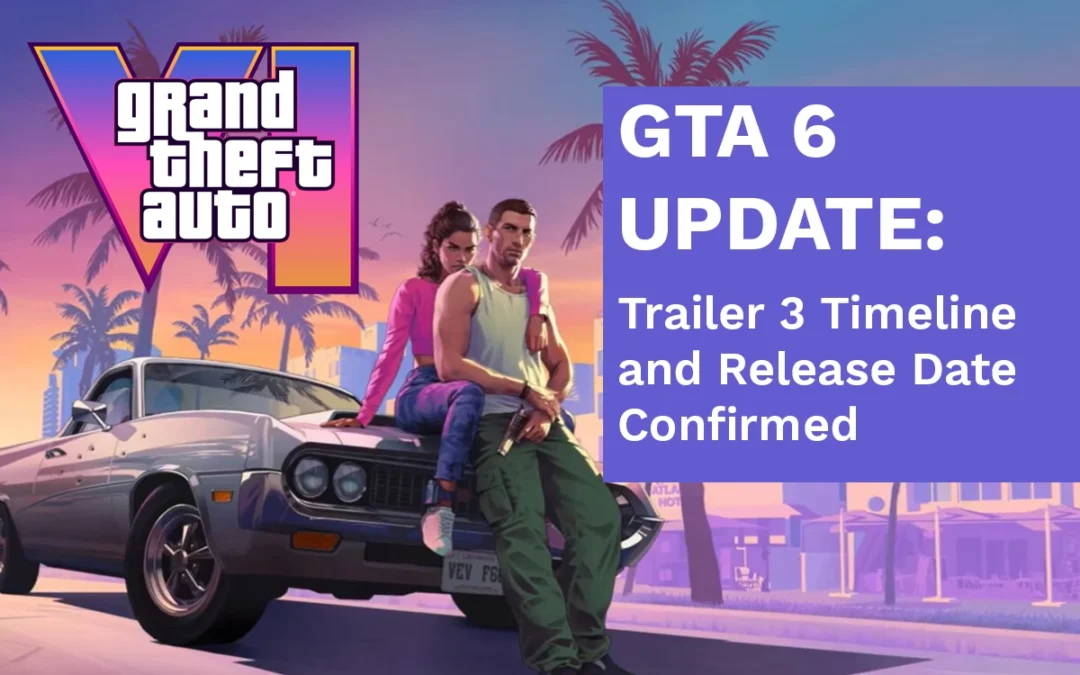
GTA 6 update — so guys, welcome back. And finally, after a long time, we have proper GTA 6 news. Not leaks, not fake insiders, not random Twitter theories. This time, the information is coming straight from the source. And honestly, this is the kind of update GTA fans were waiting for.
Today we are talking only about Grand Theft Auto VI. No other gaming news, no side topics. Just GTA 6, clean and clear.
In This Post
Rockstar’s Parent Company Breaks the Silence on GTA 6
So, Take-Two Interactive recently held its earnings call. For people who don’t know, Take-Two is the parent company of Rockstar Games.
An earnings call is basically where a company tells investors:
What games are coming
When they are expected to release
How big those games are going to be financially
And this time, GTA 6 was a major topic. Multiple important things were confirmed, and for once, the messaging was very direct.
GTA 6 Will Have a Physical Copy (Not Digital-Only)
Let’s clear the biggest confusion first.
There were a lot of rumors saying GTA 6 would be digital-only. No discs, no boxes, nothing physical. Rockstar was directly asked about this, and their answer was very clear.
GTA 6 was never planned as a digital-only release.
That means:
GTA 6 physical edition is confirmed
GTA 6 digital edition is also confirmed
So yes, if you like owning discs, collector editions, or just want that box on your shelf, you are safe.
GTA 6 Is Fully Handcrafted, No Generative AI Used
This is a very important confirmation.
Rockstar has officially stated that generative AI was not used in the development of GTA 6.
That means:
No AI-generated missions
No AI-written dialogue
No AI-created characters
Everything in GTA 6 has been manually designed by developers. Old-school Rockstar craftsmanship. In a time where many studios are rushing AI into games, this decision clearly shows Rockstar wants quality and control over speed.
GTA 6 Release Date Is Still 19 November 2026
Now let’s talk about the release date.
Rockstar and Take-Two have once again confirmed that GTA 6 is scheduled to release on 19 November 2026.
Yes, the game has been delayed before. Everyone knows that. But this time, the confidence felt different. The date was repeated without hesitation, and no alternative window was mentioned.
Of course, delays are always possible in game development. But as of now, 19 November 2026 is still the official release date.
GTA 6 Trailer 3: When Should We Expect It?
This is where things get interesting.
Take-Two did not directly say “Trailer 3 is coming on this date.” But they did confirm something very important.
GTA 6’s full marketing campaign will begin in Summer 2026.
Summer usually means:
May
June
And when Rockstar starts marketing, it usually includes:
New trailers
Short cinematic clips
Gameplay footage
Pre-order announcements
So realistically speaking, GTA 6 Trailer 3 is expected in Summer 2026. That is the window fans should be looking at.
What Will the GTA 6 Marketing Phase Look Like?
Once Summer 2026 hits, expect GTA 6 to be everywhere.
Heavy online marketing
Social media campaigns
YouTube ads and TV spots
Collector editions and pre-orders
Rockstar knows how to control hype. And once marketing starts, the internet will basically revolve around GTA 6 until launch.
GTA 6 on Nintendo Switch 2? Let’s Be Real
There have been rumors about GTA 6 coming to Nintendo Switch 2. But realistically, this does not make much sense.
Games like:
Grand Theft Auto V
Red Dead Redemption 2
still struggle with proper ports on Nintendo hardware. GTA 6 is far more advanced and demanding. At launch, GTA 6 will clearly focus on high-end consoles.
Rockstar’s Bold Claim About GTA 6
One statement from the earnings call really stood out.
Rockstar believes that GTA 6 will set a standard that will not be beaten for the next 20 years.
That is a bold claim. But looking at Rockstar’s history, it is not completely unrealistic. GTA 3, San Andreas, and GTA 5 all redefined open-world gaming in their own time.
Now the question is simple: can GTA 6 do it again?
GTA 6 Update: Conclusion
To sum everything up:
GTA 6 physical and digital versions are confirmed
No generative AI has been used in development
Release date is still locked at 19 November 2026
Trailer 3 is expected during Summer 2026
Full marketing push will start next year
Now it’s all about execution. If Rockstar delivers what they are promising, GTA 6 will not just be another big game. It will be an industry-defining release.
With the release timeline getting clearer, the next big question is obvious: how much will GTA 6 cost? We’ve broken it down in detail here: What Will Grand Theft Auto 6 Cost?
FAQs
1. When will GTA 6 Trailer 3 release?
Trailer 3 is expected in Summer 2026, most likely between May and June.
2. Is GTA 6 digital-only?
No. Rockstar has confirmed both physical and digital versions.
3. What is the confirmed GTA 6 release date?3. What is the confirmed GTA 6 release date?
19 November 2026.
4. Did Rockstar use AI to develop GTA 6?
No. Rockstar confirmed GTA 6 is fully handcrafted with no generative AI.
5. Will GTA 6 launch on Nintendo Switch 2?
At launch, this is highly unlikely due to hardware limitations.
Kling AI 3.0 is rolling out right now, and it’s not a small update. This is a serious upgrade that finally makes AI video feel usable for real storytelling.
In this guide, I’m breaking down Kling 3.0 examples and use cases based on hands-on testing. You’ll see exactly what works, where it still struggles, and how creators are actually using it in real workflows.
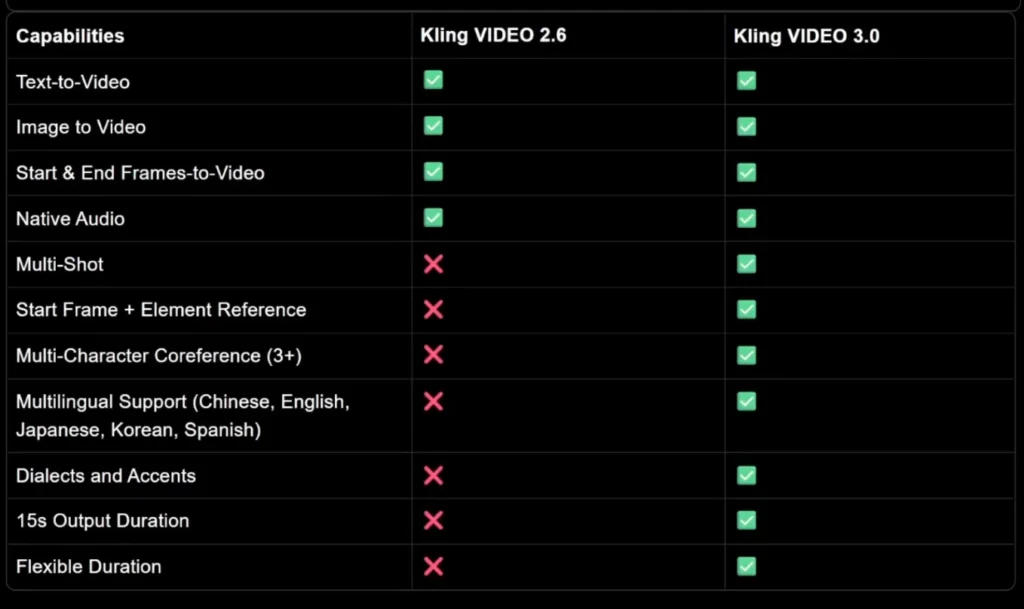
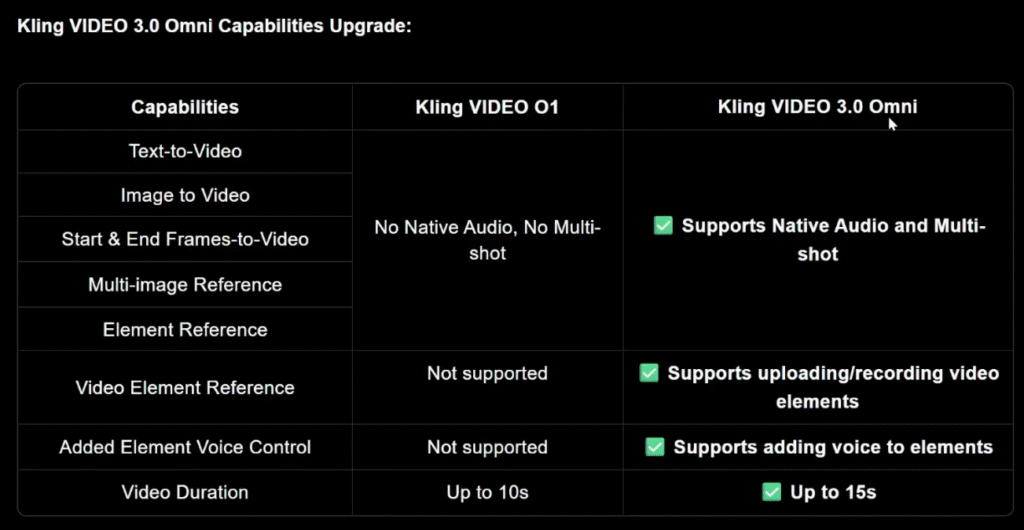
Kling 3.0 is the latest version of Kling’s AI video generation model. It supports text to video, image to video, native audio, lip sync, and up to 15 seconds of output.
The standout feature is multi-shot video generation, which lets you define what happens in each shot instead of generating one random clip.
That one feature changes everything.
Kling 3.0 Examples and Use Cases
Let’s start with real examples.
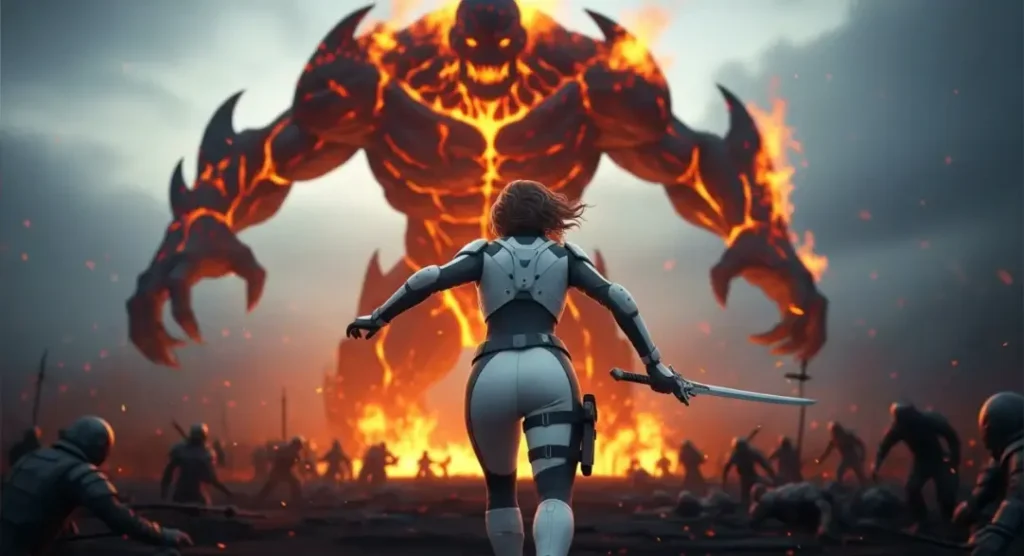
Image to Video Example
Upload an image as the first frame and write a simple prompt like:
A warrior sprints toward a monster and engages in an epic fight.
With multi-shot on.
The same scene is split into multiple cinematic shots with hard cuts. The pacing improves. The scene feels intentional.
character consistency stays intact across shots, which is something most AI video models still struggle with.
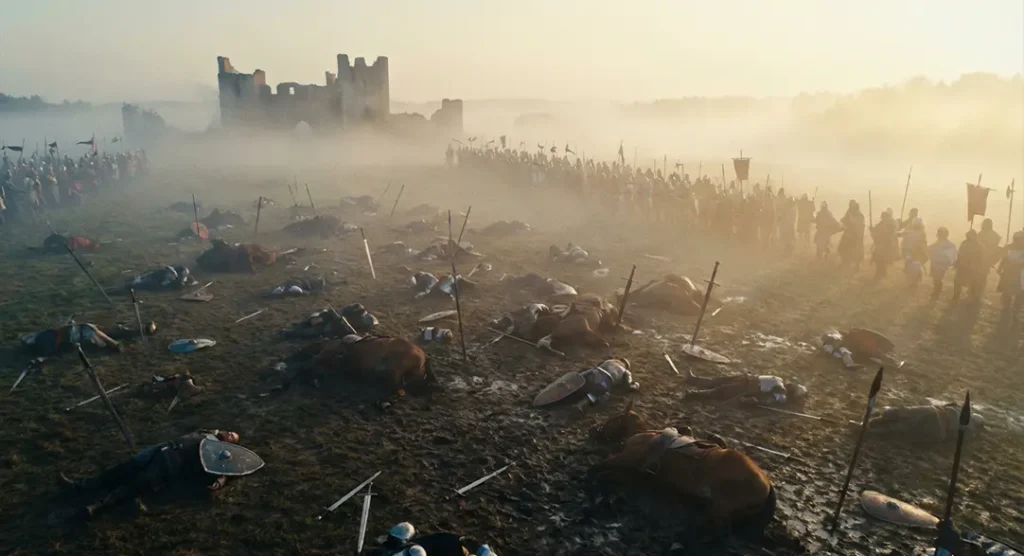
Multi-Shot Storytelling Example
You can go further by manually defining each shot.
Upload an image as the first frame and write a simple prompt like:
Example setup:
Create a cinematic game teaser with 5 shots.
Shot 1: Wide shot of a massive fantasy city at night, glowing torches, rain falling, cinematic scale. Shot 2: Tracking shot behind a hooded character walking through a crowded street. Shot 3: Close-up of a sword being drawn, sparks and reflections, dramatic lighting. Shot 4: Fast cut action shot – character dodges an attack in slow motion. Shot 5: Final wide shot of the city skyline with thunder and lightning.
Epic fantasy, cinematic camera, realistic motion, dark tone.
The result follows the prompt almost perfectly. Camera movement, pacing, and cuts all make sense.
This is where Kling 3.0 clearly separates itself.
Kling 3.0 Use Cases for Content Creators
This is where Kling 3.0 actually becomes useful.
YouTube Creators
Creators can generate:
Cinematic B-roll
Short narrative sequences
High-action intros
Visual explainers
Multi-shot control makes it possible to create scenes instead of random clips.
Short-Form Content (TikTok, Reels, Shorts)
Use case Brands running Meta ads, product reels, or hero visuals.
Why Kling 3.0 fits
Short duration optimized for reels
Clean transitions
Controlled product focus
Example prompt
Create a premium product reel in 3 shots.
Shot 1: Close-up of a sleek wireless charger on a dark desk, soft blue accent lighting, slow camera pan. Shot 2: Phone placed on charger, subtle glow appears, minimalistic background, smooth motion. Shot 3: Final hero shot with clean composition, product centered, cinematic lighting, modern tech aesthetic.
Professional commercial style, realistic textures, smooth motion, no text.
Game Cinematic / Trailer Concept
Use case Game studios or YouTube creators creating teaser visuals or concept trailers.
Kling 3.0 advantage
Action + camera movement
Fantasy / realism blend
Trailer-style pacing
Example prompt
Create a cinematic game teaser with 5 shots.
Shot 1: Wide shot of a massive fantasy city at night, glowing torches, rain falling, cinematic scale. Shot 2: Tracking shot behind a hooded character walking through a crowded street. Shot 3: Close-up of a sword being drawn, sparks and reflections, dramatic lighting. Shot 4: Fast cut action shot – character dodges an attack in slow motion. Shot 5: Final wide shot of the city skyline with thunder and lightning.
Epic fantasy, cinematic camera, realistic motion, dark tone.
AI Influencer / Character Video
Use case Virtual influencers, AI characters, or brand mascots.
Why Kling 3.0 works
Character consistency
Facial expressions + motion
Camera control
Example prompt
Create a realistic AI character video.
Shot 1: Medium shot of a young female digital influencer standing on a city rooftop at sunset. Shot 2: Close-up as she smiles and looks into the camera, soft cinematic lighting. Shot 3: Side profile shot as wind moves her hair, shallow depth of field.
Photorealistic human character, natural motion, cinematic realism.
Educational / Explainer Visual
Use case Ed-tech, Instagram explainers, YouTube shorts.
Strength here
Visual clarity
Calm motion
Easy storytelling
Example prompt
Create a clean educational explainer video in 3 shots.
Shot 1: Minimal desk setup with laptop and notebook, soft daylight, calm camera movement. Shot 2: Abstract visualization of data lines and charts floating subtly. Shot 3: Wide shot of a modern workspace with natural light, professional tone.
Clean, modern, minimal, smooth motion.
Fashion / Lifestyle Reel
Use case Clothing brands, Instagram drops, lookbooks.
Why Kling 3.0 shines
Fabric realism
Motion + pose control
Editorial feel
Example prompt
Create a fashion editorial reel.
Shot 1: Wide shot of a model walking slowly in an urban street, cinematic framing. Shot 2: Medium shot focusing on outfit details, fabric movement in slow motion. Shot 3: Close-up portrait with soft natural light, shallow depth of field.
High-fashion editorial style, cinematic realism.
Pre-Visualization for Ads or Films (Storyboard Replacement)
Use case Directors, agencies, production houses.
Why this matters
Saves time before shooting
Replaces rough storyboards
Visual clarity for clients
Example prompt
Create a pre-visualization cinematic sequence for a commercial.
Shot 1: Establishing shot of a modern city at sunrise. Shot 2: Interior office shot, professional working on laptop, natural light. Shot 3: Close-up of hands typing, shallow depth of field. Shot 4: Final wide shot with confident tone and clean composition.
Neutral color grading, realistic motion, cinematic framing.
Kling 3.0 Advanced Examples and Workflows
Now let’s talk about advanced workflows.
Custom Multi-Shot Workflows
Instead of letting Kling decide everything, you can:
Define each shot
Control duration per shot
Specify camera movement
Stitch everything into one coherent video
This works especially well for:
Short films
Narrative ads
Action sequences
Dialogue-heavy scenes
Omni 3 Video Editing Workflow
Kling 3.0 also includes Video 3 Omni, its omni-modal editing model.
With Omni 3, you can:
Upload images and videos
Edit scenes using natural language
Change outfits, colors, and backgrounds
Add or remove characters
Example prompt:
Make the woman wear a kimono and change the car to red.
It just works.
Consistency is strong, even with complex clothing. Faces can lose detail at a distance, but overall, this is one of the most powerful AI video editing workflows available right now.
Kling 3.0 Strengths and Weaknesses Explained
Let’s be honest.
Strengths
Excellent multi-shot storytelling
Strong character consistency
Good camera movement understanding
Native audio and lip sync
Multilingual support
Up to 15 seconds of video
1080p output
This is one of the few AI video models that feels usable for real projects.
Weaknesses
Fast motion still causes blur
Fingers and faces can break in action scenes
Physics-heavy scenes aren’t perfect
Distant shots lose fine detail
It’s a big improvement, but it’s not flawless.
World Understanding and Style Tests
Kling 3.0 shows solid world understanding.
It understands game concepts like Squid Game without copying characters
It handles 3D animation styles like Disney-Pixar convincingly
Educational prompts work better than expected
Motion graphics are hit or miss
Compared to older versions, it’s noticeably smarter.
Conclusion
Kling 3.0 is a massive upgrade.
The multi-shot feature alone changes how AI video is made. Instead of generating random 5-second clips, you can now create structured scenes with real pacing and intent.
It still struggles with extreme motion and fine details, but overall, this is one of the strongest AI video generators available right now.
If you care about cinematic control, storytelling, and consistency, Kling 3.0 is absolutely worth testing.
FAQs
What are the best Kling 3.0 examples and use cases?
Multi-shot storytelling, cinematic B-roll, anime dialogue, and short narrative videos.
What are the main Kling 3.0 use cases for content creators?
YouTube videos, Shorts, ads, cinematic intros, and visual storytelling.
Does Kling 3.0 support advanced workflows?
Yes. Custom multi-shot control and Omni 3 editing allow complex workflows.
What are Kling 3.0’s strengths and weaknesses?
Strong consistency and storytelling, weaker fine detail in fast motion.
Is Kling 3.0 worth using right now?
Yes, especially if you want cinematic control and structured scenes.
What Makes Crimson Desert Combat and Progression Different?
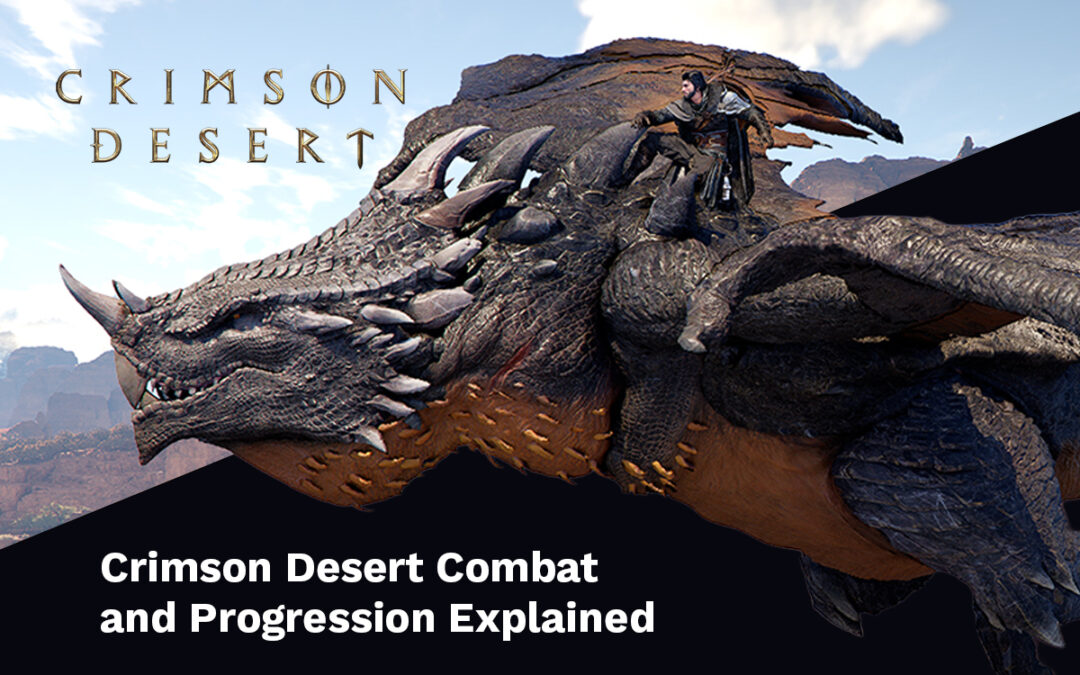
At its core, Crimson Desert Combat and Progression Explained comes down to one idea. Player control over everything.
You shape the fight. You shape your build. You shape your growth.
No rigid classes. No lazy scaling. Just clean, expressive action.
Crimson Desert leans hard into physical combat. Hits feel heavy. Movement matters. Bad timing gets punished fast.
And honestly? I love that.
Combat Freedom: Fight How You Want
Crimson Desert combat doesn’t babysit you.
Every encounter lets you choose:
Aggressive pressure
Defensive counters
Environmental plays
Mount-assisted chaos
This is where Crimson Desert combat and progression starts feeling soulslike-adjacent, but faster and more flexible.
If you mess up, it’s on you. If you win, you earned it.
Weapons That Change the Way You Play
Weapons are not cosmetic here. They’re playstyle-defining.
You’ll use:
Sword and shield
Spears
Greatswords
Axes
Ranged weapons
Each one alters pacing, spacing, and risk. The key to mastering Crimson Desert combat and progression is learning when to switch.
Pro tip: weapon swapping mid-fight isn’t advanced tech. It’s expected.
Skill Chaining Is the Real Power Curve
This is where things get spicy.
Weapon skills flow directly into:
Punches
Kicks
Grapples
Throws
You’re not locked into one animation chain. You’re building momentum. Add elemental effects and suddenly Crimson Desert combat and progression opens up even more.
Fire for pressure. Ice for control. Stun for pure disrespect.
UE5 visuals plus mechanical depth? Chef’s kiss
Movement, Defense, and Clean Timing
If you panic dodge, you’re done.
Crimson Desert rewards:
Precise dodges
Well-timed guards
Smart counters
Defense creates offense. A clean parry cracks enemies wide open. This balance is a huge reason why Crimson Desert combat and progression explained feels so satisfying.
Skill matters more than stats. Always.
Starting Weak Is Part of the Design
Progression starts rough. And that’s the point.
At the beginning, Kliff is fragile. Limited skills. Basic gear. No flashy nonsense.
This makes the payoff better.
Crimson Desert progression is about growth through mastery, not menu spam.
Pywel Shapes Your Progression Path
Everything happens across Pywel.
You don’t just level up. You survive. You explore. You conquer.
Crimson Desert combat and progression explained through the world itself:
Dangerous regions
Hidden challenges
Boss-controlled zones
Power comes from pushing forward, not grinding backward.
Artifacts: The Core of Crimson Desert Progression
Artifacts are the backbone of Crimson Desert combat and progression.
You earn them through:
Quests
Exploration
Combat trials
Boss fights
Artifacts allow you to:
Increase Health and Stamina
Unlock new combat skills
Enhance existing abilities
Expand traversal options
Some upgrades must be learned directly in the world. No shortcuts. No UI popups. Just observation and execution.
No Classes, Just Playstyle Commitment
There are no fixed roles here.
Your version of Crimson Desert combat and progression explained depends on choices:
High-Stamina explorer
Grapple-focused brawler
Weapon-switching DPS monster
Your build reflects how you fight. Not a dropdown selection from hour one.
This is the kind of system theorycrafters will lose sleep over.
Gear, Crafting, and Min-Max Dreams
Gear matters. A lot.
Weapons and armor can be:
Bought
Found
Crafted
Upgraded
Upgrade materials come from:
Mining
Hunting
Bosses
Quests
Hidden locations
Customization lets you stack stats and special effects. This is where Crimson Desert combat and progression turns dangerous in the best way.
Late-night build testing? Guaranteed.
Bosses Are Real Skill Checks
Bosses rule Pywel. And they don’t play fair.
You’ll fight:
Elite humans
Massive beasts
Supernatural threats
Each boss tests a different skill. Timing. Positioning. Adaptation. Some rewards unlock signature abilities, letting you steal boss power for yourself.
That loop alone makes Crimson Desert combat and progression explained worth watching closely.
Why This System Actually Works
Here’s the thing.
Crimson Desert doesn’t reward mindless grinding. It rewards:
Learning enemy patterns
Improving execution
Smart build decisions
Every win feels earned. Every loss teaches something. That philosophy screams Pearl Abyss confidence.
They know what they’re building.
Who Should Be Hyped for This?
Skip this if you want:
Auto-combat
Brain-off gameplay
Hand-holding systems
But if you want:
Soulslike-inspired action
Player-driven progression
Deep combat mechanics
UE5 spectacle
Yeah. Crimson Desert Combat and Progression Explained is a Day 1 lock.
Already watching INR deals on Steam and Eneba, not gonna lie.
Conclusion: Crimson Desert Combat and Progression Explained, No Cap
Crimson Desert combat is expressive, punishing, and rewarding. Its progression system respects player skill and choice.
You start weak. You learn. You dominate.
If Pearl Abyss sticks the landing, Crimson Desert combat and progression explained could set a new standard for action RPGs.