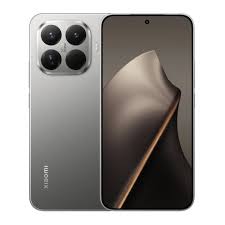
Nothing Phone 4a Pro alternatives are in high demand as the mid-range smartphone market in 2026 becomes more competitive than ever, with brands delivering near-flagship performance, powerful cameras, and long battery life under ₹70,000.
When the Nothing Phone (4a) Pro launched, it immediately grabbed attention thanks to its transparent design, Glyph Matrix lighting, and a fast 144Hz AMOLED display. On paper, it looks like one of the most exciting mid-range phones of the year.
However, after extended real-world usage, many buyers have noticed limitations in thermal performance, charging speed, and camera processing compared with competing devices in the same price range.
If you want better performance, stronger cameras, or longer battery life, several Android phones offer more value for the money.
This guide breaks down the 5 best Android phones you should buy instead of the Nothing Phone 4a Pro in 2026.
In This Post
Nothing Phone 4a Pro Alternatives: Why You Might Skip the Nothing Phone 4a Pro
Before looking at alternatives, it is important to understand where the Nothing Phone 4a Pro struggles compared with its competitors.
1. Thermal Throttling Under Heavy Workloads
The phone uses the Qualcomm Snapdragon 7 Gen 4 chipset. While capable for daily tasks, heavy gaming or sustained workloads can trigger noticeable thermal throttling. During long gaming sessions, frame rates may drop as the device reduces clock speeds to control heat.
2. Older Storage Standard
The phone still uses UFS 3.1 storage, which is slower than the UFS 4.0 storage found in several newer competitors. This can affect large file transfers and heavy multitasking.
3. Charging Speed
The 5,080mAh battery supports 50W wired charging, which is decent but slower than many competing phones that now offer 80W or higher charging speeds.
4. Aggressive Image Processing
The 50MP camera system can produce detailed photos, but the image processing sometimes adds strong contrast and sharpening that makes photos appear overly processed.
For buyers who want a more balanced smartphone experience, the following alternatives offer better value.
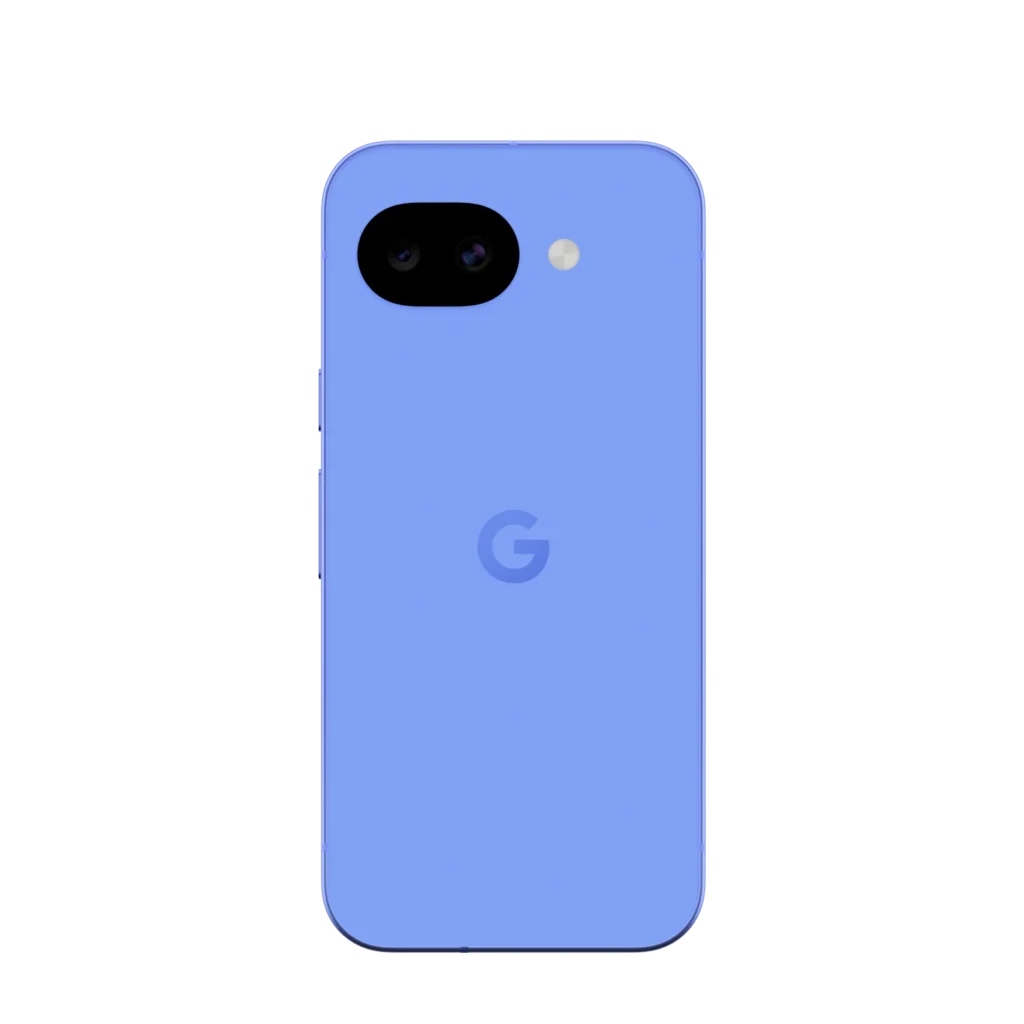
The Google Pixel 10a is one of the strongest competitors in the mid-range category. While it focuses less on flashy design, it delivers exceptional software optimization and camera performance.
Computational Photography Advantage
The Pixel 10a uses a 48MP main camera and 13MP ultrawide sensor, but its real strength is Google’s AI photography processing. Features powered by Google Gemini help optimize exposure, composition, and lighting automatically.
Tools like Best Take and Magic Editor allow users to improve photos even after they are captured.
Seven Years of Android Updates
Google promises 7 years of Android OS and security updates, which is one of the longest support policies available on any smartphone.
Compact and Comfortable Design
The Pixel 10a features a 6.3-inch Actua pOLED display with a 120Hz refresh rate, making it comfortable to hold while still offering a smooth viewing experience.
For users who value camera quality and long-term software support, the Pixel 10a is an excellent alternative.
Buy the Pixel 10a if you want the best camera and long-term software support in this price range.
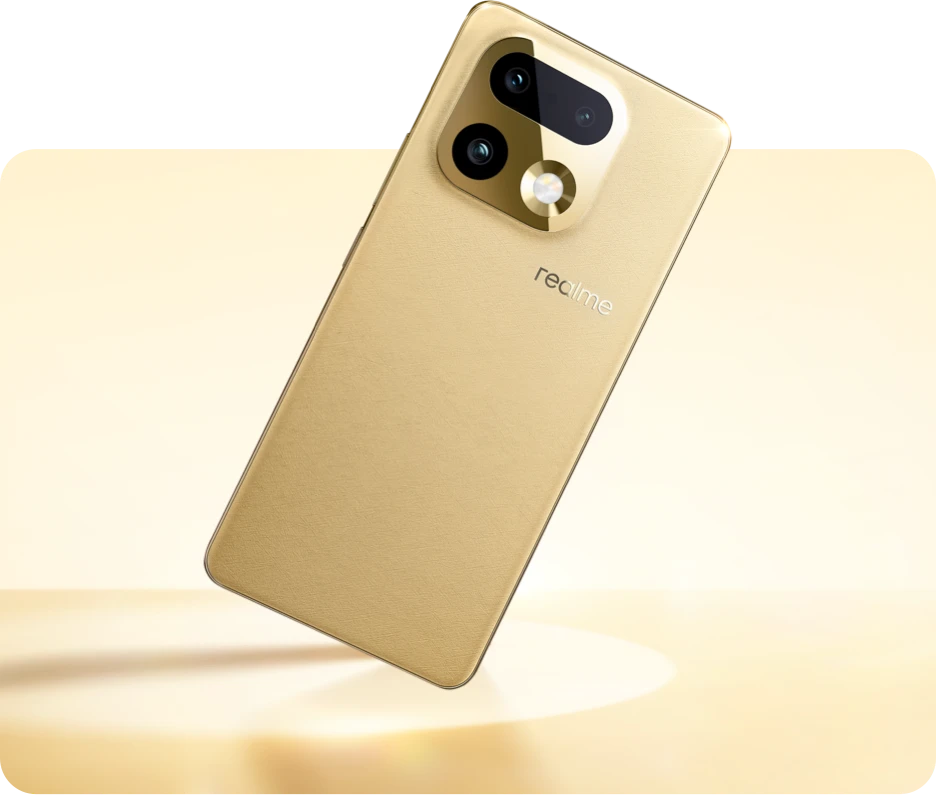
The Realme 16 Pro Plus 5G pushes mid-range hardware to impressive levels.
Massive 7000mAh Battery
One of the biggest highlights is its 7000mAh battery, which can easily provide two days of usage for most users.
The phone also supports 80W fast charging, allowing users to recharge the battery much faster than the Nothing Phone 4a Pro.
200MP Camera System
The phone features a 200MP Samsung sensor with advanced stabilization, allowing detailed photos and strong low-light performance.
It also includes a periscope telephoto camera capable of optical zoom for distant subjects.
Improved Cooling System
Although it uses the same Snapdragon chipset as the Nothing Phone, Realme includes a larger vapor chamber cooling system, which helps maintain stable performance during gaming.
Buy the Realme 16 Pro Plus if you need massive battery life and powerful zoom capabilities.
The Xiaomi 15T Pro is designed for users who want flagship-level specifications.
Dimensity 9400 Plus Processor
The phone runs on the MediaTek Dimensity 9400 Plus, which delivers exceptional multi-core performance and efficient power management.
90W Hyper Charging
With 90W HyperCharge, the phone can recharge its battery significantly faster than the Nothing Phone 4a Pro.
Many users can reach a full charge in under 40 minutes.
Premium Display and Cameras
The phone features:
6.83-inch AMOLED display
144Hz refresh rate
Leica-tuned camera system
These features make the Xiaomi 15T Pro one of the most powerful devices in the upper mid-range segment.
Which Phone Should You Choose?
Choosing the right alternative depends on your priorities.
Choose Pixel 10a for photography and long software support.
Choose Realme 16 Pro Plus for massive battery life.
Choose OnePlus 13R for gaming and peak performance.
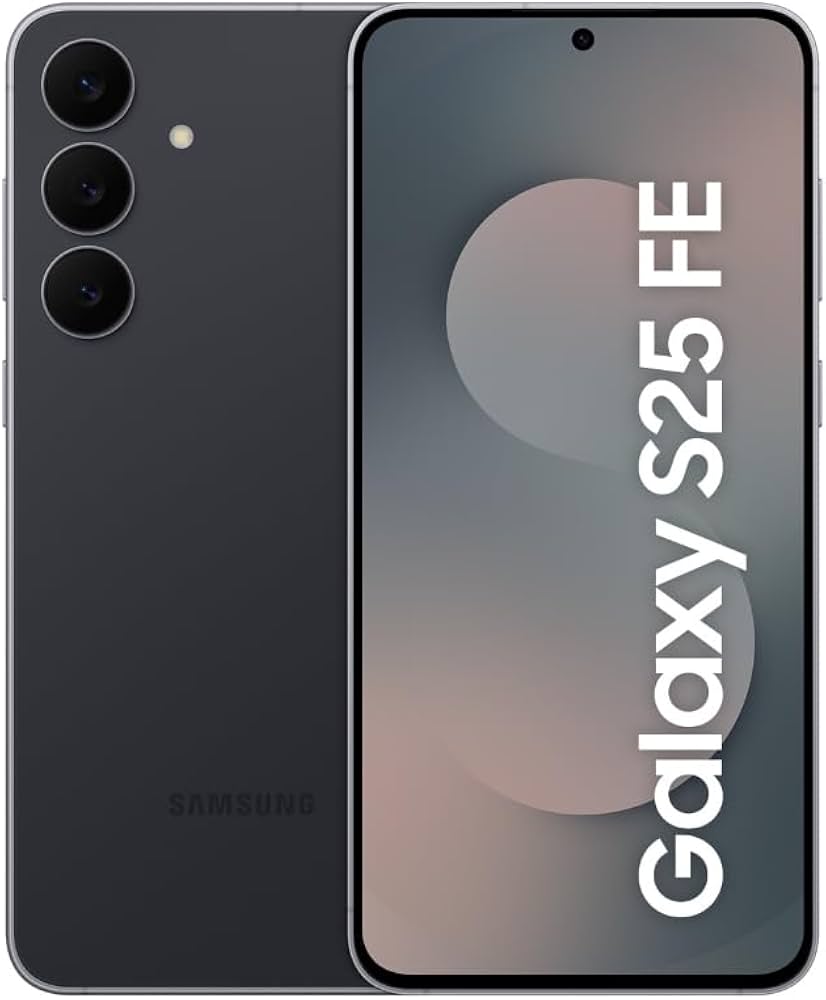
Choose Galaxy S25 FE for ecosystem features and AI tools.
Choose Xiaomi 15T Pro for charging speed and flagship hardware.
Each of these devices offers clear advantages over the Nothing Phone 4a Pro.
Conclusion
The Nothing Phone 4a Pro is visually unique and offers a distinctive design with its Glyph lighting system. However, the competition in the mid-range smartphone market has become incredibly strong.
Devices like the Pixel 10a, OnePlus 13R, Realme 16 Pro Plus, Samsung Galaxy S25 FE, and Xiaomi 15T Pro offer superior performance, faster charging, stronger cameras, or longer software support.
If you are planning to upgrade your smartphone in 2026, comparing these alternatives carefully will help you choose a device that delivers the best value for your budget.
FAQs
Is the Nothing Phone 4a Pro good for gaming?
It can handle casual gaming well, but phones like the OnePlus 13R perform better due to their flagship processors and stronger cooling systems.
Which phone has the best camera among these alternatives?
The Google Pixel 10a generally offers the best photography thanks to Google’s advanced computational photography.
Which phone has the best battery life?
The Realme 16 Pro Plus stands out with its large 7000mAh battery and fast charging support.
Which phone charges the fastest?
The Xiaomi 15T Pro offers extremely fast charging with its 90W HyperCharge technology.
Is the Nothing Phone 4a Pro still worth buying?
It is still a stylish device, but many competing phones provide better overall performance and features for a similar price.
Android 16 x Material 3 Expressive marks a significant milestone in Google’s mobile operating system, introducing a comprehensive redesign known as Material 3 Expressive. This new design language represents a bold step forward, aiming to create a more personalized, dynamic, and visually engaging user experience.
Material 3 Expressive builds upon the foundations laid by Material You, emphasizing adaptability and user-centric customization. The redesign focuses on vibrant color schemes, fluid animations, and intuitive interactions, reflecting Google’s commitment to evolving the Android ecosystem to meet modern user expectations.
The Evolution from Material You to Material 3 Expressive
Material You introduced the concept of dynamic theming, allowing users to personalize their devices based on wallpaper colors and preferences. Material 3 Expressive takes this concept further by incorporating more expressive elements, such as:
Enhanced Color Palettes: Offering a broader range of hues and tones for a more vibrant interface.
Advanced Animations: Introducing smoother transitions and motion effects that respond to user interactions.
Adaptive Components: Enabling UI elements to adjust seamlessly across different devices and screen sizes.
This evolution signifies Google’s dedication to creating a cohesive and emotionally resonant user interface that adapts to individual preferences and contexts.
Key Features of Material 3 Expressive
Vibrant Color Schemes and Dynamic Themes
Material 3 Expressive introduces an expanded set of color options, allowing for more expressive and personalized themes. Users can expect:
Dynamic Color Extraction: Automatically generating color palettes from wallpapers to theme the system UI and supported apps.
Customizable Accent Colors: Providing users with the ability to select specific accent colors for a more tailored experience.
Improved Contrast and Readability: Ensuring that text and icons remain legible across various backgrounds and themes.
These enhancements aim to create a more immersive and visually appealing interface that resonates with users’ personal styles.
Enhanced Animations and Motion Effects
The new design language emphasizes fluidity and responsiveness through:
Physics-Based Animations: Incorporating natural motion effects that mimic real-world physics for a more intuitive experience.
Interactive Transitions: Offering smoother transitions between apps and screens, enhancing the overall user flow.
Responsive Feedback: Providing immediate visual and haptic feedback to user interactions, improving engagement and satisfaction.
These animation improvements contribute to a more dynamic and engaging user experience, making interactions feel more natural and responsive.
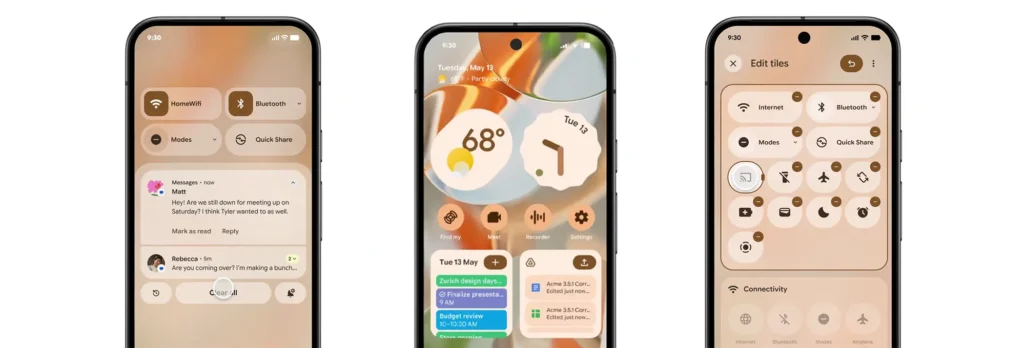
Redesigned Quick Settings and Notification Shade
Material 3 Expressive revamps the Quick Settings panel and notification shade to enhance usability and aesthetics:
Modular Quick Settings: Allowing users to customize the layout and order of quick settings tiles for easier access to frequently used functions.
Blurred Backgrounds: Introducing translucent backgrounds that provide context while maintaining focus on foreground elements.
Grouped Notifications: Organizing notifications into categories for a cleaner and more manageable notification center.
These changes aim to streamline user interactions and provide a more organized and visually coherent interface.
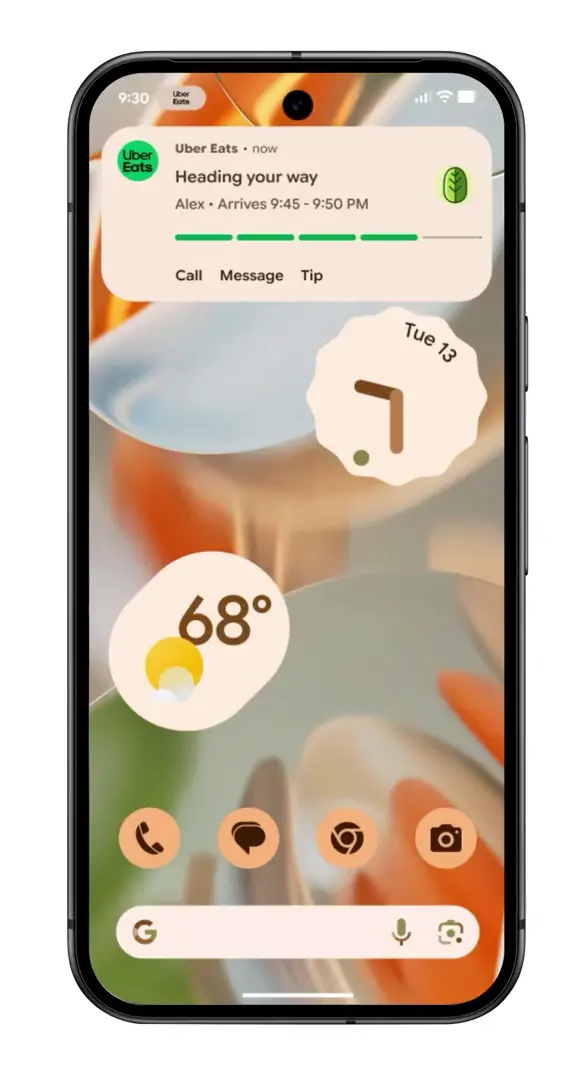
Live Updates: Real-Time Information at a Glance
One of the standout features of Android 16 is the introduction of Live Updates, designed to keep users informed about ongoing activities directly from the lock screen and always-on display. Key aspects include:
Persistent Notifications: Displaying real-time updates for activities such as navigation, music playback, and ride-sharing services.
Interactive Elements: Allowing users to interact with live updates, such as pausing music or ending navigation, without unlocking the device.
Seamless Transitions: Ensuring that live updates transition smoothly between the lock screen, always-on display, and home screen.
This feature enhances convenience by providing timely information at a glance, reducing the need to unlock the device for routine tasks.
Comparison with Apple’s Dynamic Island
Live Updates draw comparisons to Apple’s Dynamic Island feature, which integrates real-time information into the iPhone’s notch area. However, Google’s implementation offers distinct advantages:
Wider Integration: Extending beyond a specific hardware area to utilize the entire lock screen and always-on display.
Greater Customization: Allowing users to tailor which activities and apps can display live updates.
Cross-Device Consistency: Ensuring a uniform experience across various Android devices, regardless of hardware differences.
By focusing on flexibility and user control, Live Updates aim to provide a more versatile and accessible real-time information system.
Personalization and Customization
Adaptive Icons and Widgets
Material 3 Expressive enhances personalization through adaptive icons and widgets:
Shape Shifting Icons: Allowing icons to adapt their shape based on user preferences and system themes.
Responsive Widgets: Enabling widgets to adjust their size and content dynamically to fit different screen sizes and orientations.
Consistent Aesthetics: Ensuring that icons and widgets maintain a cohesive look and feel across the system.
These features empower users to create a home screen layout that reflects their individual style and usage patterns.
User-Centric Design Philosophy
The overarching philosophy of Material 3 Expressive centers on user empowerment:
Inclusive Design: Prioritizing accessibility and usability for users of all abilities.
Contextual Adaptation: Adjusting UI elements based on user behavior and environmental factors.
Feedback-Driven Iteration: Incorporating user feedback to continuously refine and improve the design language.
By placing users at the heart of the design process, Google aims to create a more intuitive and satisfying user experience.
Developer Tools and Support
Jetpack Compose Enhancements
Developers can leverage Jetpack Compose to create applications that align with Material 3 Expressive:
Simplified UI Development: Utilizing declarative programming to build responsive and dynamic interfaces.
Theming Support: Easily implementing dynamic color theming and adaptive components.
Performance Optimization: Benefiting from improved performance and reduced boilerplate code.
Jetpack Compose streamlines the development process, enabling faster and more efficient creation of modern Android applications.
Flutter Integration and Support
Flutter, Google’s cross-platform UI toolkit, also supports Material 3 Expressive:
Unified Design Across Platforms: Allowing developers to create consistent experiences on Android, iOS, web, and desktop.
Customizable Widgets: Providing a rich set of widgets that adhere to Material 3 Expressive guidelines.
Community Resources: Accessing a wealth of documentation, tutorials, and community support for implementing the new design language.
Flutter’s integration ensures that developers can deliver cohesive and expressive applications across multiple platforms.
Impact on User Experience
Improved Accessibility and Usability
Material 3 Expressive introduces several enhancements to accessibility and usability:
Scalable Text and Icons: Supporting dynamic scaling to accommodate users with visual impairments.
High Contrast Modes: Offering themes with increased contrast for better readability.
Voice Interaction Improvements: Enhancing voice command capabilities for hands-free navigation.
These features aim to make Android more inclusive and user-friendly for a diverse range of users.
Feedback from Beta Testers
Early feedback from beta testers highlights positive reception:
Enhanced Visual Appeal: Users appreciate the vibrant colors and fluid animations.
Intuitive Navigation: The redesigned UI elements contribute to a more straightforward and enjoyable navigation experience.
Customization Options: Users value the increased ability to personalize their devices to match their preferences.
This feedback underscores the success of Material 3 Expressive in enhancing the overall user experience.
Rollout and Availability
Beta Release Timeline
Google plans to roll out Material 3 Expressive in phases:
Developer Previews: Initial releases for developers to test and adapt their applications.
Some Pixel phones will be the first to get the stable Android 16 update.
Android 16 is arriving in June
Material 3 Expressive on Wear OS 6
Unified Design Across Devices
Google’s Material 3 Expressive isn’t just limited to smartphones—its influence extends to Wear OS 6 as well, creating a unified design language that ties together Android phones, smartwatches, tablets, and even Android TV. This unified approach ensures a consistent user experience no matter the screen size or platform.
Wear OS 6 adopts the expressive color palettes, fluid animations, and modular UI components of Material 3, all optimized for smaller screens. For instance:
Circular Widgets: Tailored for round displays, with color-aware themes that reflect the user’s phone settings.
Responsive Transitions: Navigating between watch faces, apps, and notifications now feels smoother and more dynamic.
Improved Layouts: Key features such as health tracking, notifications, and Google Assistant commands are now easier to access with better spacing and contrast.
This cross-device cohesion not only boosts aesthetic harmony but also strengthens brand identity across Google’s ecosystem. It’s now easier for users to jump between devices without facing jarring differences in UI or functionality.
Battery Life Improvements
Another key benefit of Material 3 Expressive on Wear OS 6 is power efficiency. Google has refined the design elements to be lighter on system resources. These improvements come in several forms:
Optimized Animations: Transitions and effects are GPU-accelerated but optimized for short bursts to minimize battery drain.
Adaptive Brightness and Theming: Themes that respond to ambient light and activity reduce unnecessary screen brightness.
Background Activity Management: Improved handling of background processes reduces power consumption during inactivity.
These improvements are crucial for wearable tech, where battery life is often a deal-breaker. Beta testers have already reported modest but meaningful gains in day-long usage thanks to these refinements.
Security and Privacy Enhancements
Scam Protection and Anti-Theft Features
Android 16 places a renewed focus on privacy and security, embedding smarter protections into the core of the OS. Material 3 Expressive supports these updates with design elements that make security features more visible and easier to manage.
Key highlights include:
Scam Detection for Calls and Messages: Leveraging AI to identify potential scam messages or suspicious calls and provide real-time alerts to users.
Theft Detection Lock: A smart lock system that detects motion or location anomalies (e.g., snatching behavior) and automatically locks the device.
Remote Lock via Wear OS or Voice Command: Users can lock their Android 16 device from their smartwatch or by issuing a voice command through Gemini AI.
These features aim to offer users peace of mind without overwhelming them with technical jargon. The Material 3 layout makes privacy dashboards more intuitive with real-time activity logs, permission summaries, and color-coded alerts.
Privacy Sandbox Implementation
Google’s broader effort to replace third-party cookies with Privacy Sandbox is making its way into Android 16. This initiative aims to limit tracking across apps and provide more privacy-respecting ad targeting. Material 3 Expressive makes this user-centric with:
Transparent Ad Settings: Users can now view how their data is used and which apps access certain types of information.
Notification of Data Usage Changes: When an app alters its data-sharing behavior, Android now notifies the user in plain language.
Granular Permissions: Apps now request permissions in context, making it clearer when and why data is needed.
Combined with Google’s federated learning advancements, Android 16 positions itself as one of the most privacy-conscious operating systems yet.
Integration with Gemini AI
Replacing Google Assistant
One of the most notable shifts in Android 16 is the deeper integration of Gemini AI, which is slowly taking over roles traditionally held by Google Assistant. This new AI assistant is powered by Google’s most advanced language models and is designed to understand and anticipate user needs better.
Here’s how Gemini AI changes the landscape:
Context-Aware Assistance: Instead of responding to static commands, Gemini understands what you’re doing and suggests actions accordingly (e.g., reminding you of a meeting while you’re drafting an email).
Multimodal Capabilities: It can interpret text, voice, and images simultaneously, offering richer interactions.
On-Device Processing: For privacy and speed, many Gemini functions now work offline without needing to send data to the cloud.
Material 3 Expressive gives this AI a sleek visual identity through interactive bubbles, color-coded feedback, and real-time visual cues that make AI interactions feel more natural.
Cross-Platform Functionality
Gemini AI is not limited to Android phones. It works across Google’s ecosystem—on tablets, smartwatches, Android TV, and even web platforms. This means users can:
Start a task on their phone and continue on their tablet without losing context.
Ask Gemini to control smart home devices from their watch.
Get intelligent recommendations while watching content on Android TV.
Thanks to Material 3’s consistency, Gemini AI feels familiar and intuitive across devices. Whether it’s through adaptive cards, visual cues, or quick suggestions, the assistant blends seamlessly into the Android 16 experience.
Developer and Designer Perspectives
Opportunities for App Customization
Material 3 Expressive opens new doors for app developers and UI/UX designers looking to create more engaging and personal apps. Developers now have access to:
Dynamic Theming APIs: These allow apps to match system colors, enhancing the sense of cohesion.
Motion Design Tools: Built-in support for smooth transitions and microinteractions without heavy lifting.
Pre-Built Components: From cards and buttons to sliders and dialog boxes, all now support expressive styles and animations.
This update encourages developers to embrace a design-first mindset, placing user experience at the core of app development.
Challenges and Considerations
However, the transition also comes with challenges:
Backward Compatibility: Developers must ensure their apps still look and function well on older Android versions.
Learning Curve: New APIs and tools require time to master, especially for teams used to Material You.
Performance Testing: The increased use of animations and visuals means extra performance optimization is necessary for budget devices.
Google provides documentation, migration guides, and community forums to ease this transition, but a period of adaptation is inevitable for app creators.
User Reactions and Community Feedback
Social Media Buzz
As expected, the reveal of Android 16 and Material 3 Expressive generated a lot of buzz on platforms like Twitter, Reddit, and YouTube. Some of the trending reactions included:
“Material 3 Expressive looks like Android’s iOS moment!” (Reddit)
“The new live updates are 🔥—I don’t even need to unlock my phone anymore.” (Twitter)
“It finally feels like Google’s vision for Android is coming together.” (YouTube comment)
Meme culture has also embraced the aesthetic, with users comparing the vibrant themes to everything from neon-lit arcades to pastel aesthetic mood boards.
Early Reviews and Impressions
Tech reviewers and Android enthusiasts who got early access to the Android 16 beta generally praised the update. Key themes include:
Design Maturity: Many agree that Android has finally found its unique design identity.
Performance Consistency: Animations are smooth across devices, including mid-range phones.
Useful AI Features: Gemini AI is getting applause for being helpful without being intrusive.
That said, some users expressed concerns about potential battery drain with dynamic themes and animations—though Google has assured improvements are on the way in the final release.
Comparison with Previous Android Versions
Visual and Functional Differences
When you line up Android 16 next to its predecessors—especially Android 13 and 14—the leap in visual design and fluid functionality is glaringly obvious. Material 3 Expressive ditches the slightly muted, often rigid interfaces of the past in favor of a bold, colorful, and more intuitive layout.
Here’s a side-by-side snapshot:
Feature
Android 13/14
Android 16 with Material 3 Expressive
Color Theming
Wallpaper-based (limited)
Full-spectrum dynamic theming
Animations
Basic transitions
Fluid, physics-based motion
Widgets
Static, some responsive
Fully adaptive and dynamic
Assistant Integration
Google Assistant
Gemini AI
Notification Shade
Basic grouping
Modular, blurred, and organized
Lock Screen
Minimal info
Live updates with rich interaction
In short, Android 16 with Material 3 Expressive doesn’t just feel like an update—it feels like an overhaul. It’s more alive, more intuitive, and more user-first than ever before.
Performance Benchmarks
Functionality isn’t just skin deep. Benchmarks from early adopters and developers show that Android 16 performs admirably, even on mid-tier devices:
App Launch Speeds: Up to 18% faster than Android 14.
Battery Efficiency: Around 12% more efficient under heavy multitasking.
Animation Frame Stability: 60Hz to 120Hz frame rendering remains consistent across most devices.
Thanks to background process optimization and on-device machine learning support, Android 16 doesn’t just look better—it runs better too.
Future Outlook
Potential Updates and Iterations
While Android 16 is just hitting the beta and early adopter circuits, Google has already hinted at what’s next:
Material 3 Expressive+: A likely refinement layer focused on enterprise devices and foldables.
Expanded Gemini AI Capabilities: Including more personalized assistant routines and expanded offline functionality.
Multi-Device Experiences: Deeper integration between phones, tablets, and cars using Android Auto and Chromecast.
These updates may roll out via QPR (Quarterly Platform Releases) as part of Google’s continuous improvement strategy.
Google’s Vision for Android’s UI
It’s clear that Google envisions Android not as just an OS, but as a personal canvas. Material 3 Expressive is a statement—Android is fun, powerful, and uniquely yours.
Expect a future where Android adapts not just to your apps or widgets, but your mood, location, and even your schedule. Think AI-curated homescreens, emotion-aware themes, and app suggestions driven by personal habits.
The UI isn’t just expressive—it’s evolving.
Conclusion
Android 16 and Material 3 Expressive are more than just another OS upgrade—they’re a bold redefinition of how Android feels, behaves, and connects with its users. Google has delivered an interface that’s not just smart but soulful. From vibrant themes and adaptive widgets to Gemini AI’s seamless integration, this is the Android experience many have long hoped for.
As we look ahead, the focus is clear: individuality, intelligence, and immersion. Android is no longer trying to keep up with the competition—it’s setting its own pace.
If you haven’t yet explored Android 16’s beta, now is the time. Dive into the expressive revolution.
FAQ
What is Material 3 Expressive?
Material 3 Expressive is Google’s latest design language for Android, featuring bold colors, adaptive layouts, dynamic theming, and more fluid animations. It builds on the principles of Material You but adds more user customization and visual depth.
How can I access the Android 16 beta?
If you own a Pixel device (Pixel 6 and up), you can enroll in the beta program via the official Android Beta page. Other OEMs like OnePlus and Xiaomi will support it soon.
Will my device support Material 3 Expressive?
Devices launching with or updating to Android 16 will support Material 3 Expressive. For older models, some features may be limited based on hardware compatibility.
How does Material 3 Expressive affect app developers?
Developers are encouraged to update their apps using new Material 3 components. Google provides tools like Jetpack Compose and Flutter integration to ensure seamless adaptation.
What are the main benefits of the new design?
Key benefits include improved personalization, richer animations, a more intuitive interface, better battery performance, and enhanced AI assistance via Gemini.