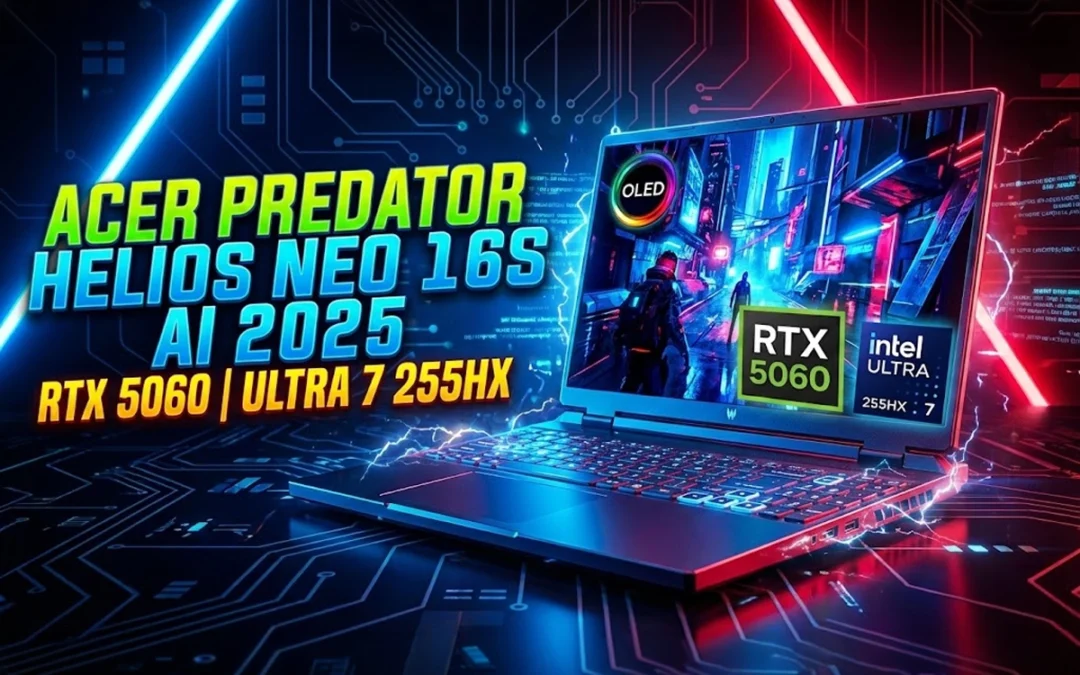
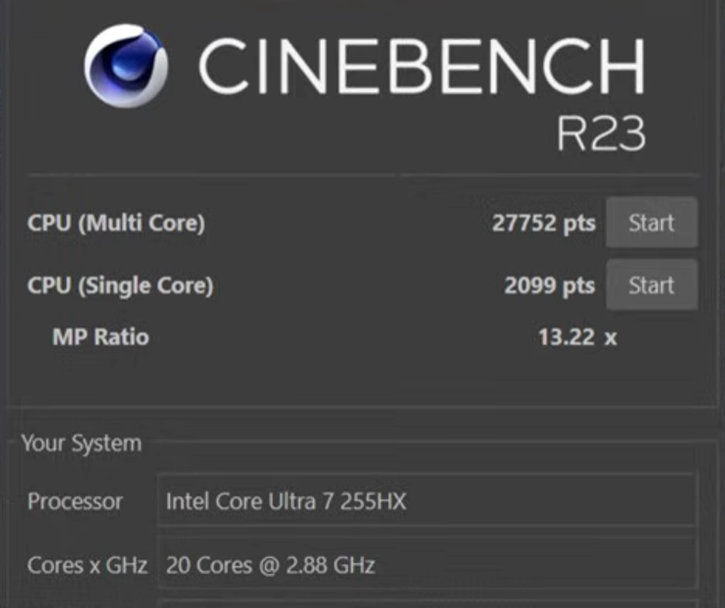
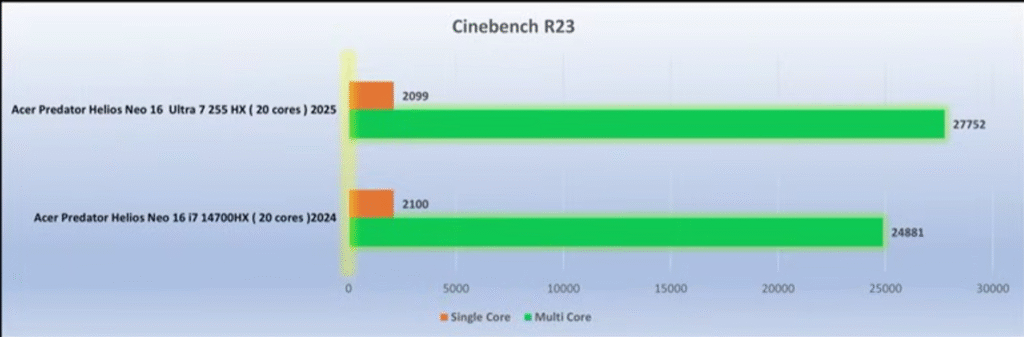
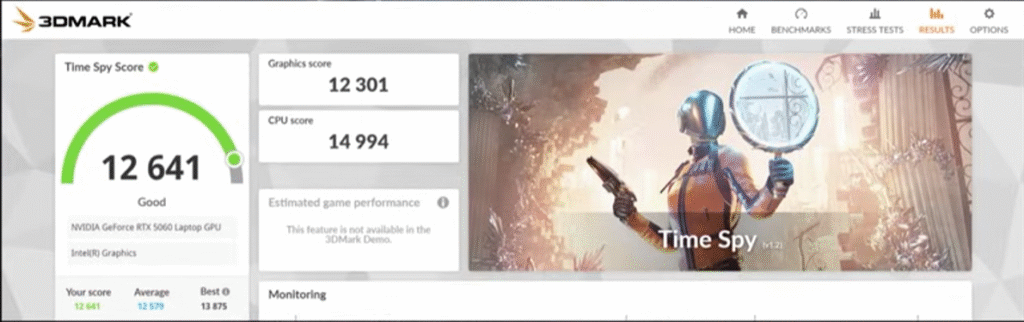
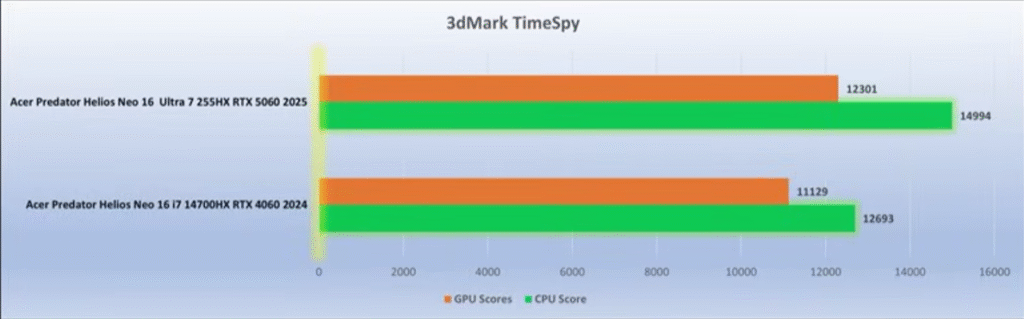
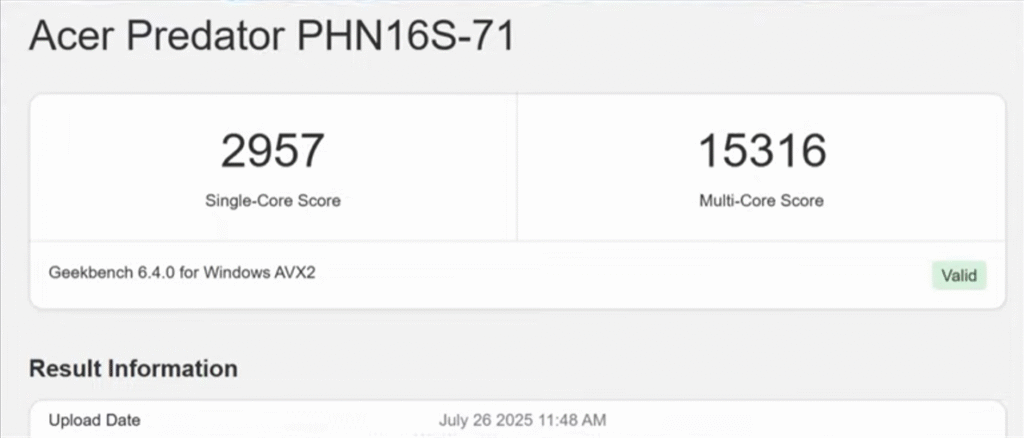
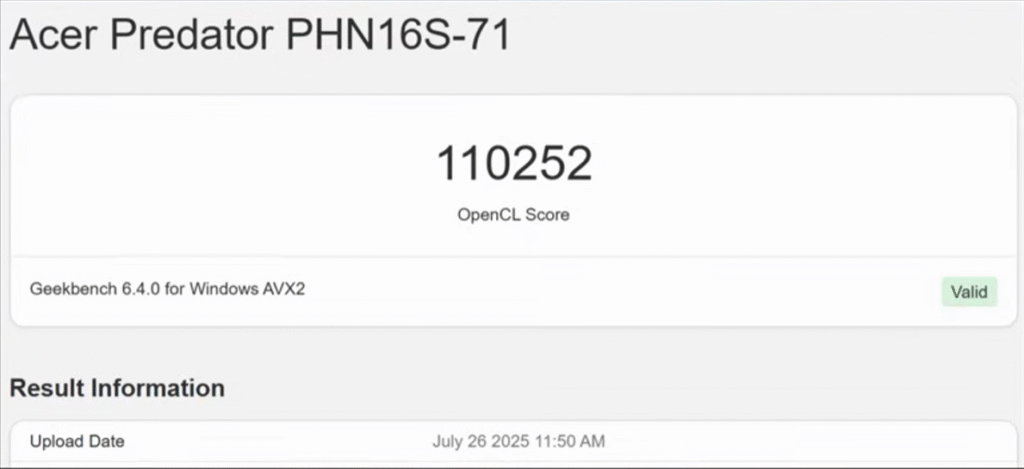
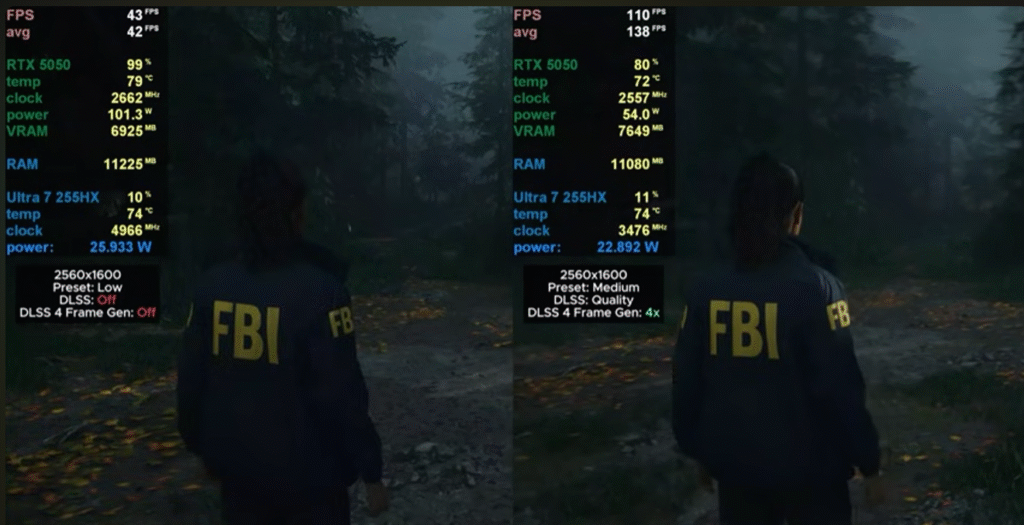
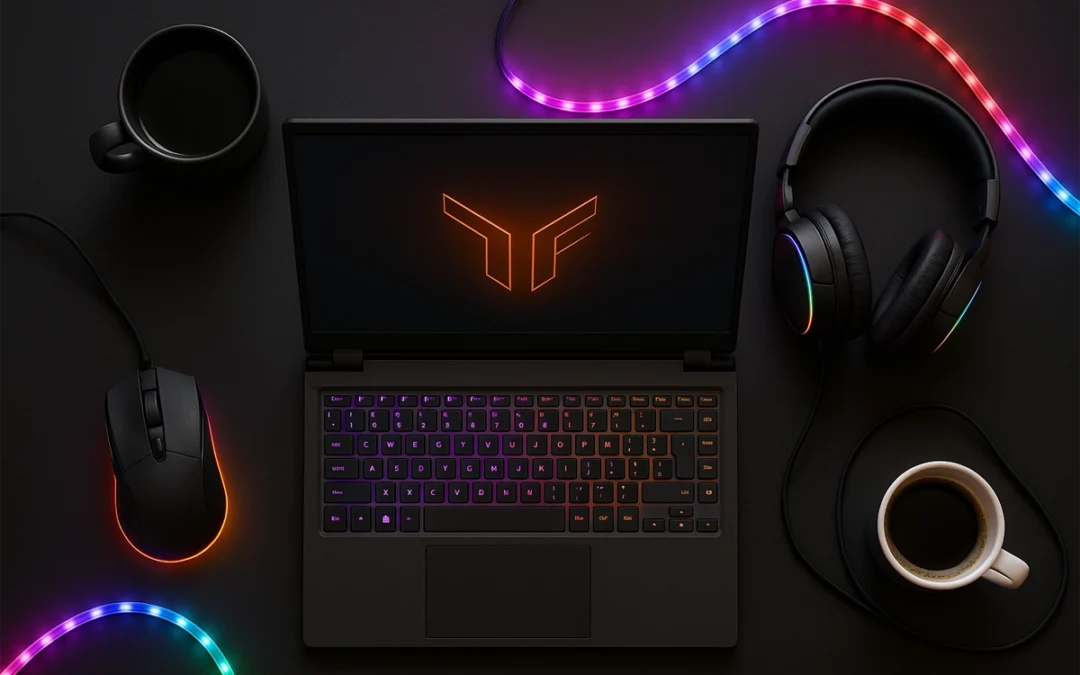
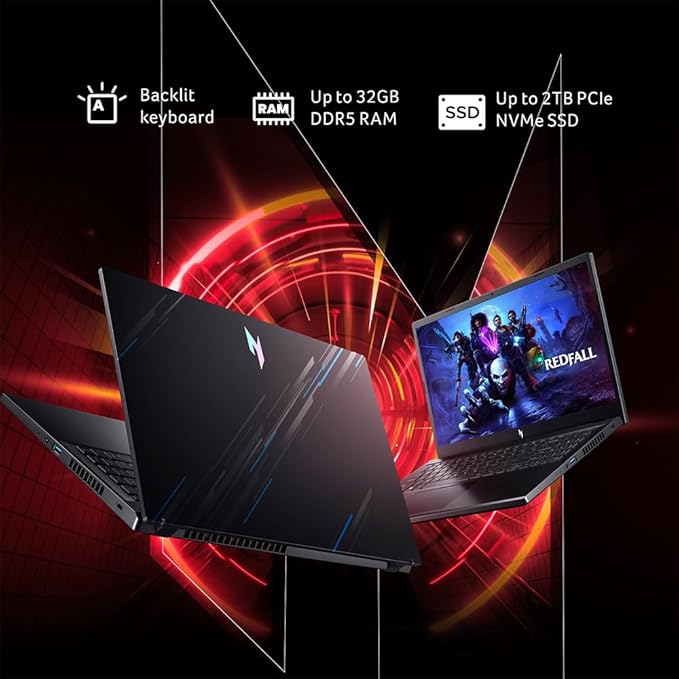
Acer finally fixed almost everything that held last year’s Helios Neo back. So here is Acer Predator Helios Neo 16S AI review. The 2025 Predator Helios Neo 16S AI is lighter, faster, cooler, and now ships with a true 2K OLED 240Hz panel — the kind of upgrade you normally don’t see in refresh cycles. After extensive testing across AAA titles, 2K gaming, productivity, thermals, and battery life, here’s the straight, reviewer-grade breakdown of what this machine does right, where it still lags, and whether it deserves your money.
In This Post
Quick Verdict (TL;DR)
If you want a lightweight, high-performance 16-inch gaming laptop with a flagship-level OLED display, strong CPU/GPU output, fast memory, and dramatically improved thermals, the Helios Neo 16S AI (2025) is worth buying. The only real compromises: 8GB VRAM, no webcam shutter, and occasional SSD write inconsistencies.
Last year’s Helios Neo was bulky, thermally inconsistent, and saddled with an unimpressive display. Acer cleaned up almost everything.
Slimmer chassis + metal lid and bottom panel
The 2025 model uses a metal top lid and metal base plate with a polycarbonate keyboard deck. Flex is minimal unless you intentionally push hard on the deck.
RGB Predator logo
The Predator logo glows in sync with keyboard lighting — a small but expensive-looking touch.
Improved exhaust & intake layout
Four exhaust vents (two rear, two sides) plus a large open-bottom intake dramatically improve airflow.
Hinge is smoother but not 180°
You can open it with one hand, but it stops short of fully flat.
Should You Buy It? Final Verdict for Gamers & Creators
This year, Acer finally delivered the Predator Helios Neo people wanted.
Buy it if you want:
A 2K OLED 240Hz panel
Strong 2K gaming performance
Major thermal improvements over 2024
Fast 6400MHz RAM
Lightweight chassis with big power
Skip it if you need:
More than 8GB VRAM
A hardware webcam shutter
Longer battery life for travel-heavy workflows
Final Verdict: The Acer Predator Helios Neo 16S AI (2025) is one of the best-balanced gaming laptops in its range, especially if you value OLED quality and consistent thermals. It’s an easy recommendation.
Gaming is more popular than ever, so powerful, affordable gaming laptops are needed. Fighting in Apex Legends, exploring Elden Ring, or building empires in Civilization VI requires a smooth laptop.
Budgeting ₹1 lakh may seem limited, but this price range offers a reliable mid-tier gaming laptop that balances mobility, performance, and future-proofing.
In This Post
Key Features to Look for in a Gaming Laptop Under ₹1 Lakh
You want every rupee to matter when you’re going to spend nearly a lakh on a gaming laptop. Before you click “Buy Now,” make sure to review these features and specifications that cannot be negotiated.
Processor (CPU)
Seek out AMD Ryzen 5 or Ryzen 7 (4000, 5000 series) or Intel Core i5 or i7 (10th, 11th, or 12th Gen). Strong multi-thread performance is provided by these chips for multitasking, streaming, and gaming.
Graphics Card (GPU)
This is the gaming engine in your laptop. Expect NVIDIA GTX 1650, RTX 3050, or, if you’re lucky, RTX 4050 in more recent models at this price. Your laptop’s ability to run contemporary games at medium to high settings is determined by the GPU.
RAM and Storage
Although some laptops still have 8GB of RAM (upgradable), a minimum of 16GB is preferred in 2025. SSDs (at least 512GB) significantly speed up game loads and boot times. Steer clear of laptops with only HDDs.
Display Quality and Refresh Rate
The standard Full HD resolution is 1080p. If you enjoy competitive or shooter games, aim for a refresh rate of at least 120 Hz. Improved color accuracy and viewing angles are provided by IPS panels.
Battery Life and Cooling System
While 4–6 hours of general use is reasonable, gaming laptops aren’t known for having long battery lives. Performance throttling during prolonged sessions can be avoided with effective cooling using liquid metal technology or dual fans.
Top 5 Best Gaming Laptops Under ₹1 Lakh (2025 Edition)
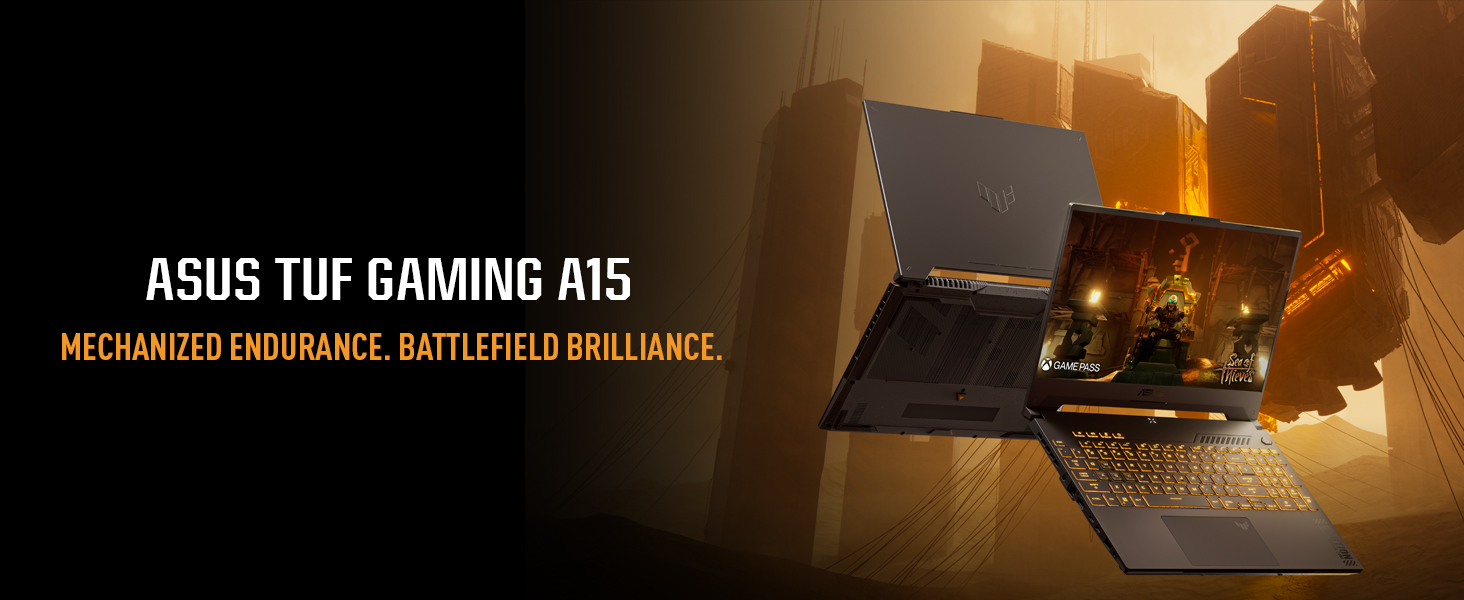
Currently priced under ₹1 lakh, the ASUS TUF Gaming A15 is one of the most affordable gaming laptops available in India. The TUF (The Ultimate Force) series is renowned for its robust specifications, gamer-focused design, and military-grade durability.
Specs Overview:
Processor: AMD Ryzen 7 7435HS
Graphics: NVIDIA GeForce RTX 4060 8GB
Display: 15.6” Full HD (1920×1080), 144Hz, IPS-level
RAM: 16GB DDR5 (expandable)
Storage: 512GB NVMe SSD
Battery: 90Wh, up to 6 hours usage
Weight: 2.2 kg
Performance in Real-World Usage:
The majority of AAA games, including Hogwarts Legacy, GTA V, and Cyberpunk 2077, can be played at high settings and with respectable frame rates. Ray tracing is supported by the RTX 4060, which allows you to experience high-end visual effects without having to pay the premium price.
Dual fans and anti-dust tunnels provide reliable thermal management. Even after a lengthy gaming session, you won’t experience performance issues or burning hands. The laptop is perfect for gamers who also experiment with content creation because it can handle demanding applications like Adobe Premiere Pro or Blender with ease and multitasks quickly.
Why It Is Unique:
SSD and RAM upgrades for future-proofing
Outstanding construction quality and aesthetically pleasing design geared toward gaming
In fast-paced games, a high refresh rate display improves fluidity.
Excellent value with the Ryzen 7 and RTX 4060 combination
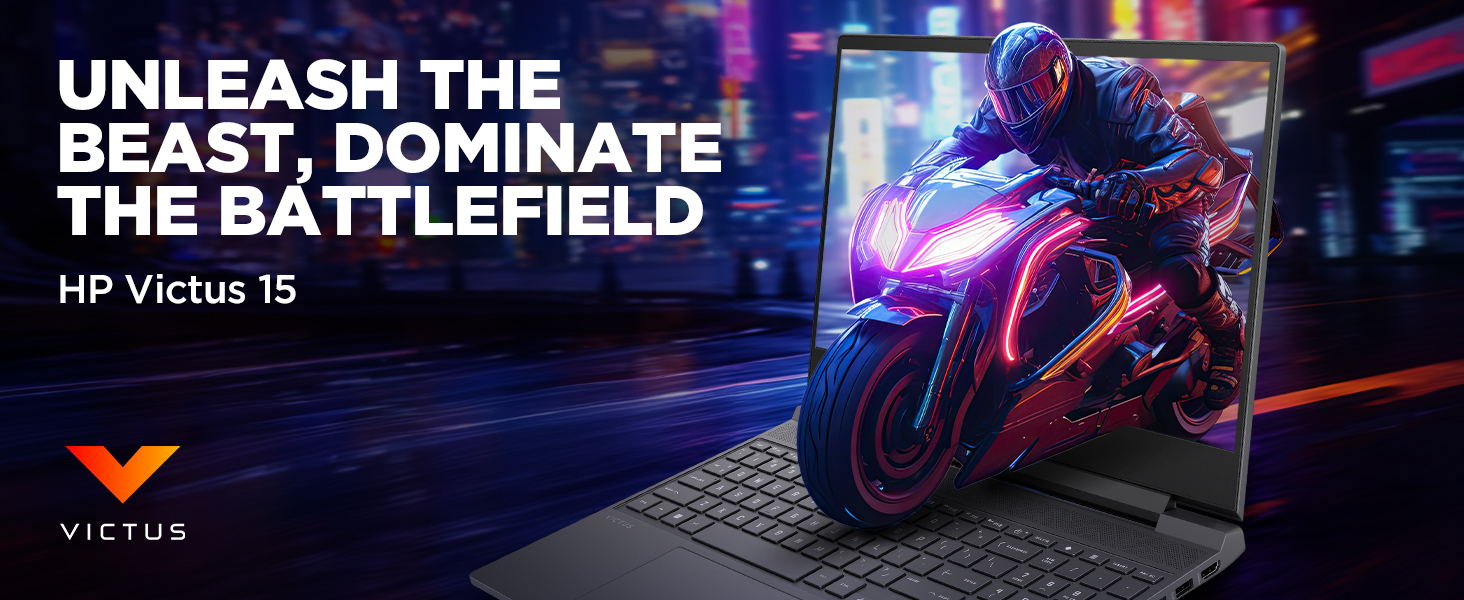
For gamers looking for a device that strikes a balance between price and performance, the HP Victus 15 is an appealing option. This laptop’s 13th Gen Intel Core i5-13420H processor and NVIDIA GeForce RTX 3050 GPU allow it to run contemporary games with ease.
Key Specifications:
Processor: Intel Core i5-13420H
Graphics: NVIDIA GeForce RTX 4050 6GB GDDR6
Display: 15.6-inch Full HD (1920×1080), 144Hz IPS panel
Memory: 16GB DDR4 RAM
Storage: 1TB SSD
Operating System: Windows 11 Home
Performance Overview:
At medium to high settings, the Intel Core i5-13420H and RTX 4050 work together to provide fluid gameplay in games like Call of Duty: Warzone, Apex Legends, and Cyberpunk 2077. The fluid visuals provided by the 144Hz refresh rate display improve the gaming experience, particularly in fast-paced games.
The laptop maintains ideal temperatures during prolonged gaming sessions thanks to effective thermal management. Multitasking and future-proofing are made possible by the 16GB RAM, which guarantees the laptop will still be relevant for future game releases.
Why Choose HP Victus 15?
Design: Its sleek, contemporary appearance makes it appropriate for both professional and gaming settings.
Balanced Performance: Provides a good balance of CPU and GPU power appropriate for the majority of contemporary games.
High Refresh Rate Display: By minimizing motion blur, the 144Hz screen guarantees fluid images.
Upgradability: By increasing RAM and storage, users can prolong the life of their laptops.
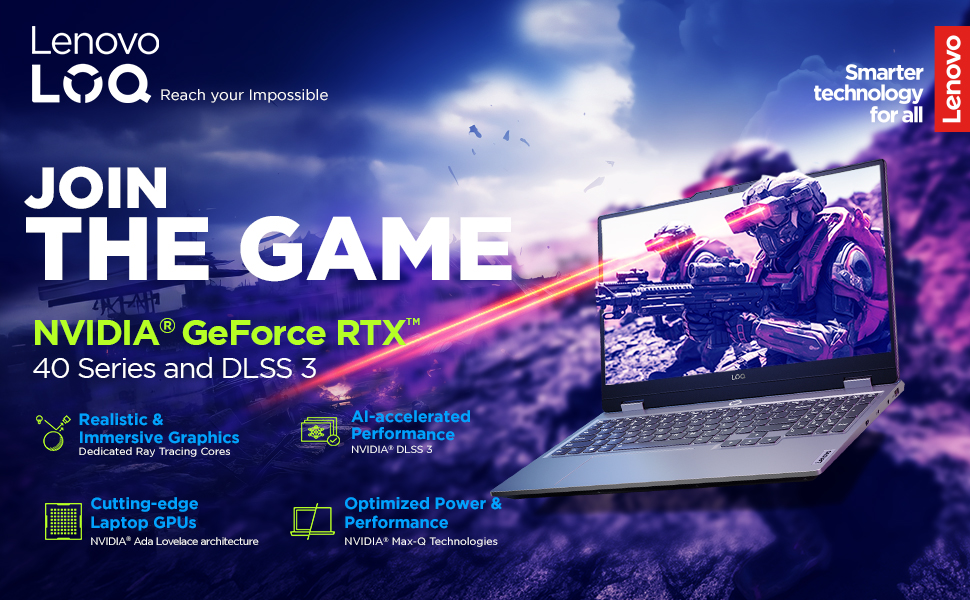
Lenovo’s IdeaPad Gaming 3 series has been a favorite among budget-conscious gamers, and the Ryzen 7 7435HS variant continues this tradition. Paired with the NVIDIA GeForce RTX 4060-8GB, this laptop offers commendable gaming performance without breaking the bank.
Key Specifications:
Processor: AMD Ryzen 7 7435HS
Graphics: NVIDIA GeForce RTX 4060-8GB GDDR6
Display: 15.6-inch Full HD (1920×1080), 144Hz FHD
Memory: 16GB DDR4 RAM
Storage: 512GB SSD
Operating System: Windows 11 Home
Performance Overview:
Because of its powerful multi-threaded performance, the Ryzen 7 7435HS is a good choice for both productivity and gaming tasks. Users can anticipate fluid gameplay in games like Assassin’s Creed Valhalla, Shadow of the Tomb Raider, and Fortnite at medium to high settings when paired with the RTX 4060-8GB.
The laptop’s cooling system efficiently controls heat during extended use, and the 144Hz display guarantees a responsive gaming experience. Furthermore, the overall user experience is improved by the laptop’s keyboard design and build quality.
Why Choose Lenovo IdeaPad Gaming 3:
Dependable Build Quality: Lenovo is known for producing laptops that last a long time.
Excellent CPU Performance: The Ryzen 7 7435HS performs exceptionally well in multitasking and gaming situations.
Ray tracing capabilities are available at an affordable price with the RTX 4060-8GB option.
Upgradeable Components: To accommodate changing needs, users can increase storage and RAM.
Gamers who want great performance without breaking the bank are the target market for the Acer Nitro V series. This laptop can handle the most demanding games thanks to its latest 13th Gen Intel Core i7 processor and NVIDIA GeForce RTX 4050-6GB GPU.
Key Specifications:
Processor: Intel Core i5-13620H
Graphics: NVIDIA GeForce RTX 4050 6GB GDDR6
Display: 15.6-inch Full HD (1920×1080), 165Hz LED-backlit TFT LCD
Memory: 16GB DDR5 RAM
Storage: 512GB SSD
Operating System: Windows 11 Home
Performance Overview:
For gaming, the Intel Core i5-13620H’s strong single-threaded performance is crucial. When combined with the RTX 4050, gamers can experience high frame rates at high settings in games like Resident Evil Village, Cyberpunk 2077, and Battlefield 2042.
By minimizing motion blur and screen tearing, the 165Hz display guarantees incredibly smooth images. By maintaining ideal temperatures, Acer’s cooling technology guarantees steady performance even during prolonged gaming sessions.
Why Choose Acer Nitro V
Value for Money: Provides premium features at a moderate cost.
Newest GPU: The RTX 4050-6GB has improved DLSS and ray tracing features.
High Refresh Rate Display: In fast-paced games, a 165Hz screen gives you a competitive advantage.
DDR5 Memory: Improved system responsiveness is guaranteed by faster RAM.
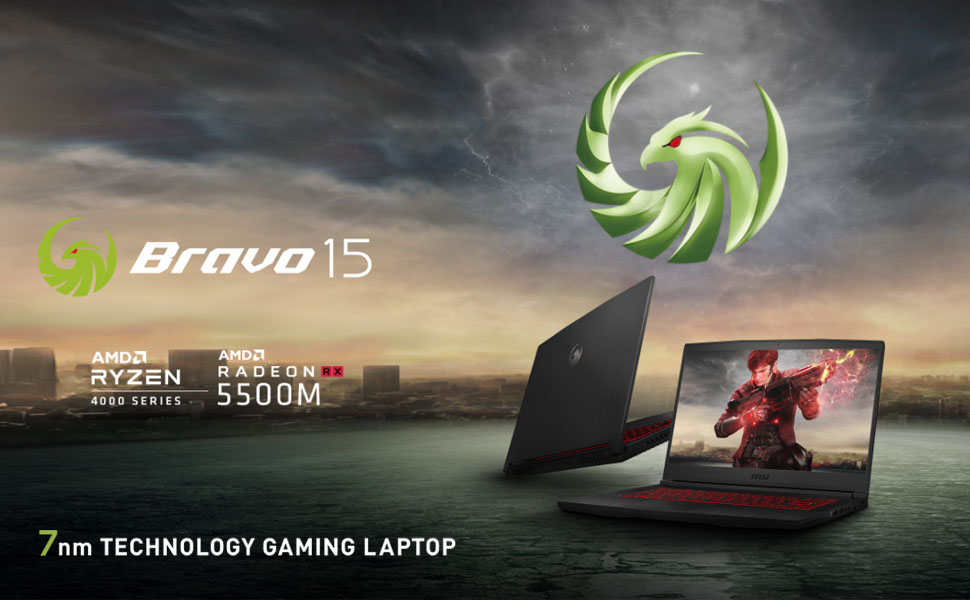
The Bravo 15 from MSI is designed for gamers who favor AMD’s ecosystem. This laptop’s Ryzen 7 5800H processor and Radeon RX 6500M GPU provide good performance for multitasking and gaming.
Key Specifications:
Processor: AMD Ryzen 7-4800H
Graphics: AMD Radeon RX5500M/4GB GDDR6
Display: 15.6-inch Full HD (1920×1080), 144Hz IPS panel
Memory: 16GB DDR4 RAM
Storage: 512GB SSD
Operating System: Windows 11 Home
Performance Overview:
With its outstanding multi-core performance, the Ryzen 7-4800H is a good choice for streaming, gaming, and content production. Games like Doom Eternal, Metro Exodus, and Far Cry 6 run at medium to high settings on the RX RX5500M/4GB GPU.
Performance stability is maintained by MSI’s cooling system, which efficiently dissipates heat, and the 144Hz display guarantees fluid gameplay. Both professionals and gamers will find the laptop’s elegant and robust design appealing.
Why Choose MSI Bravo 15:
Sturdy Build Quality: MSI’s standing guarantees longevity and durability.
AMD-Centric Build: Perfect for people who like AMD hardware.
Excellent Multi-Core Performance: Ideal for content creation and multitasking.
High Refresh Rate Display: Improves responsiveness and gaming graphics.
Final Thoughts
The best gaming laptop under ₹1 Lakh in 2025 will depend on personal preferences and needs. The ASUS TUF Gaming A15 is a notable option for individuals looking for the newest GPU technology. The Lenovo LOQ 2024 and HP Victus 15 are great options if you want a balanced performance.
Because each of these laptops offers a different combination of performance, features, and affordability, gamers are sure to find a device that fits both their financial goals and their gaming preferences.
Conclusion
In order to purchase the best gaming laptop in India for about ₹1 Lakh, take into account not just the features that are currently available but also your gaming preferences, usage habits, and future upgrades. There are plenty of options on the market in 2025, including powerful processors, powerful GPUs, and high-refresh displays.
Think of a gaming laptop as an investment for the future. Pay attention to upgradeability, build, and thermal performance. Always keep an eye out for deals because seasonal discounts and sales affect prices.
There is the ideal computer for you if you enjoy eSports, explore open worlds, or are a hybrid user who plays and creates.
FAQs
Can I upgrade the GPU?
No, GPUs are soldered and not upgradeable in laptops.
Are these good for editing and 3D work?
Yes, especially those with RTX 3050 or better.
What games can I run?
Almost all modern titles at medium to high settings.
Should I wait for newer models?
Only if you can wait a few months for the next generation.
Best brand for service?
HP and ASUS have strong service networks in India.
Please don’t forget to leave a review.
Let’s Connect
If you enjoy AI-powered creative workflows and product marketing ideas, I share more content like this on: