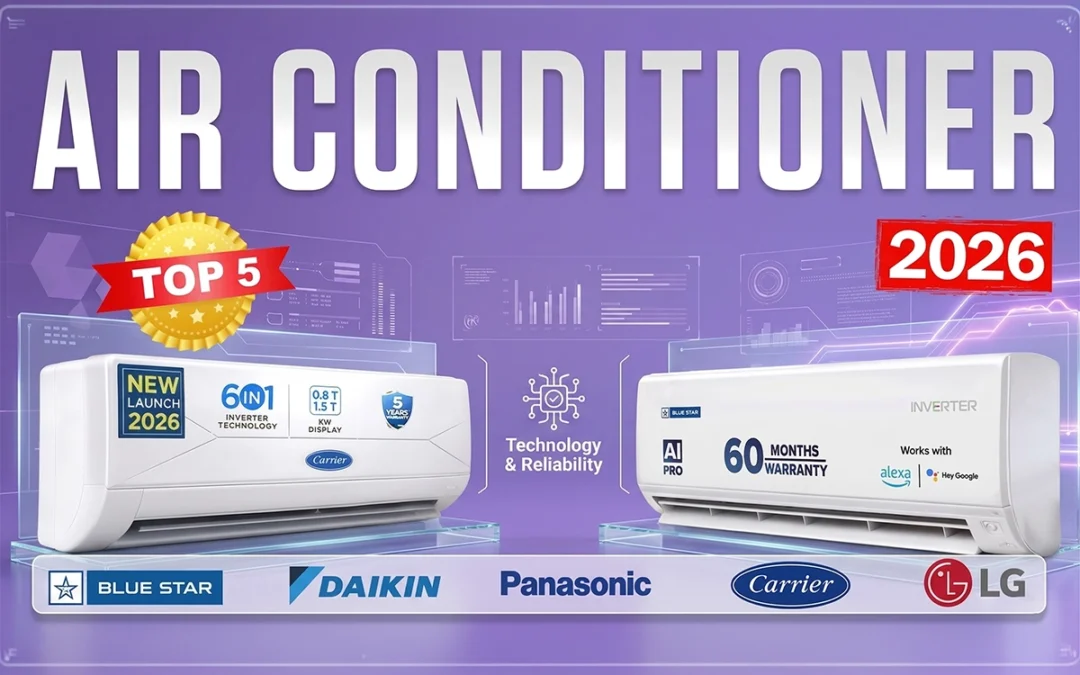
Buying an AC feels simple… until you actually try.
Tonnage, star ratings, inverter vs non-inverter, ISEER, copper coils — suddenly everything feels like a tech exam you never signed up for.
Don’t worry. I’ll make this simple.
This guide to the Best 1.5 Ton 5 Star AC in India 2026 is based on real testing — not spec-sheet reading or unboxing videos. Every AC mentioned here was actually purchased, installed, and used to give you an honest and reliable recommendation.
New to AC buying altogether? Start with our complete AC Buying Guide first.
Let’s get into it.
In This Post
Best 1.5 Ton 5 Star AC in India 2026
Here’s the ranking — based on real usage, real testing, real rooms.
Images sourced from Amazon. All copyrights belong to their respective owners.
Best for: Rooms up to 150–155 sq ft | Budget: ~₹42,000
Let’s start with Carrier.
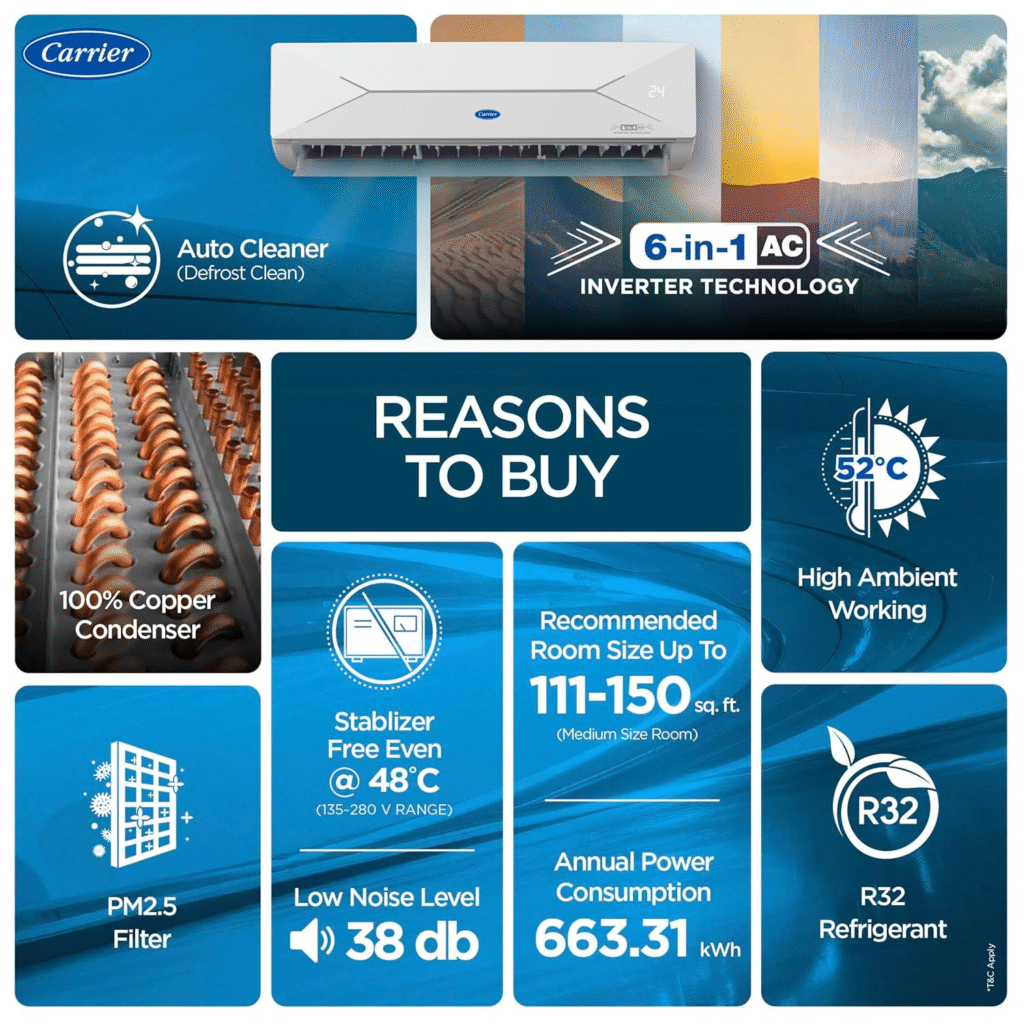
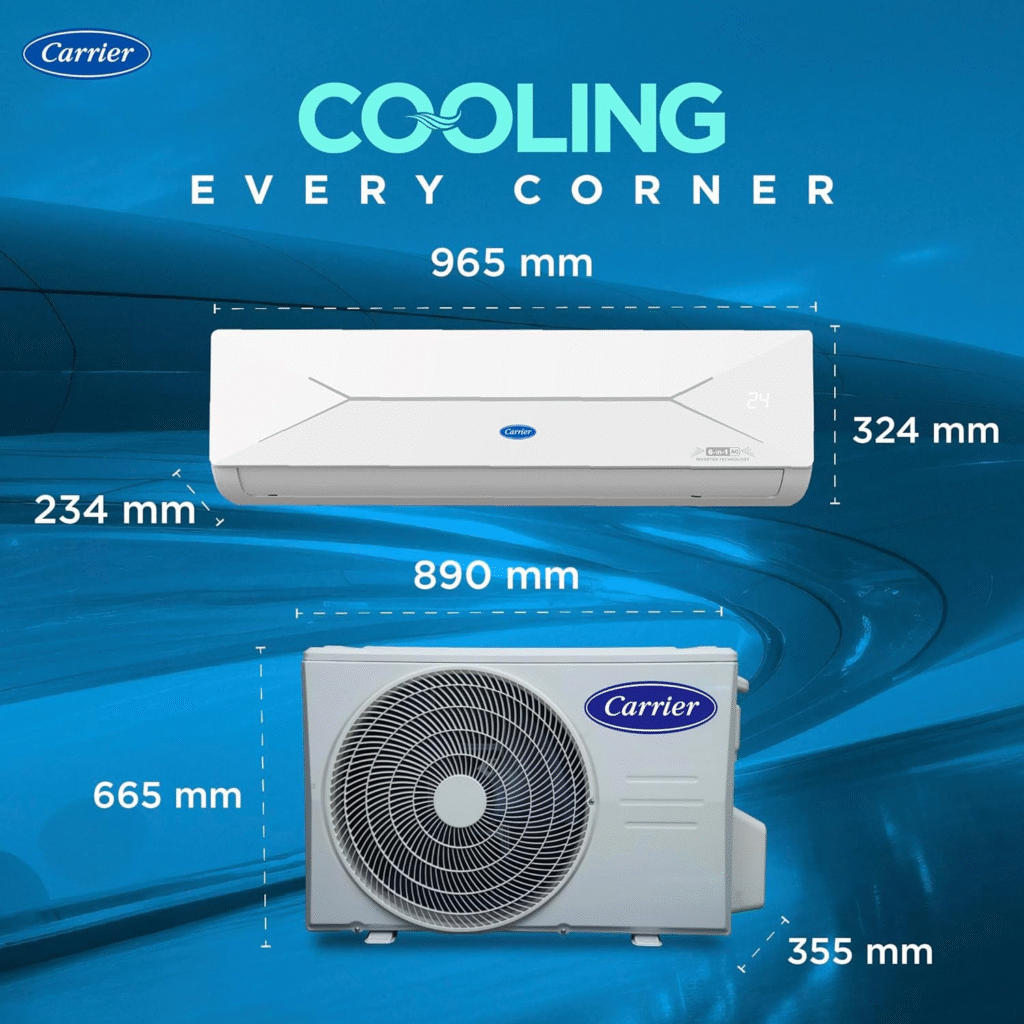
The first thing to know — the actual cooling capacity here is 1.36 tons. Not 1.5. So if your room is larger than 155 sq ft, just skip this one.
Here’s where it gets interesting — Carrier compensates with a solid ISEER rating of 5.6, which is very good. Lower cooling capacity, but more efficient use of the electricity it draws.
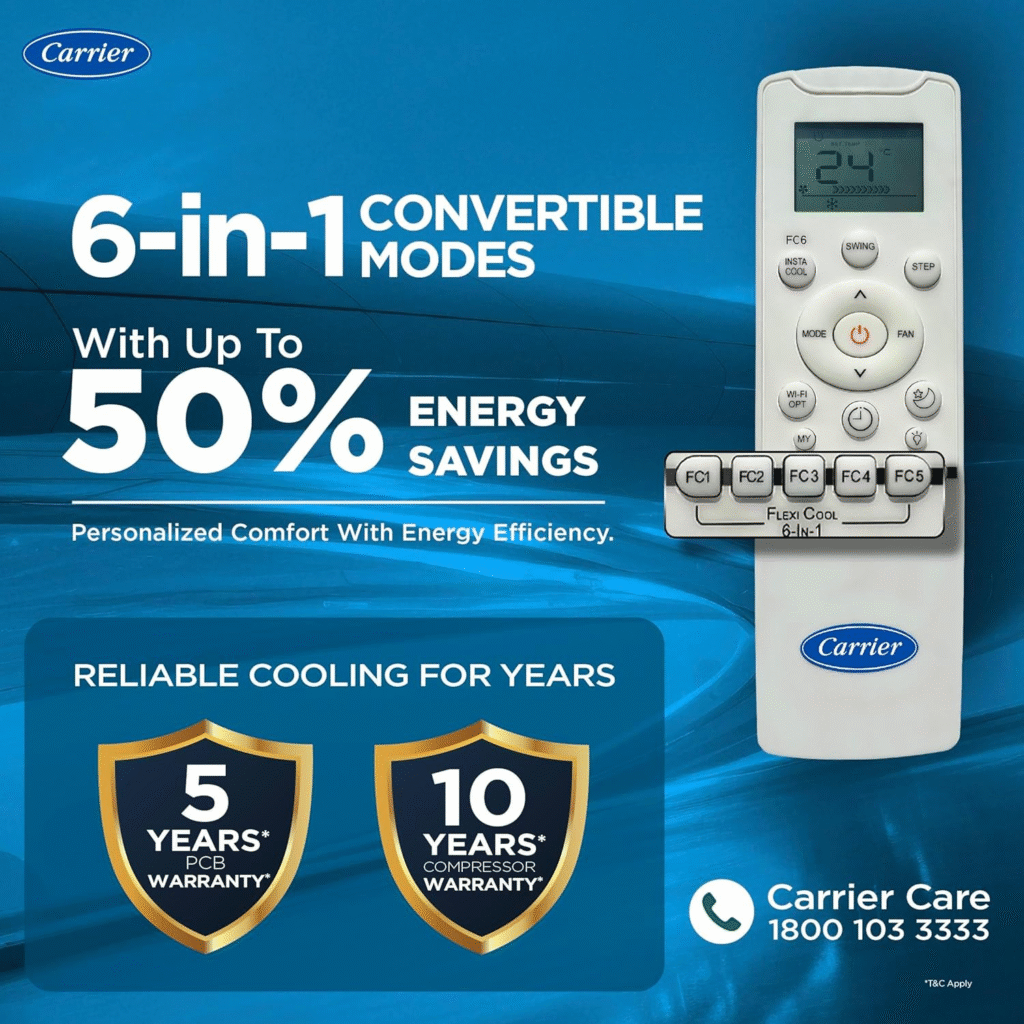
You get Carrier’s AI Flexi Cool inverter tech with convertible 6-in-1 modes, ranging from 0.8 ton to 1.7 ton in theory.
Common mistake: Getting excited about the 1.7 ton “turbo” mode. At full blast, this AC will run at that mode for only 20–25 minutes before automatically dropping back to auto. So don’t expect sustained high-capacity cooling.
That said — in the right room size (150–155 sq ft), this AC performs brilliantly. Tested it in a challenging setup with more open area than a normal room, and it handled the load well.
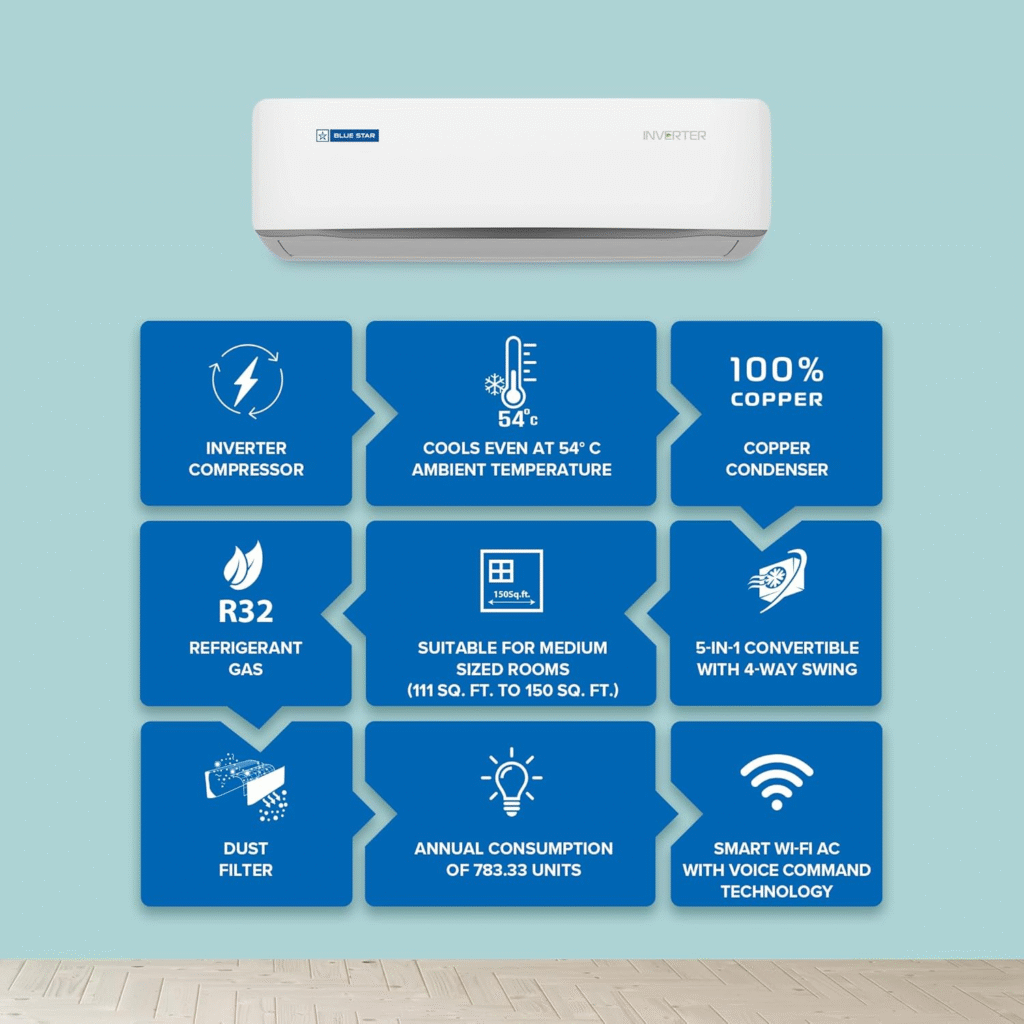
Quality check passed: 100% copper condenser and tubes — verified by opening the unit before installation. Carrier’s Aqua Clear coating on outdoor coils and Hydro Blue coating on indoor coils are genuinely good anti-corrosion protection.
You also get dual filtration — HD filter + PM 2.5 filter — and auto-clean technology that actually works.
The one real con: No Wi-Fi. Carrier mentions “AI mode” but without connectivity, it’s more of a marketing label than a real feature.
Noise level: Around 40 decibels in real use (company claims 38 dB).
Warranty: 1-year comprehensive | 5 years on PCB | 10 years on inverter compressor
My recommendation: If your room is 150 sq ft or under and your budget is around ₹42,000 — this is a solid buy. If your room is bigger, look at the options below.
Images sourced from Amazon. All copyrights belong to their respective owners.
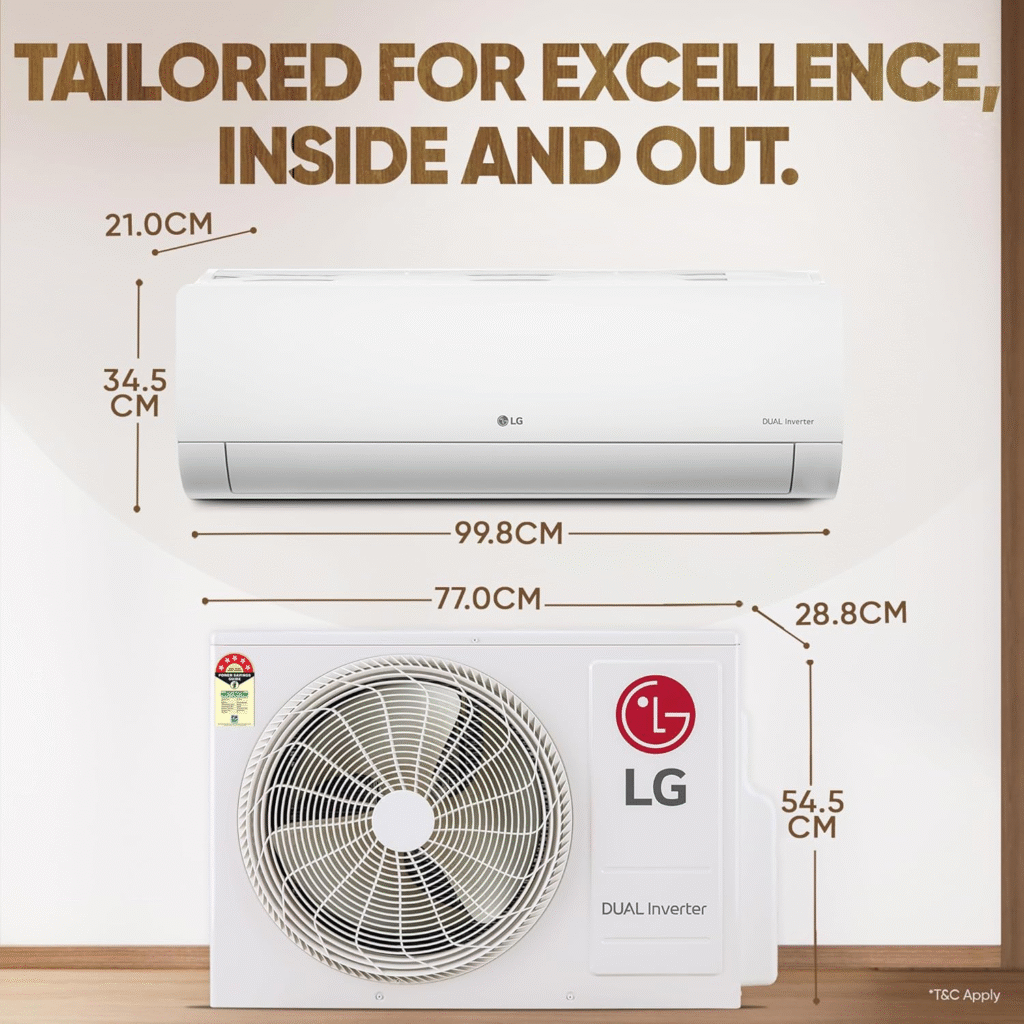
Best for: Rooms up to 160–165 sq ft | Budget: ~₹47,500
LG is LG. Six years of buying and testing their ACs, and the consistency never disappoints.
Cooling capacity here is 1.42 tons — same as last year’s model, but the ISEER has improved significantly to 5.7. How? The compressor hasn’t changed much — it’s the motor that’s been upgraded. Same cooling, less electricity. That’s the right kind of progress.
LG’s Dual Rotary Inverter Compressor is one of the best in this price range. Tested extensively across rooms and multiple years — performance doesn’t degrade over time. Noise levels don’t increase. That long-term consistency is rare.
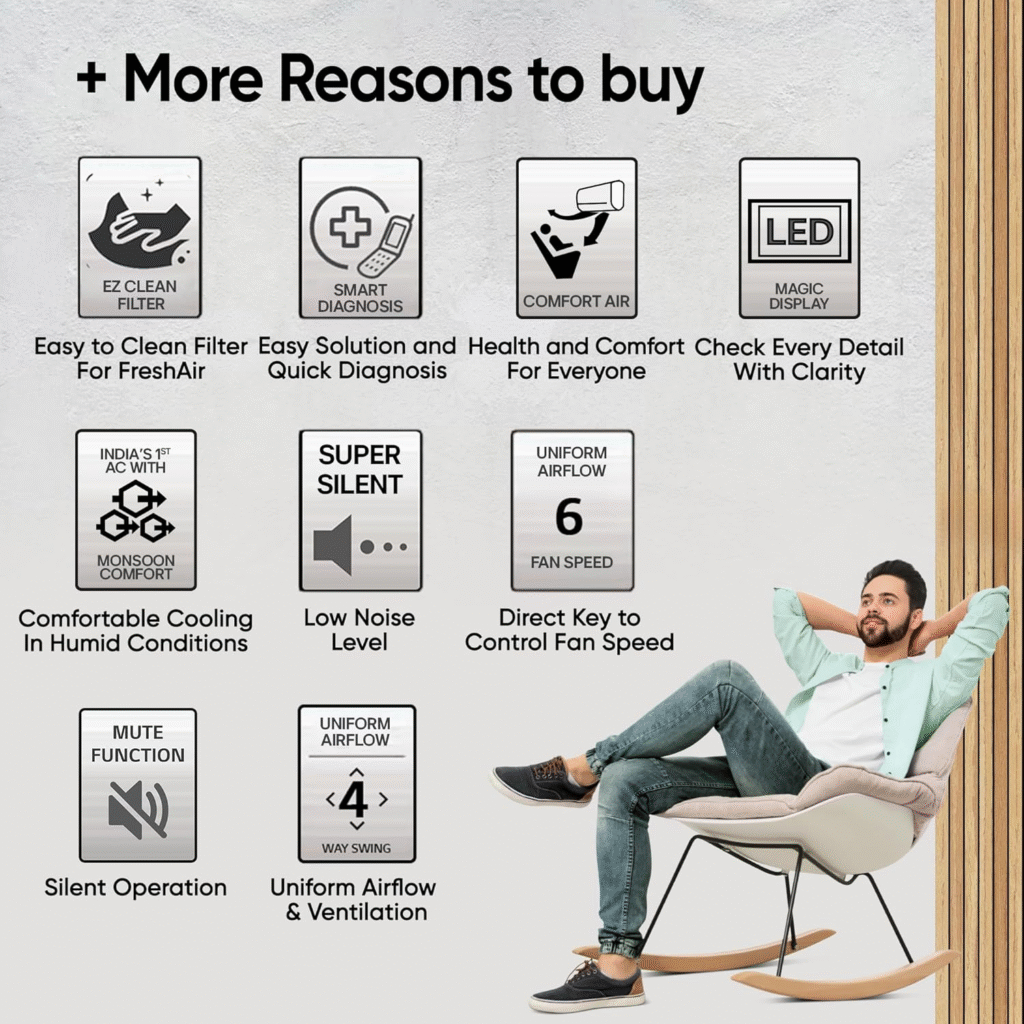
Here’s where it gets interesting: LG gives you four-way air swing. This sounds like a small feature. It’s not. When you use it in a bedroom — where the AC placement is rarely perfect — four-way swing means the cold air actually reaches every corner. You’ll feel the difference the first week.
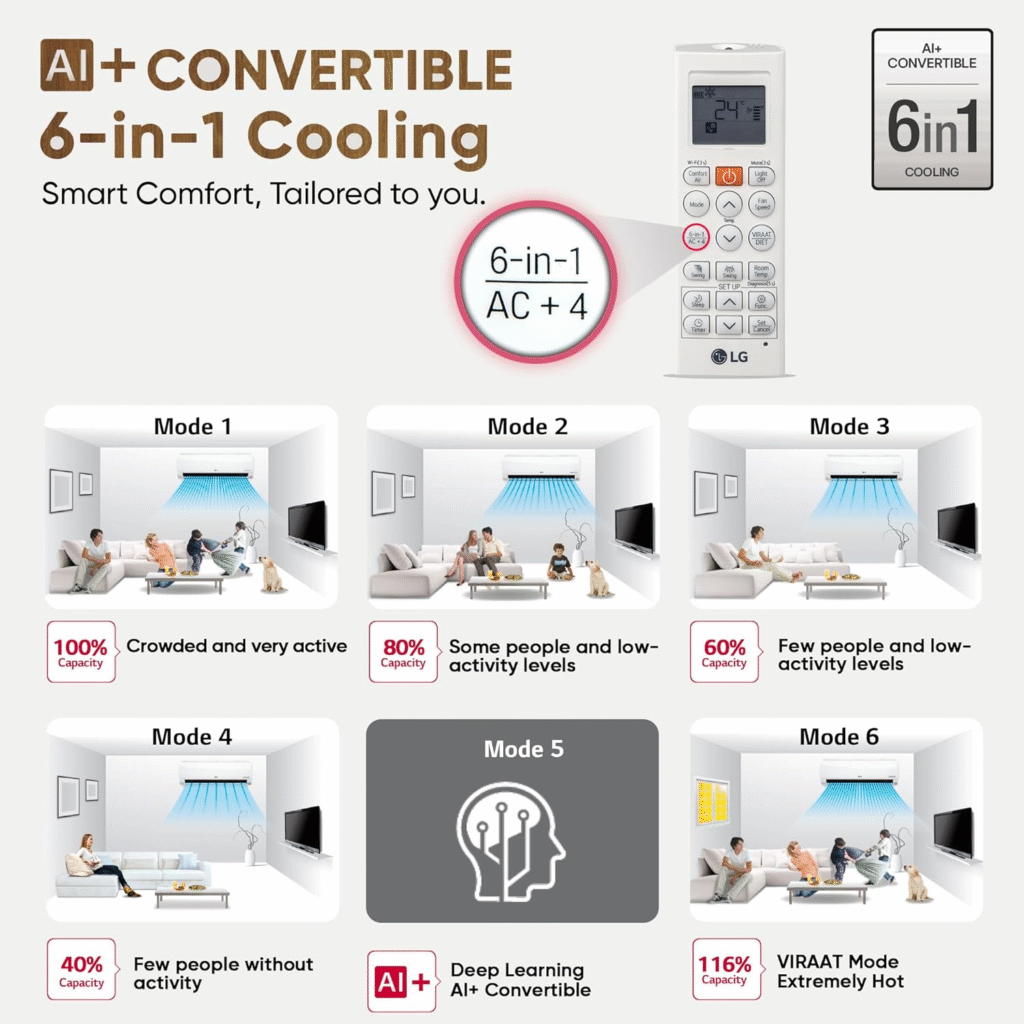
Also get: AI convertible 6-in-1 modes (40% to 110%), Virat mode (LG’s name for the turbo boost we discussed), Gold Fin Plus and Ocean Black Protection on coils, auto-clean, smart diagnosis.
Quality check: Inner grooved copper tubes — a detail most brands skip. The refrigerant passes through faster, meaning slightly better cooling efficiency. Verified before installation.
The cons — and I’ll be direct:
No Wi-Fi. In 2026. That’s a real miss. If you want Wi-Fi on LG, you’re paying ₹2,500 extra for a separate model — which already puts it above Blue Star pricing.
Also no PM 2.5 filter — just the standard HD filter. For Indian air quality, that’s a gap.
Noise level: LG claims 31 decibels. Ambient noise in a room is already 37–38 dB, so you literally cannot measure 31 dB. What this means in practice: you can barely hear it’s on.
Warranty: 1-year comprehensive | 5 years on PCB (both indoor and outdoor — important detail) | 10 years on compressor
Note on gas charging warranty: Only covered for the first year. After that, gas top-ups are at your expense.
My recommendation: If cooling performance and long-term reliability are your priority, and Wi-Fi is not a deal-breaker — LG is an excellent choice for rooms up to 165 sq ft.
Images sourced from Amazon. All copyrights belong to their respective owners.
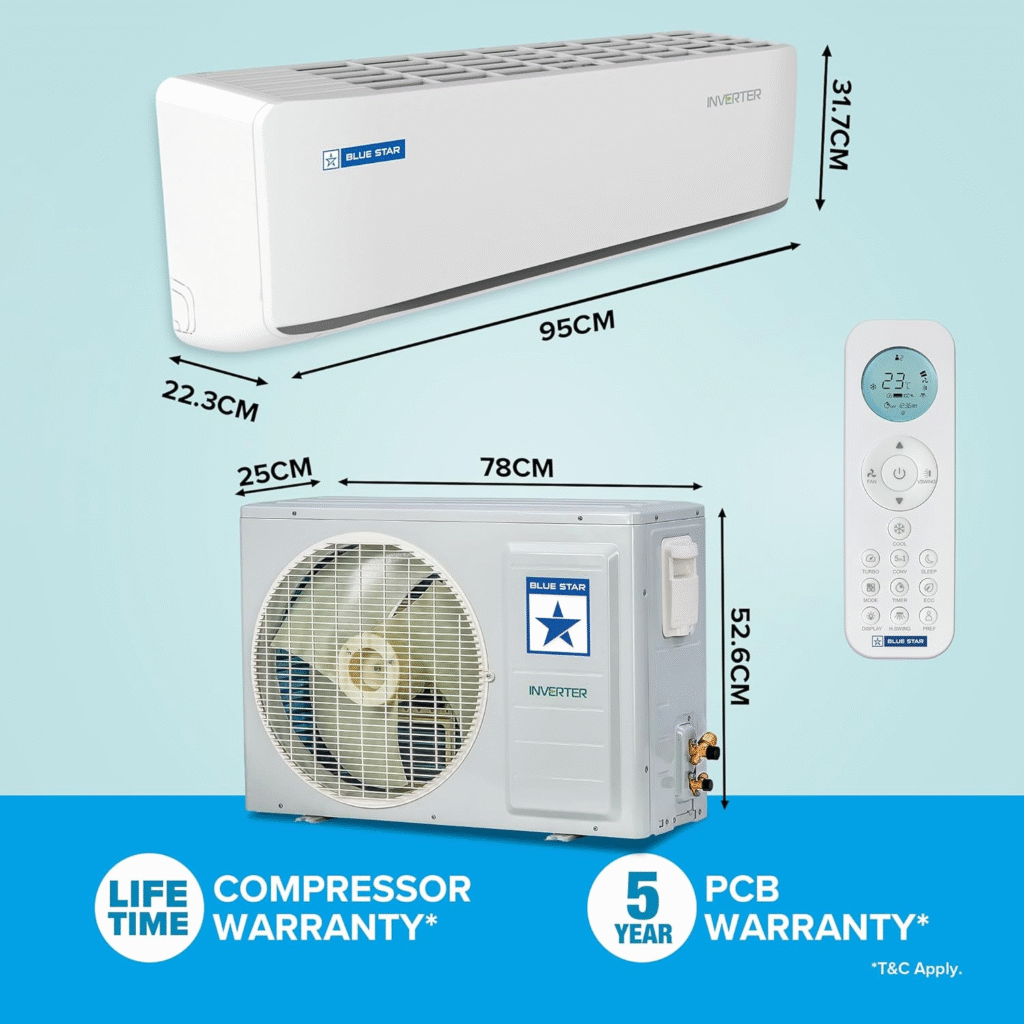
Best for: Rooms up to 165–170 sq ft | Budget: ~₹46,500
Last year this was my #1. This year it’s tied at #2 with LG — and honestly, it could easily be argued as the better pick of the two.
Cooling capacity: 1.45 tons — the highest among the #2 and #3 picks. Tested it in a 170 sq ft room. It handled it. That’s not what the spec sheet says is recommended — that’s what actually happened in the test.
ISEER of 5.63 — incredibly good for the capacity it’s delivering.
The AI Pro inverter compressor with 5-in-1 convertible modes (40% to 110%) works flawlessly. Quality check before installation: 100% copper tubes, compressor blanket covering — everything top notch. Anti-corrosive Blue Fins on indoor and outdoor coils — proper chemical coating, not marketing.
What Blue Star gets right that LG doesn’t:
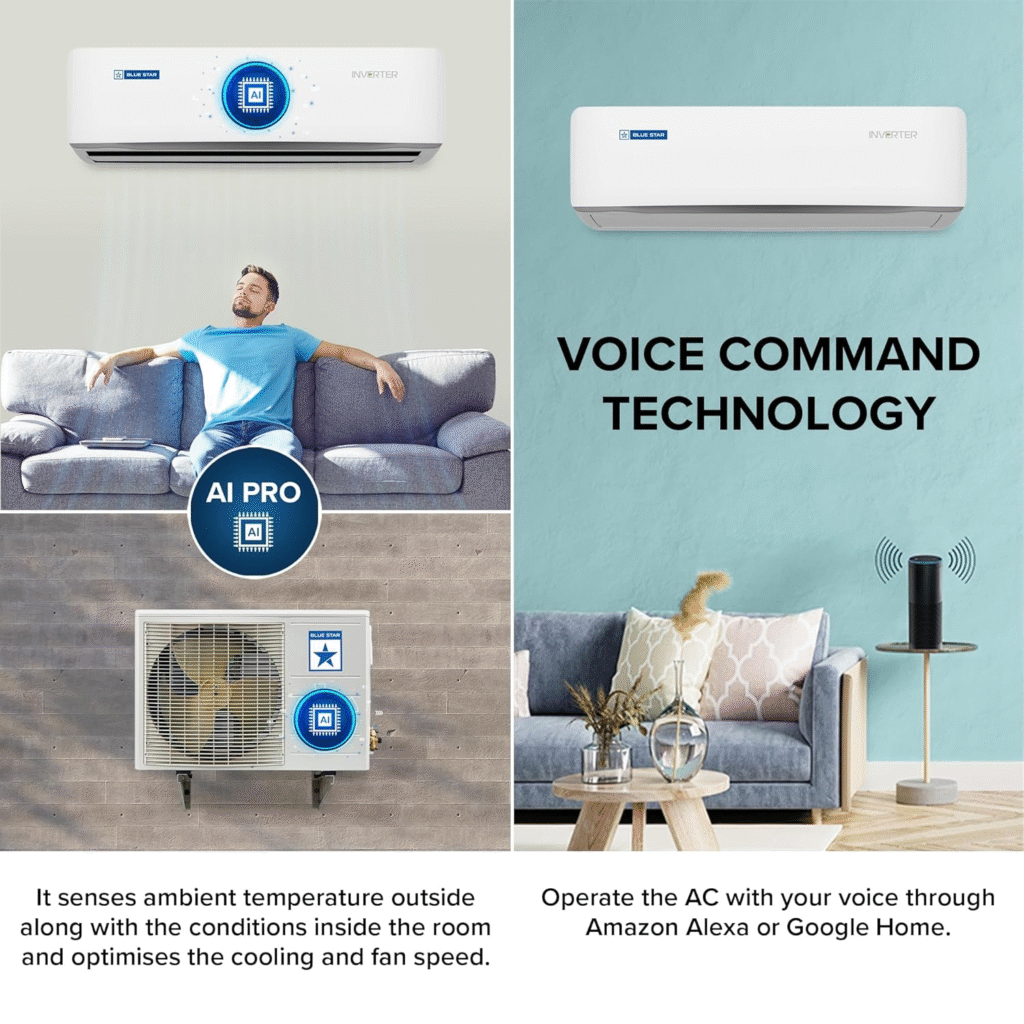
Wi-Fi. Built-in. Works with Alexa, Google Assistant, and the Blue Star app. No extra cost, no separate model needed.
And the warranty — this is where Blue Star genuinely pulls ahead. 5-year comprehensive warranty (covering all technical faults, except plastic parts and remotes). That kind of assurance at this price is rare. Plus 10 years on the compressor.
Four-way air swing — yes, same as LG. Both have it.
The one real con: No PM 2.5 filter. Just a basic dust filter. In 2026, in Indian cities, this is genuinely frustrating. Blue Star, if you’re reading this — please fix it.
Noise level: Very quiet. Comfortable for bedrooms.
My recommendation: If you want Wi-Fi, a stronger warranty, slightly more cooling capacity, and a room up to 170 sq ft — Blue Star edges ahead of LG. The only thing LG does better here is the PM 2.5 filter (which Carrier has, but Blue Star and LG don’t offer at this tier).
Images sourced from Amazon. All copyrights belong to their respective owners.
Best for: Rooms up to 160–165 sq ft | Budget: ~₹48,000–50,000
This is where it gets interesting.
Cooling capacity dropped this year — 1.42 tons, down from a full 1.5 tons last year. That’s disappointing on paper.
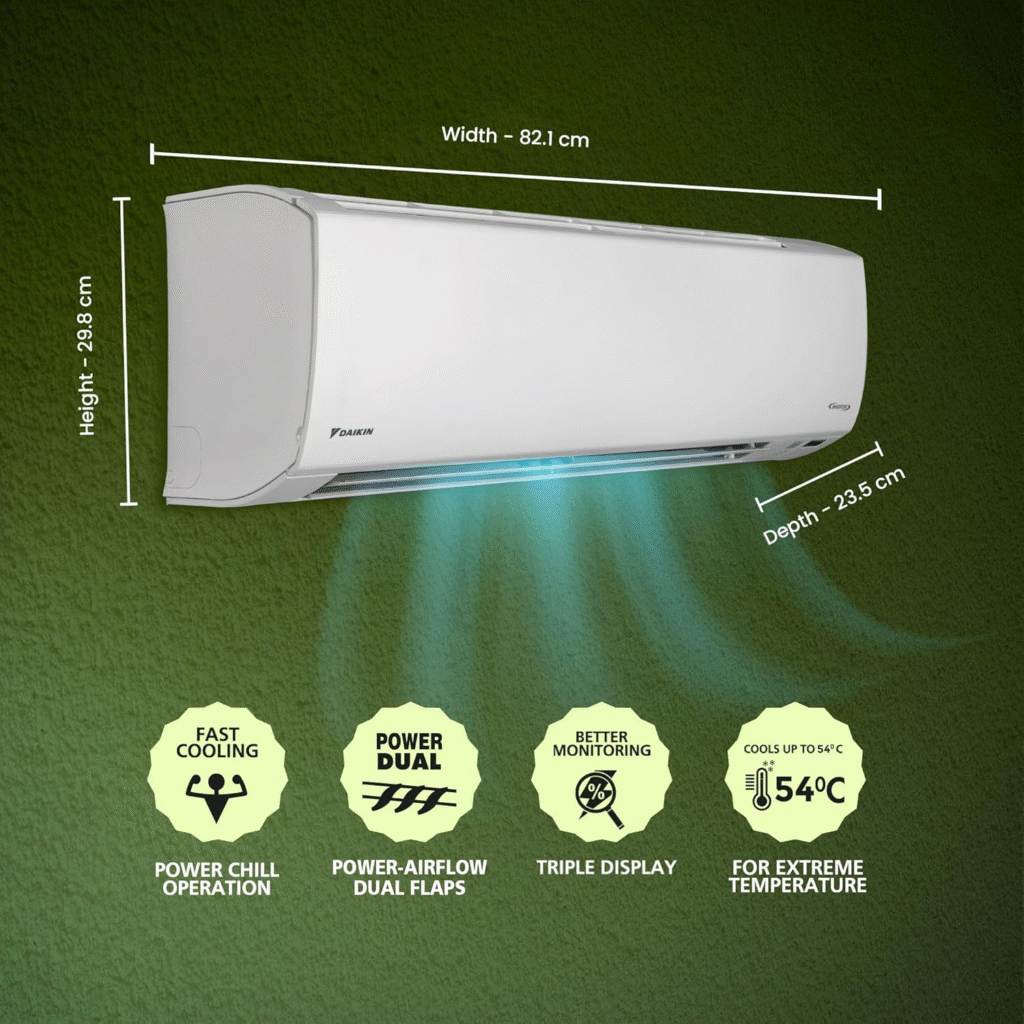
But here’s the truth: it doesn’t matter. Because this is Daikin. The technology they pack into that 1.42-ton capacity makes it perform like other brands’ 1.5-ton units. Tested it. Compared it. The result is unbeatable cooling in its room size range.
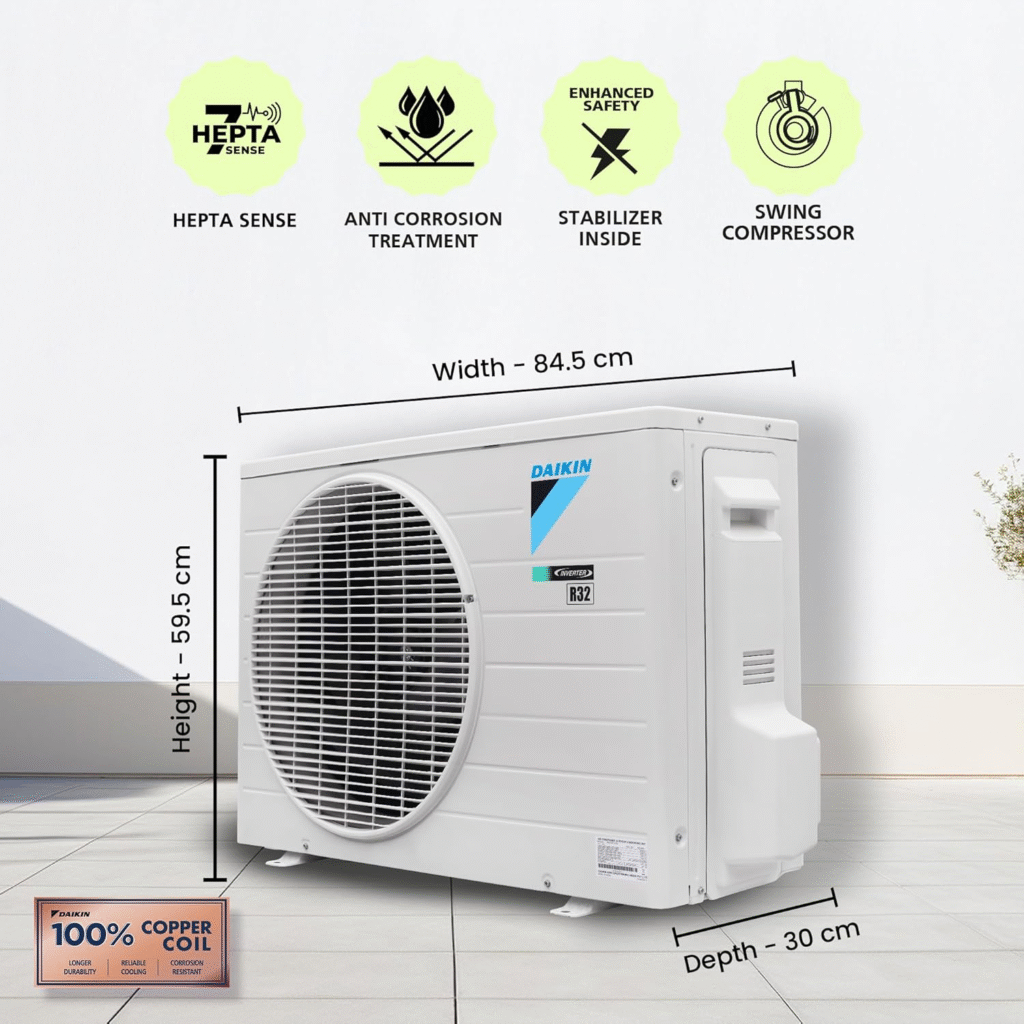
Swing Inverter Compressor technology, 100% copper condenser coils, Coanda air flow — all verified before installation. Quality is just what you expect from a Japanese brand that’s been doing this longer than most.
New addition in 2026: PM 2.5 filter + Active Carbon filter. Both. That’s a significant upgrade for air quality inside your room — especially in Delhi, Mumbai, or any metro.
The honest con: No convertible modes. Daikin’s philosophy is that convertible modes make an inverter AC behave like a non-inverter — and they’re not wrong in principle.
But here’s the thing — as a user, having that option is convenience. We can choose not to use it. Brands taking that choice away from us, even with good intentions, is still a limitation.
This has been a Daikin con for 5 years. It’s still a Daikin con in 2026.
Also no Wi-Fi — which in 2026 feels increasingly like a miss at this price point.
Noise level: Claims 34 dB. Essentially silent in practice.
Voltage range: 130V–285V. Very good.
Warranty: Standard — 1-year comprehensive, 5 years PCB, 10 years compressor.
My recommendation: If your priority is pure, reliable, Japanese-quality cooling — Daikin is still one of the best you can buy. Room size up to 165 sq ft. Accept the lack of convertible modes and Wi-Fi if those aren’t essential for you.
Images sourced from Amazon. All copyrights belong to their respective owners.
Best for: Rooms up to 170+ sq ft | Budget: ~₹48,000–50,000
If you’re going to spend ₹48,000–50,000, this is where I’d personally put that money.
Cooling capacity: 1.45 tons — same as last year, but this year Panasonic made significant internal changes.
ISEER: 5.8 — the best in this entire list. More cooling capacity AND better efficiency. That’s not easy to pull off.
Here’s what’s new in 2026:
The indoor blower has been upgraded — physically larger. Air flow has jumped to 730 cubic feet per minute (from around 500–550 earlier). That is a massive increase. You feel it the moment you turn it on.
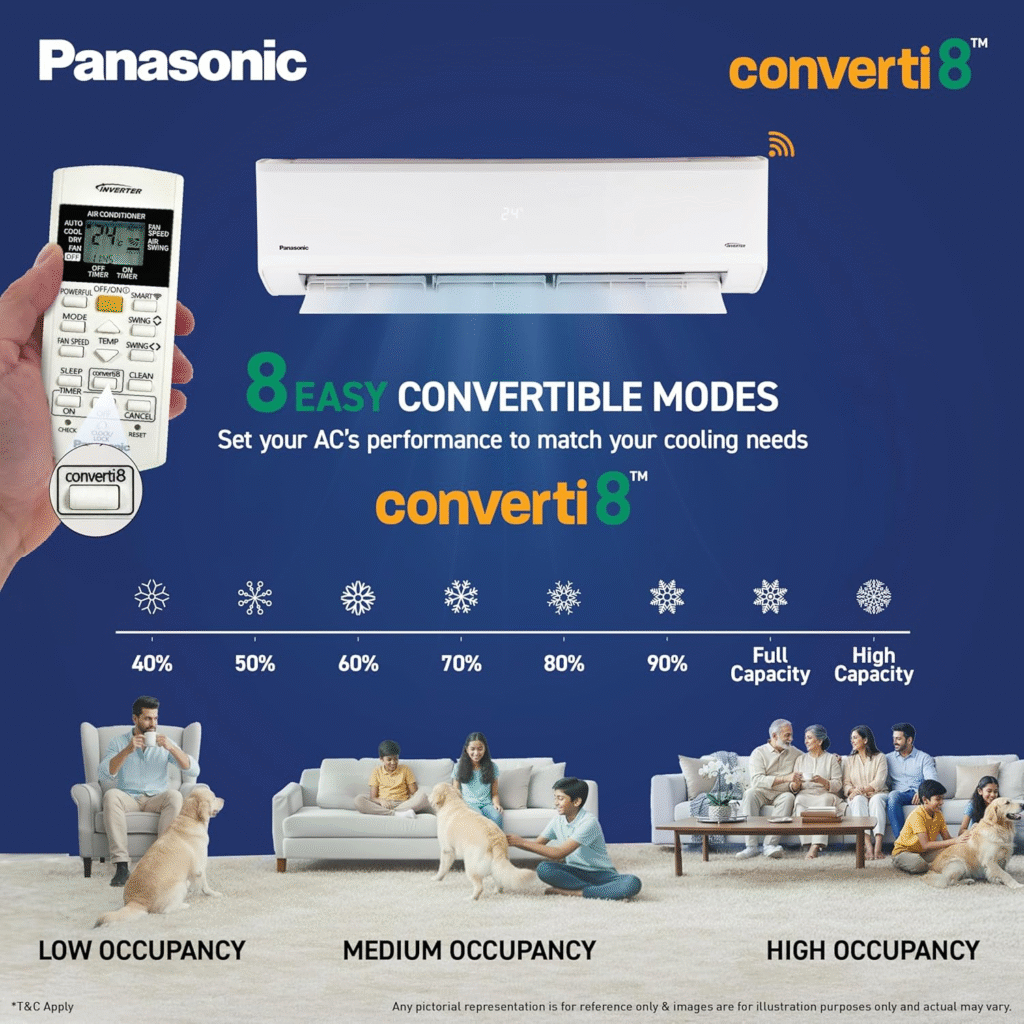
Also upgraded to 18-in-1 convertible modes — from 40% to 110%, at every 10% step. Delhi summer? Use 100%. Kerala humidity? Drop to 60%. Mumbai monsoon? 70%. The AC stays the same; you adjust it to your city and your needs.
Features that actually matter:
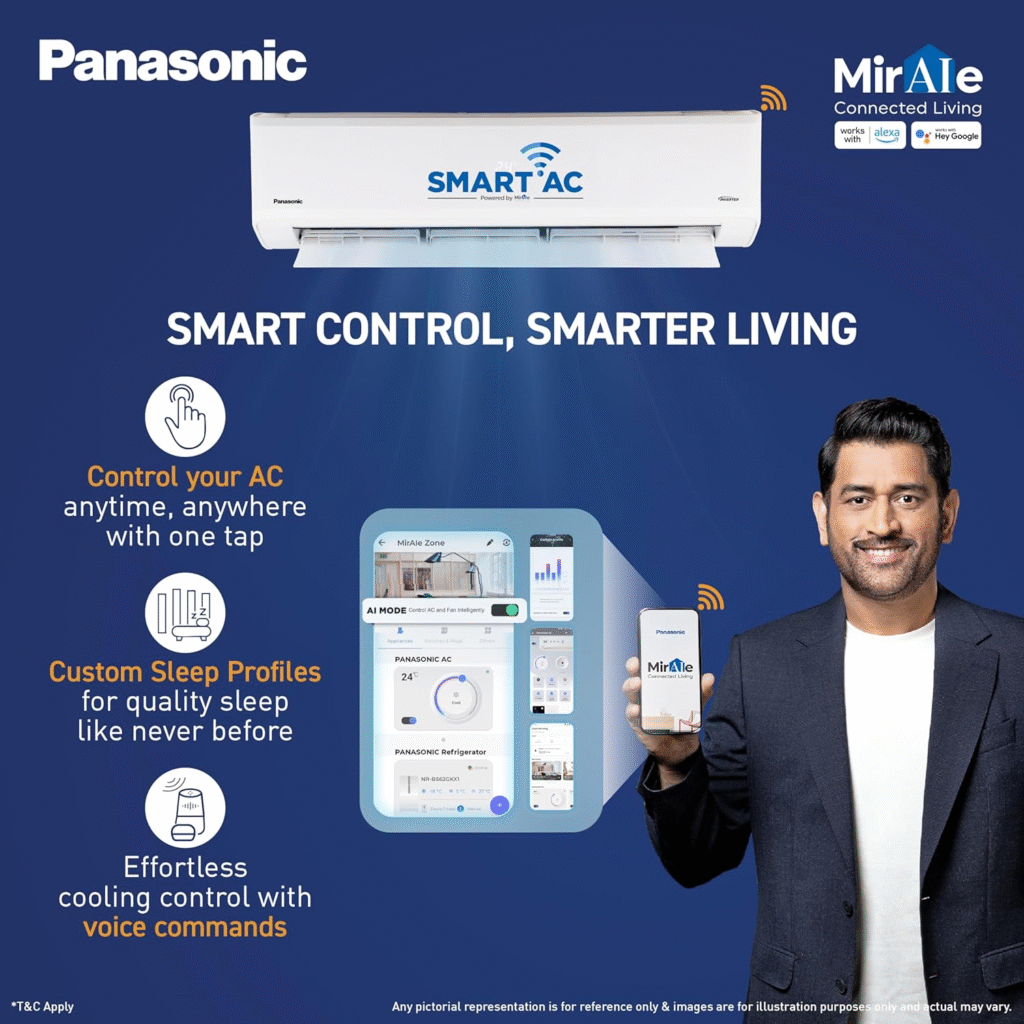
Wi-Fi built-in — and the mAir app is genuinely the best AC companion app available. You can create sleep profiles, set family member preferences individually, control via Alexa or Google Assistant.
Dust Buster — when you switch off the AC, the outdoor unit runs the fan in reverse to clean dust and sediment off the outdoor coils automatically. No other AC in this list does this.
Four-way air swing — same as LG and Blue Star.
Shield Blue Technology — chemical coating on both indoor and outdoor coils. Quality verified before installation. Top notch.
Noise level reduced to 34 dB this year (was 36–38 dB last year). Effectively silent.
Voltage range: 100V–290V. The widest range in this list.
The con — and it’s a small one:
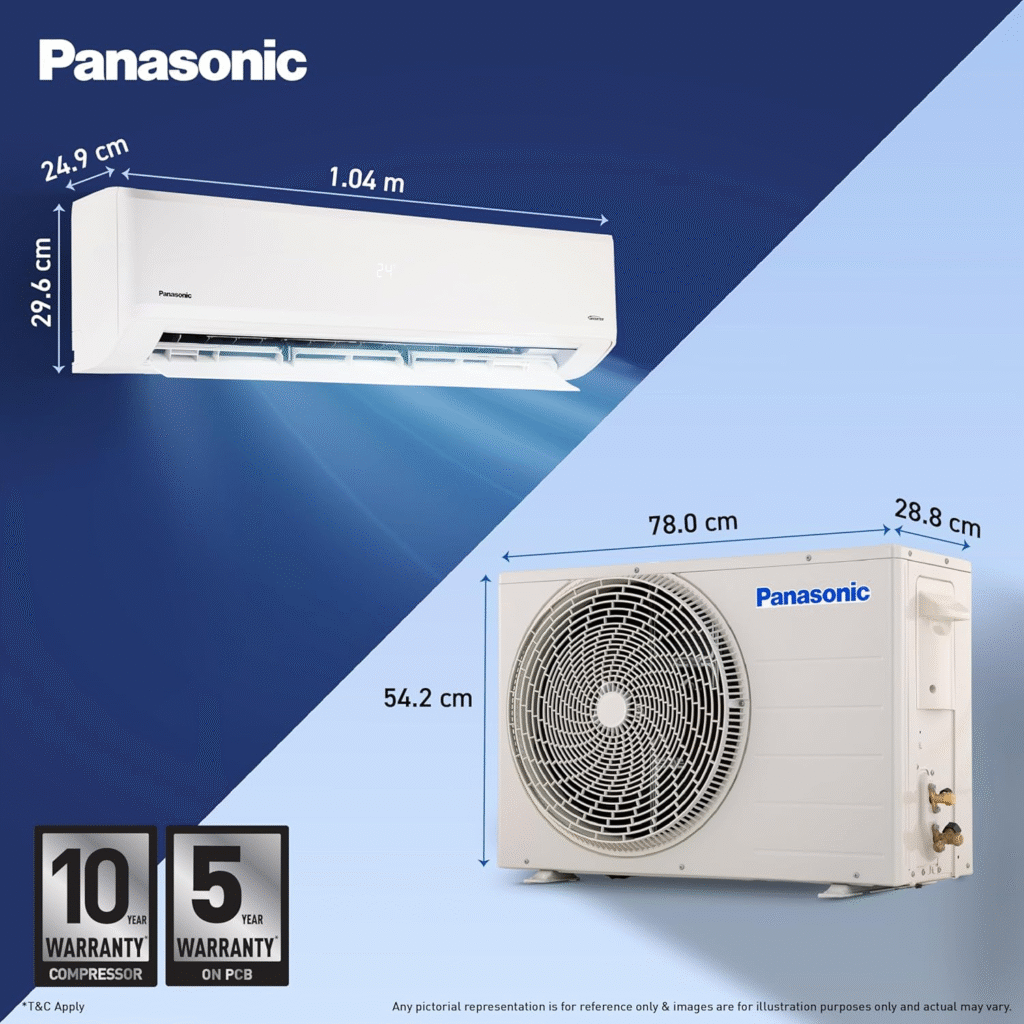
The indoor unit is slightly larger than other brands because of the bigger blower. Not a dealbreaker, but worth noting for tight wall spaces.
Warranty: 1-year comprehensive | 5 years PCB | 10 years compressor.
My recommendation: If you want the best of everything — cooling capacity, efficiency, Wi-Fi, app quality, air flow, and smart features — Panasonic is the answer. It’s the one AC in this list where I genuinely have no major complaints.
Final Decision Guide — Pick Your AC in 60 Seconds
If your room is under 155 sq ft and budget is ₹42,000: → Go with Carrier. No overthinking needed.
If your room is 155–165 sq ft and Wi-Fi doesn’t matter: → LG. Best long-term reliability, incredibly quiet, inner grooved copper tubes.
If your room is 155–170 sq ft and you want Wi-Fi + strong warranty: → Blue Star. Better warranty than LG, Wi-Fi included, slightly more cooling capacity.
If you want Japanese build quality and don’t need Wi-Fi or convertible modes: → Daikin. Pure cooling performance, PM 2.5 + Active Carbon filter, unbeatable reliability.
If you want the absolute best and you’re willing to pay for it: → Panasonic. Best ISEER, highest airflow, best app, Dust Buster, 18-in-1 modes. The complete package.
Before You Pick Any AC — Read These 3 Points First (Best 1.5 Ton 5 Star AC in India 2026)
Most people skip this part. That’s exactly why they regret their purchase later.
Star Ratings Changed in 2026 — Here’s What That Actually Means
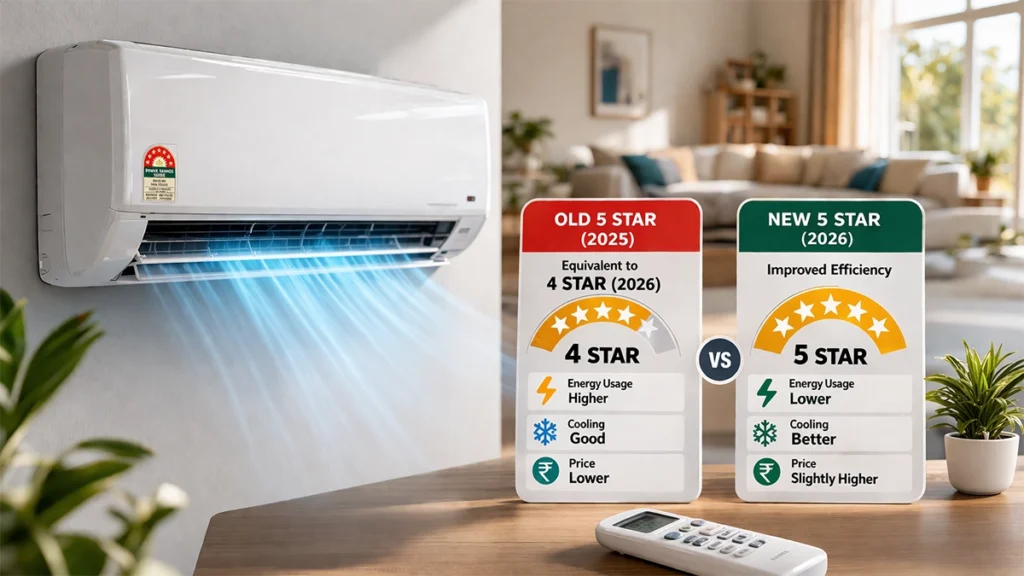
Here’s the truth: the star rating system was completely revised in January 2026.
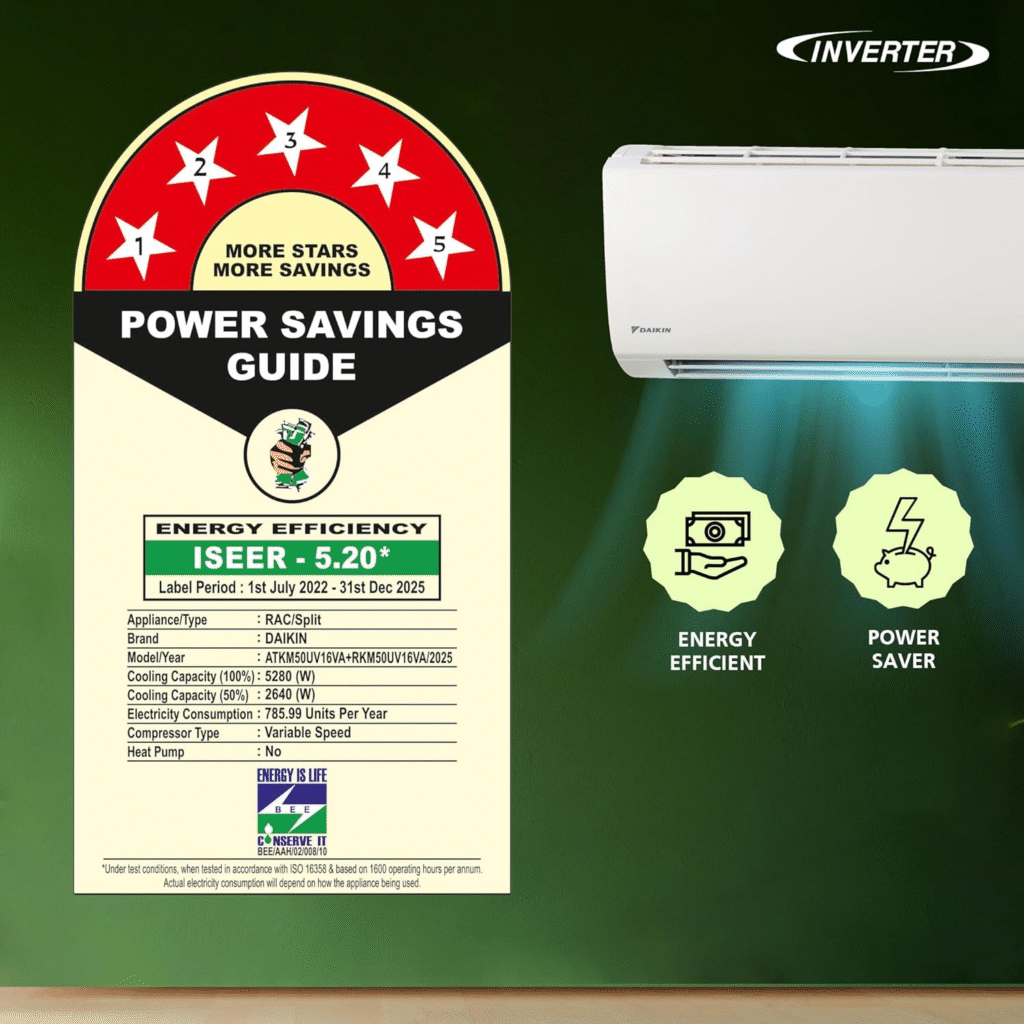
Any AC that was rated 5-star in 2025 is now technically a 4-star AC under the new norms. The government raised the bar.
The new 2026 five-star ACs consume slightly less electricity while delivering the same cooling. Sounds great, right?
But here’s the practical part — the actual savings difference between a 2025 model and a 2026 model is not dramatic enough to justify a ₹4,000–5,000 price premium.
Simple rule: If you find a 2025 model of the Best 1.5 Ton 5 Star AC in India 2026 at a significant discount right now — just buy it. Don’t let the star label on the box make the decision for you. Your electricity savings won’t cover that price gap anytime soon.
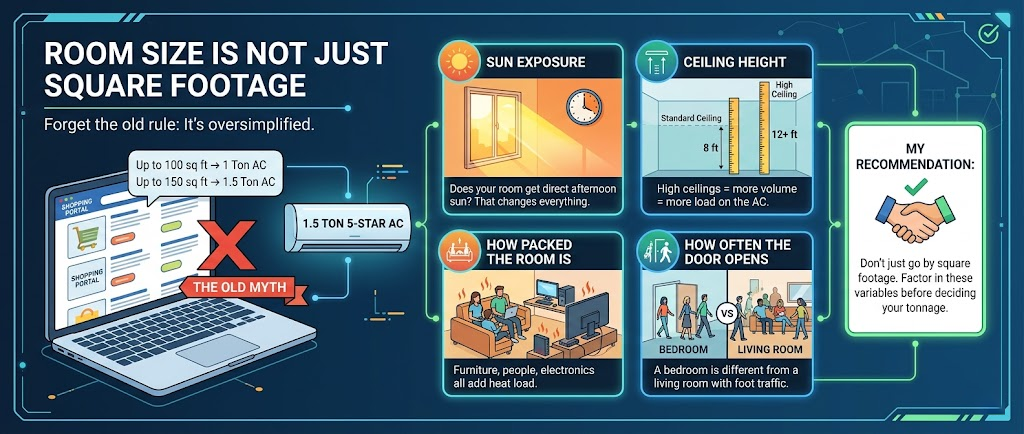
Room Size Is Not Just Square Footage
You’ve seen this everywhere on Flipkart and Amazon:
Up to 100 sq ft → 1 Ton AC
Up to 150 sq ft → 1.5 Ton AC
Forget that. It’s oversimplified.
For a 1.5 Ton 5-Star AC, the right room size depends on:
Sun exposure — Does your room get direct afternoon sun? That changes everything.
Ceiling height — High ceilings = more volume = more load on the AC.
How packed the room is — Furniture, people, electronics all add heat load.
How often the door opens — A bedroom is different from a living room with foot traffic.
My recommendation: Don’t just go by square footage. Factor in these variables before deciding your tonnage.
We’ve covered room size calculation in detail in our complete AC guide — worth a read before you decide.
Cooling Capacity ≠ Tonnage Category
This is where most people get fooled.
Every brand will call their AC “1.5 Ton.” But the actual cooling capacity inside that 1.5 Ton label varies brand to brand. One brand’s 1.5 Ton might actually cool at 1.36 tons. Another might deliver 1.45 tons.
Here’s the truth: 1.5 Ton is a category, not a fixed spec. Always check the actual cooling capacity in the technical details — not just the headline tonnage.
I’ll tell you the exact cooling capacity for every AC in this list. That’s what will actually help you decide.
How to Use Your Inverter AC the Right Way
Still confused about inverter ACs? Let’s make this simple.
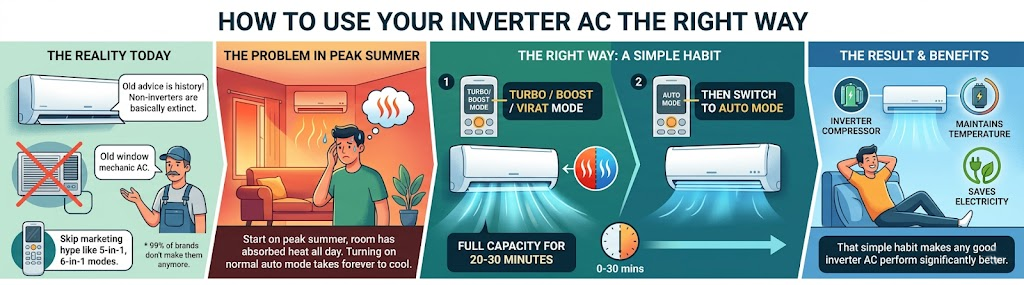
Non-inverter ACs are basically extinct in the residential market now. 99% of brands don’t even make them anymore. So whatever your old mechanic told you about “inverter ACs having expensive repairs” — that advice is from another era. Move on.
Here’s where it gets interesting —
Every inverter AC today comes with convertible modes. You’ll see 5-in-1, 6-in-1, 8-in-1. Don’t get excited about those numbers — it’s mostly marketing.
What actually matters is how you use it:
When you turn on your AC in peak summer, your walls are hot. The room has absorbed heat all day. If you start the AC on auto mode, it’ll take forever to cool down.
Common mistake: Turning on the AC at normal mode and then complaining it doesn’t cool fast enough.
The right way:
Start on Turbo/Boost/Virat mode (whatever your brand calls it) — full capacity for 20–30 minutes.
This cools down your hot walls fast.
Then switch to Auto mode.
The inverter compressor takes over, maintains the temperature, and saves electricity.
That’s it. That simple habit will make any good inverter AC perform significantly better.
Before Installation — Don’t Skip These Steps
Copper Pipe Vacuuming
When your AC gets installed, insist on vacuuming the copper pipes before the unit is switched on.
If the installation team says they don’t have a vacuum pump — stop them. That’s a red flag. Don’t let them proceed without it. Skipping this step can damage your AC over time.
Budget for Extra Costs
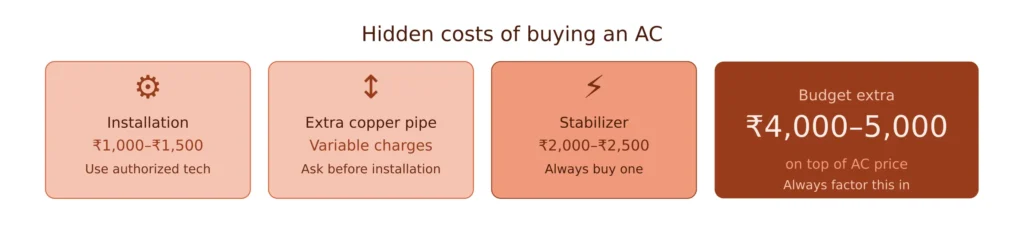
Your AC price is not your total cost. Here’s a realistic breakdown:
AC price — what you see online
Installation charges — up to ₹1,500 (always use the brand’s authorized installer; warranty depends on it)
Extra copper pipe — if your indoor and outdoor units are more than 3 meters apart, you’ll pay extra per foot
Stabilizer — ₹2,000–2,500
Total extra budget to keep aside: ₹4,000–5,000 over and above the AC price.
Do You Actually Need a Stabilizer?
Every brand will tell you their inverter AC has built-in voltage stabilization. And that’s true — to a point.
But if there’s a voltage surge in your home and your ₹47,000 AC gets fried, the brand may not honor the warranty claim.
A ₹2,000–2,500 stabilizer is cheap insurance for an expensive appliance. Just buy it.
What About Samsung, Mitsubishi, and Voltas?
Fair question.
Mitsubishi and General are genuinely excellent ACs and could easily compete for the title of the Best 1.5 Ton 5 Star AC in India 2026. Their build quality and cooling performance are hard to fault.
But here’s the catch — they’re not easily available on platforms like Amazon or Flipkart, and their service networks are strongest in Tier 1 cities.
If you live in a Tier 2 or Tier 3 city, make sure you check service availability and spare parts access before making the purchase.
The product might be outstanding; the after-sales experience could be the real challenge.
Samsung will be covered separately — it deserves its own detailed review.
Voltas is a different category and price point — worth considering if budget is the primary constraint.
One Last Thing
If I had to recommend just one thing from this entire Best 1.5 Ton 5 Star AC in India 2026 guide — get the tonnage and room fit right. Everything else is secondary.
A ₹50,000 AC in the wrong room size will always underperform a ₹42,000 AC in the right room size.
That’s the one mistake that no brand, no warranty, and no feature can fix.
Get that right. Everything else falls into place.
Frequently Asked Questions (FAQs)
1. Which Is the Best 1.5 Ton 5 Star AC in India (2026)?
Panasonic offers the best combination of performance, efficiency, and smart features, closely followed by Daikin.
2. Is it worth buying a 2026 model over a 2025 model?
If the price difference exceeds ₹4,000–₹5,000, a 2025 model can provide better value with minimal efficiency compromise.
3. What room size is suitable for a 1.5 Ton AC?
Typically, 150–170 sq. ft., depending on sunlight exposure, insulation, and ceiling height.
4. Do I need a stabilizer for an inverter AC?
Yes. Although many ACs support stabilizer-free operation, an external stabilizer offers additional protection against voltage fluctuations.
5. Which brand provides the best warranty?
Blue Star stands out with its 5-year comprehensive warranty, offering significant peace of mind.
Prices mentioned are approximate at time of testing. Always check current prices and available offers before purchasing. Use authorized brand installers to keep your warranty valid.
So you’ve finally decided to buy an AC. Maybe the last summer broke you, or maybe you’re just done pretending that a ceiling fan is “enough.” Either way — welcome to this AC buying guide 2026. You’re in the right place.
I’ve been through this whole process myself, and honestly? It’s way more confusing than it needs to be. Tonnage, BEE star ratings, inverter compressors, split vs window, Wi-Fi enabled, PM 2.5 filters… it feels like you need an engineering degree just to buy something that blows cold air.
So let me break it all down for you — simple, honest, and without the fluff. This AC buying guide 2026 covers everything from the absolute basics to the stuff even “experienced” buyers miss.
Let’s get into it.
In This Post
Too many brands. Too many features. Too many misleading terms.
If you choose wrong, you will:
Waste electricity
Get poor cooling
Regret your purchase for years
This guide simplifies everything. No technical jargon. No fluff.
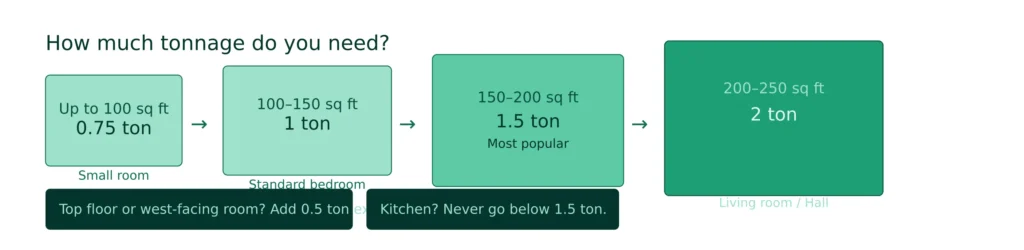
How much ton you need
Here’s a simple formula that works for Indian conditions:
If you don’t want to read everything, here’s the simple rule:
Room Size
Recommended Tonnage
Small room Up to 100 sq ft
0.75 ton
100 – 150 sq ft
1 ton
Medium room 150 – 200 sq ft
1.5 ton
Large room 200 – 250 sq ft
2 ton
Living room250 sq ft and above
2+ ton
For most Indian homes: 1.5 Ton 5 Star Inverter AC is the safest choice
But wait — room size alone isn’t the full story.
A few things can change your AC ton requirement:
Top floor flat? Add 0.5 ton. The roof absorbs a ton of heat (pun intended).
West-facing room? Same — add 0.5 ton. Afternoon sun is brutal.
More than 4–5 people regularly in the room? Bodies generate heat. Factor that in.
Large windows with direct sunlight? Consider going up a size.
Kitchen? Never go below 1.5 ton regardless of size.
Not sure which size is right? Read our detailed guide on 1 Ton vs 1.5 Ton AC
The common mistake is people buy a 1-ton AC because it’s cheaper, put it in a 180 sq ft room, and then wonder why it runs all day without cooling properly. Undersized AC = higher electricity bill + shorter AC lifespan + you still sweating.
Types of AC (AC Buying Guide 2026)
1. Split AC (Best for Most People)
The one with an indoor unit on your wall and an outdoor unit outside. This is what most people buy today and for good reason.
Pros:
Quieter operation (compressor is outside)
Better cooling distribution
Sleeker look
Available in higher tonnage and efficiency ratings
More brands and models to choose from
Cons:
Requires professional installation (drilling, piping)
Installation cost: ₹2,000–₹4,000 extra
If you move houses, reinstallation is a hassle and cost
Best choice for bedrooms and living rooms
2. Window AC
The single unit that sits in a window or wall opening.
Pros:
Easier installation
Cheaper upfront
Good for rentals where you might move frequently
No separate outdoor unit to worry about
Cons:
Noisier (compressor is right inside the unit)
Less efficient options available
Limited to smaller rooms
Good for budget buyers
My take: If you own your home or plan to stay for 2+ years — split AC, no question. If you’re a renter who moves every year, window AC makes more sense practically.
3. Portable AC (Avoid)
Easy to move
Poor cooling
Not worth it in Indian heat
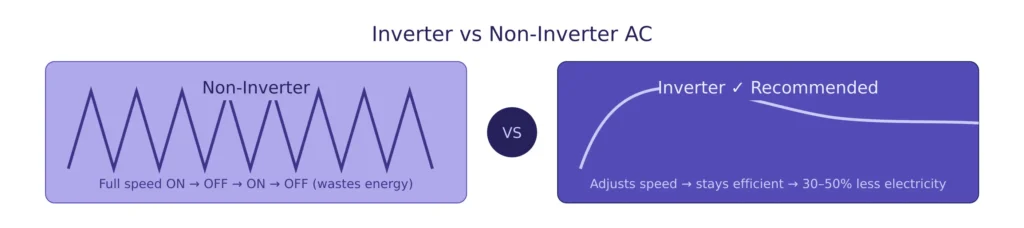
Inverter vs Non-Inverter AC — Just Buy Inverter
Non-Inverter AC
The compressor runs at full speed, then shuts off, then runs again at full speed, then shuts off. It’s like driving a car by flooring the accelerator and then hitting the brakes repeatedly.
Old technology
High electricity consumption
Inverter AC (Recommended)
The compressor adjusts its speed based on how much cooling is needed. Once the room is cool, it slows down and maintains the temperature. Much more efficient.
Adjusts speed automatically
Saves electricity
Better cooling control
The result? Inverter ACs use 30–50% less electricity compared to non-inverter ACs. In India, where electricity bills in summer can be painful, this matters a lot.
My recommendation: Always go inverter. No exceptions.
The only scenario where non-inverter makes sense is if you’re using the AC for very short periods (like 2–3 hours a day at most). For regular daily use — inverter, always.
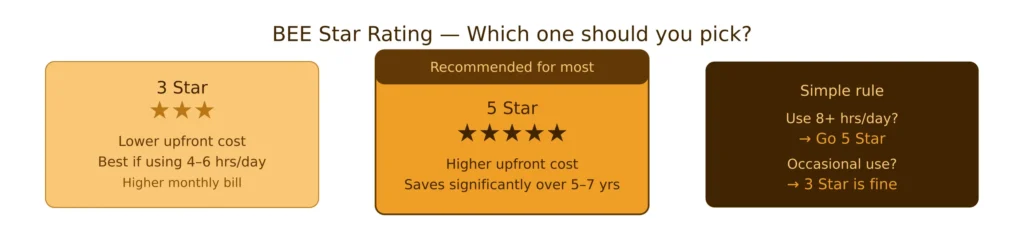
3 Star vs 5 Star AC (Don’t Buy Anything Below 3 Star in 2026)
The BEE (Bureau of Energy Efficiency) star rating tells you how energy efficient an AC is. More stars = less electricity consumed.
For 2026, here’s what I’d recommend:
Star Rating
Who Should Buy
3 Star
Budget buyers, limited usage (4–6 hrs/day)
4 Star
Good balance of cost and efficiency
5 Star
Daily heavy usage, long-term savings priority
5 Star AC
Higher efficiency
Lower electricity bills
Higher price
3 Star AC
Cheaper
Higher electricity consumption
Simple Rule:
If you’re running your AC 8+ hours a day (which most people in Delhi, Mumbai, or Chennai do in peak summer), go 5-star. The electricity savings over 5–7 years are significant.
Still confused? Check full comparison: 3 Star vs 5 Star AC – Which One Should You Buy
Link → 3 Star vs 5 Star AC
Pro tip: Check the ISEER value on the label, not just the stars. Higher ISEER = better efficiency. Two 5-star ACs can have different ISEER values, and the higher one will save you more money.
Use AC daily → go for 5 Star
Use occasionally → go for 3 Star
2026 Star Rating Change (Important)
In 2026:
Old 5 star → now 4 star equivalent
New models are slightly more efficient
But savings are small
If a 2025 model is ₹4000–5000 cheaper, buy that instead
One thing I always tell people — check the service network in your city before buying. A great AC from a brand with no service center nearby is a headache waiting to happen.
What’s the Actual Cost? (2026 Price Guide)
Here’s a rough price range to set your expectations:
Type
Tonnage
Star Rating
Price Range
Split Inverter
1 ton
3 Star
₹28,000 – ₹35,000
Split Inverter
1 ton
5 Star
₹38,000 – ₹48,000
Split Inverter
1.5 ton
3 Star
₹33,000 – ₹42,000
Split Inverter
1.5 ton
5 Star
₹45,000 – ₹60,000
Split Inverter
2 ton
5 Star
₹58,000 – ₹80,000
Window AC
1 ton
3 Star
₹22,000 – ₹28,000
Window AC
1.5 ton
3 Star
₹28,000 – ₹35,000
Add ₹2,000–₹4,000 for installation (split AC). Always get it done by the brand’s authorized installer — DIY or local electricians can void your warranty.
Where to buy: Flipkart, Amazon, and brand websites frequently run good deals especially during January–March (off-season pricing). If you’re buying offline, Reliance Digital and Croma often price-match online rates if you ask.
Common Mistakes to Avoid
Buying based on price alone. The cheapest AC in the showroom will cost you more in electricity over 5 years.
Ignoring tonnage. I said it before, I’ll say it again. Undersized AC is the #1 mistake.
Skipping AMC (Annual Maintenance Contract). The first year is usually free under warranty. After that, get an AMC — ₹1,500–₹3,000/year for regular servicing. It keeps the AC efficient and extends its life significantly.
Not servicing regularly. Clean the filter every 2–3 weeks in heavy use months. Get professional servicing once a year. A dirty AC can use 15–20% more electricity.
Buying last year’s unsold stock without checking. Always check the manufacture date. If a dealer is pushing a “new” AC that was manufactured 2 years ago — that’s 2 years off your warranty effectively.
Learn how to reduce bills: How to Save Electricity with AC
AC Buying Checklist 2026 (AC Buying Guide 2026)
Before you finalize your purchase, run through this:
Measured room size accurately
Accounted for top floor / west-facing / extra heat sources
Chosen inverter AC (not non-inverter)
Minimum 3-star rating (5-star if using 8+ hours/day)
Checked ISEER value on the energy label
Verified brand has service center in your city
Confirmed stabilizer-free operation range
Budgeted for installation cost
Asked about AMC options
Final Thoughts
Buying an AC isn’t complicated once you know what to look for. In this AC Buying Guide 2026, get the tonnage right, go for an inverter AC, choose the right star rating based on your usage, and pick a brand with a strong service network in your area. Everything else is secondary.
If I had to give you one piece of advice: don’t rush it. Spend 20 minutes getting the basics right, and you’ll be happy with your purchase for the next 8–10 years. Rush it to save ₹2,000, and you might regret it every month on your electricity bill.
Hope this AC buying guide 2026 helped.
If you want to go deeper:
Best AC under ₹40,000
1 Ton vs 1.5 Ton AC
AC electricity saving tips
If you follow this guide, you will:
Save money
Get better cooling
Avoid long-term regret
FAQs
1. What size AC should I buy for my room?
If your room is up to 120 sq ft, go for 1 ton. For 120–170 sq ft, 1.5 ton works best. Bigger rooms need 2 ton. Always consider sunlight and room heat, not just size.
2. Is inverter AC better than non-inverter AC?
Yes. Inverter AC adjusts power based on need, cools faster, and saves electricity. Non-inverter is outdated and less efficient.
3. Should I buy a 3 star or 5 star AC?
If you use AC daily for long hours, go for 5 star. If usage is limited, 3 star is enough and saves upfront cost.
4. What is the most important thing in an AC buying decision?
Cooling capacity and correct tonnage. If that is wrong, no feature or brand can fix poor cooling.
5. What does this AC Buying Guide 2026 recommend for most users?
This AC Buying Guide 2026 recommends a 1.5 ton inverter AC with a good star rating and strong service support, as it suits most Indian homes and usage patterns.
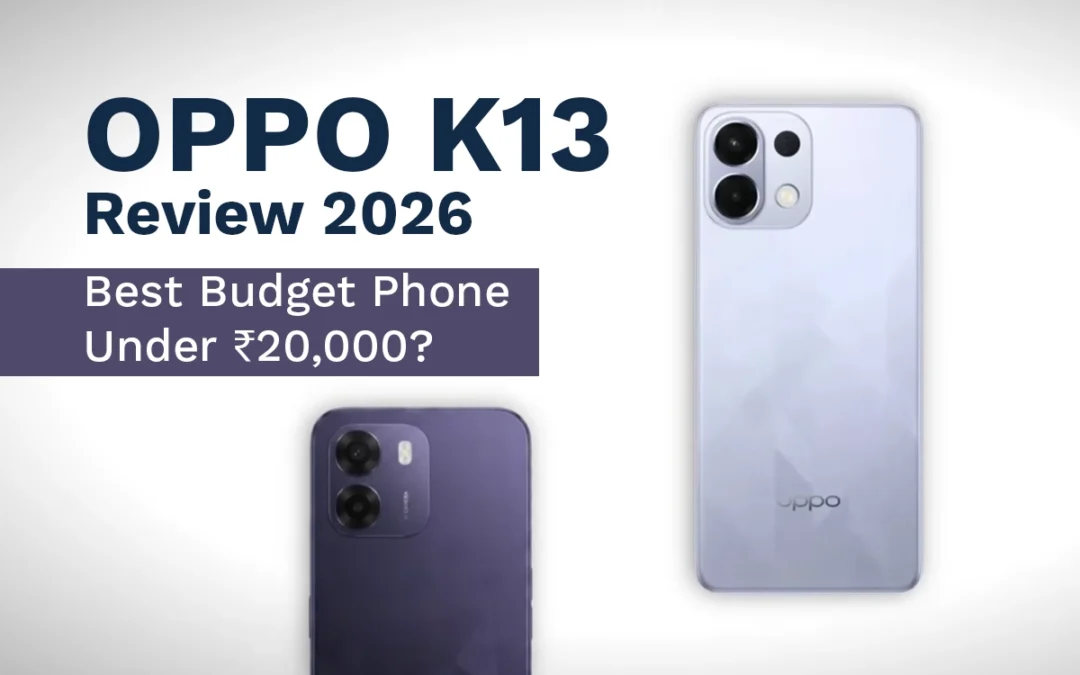
OPPO K13 review 2026: Budget smartphones in 2026 are getting expensive. What used to be a value-packed segment now feels compromised. But every once in a while, a device breaks the pattern.
The OPPO K13 is one of those rare phones.
After a price drop to around ₹17,000–₹18,000, it has quietly become one of the best budget smartphone deals right now. But is it actually worth buying in 2026?
In This Post
Let’s break it down with a real long-term perspective.
OPPO K13 review 2026: Overview – Why It Still Matters in 2026
The OPPO K13 was once considered a “budget king.” Then OPPO increased the price, and people moved on.
Now it’s back at a discounted price—and suddenly, it’s outperforming most phones in its segment again.
Here’s the key takeaway:
Better performance than most competitors
Massive battery life
Smooth software experience
Weak camera performance
If you care more about daily usage than photography, this phone deserves serious attention.
Display and Audio: Surprisingly Premium for the Price
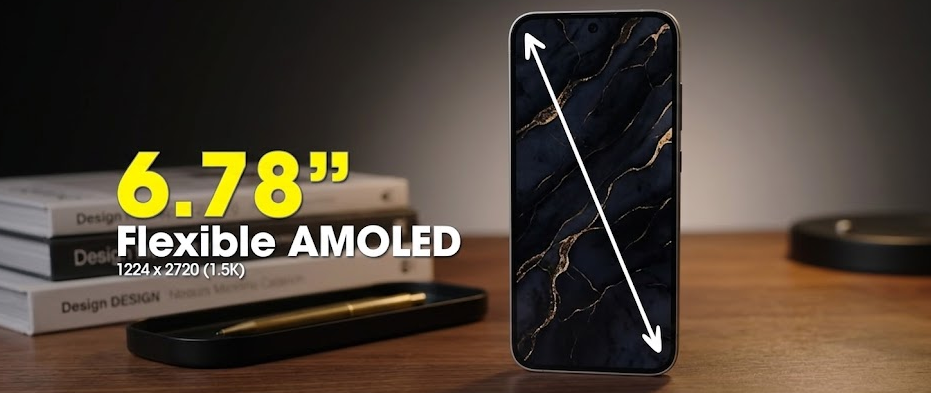
The OPPO K13 features a 6.67-inch AMOLED display with 120Hz refresh rate.
That alone puts it ahead of many budget devices.
What Works Well
Bright and vibrant AMOLED panel
Smooth scrolling with 120Hz
Stereo speakers with good loudness
Support for LDAC / high-resolution audio
Even though brightness peaks at around 1200 nits (HBM), real-world usage feels fine. You won’t notice the numbers unless you compare side-by-side.
Verdict
For content consumption, this does not feel like a budget phone.
Performance: A True Budget Powerhouse
The OPPO K13 is powered by the Snapdragon 6 Gen 4, paired with UFS 3.1 storage.
That combination is rare under ₹20,000.
Real-World Performance
Smooth multitasking
No lag in daily use
Stable gaming performance
You can expect:
BGMI at 60 FPS
Smooth gameplay in mid-level titles
Fast app loading due to UFS 3.1
Benchmark scores are high (around 10 lakh in newer tests), but what matters is consistency—and this phone delivers.
Why It Stands Out
Most budget phones still use UFS 2.2 storage. That’s slower.
The K13 feels faster even after months of use.
Software Experience: Smooth and Feature-Rich
The phone runs ColorOS 16 based on Android 16.
This is one of the strongest points of the K13.
What You’ll Notice
Smooth animations (rare in budget phones)
Deep customization options
Smart widgets and shortcuts
Stable and responsive UI
You also get:
Call recording without announcements
App-level shortcuts (like direct Instamart access)
AI-based features and enhancements
The Downsides
Pre-installed apps (bloatware)
App suggestions in search (can be disabled)
Update Policy
Updates up to Android 17
Around 2 years of security updates
Not great, but acceptable for the price.
Battery Life: The Biggest Highlight
This is where the OPPO K13 destroys the competition.
Specs
7000 mAh battery
80W fast charging
Real Usage
Easily lasts 1.5 days on moderate use
Can act like a power bank
Full charge in about 1 hour
This is not just good—it’s exceptional.
If battery is your priority, this phone is hard to beat.
Camera Performance: The Weakest Link
Let’s be blunt—the camera is average at best.
Setup
50MP main camera
2MP secondary sensor (basically useless)
16MP front camera
Performance
Daylight:
Decent detail
Natural skin tones
Low Light:
Blurry images
Poor brightness
No OIS (shaky videos)
Video:
Max 1080p at 30fps
No advanced stabilization
Verdict
If you care about photography, skip this phone.
Build Quality and Durability
Plastic back and frame
IP65 rating (splash resistant)
Despite the plastic build, the phone is durable. It can handle daily wear, drops, and rough use.
OPPO K13 vs Competition
At ₹17K–₹18K, competitors offer:
Better cameras
More camera lenses
But they often compromise on:
Performance
Battery
Software smoothness
That’s where the K13 wins.
Who Should Buy the OPPO K13?
You should buy this phone if you want:
Strong performance
Long battery life
Smooth UI experience
Great value under ₹20,000
Avoid it if:
Camera is your top priority
You need long-term software updates
Final Verdict: Still Worth It in 2026?
Yes. Absolutely.
Ready to upgrade? Check the latest price of OPPO K13 and grab the deal before it’s gone.
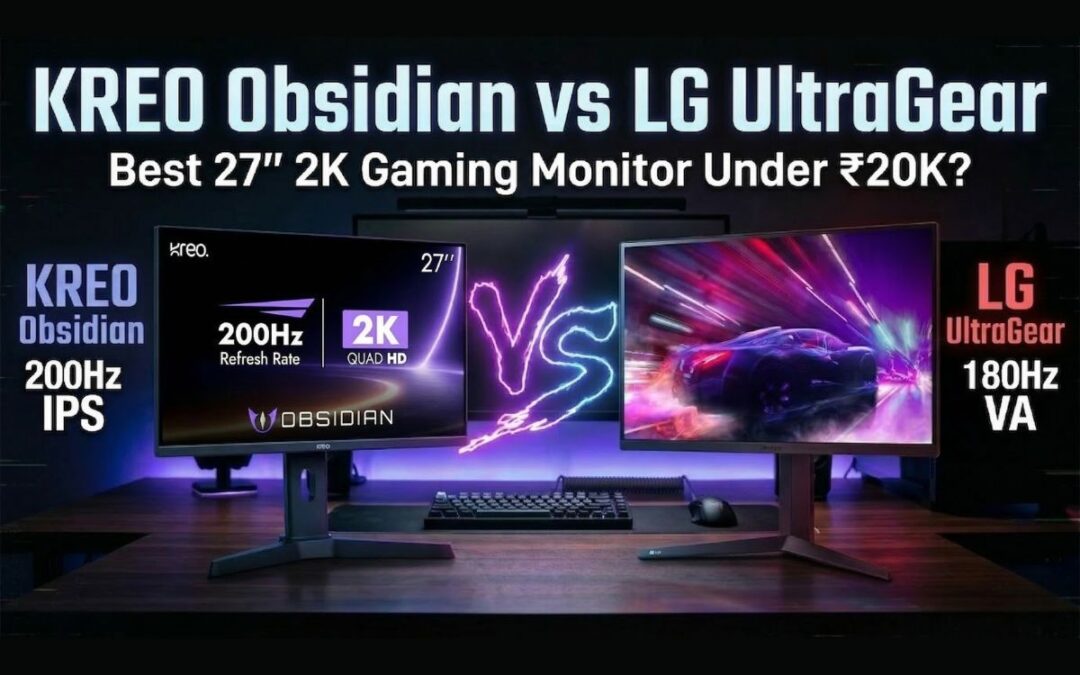
In this KREO Obsidian vs LG UltraGear review, I’m testing the highly demanded KREO Obsidian. On paper, it looks incredible: a 27-inch, 2K, 200Hz IPS panel for Rs 17,500.
But while testing it in the studio, something felt off. The specs were high, but the real-world experience told a different story. To give you a fair and accurate comparison, I went out and bought another monitor at the exact same price point from a brand that has dominated this space for years: the LG UltraGear 27GS60QC.
At around Rs 17,000, the LG monitor brings a curved VA panel and a 180Hz refresh rate to the table.
Should you trust a brand new player in the market offering massive specs, or stick with a legacy brand that has proven reliability? I put both of these budget 2K gaming monitors in India head-to-head. Here is exactly what I found regarding build quality, panel performance, gaming experience, and those hidden flaws the spec sheets won’t tell you.
In This Post
The Unboxing Experience and The “Made in India” Claim
Right out of the gate, I noticed something strange with the KREO Obsidian box. KREO’s biggest marketing claim is that this is a “Made in India” monitor. I even saw a video on their Twitter showing their manufacturing process. Yet, when you look at the physical box, one side proudly says “Made in India,” while the other clearly states “Country of Origin: China.” KREO needs to clarify this for buyers because it creates immediate confusion.
KREO Obsidian vs LG UltraGear: Quick Specifications
Feature
KREO Obsidian
LG UltraGear 27GS60QC
Screen Size
27 inches
27 inches
Resolution
2560 × 1440 (2K)
2560 × 1440 (2K)
Panel Type
IPS
VA
Refresh Rate
200Hz
180Hz
Response Time
1ms
1ms
Adaptive Sync
FreeSync / G-Sync
FreeSync / G-Sync
Brightness
~320 nits
~332 nits
DCI-P3 Coverage
94%
81%
Adjustments
Height, Pivot, Tilt
Tilt only
Warranty
800 days (Roughly 2.2 years)
3 years
Design, Build Quality, and Ergonomics
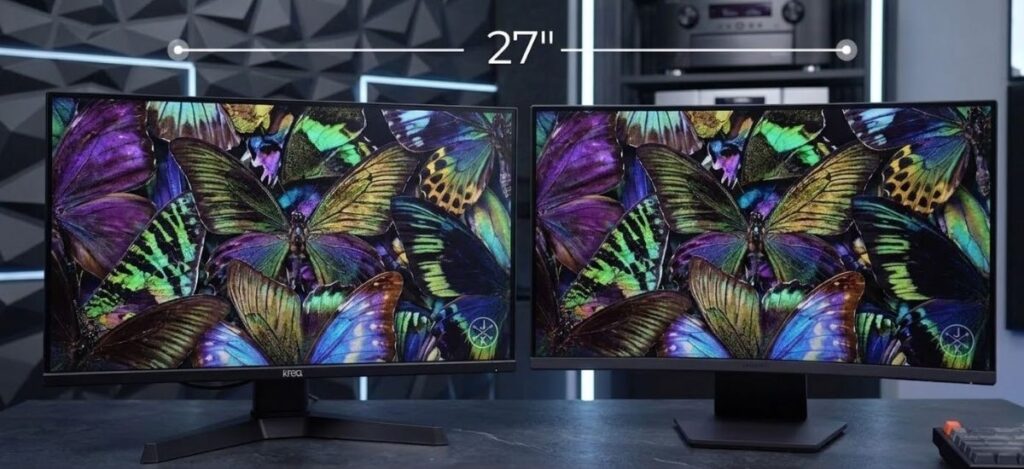
KREO Obsidian vs LG UltraGear 27-inch gaming monitor comparison
Both monitors feature a 27-inch display footprint and a polycarbonate (plastic) build, but the physical implementations are drastically different. The KREO Obsidian is a flat monitor, while the LG UltraGear 27GS60QC features a curved display.
Build Stability and VESA Mounting
KREO Obsidian: The build quality feels incredibly light. The plastic base stand lacks weight, and the moment you adjust the monitor upwards, the whole unit jumps and wobbles on the desk.
LG UltraGear: The polycarbonate build here feels dense and solid. It sits firmly on the table with minimal wobble.
Both monitors feature a standard matte finish on the screen, a Kensington lock, and support for a 100×100 VESA mount. They also both utilize a 5-way nipple joystick at the bottom for accessing the On-Screen Display (OSD). This joystick is the best way to navigate monitor menus, and I firmly believe every monitor should have one.
Stand Adjustments: KREO Takes the Lead
The KREO Obsidian wins easily when it comes to out-of-the-box ergonomics. It offers full Pivot, Height, and Tilt adjustments. You can easily flip it vertically if you want to use it as a secondary monitor for coding, reading chat while streaming, or scrolling timelines.
The LG UltraGear only offers basic tilt adjustment. This is a massive limitation for ergonomics.
Pro Tip: If you buy the LG and need height adjustment, you can bypass the factory stand entirely. Just buy a basic gas-spring VESA mount for around Rs 1,000 to Rs 1,500. [Internal Link: Read our guide on the best budget monitor arms for desk setups].
Connectivity, Ports, and The Refresh Rate Catch
When evaluating a gaming monitor, port selection dictates the maximum performance you can extract from your graphics card.
KREO Obsidian Ports:
2x DisplayPort 1.4
1x HDMI 2.0
1x USB 2.0 (Service port, not a KVM switch)
1x Audio Jack
LG UltraGear Ports:
1x DisplayPort 1.4
1x HDMI 2.0
1x Audio Jack
KREO edges out LG by offering an extra DisplayPort, which is great if you want to connect a gaming PC and a high-end console simultaneously without losing refresh rate. Neither monitor has built-in speakers, which is standard at this price.
The HDMI Limitation You Need to Know
There is a massive catch you must be aware of regarding the HDMI 2.0 ports on both monitors. I tested both with a gaming laptop. When you connect via HDMI at 1440p (2K) resolution, your refresh rate will be hard-capped at 144Hz.
To achieve the advertised 200Hz on the KREO or 180Hz on the LG, you must use the DisplayPort 1.4 connection. If your laptop only has a USB-C output, you need to order a high-quality Type-C to DisplayPort cable to unlock the maximum refresh rates.
Display Technology: IPS vs VA Panel
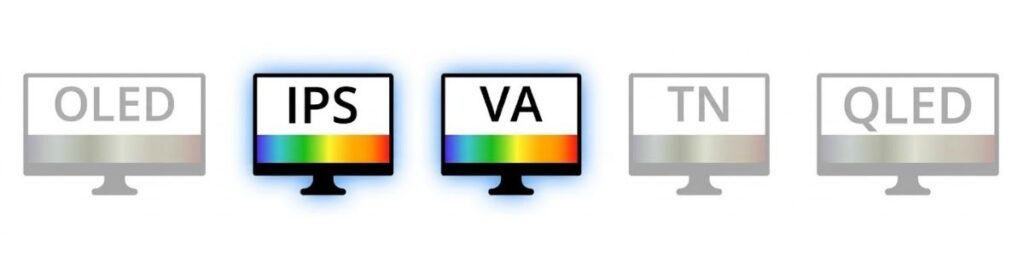
IPS panels prioritize color accuracy while VA panels offer stronger contrast
This is the most critical part of the KREO Obsidian review. A monitor is only as good as its display panel. Both monitors output at a crisp 1440p resolution, but they use fundamentally different panel technologies.
KREO Obsidian (IPS Panel): IPS panels traditionally focus on better color accuracy and wider viewing angles.
LG UltraGear (VA Panel): VA panels are designed specifically for high contrast ratios and deep, dark blacks.
During my testing, viewing angles were great on both units. However, everything else regarding image quality showed a massive gap in performance.
Color Accuracy and Brightness Testing
We tested the color gamut using professional calibration tools:
KREO Obsidian: 100% sRGB, 94% DCI-P3. Max Brightness: 320 nits.
LG UltraGear: 100% sRGB, 81% DCI-P3. Max Brightness: 332 nits.
Despite the similar peak brightness numbers, the KREO felt brighter during our 4K video tests. But that brightness comes at a heavy cost.
Out of the box, the colors on the KREO Obsidian are extremely cool (blue-tinted). Even after going into the settings and forcing the color temperature to “Warm,” it still retained a cool, unnatural vibe. If you are a video editor or do professional color grading, you have to switch the monitor to its dedicated sRGB mode to get usable, accurate colors. You cannot just unbox the KREO and start working; you have to spend time heavily tweaking the OSD to make it look decent.
The LG UltraGear, conversely, looks excellent right out of the box. The colors lean slightly warm, which is very eye-pleasing for long sessions.
Dynamic Range: KREO’s Biggest Failure
Dynamic range dictates how well a monitor handles the brightest whites and the darkest blacks in the same scene. The KREO monitor will definitely disappoint you here.
Higher contrast monitors produce deeper blacks and better cinematic detail
When we placed both monitors side-by-side playing the same high-quality nature footage, the KREO produced blacks that looked greyish-blue. Even compared to other IPS monitors we have in the studio, the KREO’s black uniformity was noticeably worse. Bright areas look completely washed out and lose all detail. It seems the panel over-boosts brightness and saturation artificially, creating an image that looks punchy for five minutes but becomes fatiguing to look at over time.
The LG UltraGear, utilizing its VA panel, produces incredibly deep, pitch blacks. Details in bright areas are maintained perfectly. If you are a student writing code on a dark-mode IDE, or a movie enthusiast watching horror films, the LG is vastly superior.
Gaming Performance and Refresh Rates
In terms of raw gaming performance and pixel response, both monitors handle fast-paced action well.
Refresh Rate: KREO has 200Hz, LG has 180Hz. In reality, you will not notice the 20Hz difference. Whether you play at 165Hz, 180Hz, or 200Hz, the smoothness feels identical to the human eye.
Response Time: Both claim a 1ms response time. We ran the UFO Ghosting test with KREO’s “Overdrive” setting maxed out and found zero ghosting and zero overshoot.
Adaptive Sync: Both support AMD FreeSync and NVIDIA G-Sync (only via DisplayPort, not HDMI). [External Link: Learn more about how G-Sync eliminates screen tearing].
MPRT Mode (Moving Picture Response Time)
The KREO features an MPRT mode designed to reduce motion blur in hyper-fast esports titles like Valorant or Doom. However, turning this on drops the monitor’s brightness down to an unusable 100 nits. Unless you play in a pitch-black room, this feature is practically useless.
Esports vs AAA Gaming
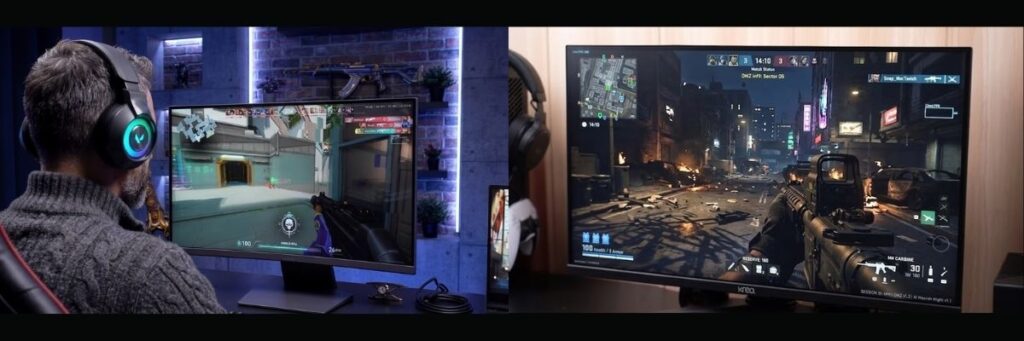
High refresh rate monitors improve responsiveness in competitive gaming
When playing Valorant, the KREO performed fine. The bright, flat maps suit the panel. However, my studio partner Shubham booted up God of War Ragnarok, which features heavy shadows and dark environments. The KREO ruined the atmosphere. The shadows turned into a muddy, greyish-blue mess.
The LG UltraGear provided a massive upgrade in visual fidelity for AAA and dark games because the VA panel actually renders true black.
Warranty and Brand Reliability
When buying budget PC components, after-sales service is a massive factor.
KREO Warranty: 800 Days (Roughly 2.2 years).
LG / MSI Warranty: 3 Years standard.
KREO is demanding Rs 17,500 for an unproven monitor from a new brand. LG, MSI, Acer, and Samsung have been manufacturing displays for decades. I haven’t personally had to deal with KREO’s customer service yet, but establishing trust takes time. When a new brand prices their product identically to the industry giants, it becomes a very tough sell.
Where to Buy: Current Prices & Links
Ready to snag one of these monitors? You’ll find the current prices and purchase links right here.
Note: Monitor prices on Amazon and Flipkart fluctuate constantly. While they both launched around the Rs 17,000 mark, you can often find them on sale for less.
(Pro tip: If you see the LG UltraGear drop below Rs 16,500 during a flash sale, don’t wait—grab it instantly.)
Final Verdict: Which Monitor Should You Buy?
If the KREO Obsidian was priced under Rs 15,000, it would be a highly recommended budget 1440p gaming monitor. At that price, you expect compromises like poor dynamic range and light build quality in exchange for a 2K 200Hz panel.
But at Rs 17,500, the KREO Obsidian is simply overpriced for the experience it delivers. The poor out-of-the-box color calibration, heavy screen bleeding, washed-out dynamic range, and questionable build stability make it hard to recommend.
For Rs 17,000, the LG UltraGear 27GS60QC is the clear winner here. You get excellent contrast, beautiful colors right out of the box, solid build quality, and the peace of mind of a 3-year warranty from a legacy brand.
What is your experience with these brands? Have you tried the new KREO Obsidian, or do you swear by LG UltraGear displays?
Drop a comment below and let me know about your experiences, especially regarding after-sales service—it helps out the whole community!
No. If you connect your PC or laptop using the HDMI 2.0 port, the refresh rate is capped at 1440p 144Hz. To get the full 200Hz on the KREO Obsidian (or 180Hz on the LG UltraGear), you must use a DisplayPort 1.4 cable.
Does the KREO Obsidian have built-in speakers?
Neither the KREO Obsidian nor the LG UltraGear comes with built-in speakers. However, both monitors have a 3.5mm audio jack, so you can plug your headphones or external speakers directly into the monitor.
Which monitor is better for editing and coding: KREO or LG?
The LG UltraGear is much better for coding because its VA panel produces pitch-black backgrounds, making dark-mode applications look great. For video editing, the KREO’s IPS panel has highly inaccurate, cool colors out of the box and requires heavy tweaking in the sRGB mode, whereas the LG looks much more accurate right away.
Can I mount the KREO Obsidian on a monitor arm?
Yes, both the KREO Obsidian and the LG UltraGear support a standard 100×100 VESA mount. Since the LG monitor only comes with basic tilt adjustment on its factory stand, buying a third-party monitor arm is highly recommended.
Is the KREO Obsidian actually Made in India?
This is a point of confusion. KREO claims it is a “Made in India” monitor, and it says so on one side of the box. However, the other side of the exact same box clearly states “Country of Origin: China.”
Finding the right geyser can feel like a winter project of its own. If you’re short on time (and patience) and need something that heats water instantly before your morning rush, this guide is exactly what you need.
I’ve personally tested, used, and reviewed multiple instant geysers—bought with my own money, no brand sponsorships, no hidden deals. My only goal is to help you choose the best instant geyser in India for 2026 that fits your budget and daily use.
So, let’s dive in and clear up the confusion between storage and instant geysers once and for all.
In This Post
Instant Geyser vs Storage Geyser: What’s Better?
If you’re wondering whether to go for a 15–25-liter storage geyser or a compact instant model, here’s the truth.
An instant geyser saves about 25% electricity compared to a storage geyser. It heats only the amount of water you actually need—no energy wasted on extra liters.
Example: If you need just 5 liters for a quick shower, an instant geyser heats only that amount. In contrast, a 15-liter storage geyser would heat all 15 liters, wasting both time and power.
However, don’t expect a star rating on instant geysers—most models don’t carry one due to their heating mechanism.
Power Element and Capacity
Instant geysers use 3-kilowatt heating elements, while storage models usually have 2-kilowatt elements. That extra power means faster heating.
You’ll mostly find two capacity options:
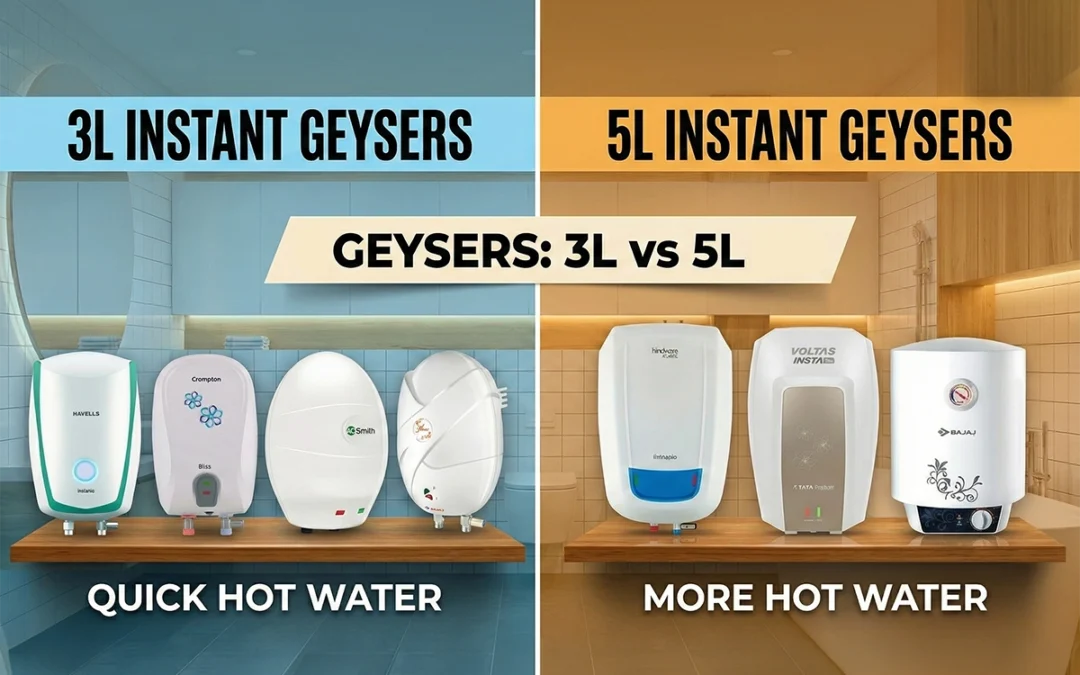
3-liter geysers – Ideal for kitchens.
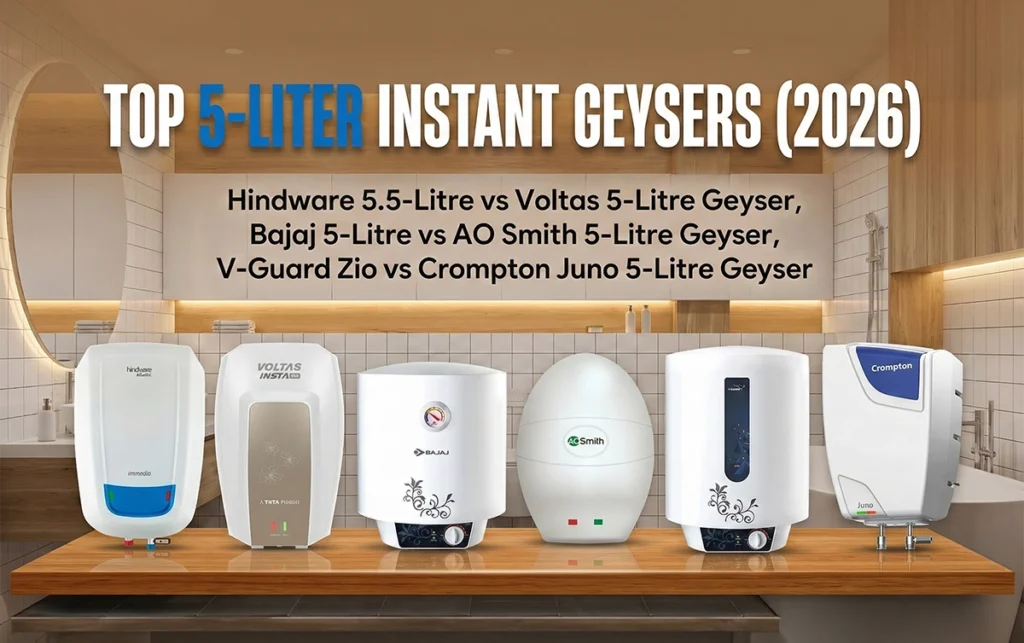
5-liter geysers – Perfect for bathrooms.
If you want to take full showers, stick to 5-liter units. Three liters simply won’t cut it.
Build Quality and Installation Tips
Before jumping into brand names, keep these facts in mind:
Most brands don’t provide a 3-pin plug or pipes in the box. You’ll have to buy and install them separately.
Always use a 16-ampere plug to avoid short circuits.
Don’t rely on “free installation” promises; many companies don’t cover all cities.
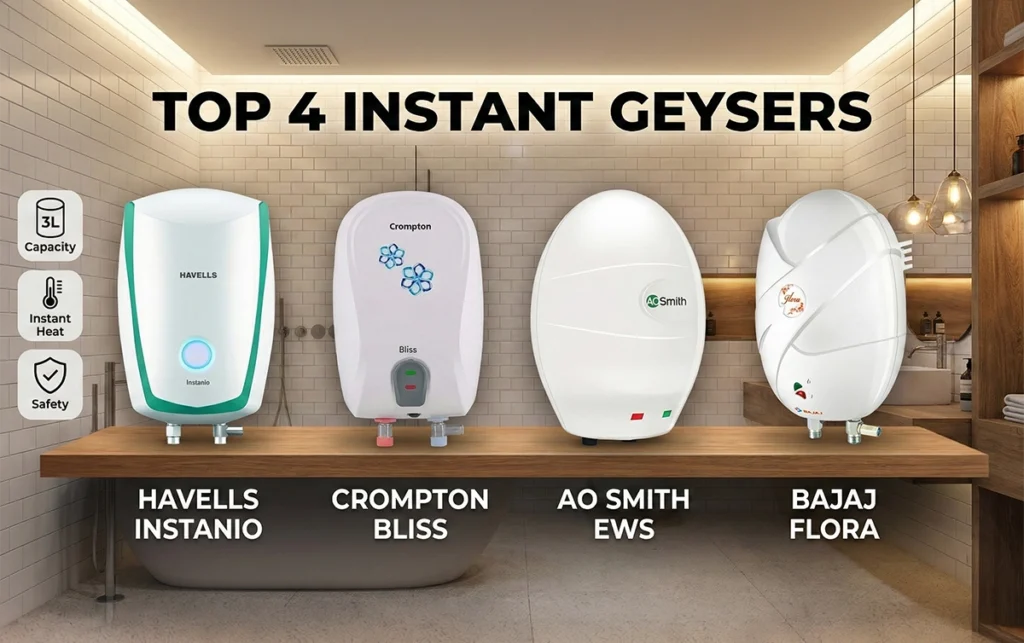
Top 3-Liter Instant Geysers (2026)
1. Havells Instanio 3-Litre Instant Geyser
Build Quality: Outstanding ABS outer body and 304-grade stainless steel inner tank.
Extras: Color-changing LED indicators, solid insulation, ISI certified.
Warranty: 2 years comprehensive + 5 years on tank.