
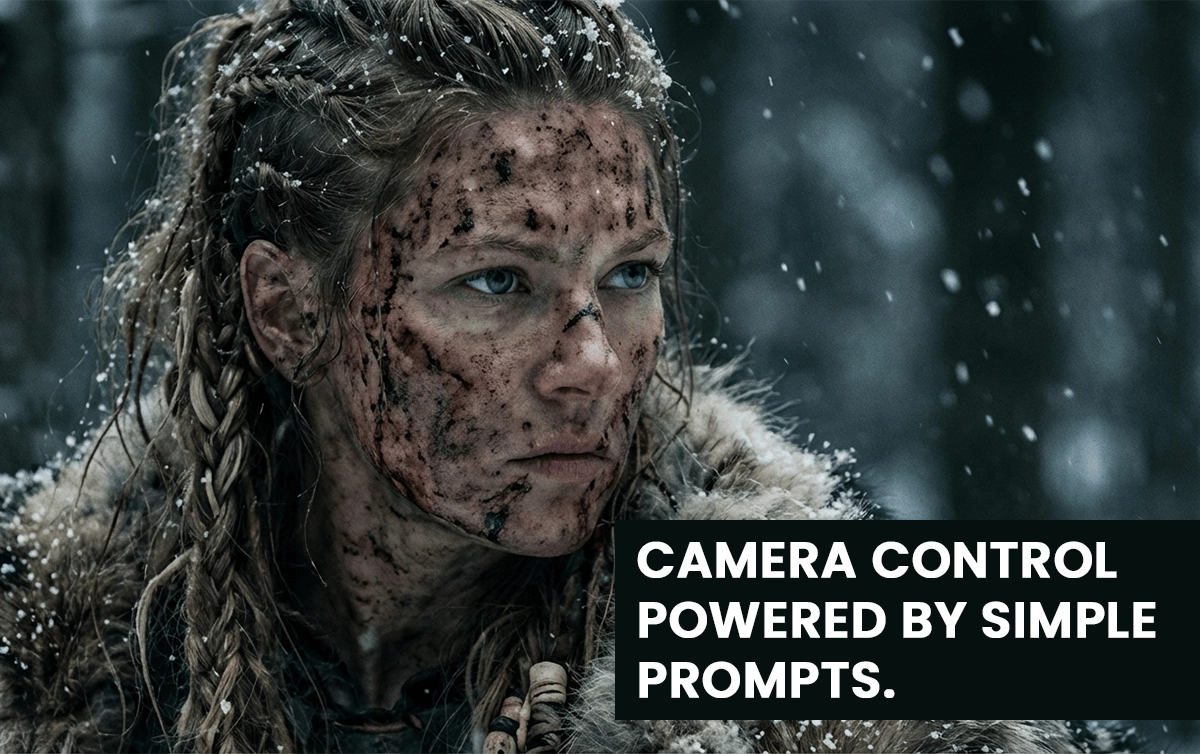

If you’ve ever used an AI image or video generator and felt like you were pulling a lever on a slot machine, this guide is for you. Most beginners hit “generate,” hope for a good output, then regenerate until something decent shows up.
That approach kills quality, wastes time, and makes you think AI tools are inconsistent.
This complete beginner’s guide shows you how to direct AI tools instead of gambling with them. You’ll take a single image and generate infinite camera angles, all with character consistency and full aesthetic control using Nano Banana Pro and other modern AI tools.
Let’s turn luck into a predictable creative workflow.
In This Post
What Is Nano Banana Pro Camera Control?
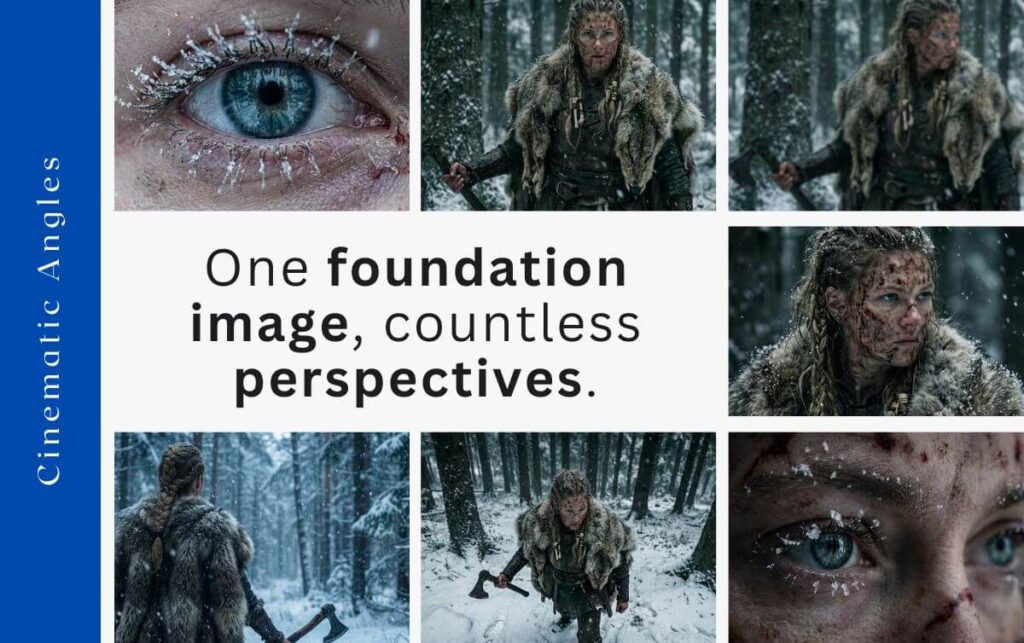
Nano Banana Pro camera control lets you create new camera angles, perspectives, and cinematic shots from a single foundation image. You direct the movement — not the model.
With the right workflow, you can generate:
- Bird’s-eye views
- Dutch angles
- Macro close-ups
- High angles
- Over-the-shoulder shots
- Dolly movements
- Rack focus transitions
- Slow zooms
…and many more.
The key is starting with one strong foundation image, then guiding your variations through simple, precise prompts.
Step 1: Create the Foundation Image
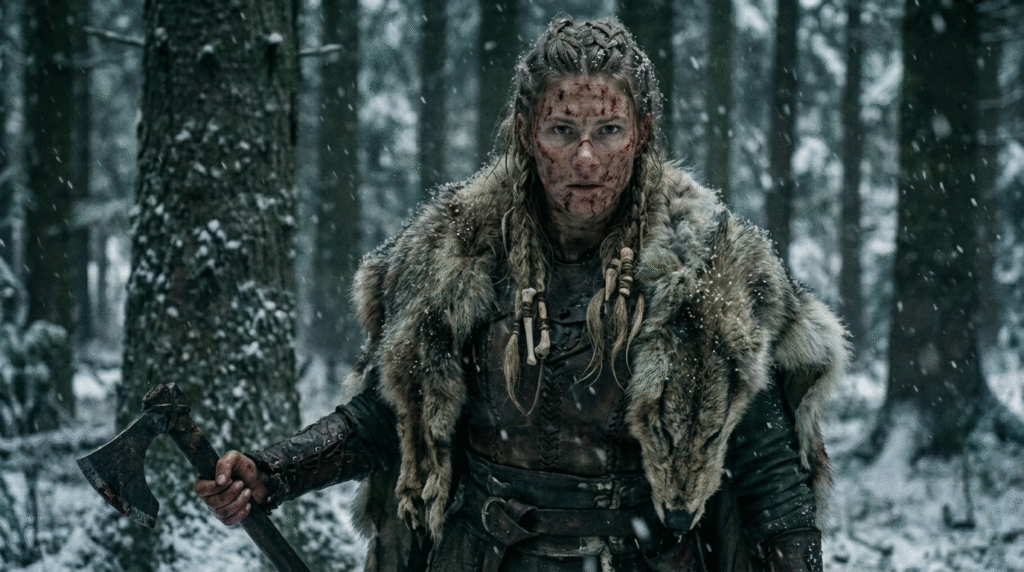
The foundation image is the DNA of your project. Every future shot and video will inherit its:
- Character identity
- Aesthetic and vibe
- Lighting style
- Color palette
- Environment
If your foundation image is weak or inconsistent, all later angles will break.
How to Make a Foundation Image That Works
Use tools like:
- Nano Banana Pro
- Midjourney
- Pinterest (for inspiration)
Craft a clear vision: Who is your character? What world? What mood? What aesthetic?
Example Prompt:
A hyper-realistic female Viking in snowy woods — gritty, dark, green/white/gray tones.
Your prompt should define:
- Character
- Setting
- Aesthetic
- Tone
Once you get the perfect image, lock it in. That image now becomes your “reference” for every other shot.
Step 2: Generate Infinite Variations With Consistency
This is where most beginners fail.
They try to create new angles by rewriting huge prompts. That breaks character consistency.
Instead, you use the foundation image + a simple camera-angle prompt.
Why Simple Prompts Work
Nano Banana Pro already understands:
- Lighting
- Texture
- Character features
- Environment details
- Color palette
Your job is not to restate all this.
Your job is to tell it the camera angle.
The Prompt Library (Over 40 Shots)
The creator in the video uses a free prompt library with 40+ camera angles. You don’t need to reinvent terminology like:
- Dutch angle
- Bird’s-eye view
- Macro shot
- High angle
- Over-the-shoulder
- Static wide
- Dolly in/out
- Handheld
Just pick the camera type → copy prompt → paste → attach foundation image.
Example: High Angle View Prompt
High-angle shot of image 1. Camera positioned above the subject, looking downward. Keep the same snowy environment and gritty style.Attach your foundation image as image 1.
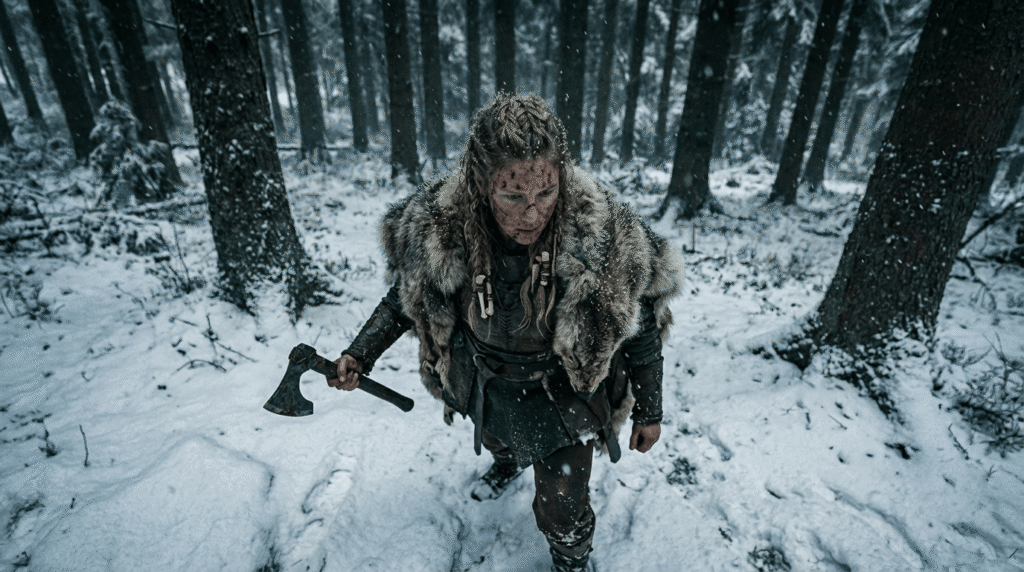
That’s it.
Example: Dutch Angle Prompt
Create a Dutch angle shot of image 1. Tilted horizon, subject in foreground, background slightly blurred, same lighting and environmentNano Banana knows the term “Dutch angle,” so you don’t need technical descriptions.
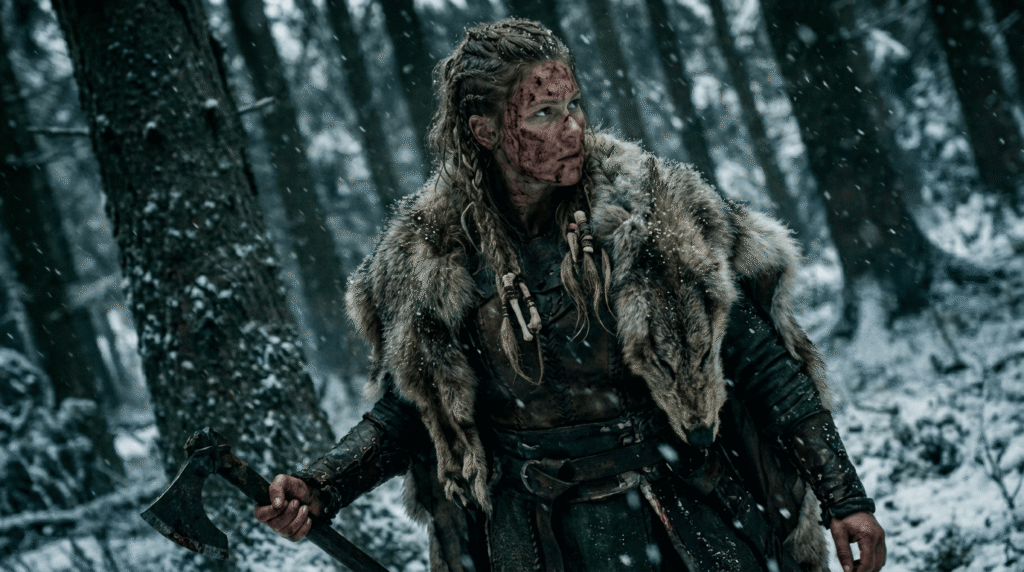
Example: Macro Shot Example
Macro close-up shot of image 1 focusing on the eyes. Ultra-detailed skin texture, snow reflections, shallow depth of field.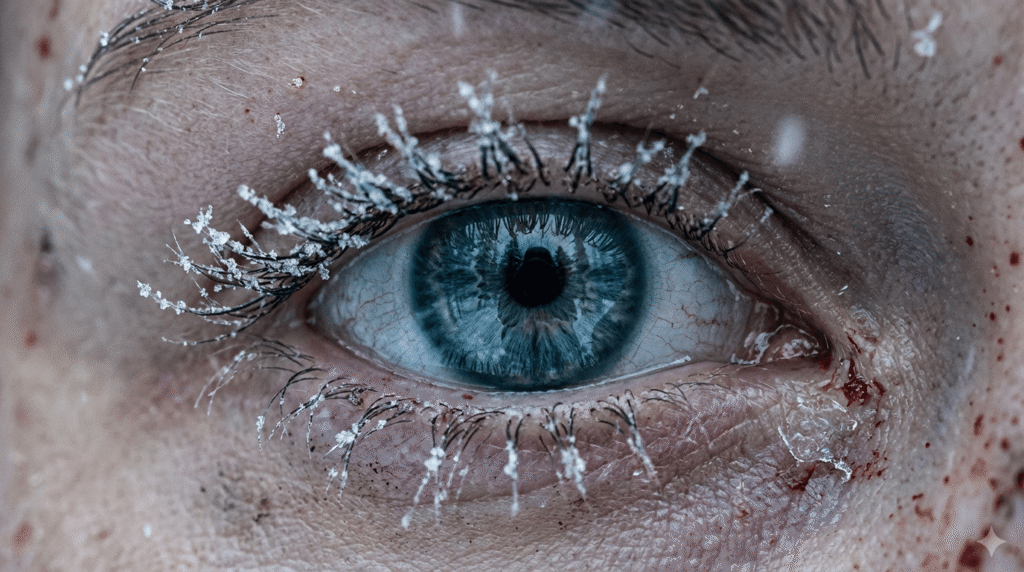
Example: Bird’s-Eye View
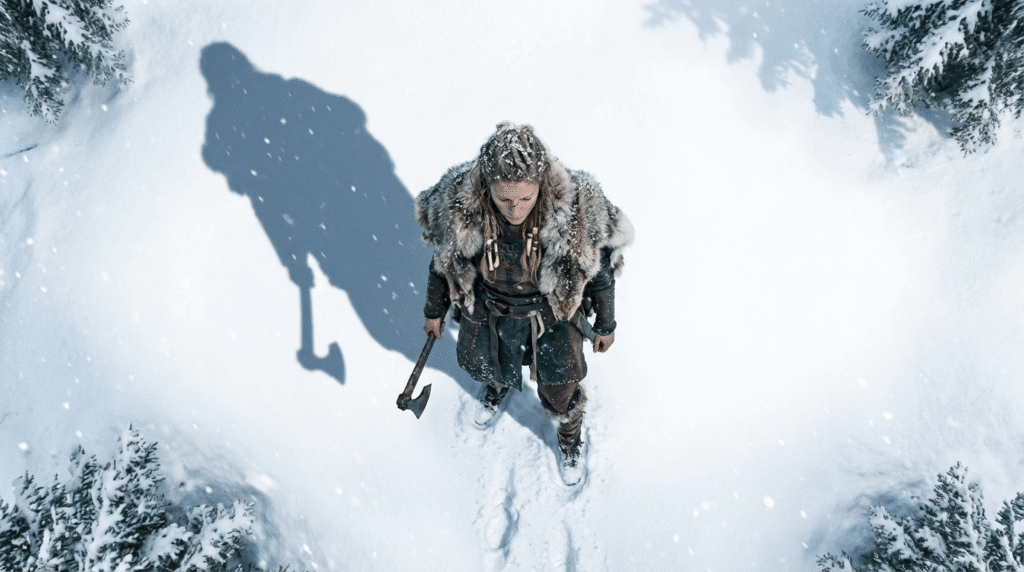
Direct overhead bird’s-eye view of image 1 standing in the snow. Camera top-down, showing long shadow on the ground.Nano Banana knows the term “Dutch angle,” so you don’t need technical descriptions.
Example: Macro Eye Prompt
Macro cinematic close-up of image 1’s eyes. Snowflakes clinging to eyelashes. Extremely shallow depth of field. Dramatic lighting.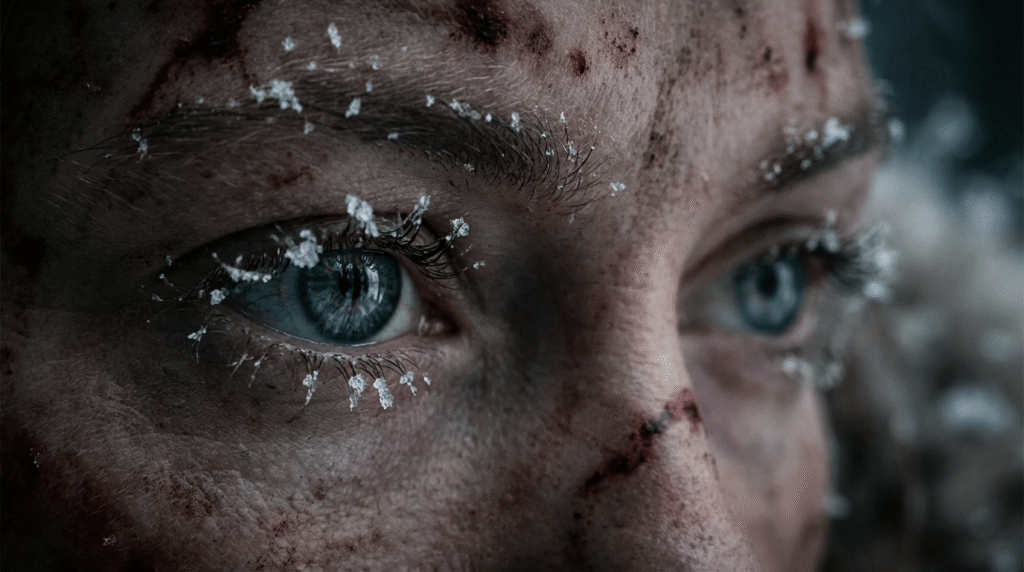
Why This Works
The foundation image carries:
- Character
- Details
- Clothing
- Textures
- Lighting
- Scene aesthetics
You only describe:
- Camera angle
- Small contextual differences (snow, trees, direction of light if needed)
This gives you clean, consistent outputs every time.
Step 3: Turn Variations Into Cinematic AI Videos
Now that you have multiple angles, you can turn them into videos using tools like:
- VO 3.1 (recommended)
- VO 3.1 Fast (cheaper + nearly identical quality)
- Nano Banana Pro also supports video editing workflows
Why VO 3.1 Fast Works Best
- High cinematic quality
- Supports first frame + last frame
- Fast rendering
- Low cost
- Consistent movement
When You Need a First Frame Only
Example: slow zoom in on the Viking’s eyes.
Slowly zoom in.
Attach the macro-eye shot as the first frame.
When You Need First + Last Frame
Use both frames if:
- There is a focus shift
- The character moves dramatically
- The environment must match exactly
- You want to avoid character drift
Example: Rack Focus Scene
Blurry → sharp transition on the Viking’s face.
If you only provide the blurry first frame, the model invents a random Viking woman at the end.
But with both frames, the output matches perfectly.
How to Generate Perfect Video Prompts
You can use AI to help you write prompts.
Simple Workflow
- Upload first frame
- Upload last frame
- Tell AI:
Give me a text prompt for an image-to-video generator that moves from the first frame to the last frame.
Models like Claude, Gemini, or ChatGPT will generate a perfect camera-movement prompt.
Example Output
“A slow cinematic rack-focus pull from blurred foreground trees to the woman’s sharp, detailed face.”
That phrasing is correct — and you didn’t need to know the term “rack focus.”
How It All Comes Together
By now you understand the three steps:
1. Create a strong foundation image
The project’s visual DNA.
2. Create infinite variations using simple camera-angle prompts
The foundation carries the style. You describe only the camera.
3. Generate cinematic videos using first/last frame control
This gives you the exact movement and consistency you want.
This workflow lets beginners produce professional-level AI videos with zero guesswork.
Conclusion
Nano Banana Pro camera control changes everything for beginners. Instead of rolling the dice with AI generation, you now have a clear workflow that gives you predictable, cinematic, consistent results.
You can turn one foundation image into:
- Dozens of photographic angles
- Controlled cinematic movements
- First-frame and last-frame–driven video scenes
- Fully consistent characters across every shot
The limit truly does not exist. Once you master foundation images and camera-angle prompting, you can create entire AI films with complete control.
Your next step is simple: choose a vision, build your foundation image, and start experimenting.
Camera control is powerful, but it only works when your character stays consistent across every angle.
If your character changes from shot to shot, the entire scene breaks.
Next, read:
How to Maintain Character Consistency in Nano Banana Pro
(Learn how to keep the same character identity across all images and angles.)
Nano Banana Pro Guide: 10 Expert Prompts for High-End AI Images
Click here to read
FAQs
1. What is a foundation image in Nano Banana Pro?
It’s the starting image that defines the character, style, lighting, and overall visual tone for your entire project.
2. Why do my AI-generated images look inconsistent?
You’re probably rewriting prompts instead of using a stable foundation image and referencing it in every shot.
3. Do I need complex prompts to create new angles?
No. Simple camera direction (“bird’s-eye view,” “Dutch angle,” “macro shot”) works because the model reads the reference image.
4. When should I use first and last frames for video?
When you need precise transitions, focus changes, or character accuracy from start to finish.
5. Is Nano Banana Pro better than MidJourney for these edits?
For angle consistency and image-to-image editing, yes. It is currently one of the best for controlled camera variations.

0 Comments