
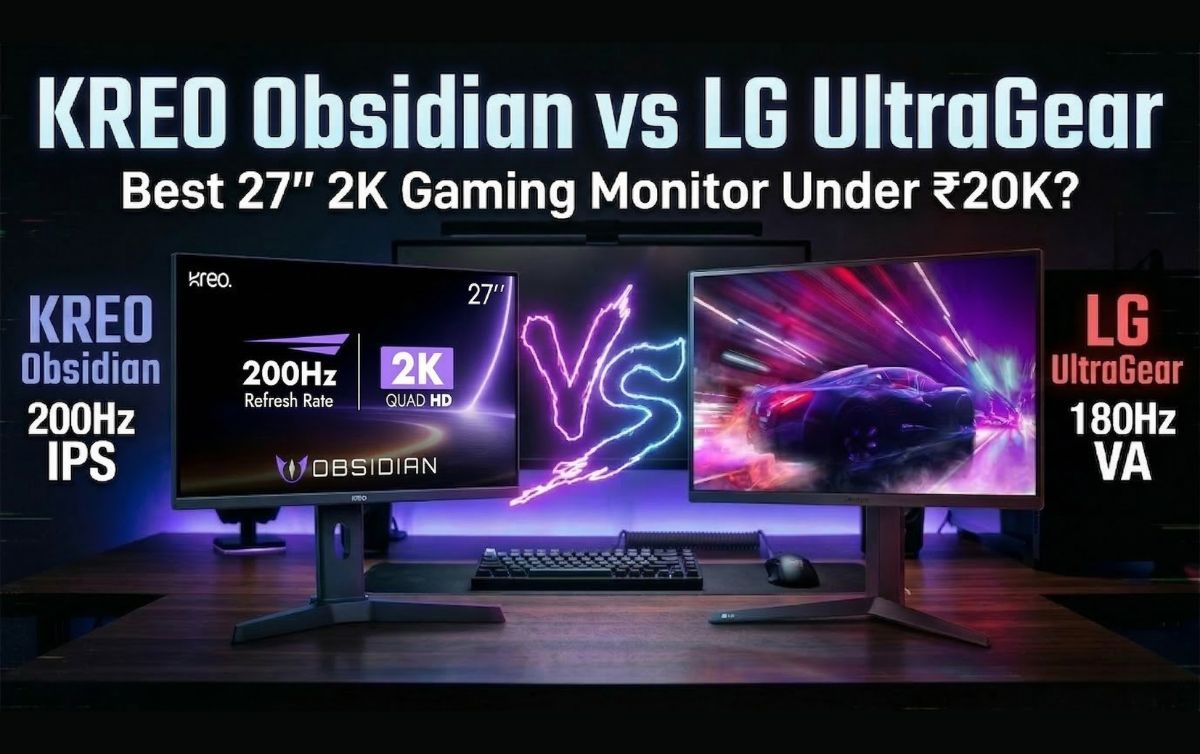

In this KREO Obsidian vs LG UltraGear review, I’m testing the highly demanded KREO Obsidian. On paper, it looks incredible: a 27-inch, 2K, 200Hz IPS panel for Rs 17,500.
But while testing it in the studio, something felt off. The specs were high, but the real-world experience told a different story. To give you a fair and accurate comparison, I went out and bought another monitor at the exact same price point from a brand that has dominated this space for years: the LG UltraGear 27GS60QC.
At around Rs 17,000, the LG monitor brings a curved VA panel and a 180Hz refresh rate to the table.
Should you trust a brand new player in the market offering massive specs, or stick with a legacy brand that has proven reliability? I put both of these budget 2K gaming monitors in India head-to-head. Here is exactly what I found regarding build quality, panel performance, gaming experience, and those hidden flaws the spec sheets won’t tell you.
In This Post
The Unboxing Experience and The “Made in India” Claim
Right out of the gate, I noticed something strange with the KREO Obsidian box. KREO’s biggest marketing claim is that this is a “Made in India” monitor. I even saw a video on their Twitter showing their manufacturing process. Yet, when you look at the physical box, one side proudly says “Made in India,” while the other clearly states “Country of Origin: China.” KREO needs to clarify this for buyers because it creates immediate confusion.
KREO Obsidian vs LG UltraGear: Quick Specifications
| Feature | KREO Obsidian | LG UltraGear 27GS60QC |
|---|---|---|
| Screen Size | 27 inches | 27 inches |
| Resolution | 2560 × 1440 (2K) | 2560 × 1440 (2K) |
| Panel Type | IPS | VA |
| Refresh Rate | 200Hz | 180Hz |
| Response Time | 1ms | 1ms |
| Adaptive Sync | FreeSync / G-Sync | FreeSync / G-Sync |
| Brightness | ~320 nits | ~332 nits |
| DCI-P3 Coverage | 94% | 81% |
| Adjustments | Height, Pivot, Tilt | Tilt only |
| Warranty | 800 days (Roughly 2.2 years) | 3 years |
Design, Build Quality, and Ergonomics
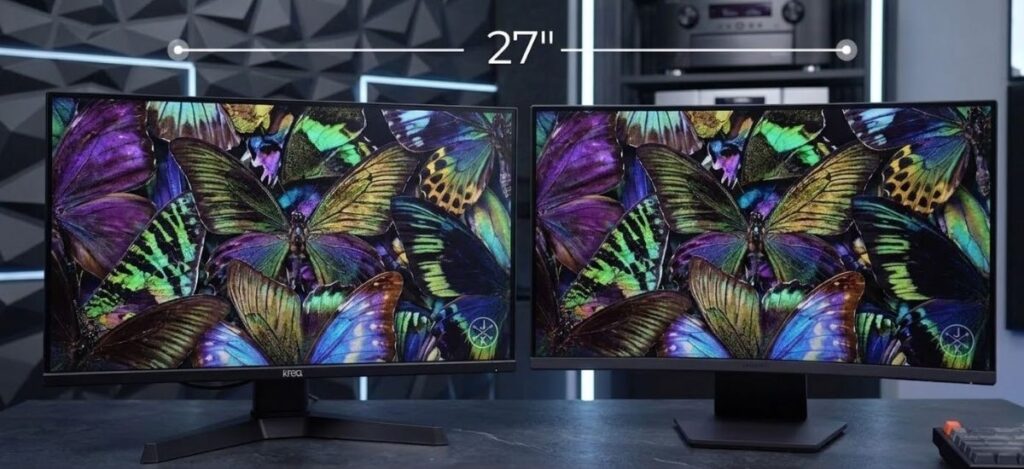
Both monitors feature a 27-inch display footprint and a polycarbonate (plastic) build, but the physical implementations are drastically different. The KREO Obsidian is a flat monitor, while the LG UltraGear 27GS60QC features a curved display.
Build Stability and VESA Mounting
- KREO Obsidian: The build quality feels incredibly light. The plastic base stand lacks weight, and the moment you adjust the monitor upwards, the whole unit jumps and wobbles on the desk.
- LG UltraGear: The polycarbonate build here feels dense and solid. It sits firmly on the table with minimal wobble.
Both monitors feature a standard matte finish on the screen, a Kensington lock, and support for a 100×100 VESA mount. They also both utilize a 5-way nipple joystick at the bottom for accessing the On-Screen Display (OSD). This joystick is the best way to navigate monitor menus, and I firmly believe every monitor should have one.
Stand Adjustments: KREO Takes the Lead
The KREO Obsidian wins easily when it comes to out-of-the-box ergonomics. It offers full Pivot, Height, and Tilt adjustments. You can easily flip it vertically if you want to use it as a secondary monitor for coding, reading chat while streaming, or scrolling timelines.
The LG UltraGear only offers basic tilt adjustment. This is a massive limitation for ergonomics.
Pro Tip: If you buy the LG and need height adjustment, you can bypass the factory stand entirely. Just buy a basic gas-spring VESA mount for around Rs 1,000 to Rs 1,500. [Internal Link: Read our guide on the best budget monitor arms for desk setups].
Connectivity, Ports, and The Refresh Rate Catch
When evaluating a gaming monitor, port selection dictates the maximum performance you can extract from your graphics card.
KREO Obsidian Ports:
- 2x DisplayPort 1.4
- 1x HDMI 2.0
- 1x USB 2.0 (Service port, not a KVM switch)
- 1x Audio Jack
LG UltraGear Ports:
- 1x DisplayPort 1.4
- 1x HDMI 2.0
- 1x Audio Jack
KREO edges out LG by offering an extra DisplayPort, which is great if you want to connect a gaming PC and a high-end console simultaneously without losing refresh rate. Neither monitor has built-in speakers, which is standard at this price.
The HDMI Limitation You Need to Know
There is a massive catch you must be aware of regarding the HDMI 2.0 ports on both monitors. I tested both with a gaming laptop. When you connect via HDMI at 1440p (2K) resolution, your refresh rate will be hard-capped at 144Hz.
To achieve the advertised 200Hz on the KREO or 180Hz on the LG, you must use the DisplayPort 1.4 connection. If your laptop only has a USB-C output, you need to order a high-quality Type-C to DisplayPort cable to unlock the maximum refresh rates.
Display Technology: IPS vs VA Panel
This is the most critical part of the KREO Obsidian review. A monitor is only as good as its display panel. Both monitors output at a crisp 1440p resolution, but they use fundamentally different panel technologies.
- KREO Obsidian (IPS Panel): IPS panels traditionally focus on better color accuracy and wider viewing angles.
- LG UltraGear (VA Panel): VA panels are designed specifically for high contrast ratios and deep, dark blacks.
During my testing, viewing angles were great on both units. However, everything else regarding image quality showed a massive gap in performance.
Color Accuracy and Brightness Testing
We tested the color gamut using professional calibration tools:
- KREO Obsidian: 100% sRGB, 94% DCI-P3. Max Brightness: 320 nits.
- LG UltraGear: 100% sRGB, 81% DCI-P3. Max Brightness: 332 nits.
Despite the similar peak brightness numbers, the KREO felt brighter during our 4K video tests. But that brightness comes at a heavy cost.
Out of the box, the colors on the KREO Obsidian are extremely cool (blue-tinted). Even after going into the settings and forcing the color temperature to “Warm,” it still retained a cool, unnatural vibe. If you are a video editor or do professional color grading, you have to switch the monitor to its dedicated sRGB mode to get usable, accurate colors. You cannot just unbox the KREO and start working; you have to spend time heavily tweaking the OSD to make it look decent.
The LG UltraGear, conversely, looks excellent right out of the box. The colors lean slightly warm, which is very eye-pleasing for long sessions.
Dynamic Range: KREO’s Biggest Failure
Dynamic range dictates how well a monitor handles the brightest whites and the darkest blacks in the same scene. The KREO monitor will definitely disappoint you here.

When we placed both monitors side-by-side playing the same high-quality nature footage, the KREO produced blacks that looked greyish-blue. Even compared to other IPS monitors we have in the studio, the KREO’s black uniformity was noticeably worse. Bright areas look completely washed out and lose all detail. It seems the panel over-boosts brightness and saturation artificially, creating an image that looks punchy for five minutes but becomes fatiguing to look at over time.
The LG UltraGear, utilizing its VA panel, produces incredibly deep, pitch blacks. Details in bright areas are maintained perfectly. If you are a student writing code on a dark-mode IDE, or a movie enthusiast watching horror films, the LG is vastly superior.
Gaming Performance and Refresh Rates
In terms of raw gaming performance and pixel response, both monitors handle fast-paced action well.
- Refresh Rate: KREO has 200Hz, LG has 180Hz. In reality, you will not notice the 20Hz difference. Whether you play at 165Hz, 180Hz, or 200Hz, the smoothness feels identical to the human eye.
- Response Time: Both claim a 1ms response time. We ran the UFO Ghosting test with KREO’s “Overdrive” setting maxed out and found zero ghosting and zero overshoot.
- Adaptive Sync: Both support AMD FreeSync and NVIDIA G-Sync (only via DisplayPort, not HDMI). [External Link: Learn more about how G-Sync eliminates screen tearing].
MPRT Mode (Moving Picture Response Time)
The KREO features an MPRT mode designed to reduce motion blur in hyper-fast esports titles like Valorant or Doom. However, turning this on drops the monitor’s brightness down to an unusable 100 nits. Unless you play in a pitch-black room, this feature is practically useless.
Esports vs AAA Gaming
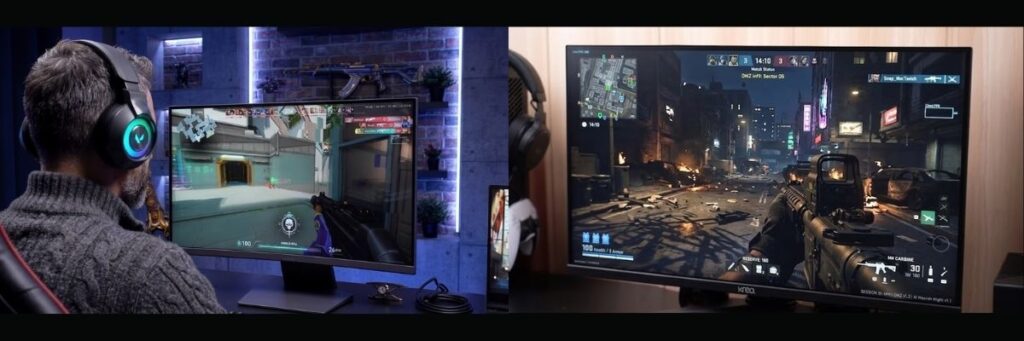
When playing Valorant, the KREO performed fine. The bright, flat maps suit the panel. However, my studio partner Shubham booted up God of War Ragnarok, which features heavy shadows and dark environments. The KREO ruined the atmosphere. The shadows turned into a muddy, greyish-blue mess.
The LG UltraGear provided a massive upgrade in visual fidelity for AAA and dark games because the VA panel actually renders true black.
Warranty and Brand Reliability
When buying budget PC components, after-sales service is a massive factor.
- KREO Warranty: 800 Days (Roughly 2.2 years).
- LG / MSI Warranty: 3 Years standard.
KREO is demanding Rs 17,500 for an unproven monitor from a new brand. LG, MSI, Acer, and Samsung have been manufacturing displays for decades. I haven’t personally had to deal with KREO’s customer service yet, but establishing trust takes time. When a new brand prices their product identically to the industry giants, it becomes a very tough sell.
Where to Buy: Current Prices & Links
Ready to snag one of these monitors? You’ll find the current prices and purchase links right here.
Note: Monitor prices on Amazon and Flipkart fluctuate constantly. While they both launched around the Rs 17,000 mark, you can often find them on sale for less.
- Check Price for LG UltraGear 27GS60QC: Amazon Link Click Here
- Check Price for KREO Obsidian 27-inch: Amazon Link Click Here
(Pro tip: If you see the LG UltraGear drop below Rs 16,500 during a flash sale, don’t wait—grab it instantly.)
Final Verdict: Which Monitor Should You Buy?
If the KREO Obsidian was priced under Rs 15,000, it would be a highly recommended budget 1440p gaming monitor. At that price, you expect compromises like poor dynamic range and light build quality in exchange for a 2K 200Hz panel.
But at Rs 17,500, the KREO Obsidian is simply overpriced for the experience it delivers. The poor out-of-the-box color calibration, heavy screen bleeding, washed-out dynamic range, and questionable build stability make it hard to recommend.
For Rs 17,000, the LG UltraGear 27GS60QC is the clear winner here. You get excellent contrast, beautiful colors right out of the box, solid build quality, and the peace of mind of a 3-year warranty from a legacy brand.
What is your experience with these brands? Have you tried the new KREO Obsidian, or do you swear by LG UltraGear displays?
Drop a comment below and let me know about your experiences, especially regarding after-sales service—it helps out the whole community!
If you are finding Best PC gaming cantroller then read our this Blog :
Best Controller for PC in India (Rs. 800 – Rs. 5000) | Budget to Premium Guide
Frequently Asked Questions (FAQs)
Does the KREO Obsidian support 200Hz over HDMI?
No. If you connect your PC or laptop using the HDMI 2.0 port, the refresh rate is capped at 1440p 144Hz. To get the full 200Hz on the KREO Obsidian (or 180Hz on the LG UltraGear), you must use a DisplayPort 1.4 cable.
Does the KREO Obsidian have built-in speakers?
Neither the KREO Obsidian nor the LG UltraGear comes with built-in speakers. However, both monitors have a 3.5mm audio jack, so you can plug your headphones or external speakers directly into the monitor.
Which monitor is better for editing and coding: KREO or LG?
The LG UltraGear is much better for coding because its VA panel produces pitch-black backgrounds, making dark-mode applications look great. For video editing, the KREO’s IPS panel has highly inaccurate, cool colors out of the box and requires heavy tweaking in the sRGB mode, whereas the LG looks much more accurate right away.
Can I mount the KREO Obsidian on a monitor arm?
Yes, both the KREO Obsidian and the LG UltraGear support a standard 100×100 VESA mount. Since the LG monitor only comes with basic tilt adjustment on its factory stand, buying a third-party monitor arm is highly recommended.
Is the KREO Obsidian actually Made in India?
This is a point of confusion. KREO claims it is a “Made in India” monitor, and it says so on one side of the box. However, the other side of the exact same box clearly states “Country of Origin: China.”
0 Comments