
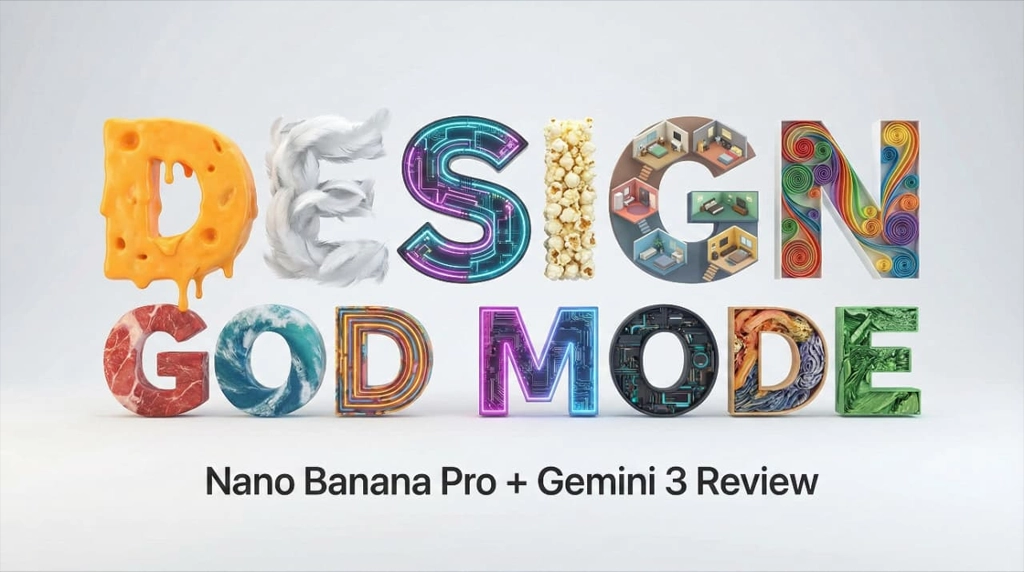

Look, I’ve been a designer for over a decade. I’ve ground out projects for Lots of brands. I know the struggle of spending days on tasks that should take hours.
But recently? Everything changed.
I’ve been testing Nano Banana Pro paired with Gemini 3, and I’m not throwing this term around lightly: it is absolute God Mode for designers. We are talking about five breakthrough features that take tasks that used to take me three full days and finishing them in seconds.
If you want to know how to create epic designs, perfect text, and mind-blowing 4K renders, keep reading. Here is how Nano Banana Pro changes graphic design forever.
In This Post
What Nano Banana Pro Actually Is
Nano Banana Pro is an advanced multimodal AI design model capable of reasoning across text, images, layout, and visual hierarchy. When grounded by Gemini 3, it becomes far more than an image generator.
It understands: – What text means, not just how it looks – How images relate spatially and semantically – How design systems stay consistent – How real-world information should appear visually
This combination moves AI design from generation to design intelligence.
Why Gemini 3 Changes Everything
Gemini 3 provides grounding, reasoning, and verification.
Instead of guessing, Nano Banana Pro can: – Research before designing – Validate information after output – Understand instructions at a structural level
This drastically reduces hallucination and increases professional reliability.
Breakthrough 1: Perfect Text Rendering With Real Content
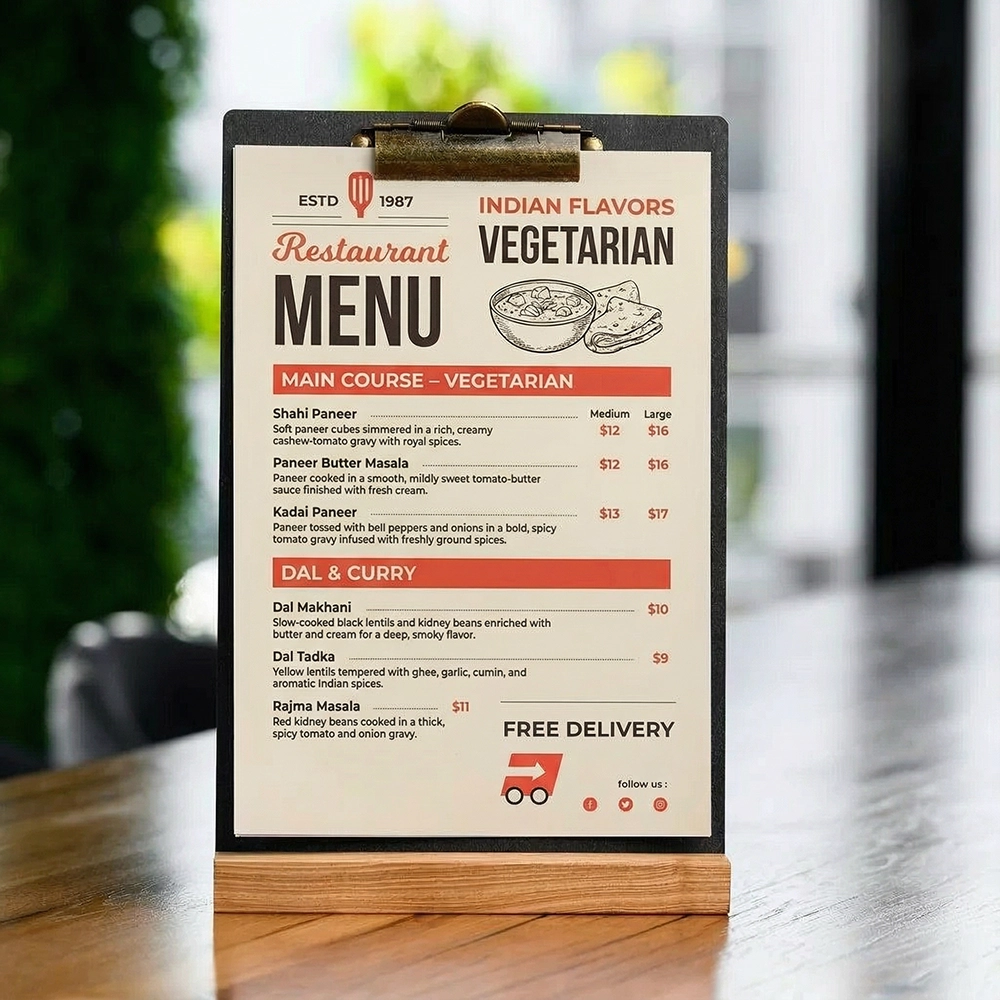
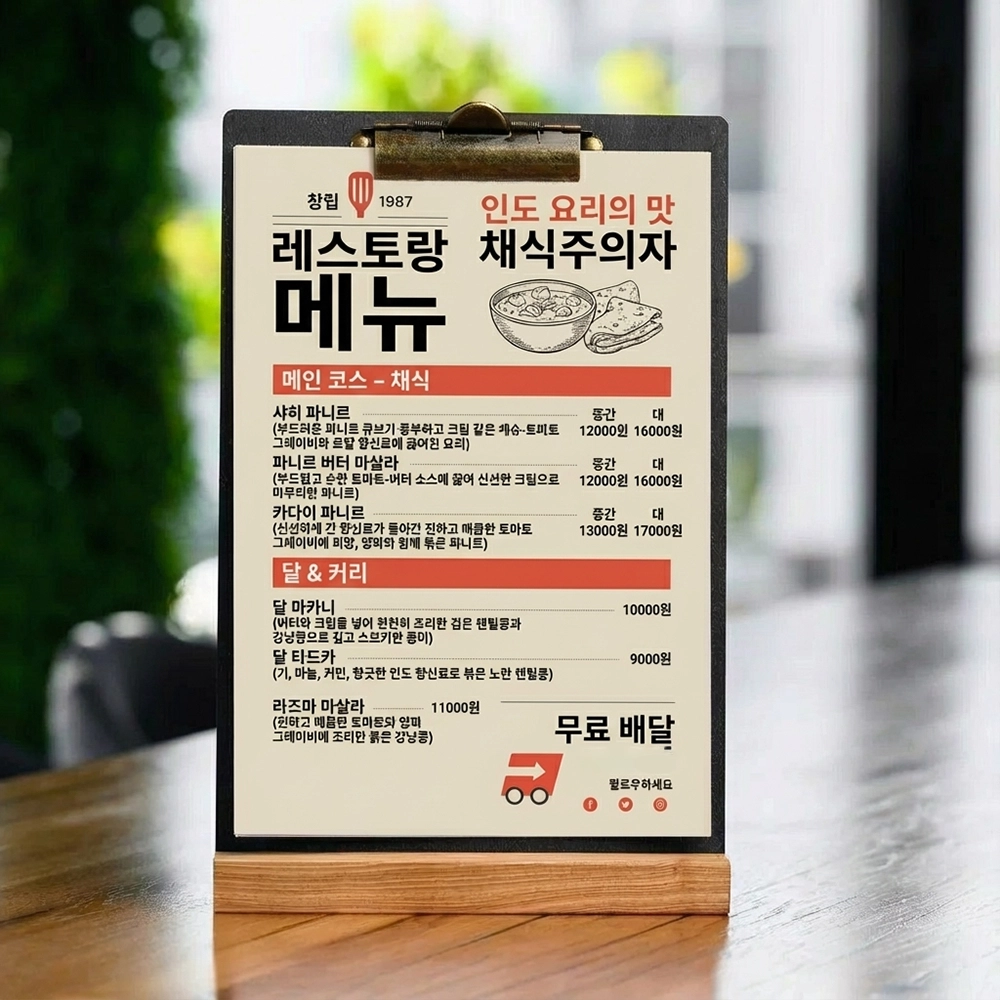
This is the most important update because it allows us to output highly dense, specific pieces of text. I tested this by feeding it a prompt for a street food menu with 10 clean, modern items.
I gave it an image reference and said,
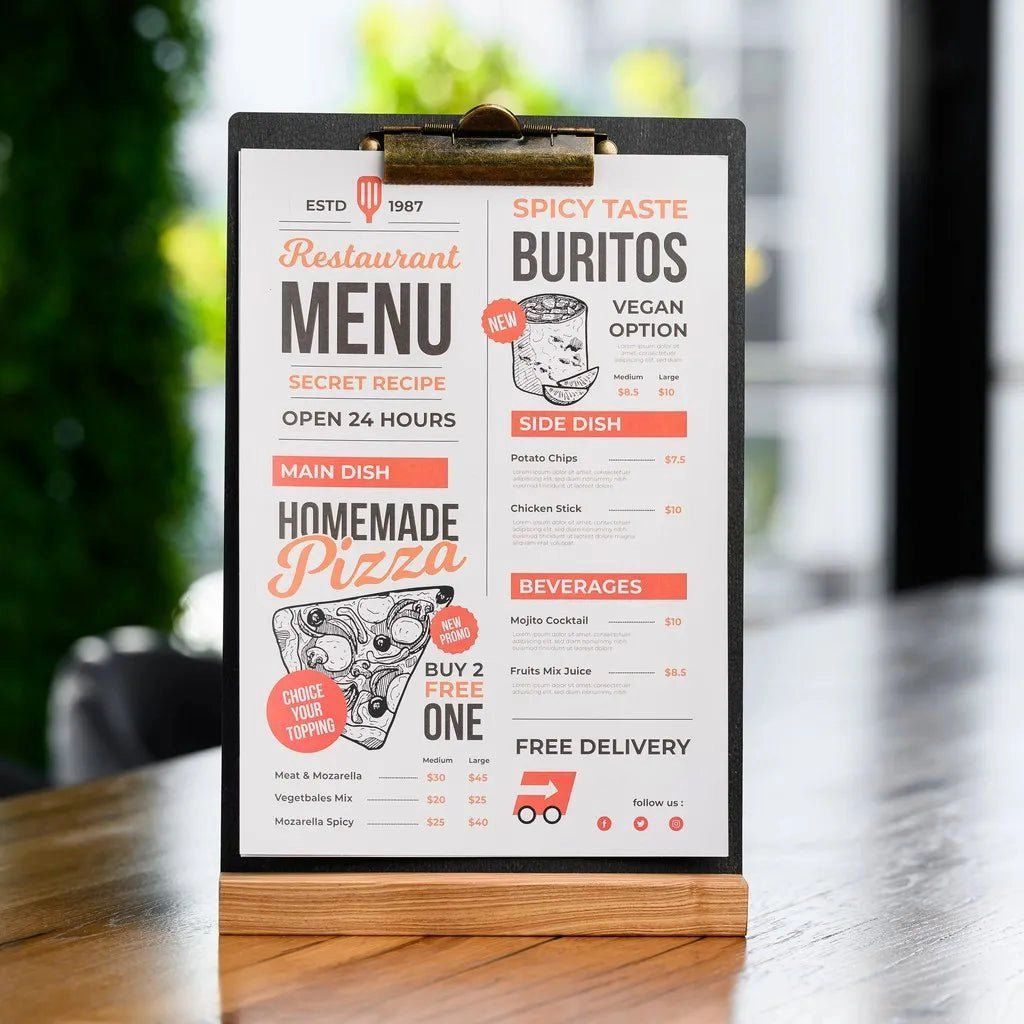
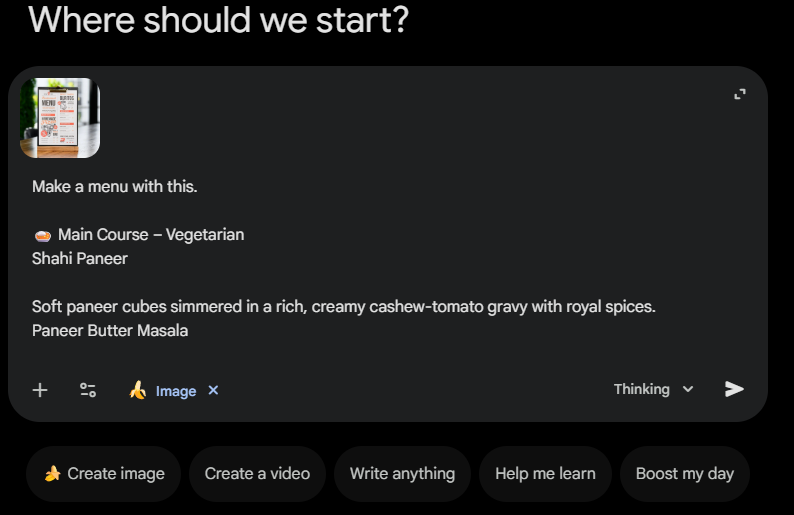
Prompt: “Make a menu with this.
🍛 Main Course – Vegetarian
Shahi Paneer
Soft paneer cubes simmered in a rich, creamy cashew-tomato gravy with royal spices.
Paneer Butter Masala
Paneer cooked in a smooth, mildly sweet tomato-butter sauce finished with fresh cream.
Kadai Paneer
Paneer tossed with bell peppers and onions in a bold, spicy tomato gravy infused with freshly ground spices.
Dal Mak….“
The result?
Zero typos.
Perfect formatting.
Instant output.
The Translation Hack
Here is where it gets crazy. You can take that same design and ask it to translate it instantly while keeping the exact design aesthetic.
I asked it to translate the menu to Korean. Now, my Korean is a little rusty, but it performed the task with absolute expertise. Imagine the time you save designing for international markets without having to rebuild the layout from scratch.
Breakthrough 2: Infinite Typography and Custom Font Creation
Nano Banana Pro can generate typography as designed objects, not font files alone.
I played around with this and the results were stunning:
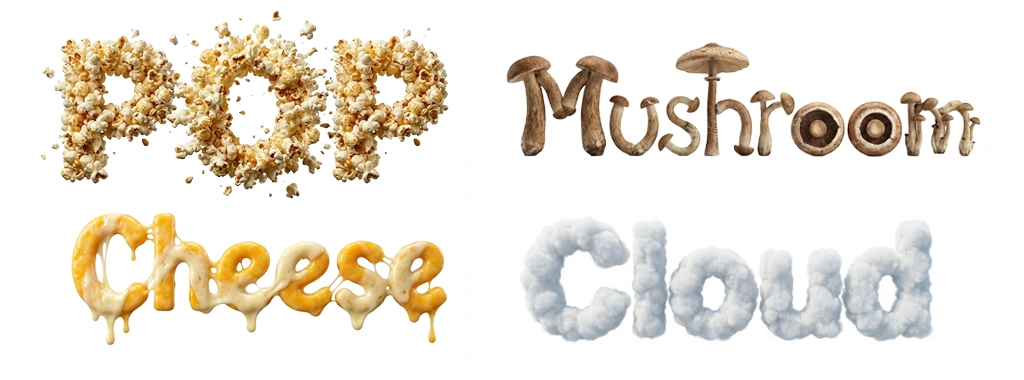
- The word “Cheese” made of melting cheese.
- “Pop” made of exploding popcorn.
- “Mushroom” using the mushroom cap to form the letter ‘O’.
We can even do “impossible” shapes or specific artistic styles like paper quilling (rendered in purple, pink, and magenta) or Rizograph print styles with that beautiful, authentic grain.
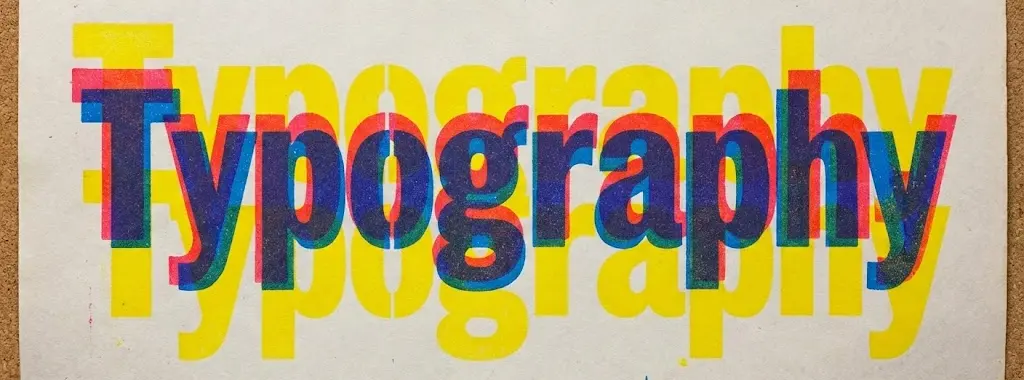
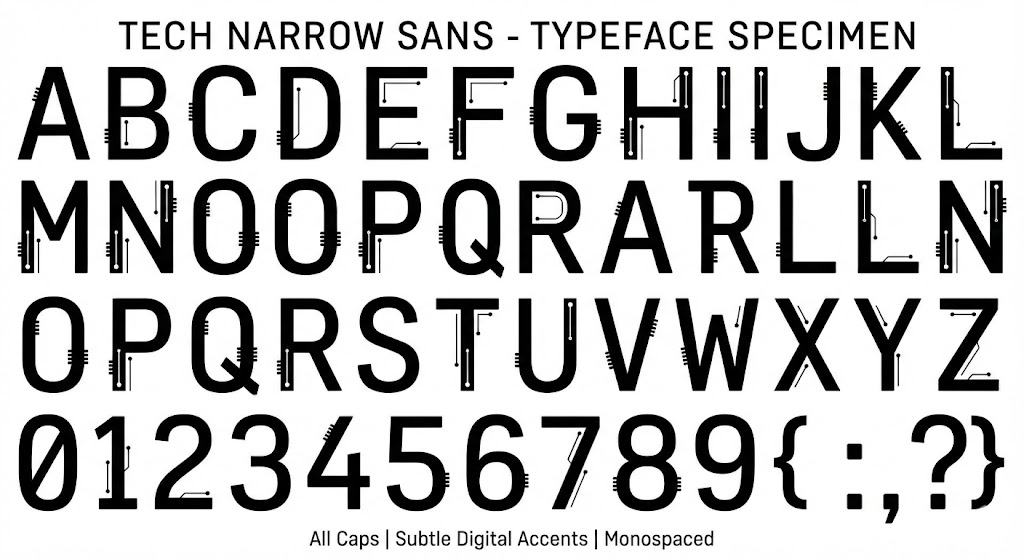
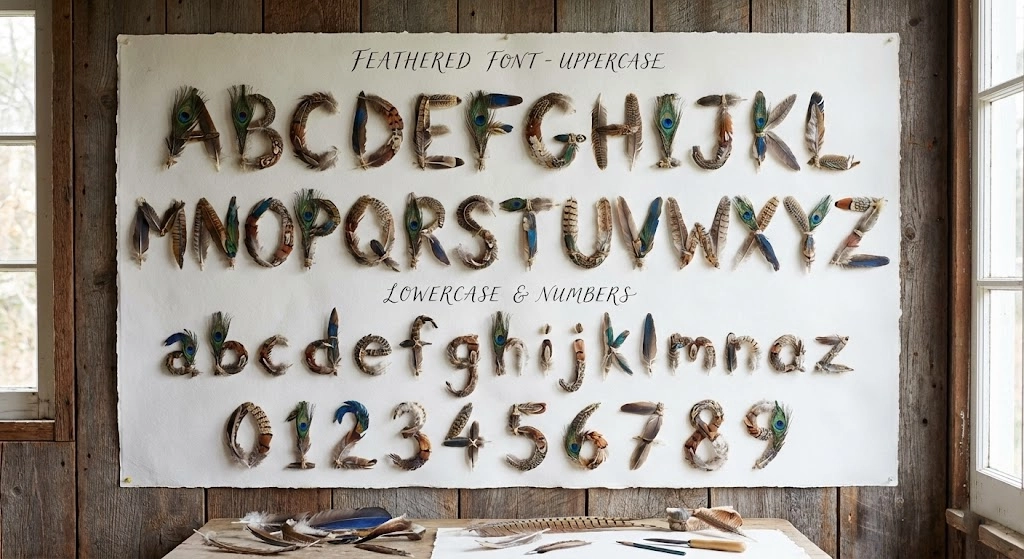
Pro Tip: You can generate entire font sheets. I made a “feathery font” and a futuristic tech font in seconds. In the past, creating a custom brand font would have taken me weeks.
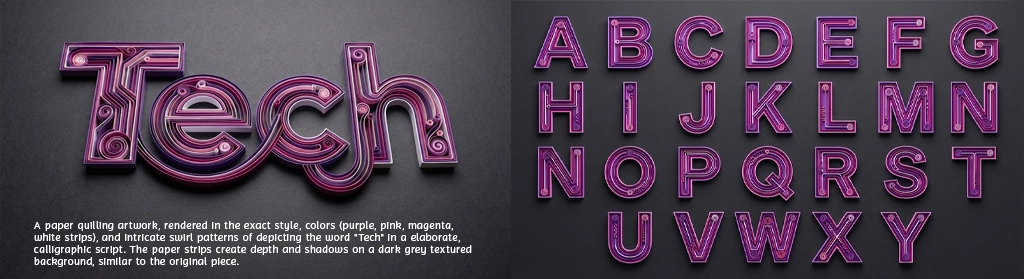
This allows rapid creation of brand-specific typographic systems that previously took weeks.
Breakthrough 3: Multi-Image Reference Reasoning (Up to 14 Images)
Nano Banana Pro can ingest up to 14 reference images and reason across them contextually.
It understands:
- Which image defines visual style
- Which image defines form or structure
- Which image defines subject, object, or identity
- How to merge intent, not just pixels
Example: Product Packaging + Visual Identity Synthesis
How I Used It
I wanted to design premium product packaging artwork for a new physical product.
I uploaded four reference images:
- A photograph of the actual product (shape, proportions, materials).
- A luxury packaging design from a different brand (typography, spacing, hierarchy).
- A color palette + texture reference (matte black, foil accents).
- A brand symbol / logo used on older collateral.
Then I instructed the AI:
“Create a premium box packaging design using the product’s exact shape from Image 1, apply the visual language and typography system from Image 2, use the color and material finish from Image 3, and integrate the logo from Image 4 subtly on the front panel.”
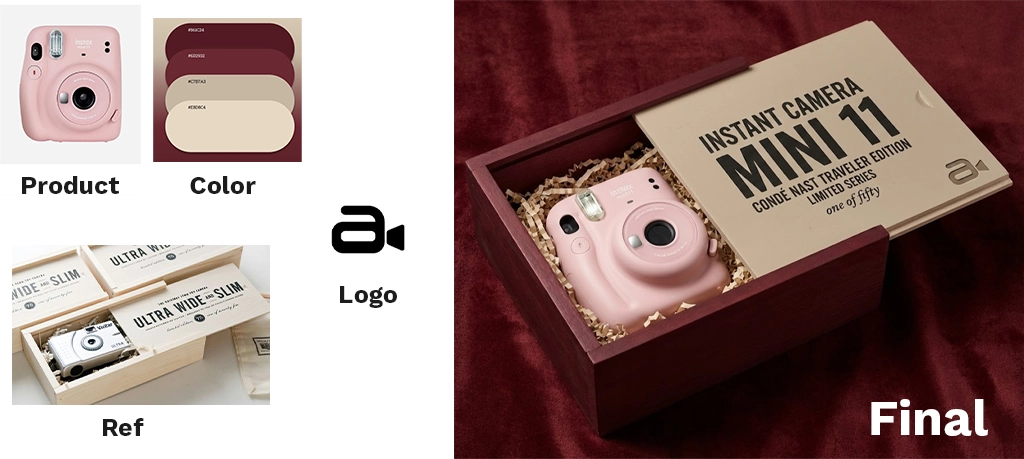
What Nano Banana Pro Understood
- Image 1 = structural constraint (box size, orientation, dieline logic)
- Image 2 = design system reference (grid, font scale, whitespace)
- Image 3 = material & finish direction
- Image 4 = brand identity asset
It did not randomly blend visuals.
It:
Placed branding with intent and hierarchy
Preserved product proportions
Applied the correct typography rhythm
Used materials realistically (foil, emboss, matte)
Real Workflow Use Cases by Creator Type
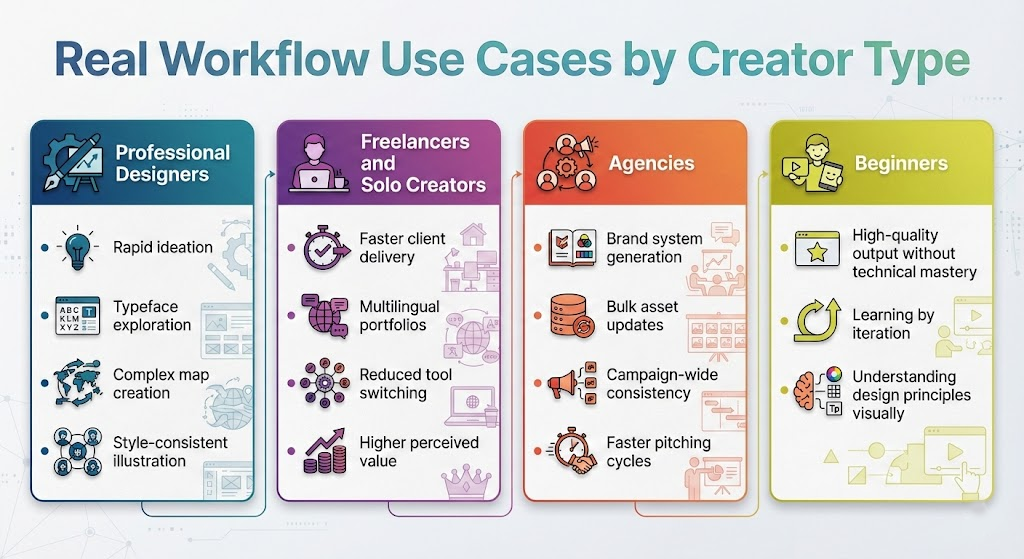
Professional Designers
- Rapid ideation
- Typeface exploration
- Complex map creation
- Style-consistent illustration
Freelancers and Solo Creators
- Faster client delivery
- Multilingual portfolios
- Reduced tool switching
- Higher perceived value
Agencies
- Brand system generation
- Bulk asset updates
- Campaign-wide consistency
- Faster pitching cycles
Beginners
- High-quality output without technical mastery
- Learning by iteration
- Understanding design principles visually
Layer Control and Practical Workarounds
Full layer editing is limited, but usable workarounds exist.
You can: – Export isolated elements – Use white or green backgrounds – Rebuild layers in traditional tools
This allows Nano Banana Pro to fit into professional pipelines today.
Advanced Applications: Maps, Logos, and Systems
Nano Banana Pro excels at traditionally complex tasks: – Illustrated and recolored maps – GTA-style city layouts – Negative space logos – Symbol-letter hybrids
It understands both readability and symbolism.
Meta Prompting: Designing the Prompt Before the Design
A powerful workflow: 1. Write a rough idea 2. Ask Gemini 3 to refine it 3. Send the refined prompt to Nano Banana Pro
This dramatically improves consistency and output quality.
From Single Images to Design Systems
When used inside design agents, Nano Banana Pro scales to full brand systems.
You can generate and update: – Logos – Websites – Social media assets – Posters – Merchandise
Changes can propagate across all assets via natural language.
Industry Implications
This shifts the designer’s role.
Execution is automated.
Direction becomes critical.
Taste becomes leverage.
The designer becomes a systems thinker, not a production machine.
Want learn about – Nano Banana Pro Camera Control: One Image, Infinite Angles (Complete Beginner’s Guide)
FAQs
What is Nano Banana Pro
Nano Banana Pro is an advanced AI design model that generates high-resolution visuals with accurate text, custom typography, and multi-image reasoning, especially when paired with Gemini 3.
How does Gemini 3 improve AI graphic design
Gemini 3 grounds AI-generated designs in real-world knowledge, improves prompt understanding, reduces hallucinations, and enables verification of text and data inside images.
Is Nano Banana Pro better than Midjourney or DALL·E
Nano Banana Pro focuses on accurate text, layout control, and design systems, while tools like Midjourney emphasize artistic imagery over production-ready design.
Can Nano Banana Pro be used for professional client work
Yes. It is suitable for branding, typography, infographics, maps, and concept design when combined with human review and verification.
What are the limitations of Nano Banana Pro
Current limitations include limited native layer editing and the need for human verification of critical data, despite Gemini 3 grounding.


0 Comments